CallToU Caregiver Pager Wireless Call Button System Review
Did you know that most falls and medical emergencies among older adults happen when no one else is in the room? That single fact keeps a lot of caregivers up at night — and it keeps a lot of seniors from feeling free to move around their own homes.
If you’ve ever worried about a parent or loved one being alone while you step outside, cook dinner, or run laundry, you already understand the problem this product is designed to solve. A simple, reliable way to call for help — without a smartphone, a WiFi connection, or a complicated installation — can make an enormous difference in how safe and independent daily life feels for everyone involved.
My name is Scott Grant. I’m a Certified Senior Advisor (CSA) and Senior Home Safety Specialist (SHSS) at Graying With Grace, and I personally evaluated the CallToU Caregiver Pager Wireless Call Button System hands-on, including a full demonstration you can watch in the video below. In this review, I’ll walk you through everything you need to know — how it works, who it helps most, what I noticed during testing, and where it falls a little short.


Quick Takeaways
- Problems it solves: Fear of falls going unnoticed, caregiver guilt about leaving the room, and the high cost of professional nurse call systems
- Who benefits most: Older adults with limited mobility, adult children caring for aging parents at home, and professional caregivers who need to multitask
- Worth the investment? Yes — it delivers reliable, professional-grade functionality at a fraction of what commercial systems cost, with no ongoing fees
- Best feature for seniors: The waterproof button can be worn in the shower, which is exactly when help is hardest to summon and most needed
- Biggest limitation: The receiver plugs into a wall outlet, so a power outage will disable the system — you’ll need a backup plan for that scenario
How This Could Help You
Think about the moments in a typical day when a loved one is most alone. Maybe it’s while you’re in the kitchen making lunch. Maybe it’s while you’re in the garage or out in the yard. Maybe it’s the 20 minutes every morning when your mom or dad is in the shower and you’re on the other side of the house holding your breath.
Those are exactly the moments this system is built for. The person who needs help presses one large, easy button. The receiver — wherever the caregiver has it plugged in — sounds an alert instantly. No delay, no app to open, no hoping the phone is charged. Just a direct wireless connection that works right away.
For older adults who still want to live independently, this kind of backup changes everything. Instead of feeling like they need someone hovering nearby, they can move around the house freely knowing that one press of a button brings help. That sense of autonomy is genuinely valuable — not just emotionally, but physically. People who feel safer tend to stay more active, and staying active supports long-term health.
For caregivers, the benefit is just as real. Can you imagine being able to cook a full meal, fold a load of laundry, or step outside to check the mail without that low-level anxiety humming in the background? This system makes that possible.
Important Details You Should Know
The transmitter button is compact and lightweight — easy to hold, clip to clothing, or wear around the neck. It doesn’t feel bulky or uncomfortable, which matters a lot if someone is going to wear it all day.
The receiver is a small plug-in unit, roughly the size of a standard nightlight. It doesn’t take up much space and can be moved to whatever outlet is most useful in your home.
As I noted in the video, the button uses an A23 battery — a small, cylindrical battery that’s about half the size of a standard AA. You can find it at most pharmacies, hardware stores, or discount retailers. It’s not a hard battery to track down, but it’s worth keeping a spare on hand.
The build quality feels solid. The waterproof seal around the button is genuine — as I demonstrated during my evaluation, the button continues to work after being submerged in water. The tradeoff is that changing the battery requires removing two small screws to break that seal. The package includes a small screwdriver for exactly this purpose, and any standard small Phillips head will work if you prefer.
Getting Started
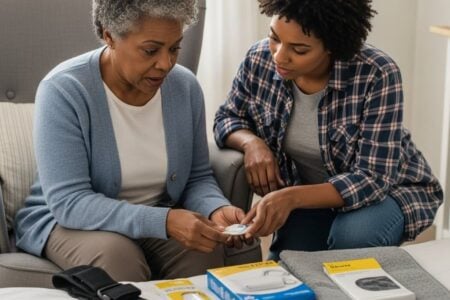
Inside the box, you’ll find the plug-in receiver, the waterproof call button transmitter, a neck lanyard, double-sided mounting tape, a small screwdriver for battery changes, and a user manual.
Setup is genuinely as simple as it sounds. As I demonstrated in the video, you plug the receiver into a wall outlet — it chimes twice to confirm it’s working — and the button is ready to use immediately. There’s no pairing process, no app to download, no account to create.
The only decisions you need to make are how you want to use the button (worn, mounted, or placed bedside) and which ringtone and volume setting work best for your situation. Both adjustments take about 30 seconds to configure.
If you purchase additional buttons later and they’re not already synced to the receiver, the user manual includes a simple pairing procedure. It’s not complicated, but it is a step worth knowing about in advance.
Ready to discover more innovative strategies for healthy, comfortable aging? Subscribe to our newsletter for expert-tested tips and product recommendations designed specifically for older adults.
Features That Matter to You
Waterproof Where It Counts Most
Bathrooms are statistically the most dangerous room in the home for older adults. Wet floors, slippery tubs, and the physical demands of bathing create real fall risk. The fact that this button can be worn in the shower — and actually works after being submerged, as I demonstrated in the video — is not a minor detail. It’s one of the most important safety features this system offers.
Volume That Reaches Across the House
When I evaluated this product, I noticed that the volume range is genuinely wide. The lowest setting is nearly silent (essentially a visual-only alert through the receiver’s light), and the highest reaches 110 decibels — which is comparable to the noise level of a motorcycle at close range. In the video, you can see the difference between the silent setting and the maximum, and the jump is dramatic.
That silent mode is worth flagging, by the way. If someone adjusts the volume accidentally and cycles to that setting, they may think the system isn’t working. Just be aware of it, test your volume setting before relying on the system, and make sure you’re in an audible range.
55 Ringtone Options
This might sound like more than you need, but it actually serves a practical purpose. Different tones carry differently through walls and ambient noise. If you’re hard of hearing, some frequencies are easier to detect than others. Having 55 choices means you can test until you find one that truly works for your ears and your home layout.
No WiFi, No Monthly Fees, No Subscriptions
This is a self-contained system. It communicates directly between the button and the receiver over a dedicated wireless frequency. There’s no internet connection involved, no smartphone required, and no recurring cost after the initial purchase. That simplicity is a genuine strength.
Real Life Experience
Let me walk you through what day-to-day use actually looks like with this system.
Imagine it’s morning. Your mother is getting ready for the day and heads into the bathroom. She’s wearing the call button on the lanyard around her neck. You’re in the kitchen starting breakfast. If she slips or needs help, she presses the button and you hear the alert immediately — no matter which room you’re in, and no matter what you’re doing.
As I demonstrated in the video, the alert is instant. There’s no lag, no waiting for a signal to route through an app. You press the button, the receiver sounds. That immediacy matters in an emergency.
During my hands-on evaluation, I also tested the waterproofing directly — dunking the button in water, letting it sit, drying it off, and pressing it. It worked perfectly. That real-world test gave me confidence in the claim, not just the spec sheet.
One practical thing I want to highlight from the video: when you plug the receiver in, it confirms it’s working with two quick chimes. That’s a small detail, but it’s reassuring. You always know the receiver is active.
For maintenance, the main task is battery replacement in the transmitter button. Because of the waterproof seal, this requires removing two small screws — something to be aware of ahead of time. Keep the included screwdriver somewhere accessible, or note that any small Phillips head will do the job. Battery life will vary depending on how frequently the button is pressed, but this type of system typically runs for weeks to months on a single A23 battery.
The receiver stays plugged into the wall, so there’s no battery to manage there. Cleaning is simple — wipe both units down with a damp cloth as needed. No special care required.
Will You Be Able to Use It?
The call button requires only one simple press — no squeezing, no holding, no double-tap. That makes it accessible for people with arthritis, reduced hand strength, or limited fine motor control. The button is large enough to press without precision.
Wearing the button on a lanyard keeps it accessible even for those with limited arm or shoulder mobility. If wearing it around the neck isn’t comfortable, the double-sided tape lets you mount it to a bedside table, a wheelchair armrest, or a bathroom wall — wherever makes the most sense for that person’s daily routine.
The receiver’s controls — volume and ringtone buttons on the side — require some button pressing to navigate. For caregivers with limited dexterity, this might take a moment to get comfortable with, but it only needs to be set up once. After initial configuration, neither device needs further adjustment unless preferences change.
This system does not require any reading of alerts, interpretation of screens, or response from the person in need beyond pressing the button. That makes it a strong fit for individuals with early to moderate cognitive decline who can still understand “press this button when you need help.”
Important Considerations
I want to be honest about who this system may not serve well, because that’s just as important as knowing who it helps.
If someone has advanced dementia and is unlikely to remember to press the button or understand its purpose, a passive monitoring system — one that doesn’t require the person to initiate contact — would be a better fit. This device requires the user to take deliberate action.
If your home experiences frequent power outages, or if the receiver needs to be placed in a room without a reliable outlet, this system has a real vulnerability. As I mentioned in the video, if power goes out, the receiver stops working. You need a backup plan for that scenario — whether that’s a battery-powered alternative, a neighbor check-in system, or another layer of safety.
The 500-foot range is measured in open-air conditions. Dense construction materials — thick concrete walls, multiple floors with metal framing — may reduce that range. In most residential homes this won’t be an issue, but if you live in a particularly large or heavily constructed home, it’s worth testing range in your specific environment before relying on it fully.
Finally, this is not a medical alert system with professional monitoring. If your loved one needs guaranteed emergency response when you are not available or reachable, a monitored personal emergency response system (PERS) with 24/7 dispatch would be more appropriate.
Always consult with your doctor or occupational therapist before making health-related product decisions, especially for individuals with complex medical needs or significant mobility limitations.
Help When You Need It
CallToU offers 24-hour customer support, which is genuinely reassuring for a product that plays a safety role in someone’s home. If something doesn’t work as expected or you have questions about setup, you don’t have to wait for business hours to get help.
The included user manual covers setup, operation, syncing additional buttons, and battery replacement. It’s worth reading through it once before you start, particularly the section on syncing if you plan to add more buttons later.
Amazon’s standard return policy applies to this purchase, which provides an additional layer of protection if the system doesn’t meet your needs after trying it at home.
Replacement A23 batteries are widely available at pharmacies, hardware stores, and general retailers — no need to order anything special or wait for shipping.
Understanding the Cost
Professional nurse call systems installed in a home can run into the thousands of dollars, require professional installation, and often come with monthly monitoring fees. This system delivers the core functionality — a button that alerts a caregiver instantly — without any of that overhead.
There are no subscription fees, no monitoring contracts, and no monthly charges of any kind. It’s a one-time purchase that continues working for as long as the hardware holds up.
For families weighing the cost of professional care hours versus the ability to manage safely at home, a system like this can meaningfully extend how long a loved one can age in place. That’s not a small thing. The financial math of even a few fewer hours of paid caregiver time per week can justify this kind of purchase very quickly.
Within its product category — consumer-grade wireless caregiver alert systems — this one sits in a competitive value position. You’re getting solid range, genuine waterproofing on both devices, high maximum volume, and meaningful customization for a reasonable one-time cost.
Making It Work for You
A few tips to get the most out of this system from day one:
- Test your range first. Before relying on the system, have one person press the button from every room — including the bathroom and any outdoor areas — while another person listens for the receiver. Know where the signal is strong and whether there are any dead spots in your specific home.
- Set the volume before you need it. Don’t leave it on the default setting and assume it will be loud enough. Test each volume level and choose one you can clearly hear from the farthest point in your home.
- Watch out for the silent setting. As I flagged in the video, one of the five volume levels is completely silent — the receiver lights up but makes no sound. Make sure you’re not accidentally resting on that setting.
- Consider placing a second button bedside. The system is expandable. Having one button to wear and one mounted near the bed or the toilet covers the two highest-risk locations without requiring the user to carry the button everywhere.
- Keep a spare A23 battery on hand. These batteries are easy to find, but having one ready means no gap in coverage when replacement time comes.
- Have a power outage backup plan. A simple plan — such as a neighbor check-in, a battery-powered personal alarm, or a cell phone kept nearby — ensures coverage even when the outlet isn’t working.
Our Recommendation
The CallToU Caregiver Pager Wireless Call Button System earns a solid recommendation from me for the right situation.
It’s a well-built, practical, affordable tool that solves a real and common problem: how does someone who needs help summon a caregiver quickly, from anywhere in the home, without a smartphone or a complicated setup? This system answers that question cleanly.
It’s a particularly strong fit for adult children caring for aging parents at home, professional caregivers managing daily routines across a residence, and anyone whose loved one wants to maintain independence without sacrificing safety. The waterproof button worn in the shower is, in my assessment as a Senior Home Safety Specialist, one of the most genuinely valuable safety features this product offers.
Where I’d encourage you to look elsewhere: if your loved one has advanced memory impairment and cannot reliably initiate a call, or if you need 24/7 professional emergency monitoring when you’re away from home, a passive monitoring system or a medical alert service with professional dispatch would serve you better.
But for in-home caregiver support, daily independence, and immediate call capability? This system does exactly what it promises, and it does it without the complexity or cost that so many families can’t justify.
Where to Get It
The CallToU Caregiver Pager Wireless Call Button System is available on Amazon. Use the link on this page to check current pricing, available bundle options (including multi-button packages), and customer reviews from verified buyers. Pricing can change, so checking the listing directly gives you the most accurate and up-to-date information.
Final Thoughts
At the heart of this product is something worth naming directly: dignity. The ability to call for help when you need it — without shouting, without hoping someone checks on you, without giving up your privacy or your routines — is a fundamental part of living well at any age.
This little system makes that possible in a way that’s affordable, reliable, and genuinely simple to use. For many families, that’s exactly what they’ve been looking for.
If you have questions about whether this system is the right fit for your specific situation, drop them in the comments below. I read every one, and I’m happy to help you think through what might work best for your home and your family.