
Is One Button Press Really Enough to Keep Your Loved One Safe?
Picture this: your mom is home alone while you step outside to mow the lawn or run a quick errand. She heads to the bathroom, slips, and needs help. She calls out, but you cannot hear her. That scenario keeps more family caregivers up at night than almost anything else I hear about in my work.
The bathroom is the most dangerous room in the house for older adults, and the fear of not being able to reach help in time is very real. What most families want is a simple, reliable solution that does not require a monthly contract, a smartphone, or a complicated setup process.
As a Certified Senior Advisor (CSA) and Senior Home Safety Specialist (SHSS) at Graying With Grace, I personally evaluated the FullHouse Wireless Call Button system hands-on and recorded a full video walkthrough so you can see exactly how it works before you decide. In this review, I will walk you through the features that matter most, the honest limitations you need to know about, and whether this system is a good fit for your specific situation.

Quick Takeaways

- Solves: The challenge of summoning help quickly without shouting, using a smartphone, or paying ongoing monthly fees
- Best for: Older adults living with family caregivers, adults recovering from surgery, and people with mobility limitations who spend time alone at home
- Worth the investment? Yes, especially for families who want peace of mind without a long-term subscription commitment
- Best feature for seniors: Single-button operation with no apps, no WiFi, and no technology knowledge required
- Biggest limitation: This is a home-based system only — it will not help if your loved one leaves the property
How This Could Help You
Think about how often a caregiver has to hover just to make sure everything is okay. That kind of constant monitoring is exhausting for the caregiver and honestly a little frustrating for the older adult who just wants some privacy. Could a simple button change that dynamic?
The FullHouse system is designed to give the person needing care a direct line to the caregiver without any shouting, without any technology fuss, and without anyone having to stand watch. Whether your loved one is resting in the bedroom, spending time in the living room, or using the bathroom, one press of the button immediately alerts whoever has the receiver nearby.
For the caregiver, that means real freedom to cook, do laundry, work in the yard, or even rest in another room without that gnawing guilt of wondering if something has happened. For the older adult, it means being able to stay in their own space, on their own terms, knowing that help is never more than a button press away.
Daily life looks different with this kind of backup in place. Morning routines in the bathroom feel a little less risky. Nights are calmer because the caregiver knows a 110-decibel alert will wake them if needed. And the older adult keeps a sense of dignity because they are choosing when to call for help rather than having someone check on them constantly.
Important Details You Should Know
The transmitter button itself is compact and lightweight. As I demonstrated in the video, it comes with a lanyard already attached, which makes it easy to wear around the neck throughout the day. You can remove the lanyard if that is not your preference, and the button is slim enough to tuck into a shirt pocket or clip to clothing.
The receiver plugs into any standard wall outlet. It is not a large or bulky device, and you can move it from room to room as needed, which is a practical advantage for caregivers who move around the house during the day.
Build quality feels solid for this category. The IP55 waterproof rating means the button can handle bathroom humidity and splashing at the sink or near the shower. That said, it should never be submerged in water, so bathing or showering requires a brief plan for where the button will be during that time.
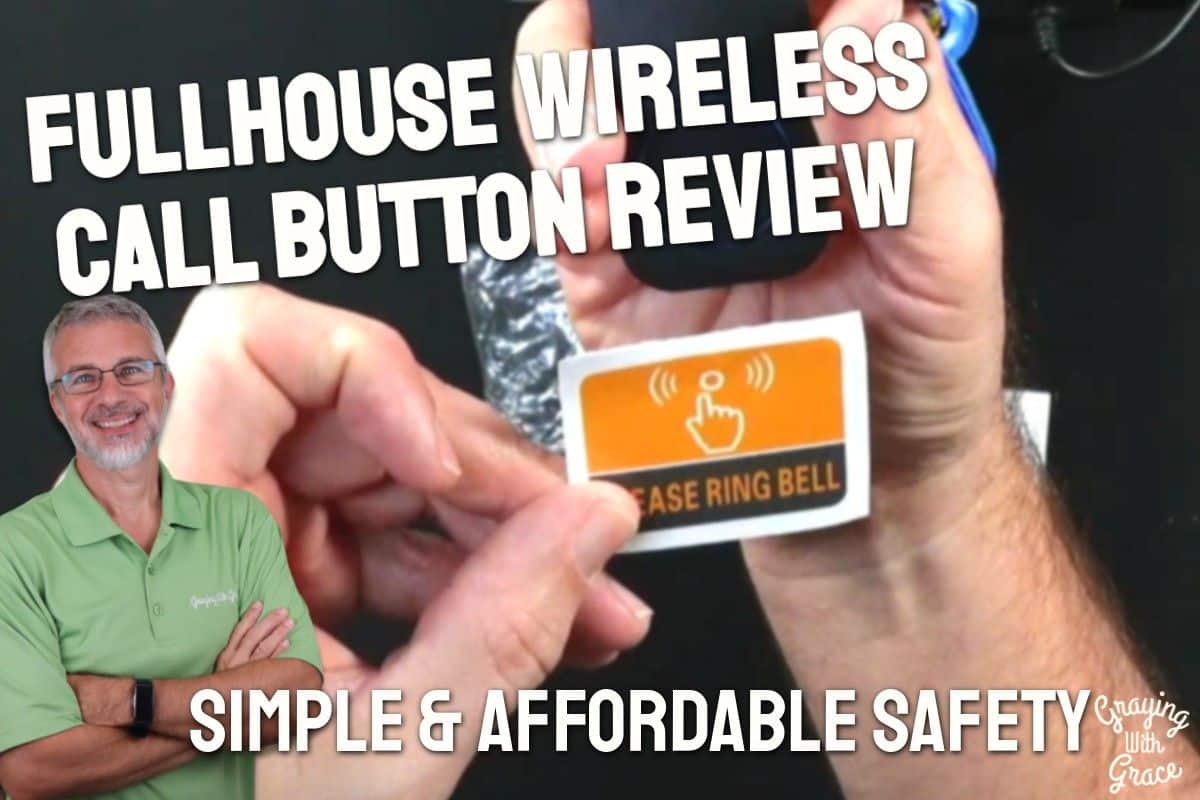
The housing is all black, which is clean looking but can be hard to identify at a glance. When I evaluated this product, I noticed that it comes with a printed sticker you can apply below the button so that the person using it always knows exactly what it is and what it does. That is a small but thoughtful detail.
Getting Started
Setup is refreshingly simple. The package includes the transmitter button with lanyard, the plug-in receiver, mounting hardware for the button, double-sided foam tape for wall mounting, and the identifying sticker. In the video, you can see that the whole setup takes just a few minutes with no tools required beyond a small flat-head screwdriver if you ever need to replace the battery.
You plug the receiver into a wall outlet and it plays a two-tone chime to confirm it is working. From there, you can cycle through the 52 ringtone options and adjust the volume to your preferred level. Press the button and the receiver responds immediately. That is genuinely all there is to it.
The system does not require WiFi, an internet connection, a smartphone, or any kind of account setup. As I noted in the video, it is completely self-contained — the button sends a wireless signal and the receiver picks it up. No subscriptions, no apps, no passwords.
Ready to discover more innovative strategies for healthy, comfortable aging? Subscribe to our newsletter for expert-tested tips and product recommendations designed specifically for older adults.
Features That Matter to You
Safety First
The waterproof rating is arguably the most important safety feature on this device. Because the bathroom is where the majority of home falls occur, having a button that can be worn or mounted near the shower and toilet without worrying about moisture damage is a meaningful advantage over systems that require removal before bathing.
The receiver can reach volumes up to 110 decibels, which is louder than a standard fire alarm. That level of volume gives caregivers — including those who sleep deeply — a strong chance of hearing an alert even from another floor or across the house.
Accessibility
The silent LED flash mode is a feature I want to highlight specifically for families where a caregiver has hearing loss or where loud alarms would disturb others in the home. You can set the volume to zero and the receiver will simply flash visually when the button is pressed. That kind of flexibility matters in real households with real constraints.
For older adults with arthritis or limited grip strength, the single large button design is intentional. There are no menus to navigate, no screens to read, and no sequences to remember. Press the button and help is on the way.
Expandability
As I demonstrated in the video, the system is expandable. You can add multiple buttons that all signal into the same receiver. That opens up some genuinely practical configurations: one button worn as a necklace during the day, a second one mounted permanently beside the bed for nighttime use, and a third mounted near the toilet or shower entrance. You are not locked into a single placement strategy.
Real-Life Experience
In day-to-day use, the most important habit to build is making sure the button is always within reach. When I evaluated this product, I noticed that the lanyard is already attached right out of the box, which removes one barrier to actually wearing it. The fewer steps between unpacking and using, the better.
Battery life is a reasonable question for any wearable device. As I demonstrated in the video, the button uses a CR2032 battery — the flat coin-cell type — which is widely available and typically lasts a long time under normal use. When replacement is needed, you use a small flat-head screwdriver to pop the cover off and swap the battery. It is not complicated, but it is worth building a monthly check into your routine just to stay ahead of it.
The receiver stays plugged in, so there is nothing to charge on that end. If you want the receiver in the bedroom at night and in the kitchen during the day, you simply unplug it and move it. In the video, you can see that the receiver is compact enough to carry from room to room without any hassle.
Cleaning the button is straightforward given the waterproof rating. A damp cloth wipe-down is all that is needed. There are no fabric components or padding that require special care.
Will You Be Able to Use It?
For most older adults, yes. If you can press a doorbell, you can use this system. The button requires minimal force and is large enough to locate by touch, which matters if someone is disoriented or in distress.
Wearing the lanyard is the most effective way to ensure the button is always accessible, but the wall-mount and bedside table options provide meaningful alternatives for people who find necklaces uncomfortable or tend to forget to put them on in the morning.
For wheelchair users, the button can be attached to the chair itself, keeping it within reach regardless of where the person is in the home. That kind of adaptability is part of what makes this system work for a wider range of situations.
The one physical requirement that cannot be worked around is the ability to press the button intentionally. This system does not detect falls automatically — it requires a conscious press from the user. That is an important distinction to understand before purchasing.
Important Considerations
This system is not the right choice if your loved one has moderate to advanced dementia and may not reliably remember to press the button or may press it repeatedly and unpredictably. In that situation, a passive monitoring solution or a professionally monitored medical alert service may be a better fit.
This is also not a GPS or cellular system. If your loved one leaves the home, this system cannot locate them or alert you. It is designed exclusively for in-home use within the wireless range of the receiver.
Very large homes, multi-story buildings with thick concrete or metal construction, or properties with significant distance between buildings may experience reduced range. As I noted in the video, my advice is always to test the system at the furthest points you expect to use it before committing to the placement. Because this is sold on Amazon with a standard return window, you have the opportunity to test it thoroughly before the decision is final.
There is no two-way communication on this device. When the button is pressed, the caregiver receives an alert but cannot speak back to the person who needs help. The caregiver must physically go to the person. For some families that is perfectly fine; for others who need verbal reassurance as an intermediate step, that absence may feel like a gap.
Always consult with your doctor or occupational therapist before making health-related product decisions, especially if fall risk or mobility limitations are a concern.
Help When You Need It
Specific warranty terms should be confirmed directly in the product listing or by contacting the seller through Amazon. As with any purchase in this category, I recommend buying through a seller with a clear return policy so you can test the system in your actual home environment before the return window closes.
Because the system is expandable, additional transmitter buttons can be purchased separately, which means you are not stuck if you want to add a second or third button placement down the road. Confirm current availability of add-on components in the product listing.
Customer support for this type of product is typically handled through the Amazon seller messaging system or the manufacturer’s contact information listed in the product documentation.
Understanding the Cost
This is where the FullHouse system stands out most clearly from the competition. Monthly subscription services from well-known medical alert brands add up significantly over months and years of care. A one-time purchase that requires no ongoing fees represents real, measurable savings for families managing the long-term costs of caregiving.
The trade-off is that you are getting a home-based, caregiver-dependent system rather than a professionally monitored service that can dispatch emergency responders on its own. For families where a caregiver is consistently present in the home, that trade-off often makes excellent sense. For older adults who live completely alone without a nearby caregiver, a professionally monitored service with cellular backup may be the more appropriate investment despite the higher ongoing cost.
Battery replacement for the CR2032 is inexpensive and infrequent, so ongoing maintenance costs are minimal.
Making It Work for You
The most important step after setting up this system is testing it thoroughly. Walk the entire property — the garage, the backyard, the basement, every room on every floor — and confirm the signal reaches the receiver reliably from each location. As I noted in the video, going to the furthest corner of the yard with the receiver placed in the bedroom is the best real-world range test you can do.
Build a routine around the button from day one. Put it on in the morning the same way you put on glasses or a watch. Consider placing the charger or a visual reminder near the bathroom door or the bedroom nightstand to prompt the habit.
For bathroom safety specifically, a small adhesive hook just outside the shower door can hold the lanyard within arm’s reach during bathing. As I demonstrated in the video, you can also mount a second button on the bathroom wall as a permanent backup so there is always an accessible option regardless of where the wearable button is at that moment.
Choosing the right ringtone matters more than people expect. Pick a melody that is distinctive enough to cut through background noise — television, kitchen sounds, outdoor noise — but not so jarring that the caregiver feels anxious every time it sounds. The 52 options give you plenty of room to find the right balance.
Our Recommendation
The FullHouse Wireless Call Button earns a genuine recommendation from me for families where a caregiver is regularly present in the home and wants a simple, no-subscription backup system for emergencies. It does exactly what it promises: one button press, immediate alert, no monthly fees, no technology headaches.
It is the right choice if your household includes an older adult who lives with family or has a caregiver present most of the day, if your priority is bathroom safety and fall preparedness at home, and if you want to avoid ongoing subscription costs while still having reliable emergency communication.
It is not the right choice if your loved one lives completely alone without regular caregiver presence, if they have significant cognitive impairment that would prevent reliable button use, or if you need GPS tracking or professional monitoring with emergency dispatch capability. In those situations, a monitored medical alert service is worth the added expense.
For the right family, this is a practical, well-designed tool that genuinely supports both independence and safety at home.
Where to Get It
The FullHouse Caregiver Pager Wireless Call Button is available on Amazon. Use the link in this review to check current pricing, confirm package contents, read verified buyer reviews, and review the seller’s return policy before purchasing. Availability and pricing can change, so checking directly gives you the most accurate and up-to-date information.
Final Thoughts
A simple button. A reliable alert. No monthly bill. For many families, that is genuinely all they need to feel safer at home every single day. The FullHouse Wireless Call Button will not solve every safety challenge, but for what it is designed to do — give an older adult a fast, easy way to summon a nearby caregiver — it does the job with minimal fuss and real peace of mind.
If you are weighing this option for your family, I hope this review has given you the specific information you need to make a confident decision. Have questions about whether this system would work for your particular home setup or your loved one’s needs? Drop them in the comments below — I read every one and I am happy to help you think it through.

![Elderly man sending message park 1[1]](https://www.grayingwithgrace.com/wp-content/uploads/2025/12/elderly_man_sending_message_park-11-e1765809786193-450x300.jpg)
![Older woman walker daughter garden walk[1]](https://www.grayingwithgrace.com/wp-content/uploads/2025/11/older_woman_walker_daughter_garden_walk1-e1763402910723-450x300.jpg)
![Elderly woman drinking water thanksgiving table[1]](https://www.grayingwithgrace.com/wp-content/uploads/2025/11/elderly_woman_drinking_water_thanksgiving_table1-1-e1762886522997-450x300.jpg)
![Asian grandfather granddaughter arranging potluck[1]](https://www.grayingwithgrace.com/wp-content/uploads/2025/11/asian_grandfather_granddaughter_arranging_potluck1-e1762874989504-450x300.jpg)


