![Older man unlocking smart lock[1]](https://www.grayingwithgrace.com/wp-content/uploads/2025/06/older_man_unlocking_smart_lock1-e1748525137610.jpg)
Have you ever watched your parent struggle to remember if they locked the front door, or worry about them navigating dark hallways at night?
You’re not alone.
But here’s what might surprise you: the right smart home technology can actually make aging in place easier and safer—without creating tech overwhelm.
Most people assume smart homes are complicated gadgets that confuse older adults. The truth is, when you choose devices specifically designed with seniors in mind, technology becomes a powerful tool for independence, not a barrier to it.
After testing dozens of devices with older adults and their families, we’ve discovered which ones genuinely transform daily living.
The secret isn’t about having the “smartest” home—it’s about choosing the RIGHT devices that solve real problems. If you’re surprised by how tech-savvy today’s seniors actually are, you might be interested in learning why grandparents are secretly better at technology than you think.

The Smart Home Reality Check for Seniors
Not all smart home devices are created equal, especially when it comes to seniors. The fitness tracker that requires daily charging? Probably not ideal. The voice assistant that misunderstands every command? More frustrating than helpful.
The devices that actually work for older adults share four key characteristics: simple setup, reliable performance, clear immediate benefits, and reasonable cost. They solve genuine daily challenges without creating new ones.
We’ve spent months testing over 50 smart home devices with older adults and their families. The results might surprise you—some of the most expensive, feature-packed devices performed poorly, while several affordable options became daily essentials.
Here’s what we learned: The best smart home devices for seniors don’t just add convenience—they provide peace of mind for the entire family.

Safety & Security Game-Changers
Smart Door Locks That Actually Make Sense
The August Smart Lock Pro and Schlage Encode Plus ($200-$280) have revolutionized home security for older adults. Why? No more fumbling for keys in the dark, worrying about whether the door is locked, or hiding spare keys under flower pots.


These locks automatically secure the door and send confirmation to family members’ phones. Your parent gets the independence of not needing keys, while you get the peace of mind of knowing their home is secure. Both models include backup physical keys for emergencies—a crucial feature many smart locks skip.
Real-world impact: Many families report these locks eliminate the daily “did you remember to lock the door?” phone calls while ensuring loved ones can always get inside safely.
Video Doorbells That Enhance Safety
The Ring Video Doorbell (basic model, $100) and Arlo Essential ($130) offer something invaluable: the ability to see and speak with visitors without opening the door. For older adults who may be targeted by scams or have mobility challenges, this is genuinely life-changing.


The two-way audio feature means package deliveries don’t require getting up quickly, and family members can use the app to check on their loved one’s daily activity patterns. Setup requires basic WiFi knowledge, but most internet providers offer free installation support.
Smart Smoke Detectors With Family Alerts
First Alert Onelink ($120) and Nest Protect ($120) go beyond traditional smoke detectors by sending smartphone alerts to family members when activated. Instead of just beeping, they announce “Smoke detected in kitchen” in clear English—crucial for seniors with hearing difficulties.
Perhaps most importantly, these devices can alert adult children immediately during emergencies, even when they’re not nearby. The peace of mind alone makes the investment worthwhile.

Daily Living Made Simpler
Voice Assistants That Actually Help
The Amazon Echo Show 8 ($130) and Google Nest Hub ($100) work better for seniors than voice-only devices because of their screens. Visual confirmation prevents the frustration of wondering if the device heard correctly.
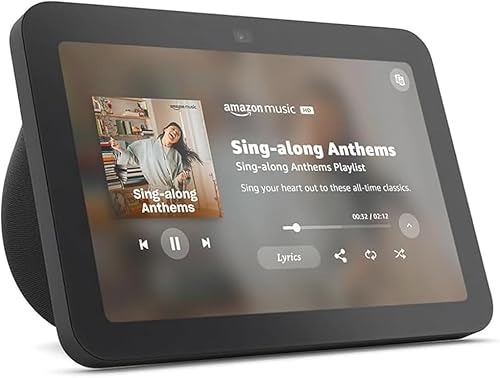


These screen-based assistants excel at medication reminders with visual cues, large-display weather and time information, and video calling with grandchildren. The key is starting with simple commands like “What time is it?” and gradually expanding use.
Pro tip: Set up the device with a tech-savvy family member, but keep the daily commands simple and consistent.
Smart Lighting for Nighttime Safety
Philips Hue motion sensors with bulbs ($80-$120 per room) or Sengled motion-activated bulbs ($25 each) eliminate dangerous nighttime navigation. When motion is detected, lights automatically turn on at a dim, comfortable level—no more stumbling to the bathroom in the dark.

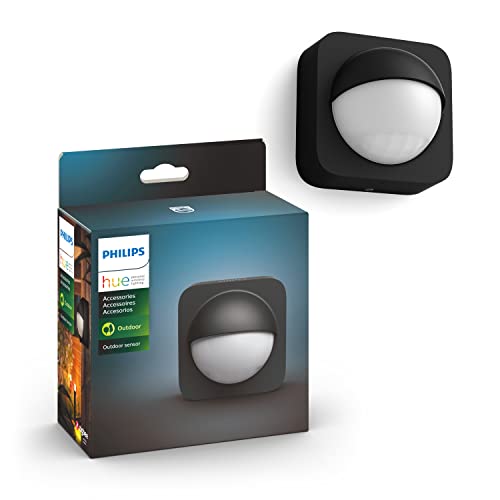

The gradual wake-up lighting feature helps ease morning transitions, while remote control capabilities mean no more struggling with hard-to-reach switches. During power outages, some models provide emergency lighting automatically.
For many families, this single upgrade provides the biggest safety improvement per dollar spent. Combined with other simple strategies, like the 5-minute daily habit that prevents 80% of senior falls, smart lighting creates a comprehensive safety approach.
If you’re finding these practical solutions helpful, join our newsletter for more tested recommendations that make aging in place safer and more comfortable.
Smart Thermostats for Health and Savings
The Honeywell T5 Smart Thermostat ($150) and Ecobee3 Lite ($170) provide consistent temperature control that’s especially important for seniors with health conditions. Sudden temperature changes can trigger various health issues, making reliable climate control a medical necessity, not just comfort.


These devices typically save 10-15% on energy costs—significant for families on fixed incomes. Adult children can monitor home conditions remotely, ensuring their parent’s living environment remains safe and comfortable.

Health & Wellness Monitoring
Medication Management Revolution
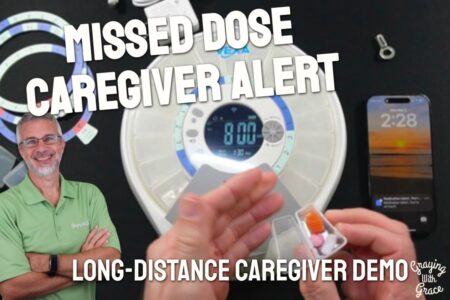
Hero Health ($99/month) and PillPack (covered by most insurance) automated dispensing systems have prevented countless medication errors. These smart dispensers organize medications by dose time and send alerts to both seniors and family members when doses are missed.
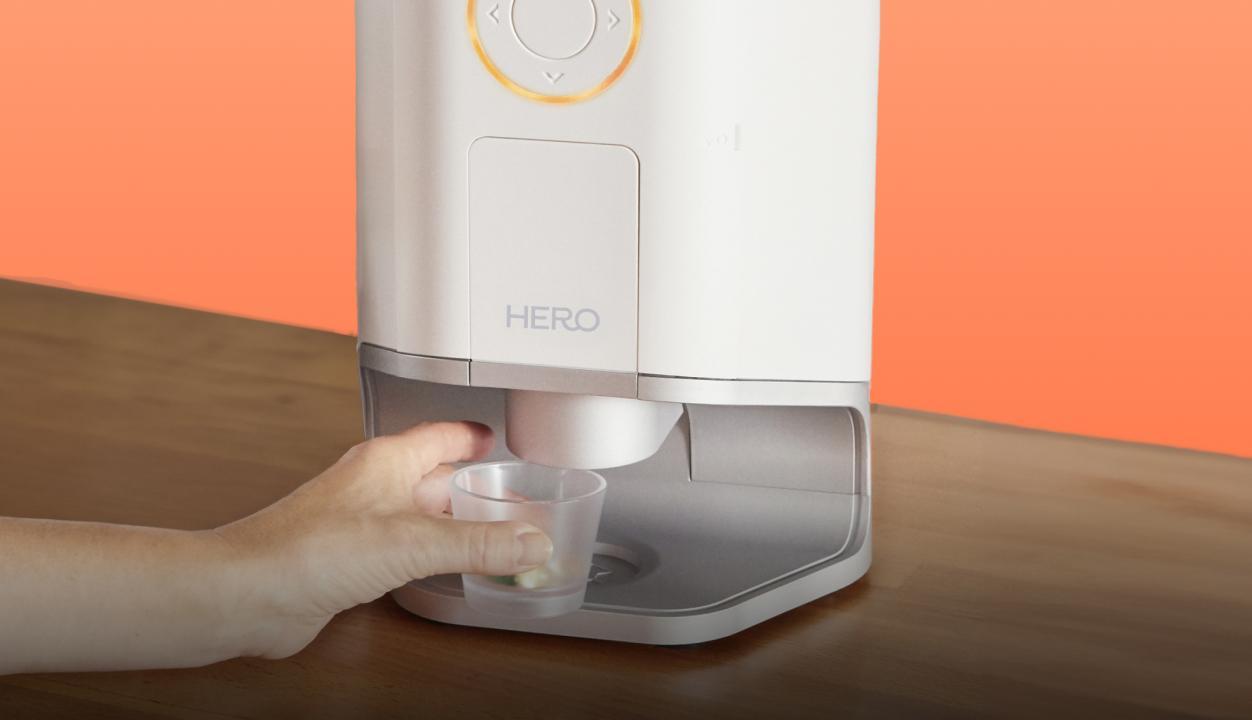
The family notification feature is particularly valuable—adult children receive alerts if medications aren’t taken on schedule, enabling quick check-ins without daily reminder calls. Many families report this single device has prevented medication-related hospitalizations.
For more comprehensive guidance on medication safety, explore our detailed article on safe medication practices for seniors.
Wearable Health Monitoring
The Apple Watch SE ($250) and Fitbit Versa ($200) offer fall detection with emergency contacts, heart rate monitoring, and simple medication reminders. The key is professional setup that simplifies the interface and focuses on essential features.

![Apple Watch SE (2nd Gen) [GPS 44mm] Smartwatch with Midnight](https://m.media-amazon.com/images/I/318GcaNFixL._SL500_.jpg)

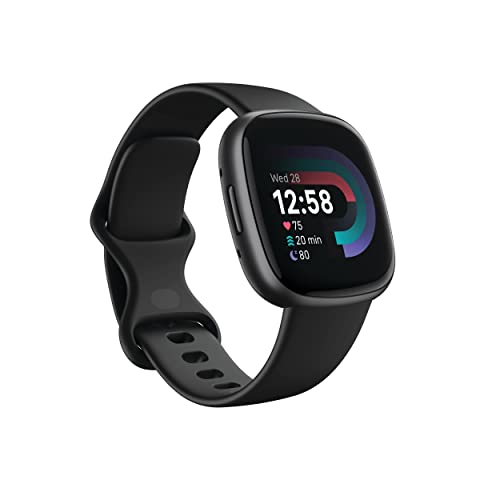
Fall detection alone justifies the cost for many families. When a fall is detected, the device automatically contacts emergency services and family members, potentially saving critical time in emergency situations.
Non-Intrusive Home Monitoring
Emerging technology like Vayyar Care ($400-$500) provides room-based monitoring without cameras or wearables. These sensors detect falls, monitor sleep patterns, and alert family members to unusual activity—all while preserving privacy and dignity.
For seniors who refuse to wear monitoring devices, these ambient sensors offer compromise solutions that provide safety monitoring without lifestyle disruption. Technology solutions like these work especially well when combined with effective ways to address loneliness through tech and community connections.

Getting Started: The Smart Approach
Start With One Priority Device
The biggest mistake families make is trying to install multiple smart devices at once. Success comes from mastering one device before adding others. Choose based on your family’s primary concern: door locks for security, motion lighting for fall prevention, or medication dispensers for health management.
Once your loved one feels comfortable with one device, they’re often more open to trying others. Building confidence gradually prevents technology overwhelm.
Family Support Strategy
Most devices require initial setup assistance, but daily operation should be simple enough for independent use. Plan for family members to handle installation and initial training, while ensuring ongoing use doesn’t create dependence.
Consider professional installation for complex devices like smart locks or thermostats. The $100-$200 installation cost often prevents weeks of frustration and family tension.
Budget-Conscious Priorities
Start with safety-focused devices: smart locks ($200-$280), motion lighting ($80-$120), and smoke detectors ($120). These three devices address the most common aging-in-place safety concerns for under $500 total.
Convenience devices like voice assistants and smart thermostats can be added later as comfort with technology grows. Remember to factor in monthly subscription costs for devices requiring ongoing services.
For more guidance on creating safer homes for aging in place, join our newsletter where we share tested solutions from families who’ve successfully navigated these decisions.

Making the Right Choice for Your Family
Smart home technology isn’t about impressing neighbors or keeping up with trends—it’s about solving real daily challenges that make aging in place safer and more comfortable. The devices that truly help seniors are often the simplest ones that address specific problems without creating new complications.
Start with your family’s biggest concern. Is it safety? Focus on smart locks and motion lighting. Medication management? Try automated dispensers. Peace of mind? Consider monitoring devices that alert family members during emergencies.
The goal isn’t to create a high-tech house—it’s to create a supportive environment that enhances independence and family connection. For families managing care from a distance, these solutions become even more valuable—learn more about managing caregiving responsibilities from miles away.
Which smart home device would make the biggest difference for your family?
Have you tried any of these solutions with success?
Share your experience in the comments below—your insights could help other families make better decisions for their loved ones.