Have you ever watched someone you love pick up the phone, stare at it for a moment, then quietly set it back down? Not because they did not want to call. Because they could not figure out how.
That quiet defeat is more common than most families realize. Small buttons, faded labels, a ringer that barely whispers, and a dial pad that punishes shaky hands. Standard phones were simply never designed with aging in mind.
My name is Scott Grant. I am a Certified Senior Advisor and Senior Home Safety Specialist at Graying With Grace, and I personally evaluated the Sacumea Big Button Phone for Seniors to see whether it genuinely solves those problems or just promises to. Here is everything you need to know.


Quick Takeaways
- Solves: Missed calls, dialing confusion, phone avoidance, and social isolation for older adults with declining vision, dexterity, or memory.
- Best for: Adults with early-stage dementia, hearing loss, arthritis, or tremors who need a no-fuss landline they can operate with confidence.
- Worth it: Yes, especially for families where independence and reliable emergency access are the top priorities.
- Best feature: Photo-based speed-dial buttons that let a person recognize a familiar face and make a call without remembering a single digit.
- Biggest limitation: It is a corded phone, so your loved one cannot carry it room to room.
How This Could Help You
Think about the last time your mom or dad missed your call. Was it because the ringer was too quiet? Because they pressed the wrong button and got flustered? Because they simply could not remember how to dial your number anymore?
The Sacumea Big Button Phone for Seniors is designed specifically around those moments of failure. It does not just make buttons bigger. It rethinks the entire calling experience for people whose needs have changed.
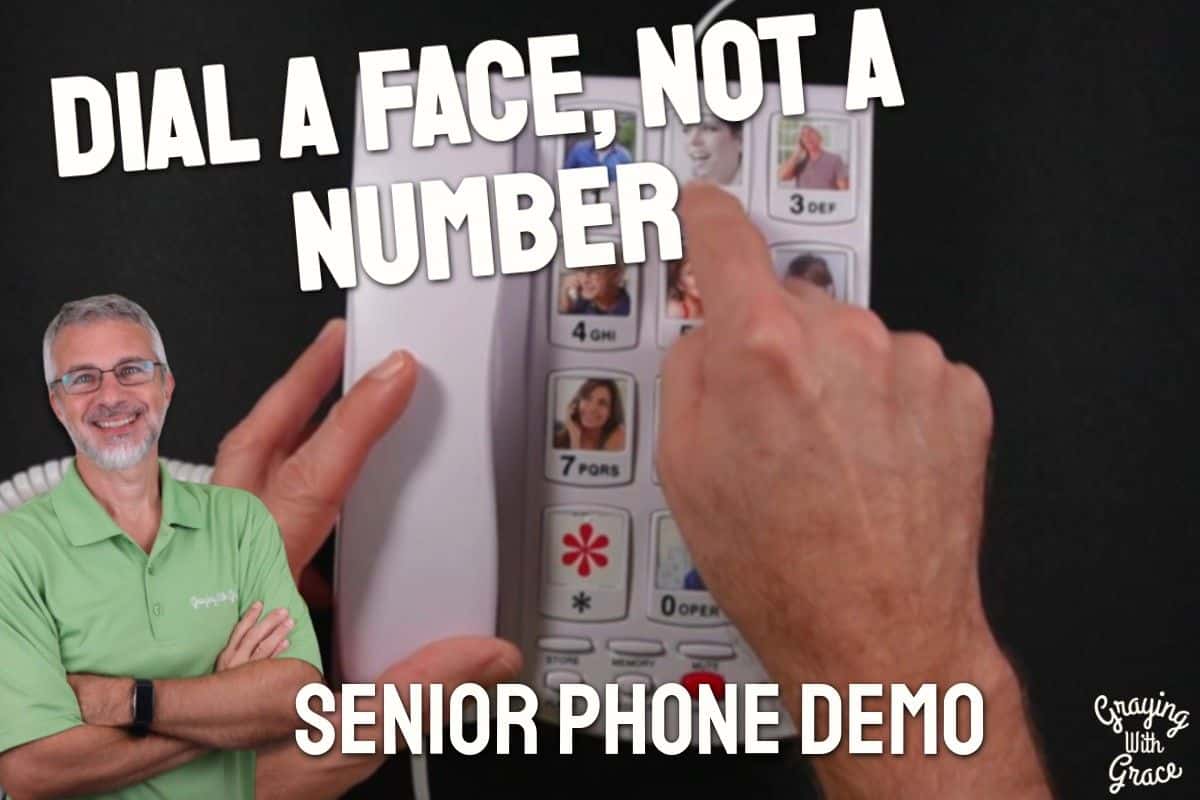
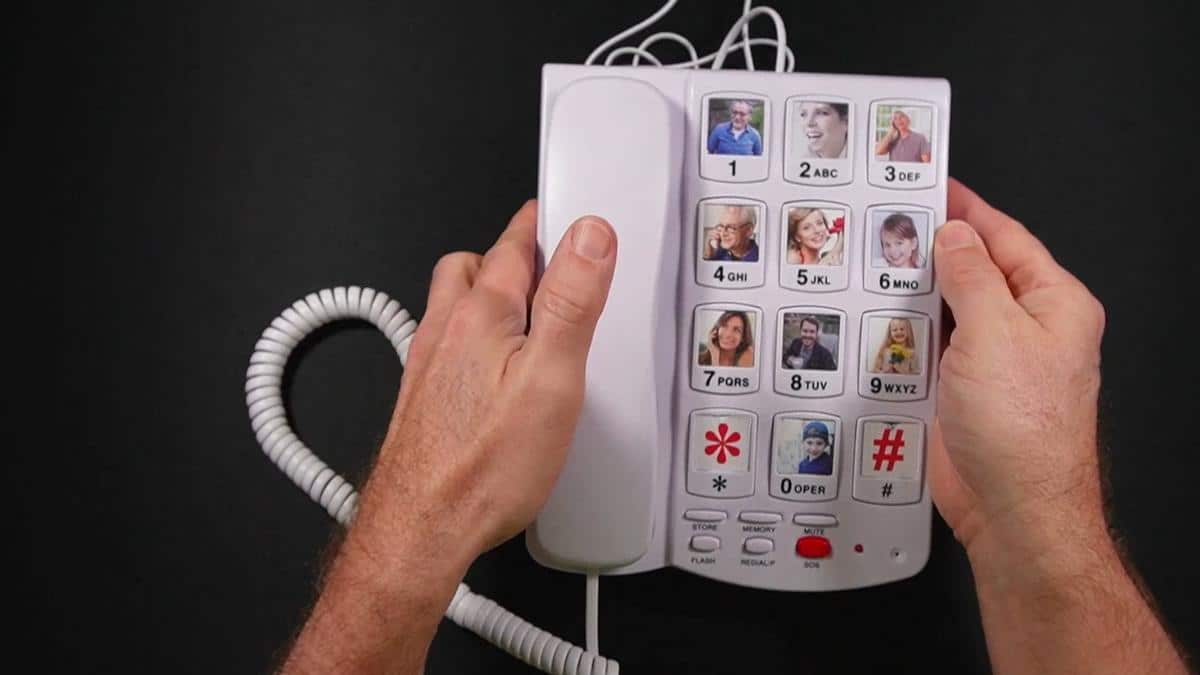
For someone with early-stage dementia, the photo speed-dial feature is genuinely life-changing. Instead of remembering that “slot 3” means their daughter Lisa, they see Lisa’s face on the button and press it. One step. One press. Done.
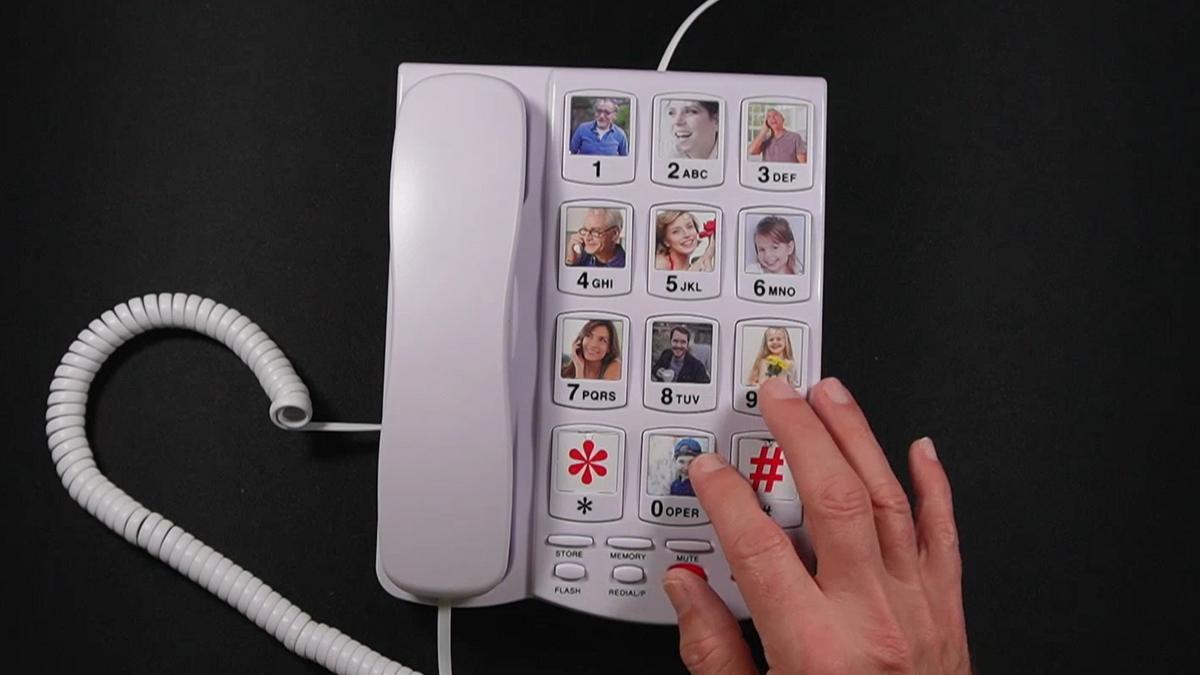
For someone with arthritis or hand tremors, those oversized 1.3 by 1.0 inch keys are spaced far enough apart that an accidental press becomes far less likely. No more calling a wrong number and hanging up in embarrassment.
And for someone who keeps missing calls because they cannot hear the phone? A 110dB ringer is roughly as loud as a smoke alarm. Pair that with a flashing light alert, and very few incoming calls are going to slip by unnoticed.
Important Details You Should Know
This is a corded desktop phone, which means it stays put wherever you plug it in. Plan the placement carefully, ideally near a favorite chair, a bedside table, or wherever your loved one spends most of their day.
The phone line cord measures just under five feet, and the curly handset cord stretches comfortably to five or six feet once extended. That gives a reasonable amount of reach without being unwieldy.
The phone is built from premium ABS plastic with a solid, substantial feel. When I evaluated this product, I noticed the construction feels genuinely durable, not the kind of lightweight plastic that flexes when you grip it. It has a professional, clean appearance that does not look out of place in a home.
It can be placed flat on a desk or mounted to a wall. If you go the wall-mount route, there is a small tab on the receiver hook that flips around to hold the handset in place. As I demonstrated in the video, that adjustment takes about ten seconds and makes a real difference in keeping the handset from tumbling off when the phone is vertical.
Getting Started
Setup is genuinely simple. In the box you get the phone base, the handset, the curly handset cord, and the phone line cord. You connect the handset cord to the base and handset, then plug the line cord into your wall jack. That is it. No batteries, no app, no account to create.
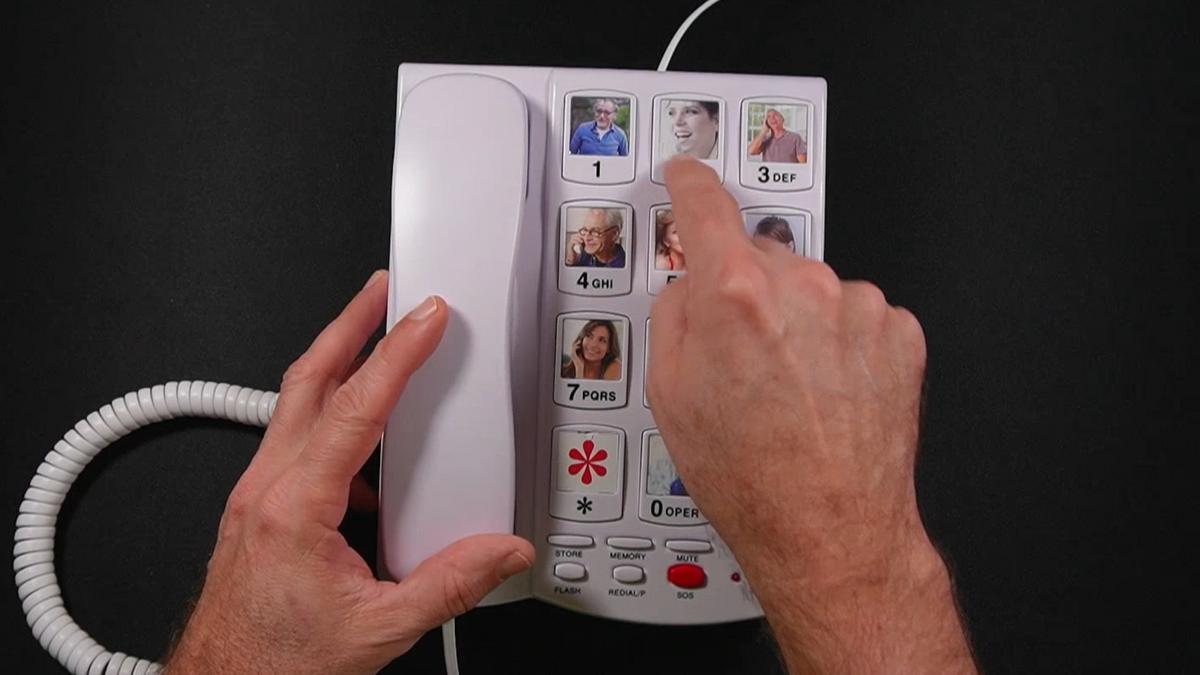
Programming the photo speed-dial numbers is equally straightforward. As I demonstrated in the video, the process takes about five to six seconds per contact: lift the handset, press Store, enter the phone number, press Store again, then press the photo button where you want it saved. Easy enough that most caregivers can complete all ten slots in under ten minutes.
Printing and inserting the photos into the clear plastic covers on each button does require a bit of nimble handling, but it is a one-time task. Cut each photo to roughly one inch square, slide it under the cover, snap it back on, and you are set.
If your loved one tends to dial random numbers or call people they should not, simply flip the small mode switch on the base from NORM to ONE. In One-Touch Mode, the numeric keypad is completely disabled. Only the ten photo buttons work. A caregiver manages the switch, ideally out of the user’s awareness if needed.
Ready to discover more innovative strategies for healthy, comfortable aging? Subscribe to our newsletter for expert-tested tips and product recommendations designed specifically for older adults.
Features That Matter to You
Let me walk you through the features that actually change daily life, not a spec sheet rundown, but what these things mean on an ordinary Tuesday morning.
The photo speed-dial buttons on the Sacumea Big Button Phone are the centerpiece of this whole design. In the video, you can see that each of the ten speed-dial keys has a small plastic cover that lifts off so you can slide a photo underneath. When your loved one looks at the phone, they do not see “M1” or “Button 3.” They see Grandma Ruth’s smiling face. That recognition is instant and effortless, even for someone whose short-term memory is slipping.
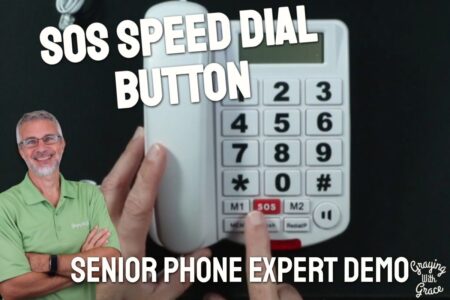
The SOS emergency button is programmable to any number you choose. You could set it to 911, to a trusted caregiver, or to a family member who is always available. It sits right there on the base, clearly marked, ready when it matters most.
The dual volume system is worth understanding separately. The ringer volume has three settings, maxing out at 110dB on high. That is loud enough to hear from another room, even with background noise. The handset volume also has three levels reaching up to 80dB, which makes a genuine difference for anyone who struggles to follow conversations on a standard phone.
There is also a visual ring indicator, a flashing light that activates with each incoming call. For someone with significant hearing loss, that visual cue can mean the difference between answering and missing an important call entirely.
The last-number redial function is a small but meaningful touch. If a call does not go through on the first try, your loved one does not need to hunt for the number again. One button, and the phone retries automatically.
Real Life Experience
Imagine your dad waking up on a Thursday morning and wanting to call his sister. Six months ago, he would have picked up his old phone, squinted at the keypad, misdialed twice, and eventually given up. Now, he picks up this handset, spots his sister’s photo, and presses once. The phone dials automatically before he has even thought about it consciously.
That is not an exaggeration. As I demonstrated in the video, the one-touch calling sequence is truly just two actions: lift the handset and press the photo button. There are no menus, no confirmation prompts, no waiting for a tone. It just dials.
Day-to-day, the phone requires almost no maintenance. There are no batteries to check or replace. When I evaluated this product, I noticed the base stays cool and stable on a flat surface with no tendency to slide around during use. The handset has a comfortable weight that feels substantial without being heavy.
Cleaning is simple. A dry or lightly damp cloth wipes the surface clean. The button covers that hold the photos are a bit more involved if you need to change a photo later, but that is an occasional task, not a daily one.
One practical tip I mention in the video: if you are setting this up for someone with dementia who might be tempted to flip the mode switch back to Normal Mode, a small piece of black electrical tape over the switch keeps it out of sight and out of mind. Simple, inexpensive, and surprisingly effective.
Will You Be Able to Use It?
If you have arthritis, tremors, or weak grip strength, this phone was built with you in mind. The large buttons require minimal pressure and are spaced generously to prevent accidental presses. You do not need fine motor precision to dial accurately.
If you have low vision, the high-contrast large-print keys help significantly. The photo buttons do even more, removing the need to read small number labels altogether.
If you have moderate to severe hearing loss, the combination of a 110dB ringer, a visual flash alert, and an 80dB handset boost makes this one of the more hearing-accessible landline phones available without jumping into specialized medical-grade equipment.
If you or your loved one is in the earlier stages of dementia, One-Touch Mode makes independent calling genuinely achievable. A caregiver handles the initial setup, and from that point forward, the user can call loved ones on their own with confidence and dignity.
If mobility is a concern, be aware that this is a stationary corded phone. Someone who needs to reach the phone from a bed or a specific chair should have it placed thoughtfully, within arm’s reach of where they spend the most time.
Important Considerations
This phone is not the right fit for someone who needs to move around freely. It is corded, which means it stays where you put it. If full-home mobility is essential, a cordless amplified phone or a medical alert device may serve better alongside this one.
In One-Touch Mode, your loved one cannot dial new or unfamiliar numbers. If they occasionally need to call a doctor’s office, a pharmacy, or a friend not stored on the speed-dial, someone will need to switch the phone back to Normal Mode for that call. For some families, that is a minor inconvenience. For others, it could be a real limitation depending on how independently the person functions day to day.
This phone works with traditional landlines and most VoIP services, but as I noted in the video, VoIP and cable phone compatibility can vary from provider to provider. If your household uses a cable or internet-based phone service, verify compatibility with your provider before purchasing.
Finally, the photo buttons are set up for one primary user. In a shared household where multiple people use the same phone with very different contact needs, this design is less practical. It works best when designated as the primary phone for one person.
Always consult with your doctor or occupational therapist before making health-related product decisions, especially when evaluating communication tools for individuals with cognitive or physical impairments.
Help When You Need It
Sacumea sells through Amazon, which provides their standard return window and buyer protection. For specific warranty terms or direct product support, check the product listing for current manufacturer details.
Because this phone has no batteries and no complex electronic components beyond the standard telephone circuitry, the failure points are minimal. There are no firmware updates, no app syncing, and no account management required.
If a handset cord wears out over time, standard replacement coiled handset cords are widely available at hardware stores and online for very little cost.
Understanding the Cost
The Sacumea Big Button Phone for Seniors sits in a mid-range price point for specialized senior landline phones, and in my assessment, the value is strong given the combination of features it delivers.
Most basic large-button phones offer bigger keys and not much else. To get photo speed-dial, dual-mode operation, high-decibel audio, and a built-in SOS function together in one device, you typically have to spend considerably more on medical-grade communication equipment. This phone hits that feature intersection at a more accessible price.
Factor in that there are no batteries to buy, no subscription fees, and no service contracts. The ongoing cost is essentially zero beyond your existing phone line service.
Long-term, the durability of the construction and the adaptability of the dual-mode design mean this phone can serve your loved one across multiple stages of aging without needing to be replaced. That makes the initial investment go further than it might first appear.
Making It Work for You
Take time with the photo selection. Use clear, recent, close-up photos with good contrast, ideally a smiling face against a plain background. The better the photo, the faster and more confidently your loved one will recognize it.
Label each button slot on the back of the phone with a note matching the photo to the stored number. If you ever need to reprogram a contact, you will thank yourself for that reference later.
Place the phone within easy reach of wherever your loved one spends the most time sitting or resting. A bedside table or a spot beside their favorite chair is ideal. The goal is that the phone is always visible and within arm’s reach, not across the room or tucked on a high shelf.
If the ringer is startling at maximum volume in a smaller room, start with the low setting and adjust upward based on what your loved one actually needs. The three-level ringer control gives you room to calibrate without either missing calls or causing unnecessary alarm.
Consider programming the SOS button to a number that is reliably answered around the clock. A family member with a cell phone, a neighbor who is often home, or a professional caregiver line are all solid options depending on your situation.
Our Recommendation
If you are looking for a landline phone that genuinely addresses the real, daily challenges older adults face, the Sacumea Big Button Phone delivers in the ways that matter most.
It is especially strong for families navigating early-stage dementia, significant hearing loss, or declining hand dexterity. The photo speed-dial, dual-mode flexibility, and exceptional audio amplification come together in a package that is rare at this price point.
It is not the right choice if your loved one needs full-home mobility, or if they regularly need to dial numbers not stored in the speed-dial memory. In those cases, a cordless amplified phone or a combination of this phone and a simple cell phone might serve better.
For the right person, though, this phone does something genuinely meaningful. It gives them back the ability to reach the people they love, on their own terms, without asking for help. That independence is worth a great deal.
Where to Get It
You can check current pricing and availability for the Sacumea Big Button Phone for Seniors on Amazon using the link below. Stock and pricing can shift, so it is worth checking the listing directly for the most up-to-date information.
Final Thoughts
Staying connected is not a luxury. For an older adult living alone or navigating memory changes, being able to pick up a phone and reach someone they trust is a genuine lifeline.
This phone does not overcomplicate things. It strips the calling experience down to its essentials and rebuilds it around the actual challenges that come with aging. That is thoughtful design, and it shows.
If you have set up a phone for a parent or older family member, I would love to hear what worked and what did not. Drop a comment below and share your experience. Your insight could help another family in the exact same situation.