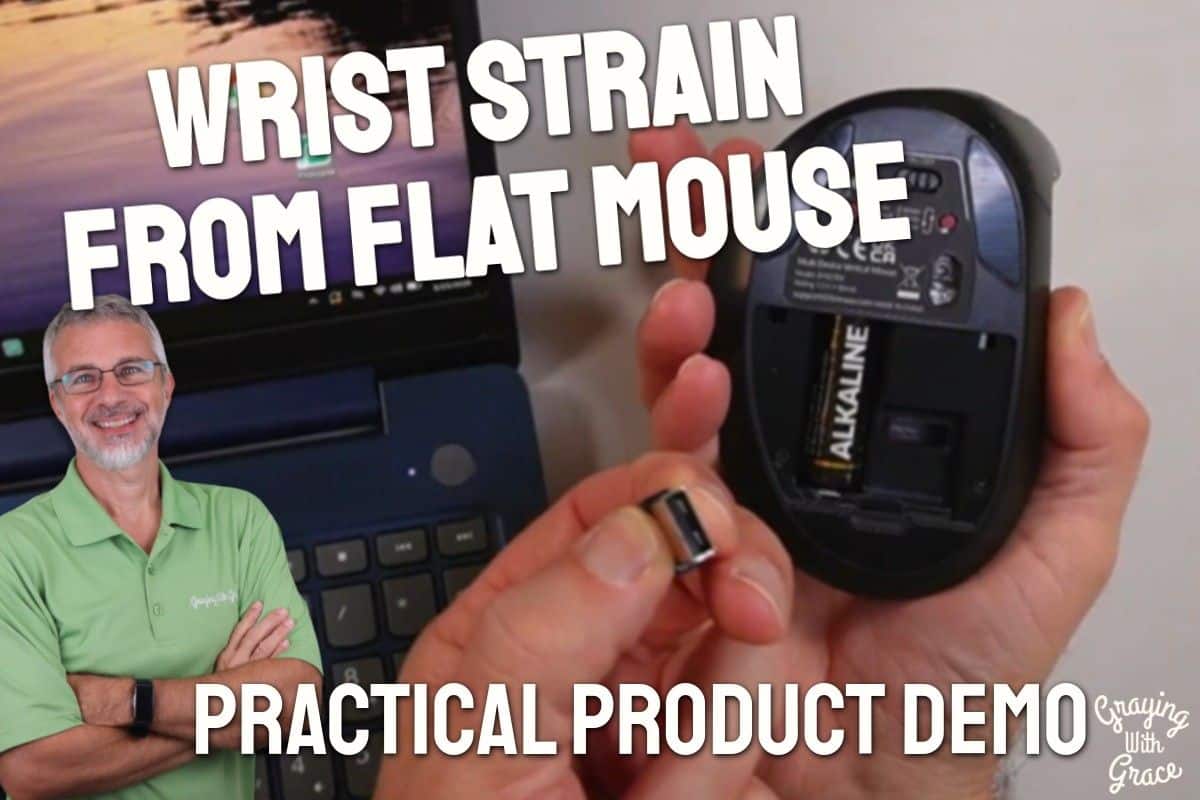
If your wrist has started aching after an hour on the computer, you are not imagining things — and you are not alone. Millions of older adults spend real, meaningful time at their computers every day, and the standard flat mouse quietly wages war on your wrist the entire time.
The problem is something called forearm pronation. When your wrist lies flat on a desk, it is twisted inward in a position it was never meant to hold for hours on end. Do that day after day, decade after decade, and your wrist eventually starts sending you the bill.
A vertical mouse is one of the simplest mechanical fixes out there, and as a Certified Senior Advisor (CSA) and Senior Home Safety Specialist (SHSS), I evaluate products like this specifically for older adults and their caregivers. I got my hands on the Bnnwa Wireless Vertical Ergonomic Mouse and put it through its paces so you can decide if it belongs on your desk.
Here is what I found.


Quick Takeaways
- Problem it solves: Wrist strain and discomfort from prolonged flat-mouse use
- Who benefits most: Right-handed older adults spending regular time on a computer for finances, video calls, browsing, or creative projects
- Worth the investment? Yes — for anyone whose wrist already hurts, or who wants to prevent that pain before it starts
- Best feature for seniors: Simple plug-and-play dongle setup with no software, apps, or tech gymnastics required
- Biggest limitation: This is a right-hand-only design — left-handed users will need to look elsewhere
How This Could Help You
Think about your average computer session. Maybe you are paying bills, video chatting with the grandkids, reading the news, or managing a retirement project you are genuinely proud of. Your wrist is doing quiet, invisible work the whole time — and in a flat mouse position, that work is straining the tendons and soft tissue with every move.
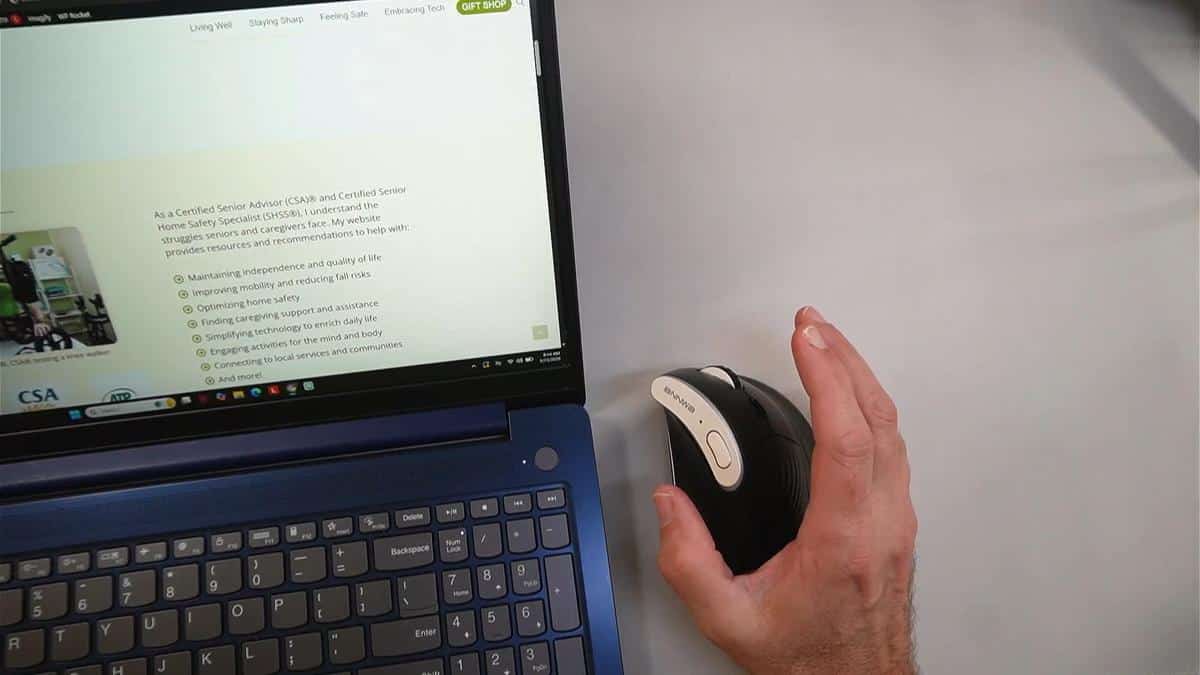
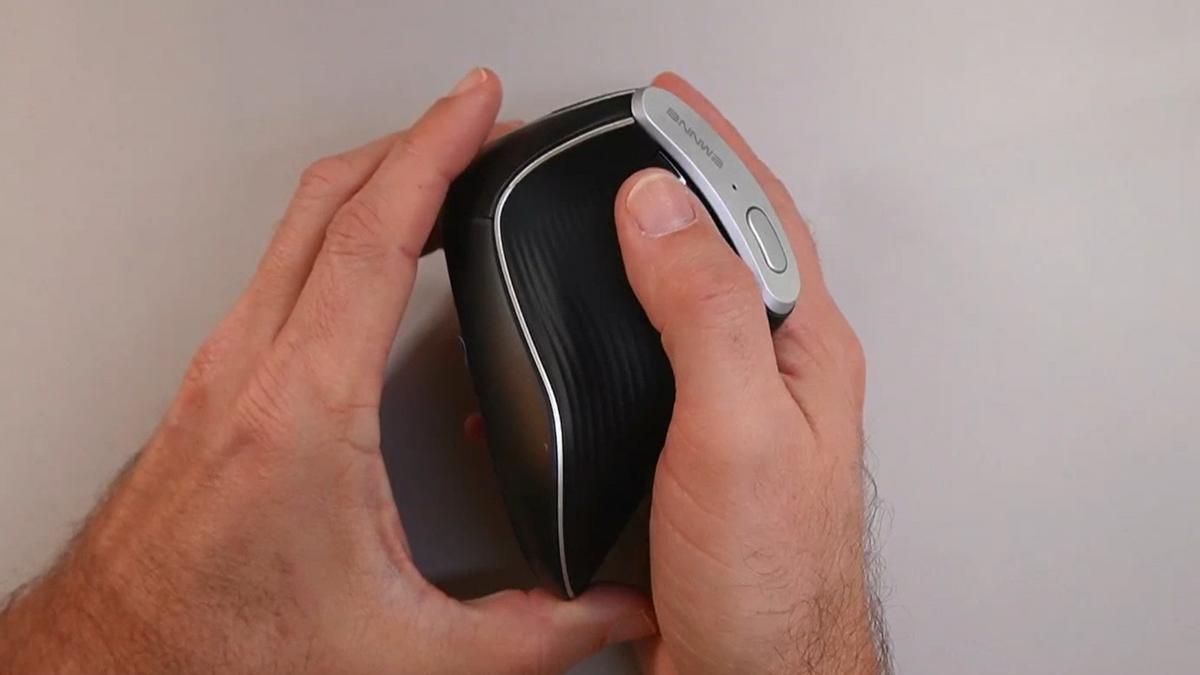
The Bnnwa Wireless Vertical Ergonomic Mouse flips that equation. Instead of your wrist lying flat and twisted, you hold the mouse like a handshake — wrist upright, forearm neutral, arm in the position it naturally prefers.
Does it fix everything overnight? No. But it removes a daily stressor that adds up quietly over time. For anyone already dealing with mild wrist soreness, tendinitis, or early arthritis, that shift in position can make a real difference in how you feel after a long session.
It also works across multiple devices. If you bounce between a laptop, a desktop, and a tablet throughout your day, you can connect all three and switch between them with one button press — no re-pairing, no hunting through settings menus.
Ready to discover more innovative strategies for healthy, comfortable aging? Subscribe to our newsletter for expert-tested tips and product recommendations designed specifically for older adults.
Important Details You Should Know
The mouse is sized for an average adult hand. When I evaluated this product, I noticed it fit my hand very comfortably — and my hand measures about eight inches from the tip of my middle finger to my wrist. If your hand is in a similar range, you should be fine.
Very small hands or very large hands may find the fit a little off. If you are buying this for someone else, keep that in mind.
The build feels solid without being heavy. It is light enough to move comfortably around a desk pad or mousepad without any effort, which matters if your hand fatigues easily.
It comes in black. There is only one color option, but the finish is clean and professional-looking — nothing flashy, nothing that will look out of place on any desk setup.
Getting Started
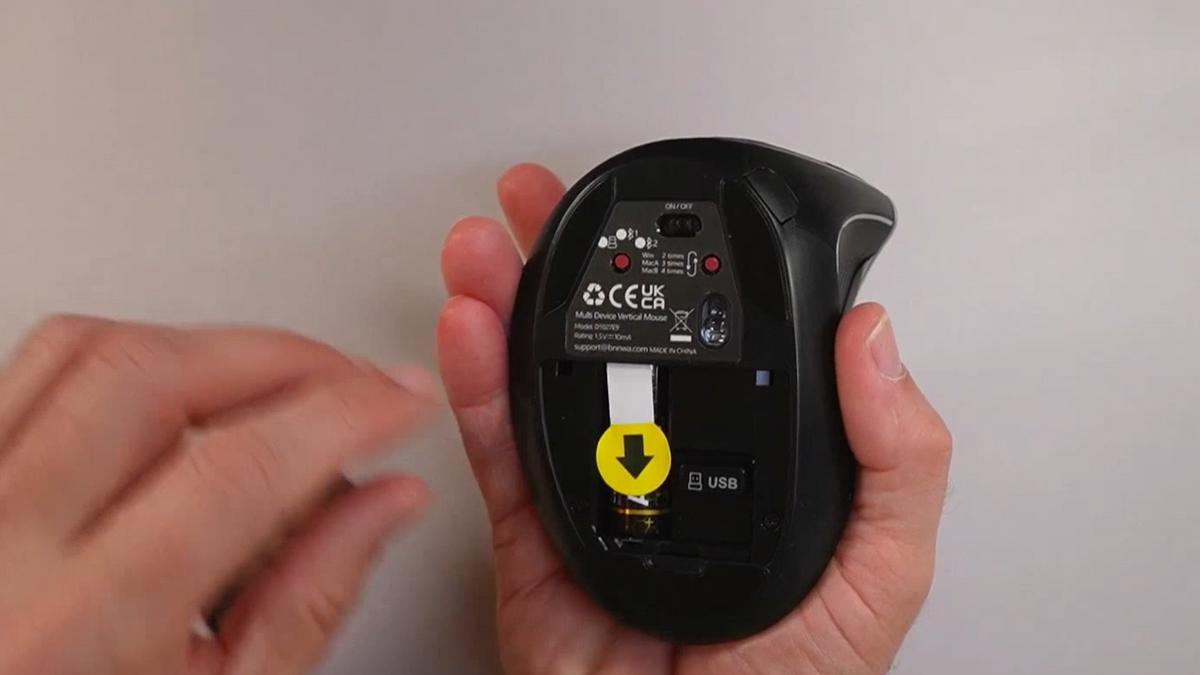
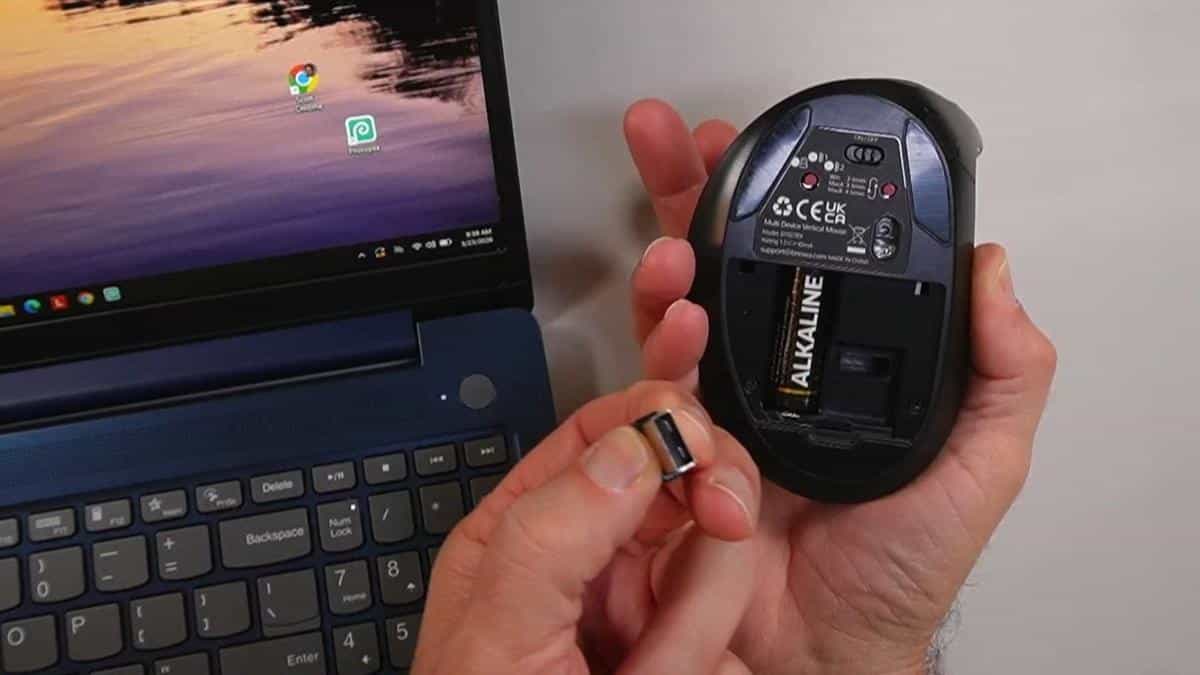
The box includes the mouse, a small USB dongle, and a AA battery that is already loaded inside. There is nothing extra to purchase before you can use it.
As I demonstrated in the video, the easiest setup method is the USB dongle. You pull it out of its storage slot on the bottom of the mouse, plug it into an open USB port on your computer, flip the power switch on the mouse, and you are done. I heard the confirmation tone on my computer and the cursor was moving within seconds — no software, no drivers, no frustration.
Bluetooth pairing is also available if you prefer not to use a USB port. In the video, you can see that once I pressed the Bluetooth button and the blue light started flashing, my computer detected the mouse almost immediately. The pairing screen popped right up.
One tip I share in the video: always put the USB dongle back in its storage slot when you remove it. If you are anything like me, a tiny dongle left on a desk has a way of disappearing permanently.
No apps. No software. No account creation. Just plug it in and move your cursor.
Features That Matter to You
The Bnnwa Wireless Vertical Ergonomic Mouse includes a DPI adjustment button that controls how fast your cursor moves across the screen. As I demonstrated in the video, you can cycle through four speeds — 1000, 1600, 2400, and 3200 DPI — with a single button press.
Why does that matter to you? If your cursor feels like it is flying across the screen and overshooting everything you try to click, dial it down to the slowest setting. If you have a large monitor and want the cursor to cover ground quickly, crank it up. You are in control.
The scroll wheel is smooth and responsive. The left and right click buttons are easy to press without requiring significant force.
The mouse clicks are nearly silent — just a soft, satisfying click that gives you tactile feedback without the loud snap of a traditional mouse. When I evaluated this product, I noticed that the click has a nice, crisp feel to it without being stiff or requiring extra pressure. That is a meaningful detail if your fingers tire easily.
There are also forward and back navigation buttons on the side. Instead of moving your cursor all the way up to the top of your browser to click the back arrow, you just press the button right under your thumb. Small convenience, big payoff when you are doing a lot of browsing.
A shortcut button on the mouse lets you flip between your desktop and your active window quickly. And an auto-sleep mode kicks in after eight minutes of inactivity to preserve battery life — just press any button to wake it right back up.
The battery indicator gives you roughly a week of warning before the battery needs replacing. No sudden shutdowns in the middle of something important.
Always consult with your doctor or occupational therapist before making health-related product decisions, especially if you are managing a wrist condition, arthritis, or nerve issues.
Real Life Experience
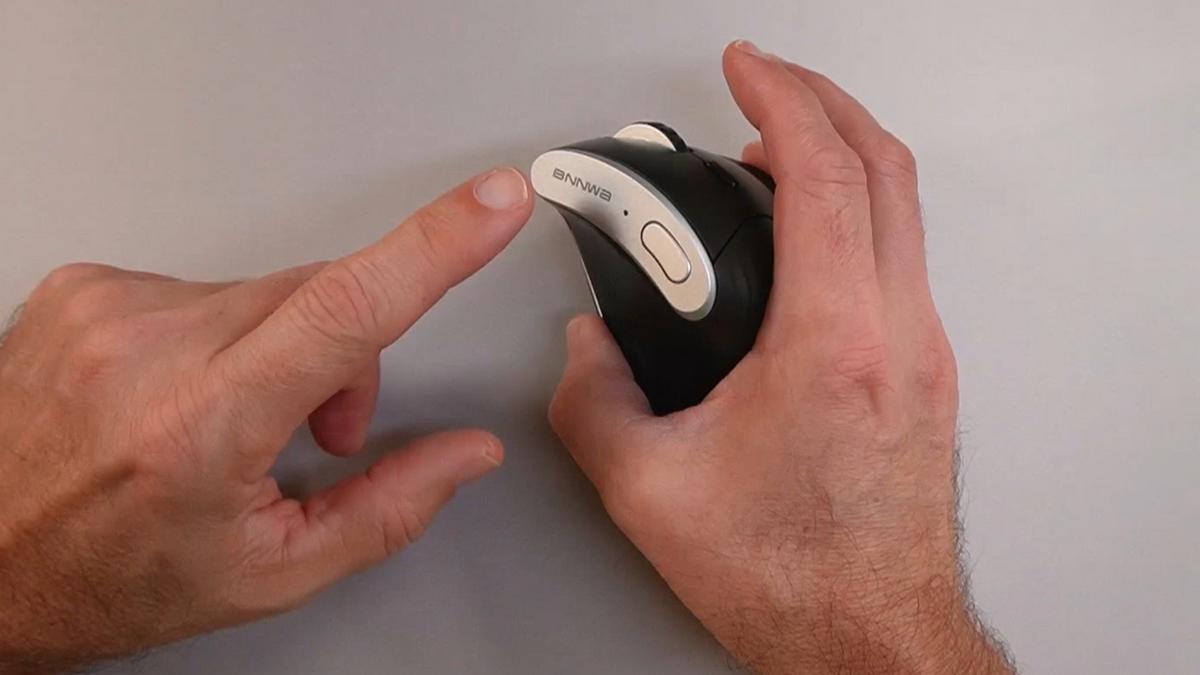
Here is the honest truth about switching to a vertical mouse: the first week feels strange. Your hand is used to lying flat, and this new handshake position will feel unfamiliar. That is completely normal.
As I mentioned in the video, what most people do not realize is that the adjustment period is not a sign something is wrong — it is your brain rewiring a habit it has had for decades. Most people who push through that first week or two say they would never go back to a flat mouse.
In the video, you can see that once connected, the mouse responds smoothly and accurately at every DPI setting. Even at the slowest 1000 DPI, cursor movement is controlled and deliberate — which is exactly what you want if precision clicking is a challenge for you.
The AA battery is already installed, which means zero setup delay. And because the battery indicator warns you about a week in advance, you will not be caught off guard by a dead mouse mid-session.
The auto-sleep feature after eight minutes is a thoughtful battery-saving touch. When I evaluated this product, I noticed that waking it back up is instant — just tap any button and it is live again. No waiting, no reconnecting.
Day-to-day maintenance is essentially nonexistent. There are no charging cables to manage, no dock to keep track of, and no software to update. Wipe it down occasionally with a slightly damp cloth, and it will stay clean and functional.
Will You Be Able to Use It?
If you are right-handed and can grip a mouse with moderate hand strength, you should be able to use this without assistance. The grip is firm but not demanding.
The button layout is straightforward. The two main click buttons are large and easy to find without looking. The DPI button, the device-switching button, and the navigation buttons are all positioned logically along the mouse body.
If you have significant hand tremors, grip weakness, or very limited finger dexterity, a vertical mouse may or may not be the right solution for you specifically. It helps with wrist rotation strain, but it does not address fine motor challenges. An occupational therapist can help you figure out the best fit for your situation.
Setup is genuinely easy enough to do independently. Plugging in a USB dongle and flipping a power switch does not require any technical skill whatsoever.
Important Considerations
This mouse is designed for right-handed users only. The vertical shape mirrors the natural curve of a right hand, and that design cannot simply be flipped for left-handed use. If you are left-handed, you will need to look for a left-handed vertical mouse specifically.
The adjustment period is real. Do not buy this, try it for two days, and conclude it does not work. Give it at least one to two weeks before making a judgment. Your hand and brain need time to adapt.
If you have a diagnosed wrist condition — carpal tunnel syndrome, severe arthritis, or a repetitive strain injury — please talk to your doctor or occupational therapist before switching mouse types. A vertical mouse can help many people, but your specific situation deserves professional guidance.
This mouse works with Windows, Mac OS, Chrome OS, and iPads. It does not require software installation for basic function, but advanced customization is not available without additional software, which this mouse does not include.
Help When You Need It
The Bnnwa mouse is sold through Amazon, which means returns are generally straightforward through the standard Amazon return process. Check the current return window on the product listing at the time of purchase.
Because it runs on a standard AA battery, replacement is simple and inexpensive — available at any grocery or hardware store. There are no proprietary batteries or charging accessories to track down.
For questions or issues, reaching out to the seller through Amazon’s messaging system is your best first step. Keep your order information handy when you do.
Understanding the Cost
The Bnnwa Wireless Vertical Ergonomic Mouse sits in the accessible mid-range of the ergonomic mouse market. You are not paying a premium brand tax, but you are getting a genuinely functional ergonomic design with multi-device capability — features that often cost significantly more on name-brand alternatives.
If you compare it to the cost of a single physical therapy visit for wrist pain, the math starts to look pretty favorable pretty quickly.
Long-term costs are minimal. The AA battery is inexpensive and easy to find anywhere. There are no subscription fees, no replacement parts, and no accessories required to keep it working.
Making It Work for You
Start at the slowest DPI setting — 1000 — while you are getting used to the vertical grip. Once your hand feels comfortable, experiment with higher speeds to find what feels natural for your screen size and browsing habits.
Use a mousepad with a wrist rest if your desk surface is hard. The vertical grip already takes pressure off your forearm, but a cushioned wrist rest can add an extra layer of comfort during long sessions.
If you use multiple devices, take a few minutes on day one to pair all three. Label which device slot is which using a small sticky note until you have it memorized. The one-button switching becomes almost effortless once the muscle memory kicks in.
Commit to the adjustment period. Set a two-week calendar reminder to reassess. Most people who reach that two-week mark are genuinely glad they stuck with it.
Our Recommendation
If you are a right-handed older adult spending meaningful time at a computer and your wrist has started complaining, the Bnnwa Wireless Vertical Ergonomic Mouse is a smart, accessible solution worth trying.
The setup is genuinely simple. The multi-device switching is a practical bonus. The near-silent clicks, smooth scroll wheel, and adjustable cursor speed all speak to thoughtful design for everyday use.
It is not the right choice for left-handed users, and it will not magically fix a serious wrist condition overnight. But as a daily tool for reducing strain and making computer time more comfortable, it earns a strong recommendation from me.
If wrist pain is not your issue but you want better precision or quiet clicking, this still delivers. And if you are shopping for someone else — a parent who spends hours on the computer, a spouse recovering from wrist surgery — this is a thoughtful, practical gift that addresses a real problem.
Where to Get It
You can check current pricing and availability for the Bnnwa Wireless Vertical Ergonomic Mouse on Amazon using the link below. Stock and pricing can change, so it is worth checking the listing directly for the most up-to-date information.
Conclusion
Your wrist has been doing quiet, thankless work at that desk for a long time. A vertical mouse is one of the simplest changes you can make to give it a break — and the Bnnwa model makes that change easy, affordable, and surprisingly feature-rich.
Give it two weeks. Your wrist might just thank you for it.
Have you tried a vertical mouse before? Did the adjustment period pay off, or did you push through and give up? Drop a comment below — your experience could help another reader make the right call. And if you found this review helpful, please share it with someone who spends a lot of time at their computer.