You walk out of the grocery store, arms full, sun in your eyes – and suddenly you have no idea which row you parked in. Sound familiar? It happens to just about everyone at some point, and large parking lots are genuinely confusing spaces, not a sign that something is wrong with you.
But for older adults who drive independently, and for the adult children who quietly worry about them, there is a deeper question underneath that parking lot moment: Where is the car? Where is Mom? Did Dad make it home okay? That quiet anxiety is real, and it deserves a real solution.
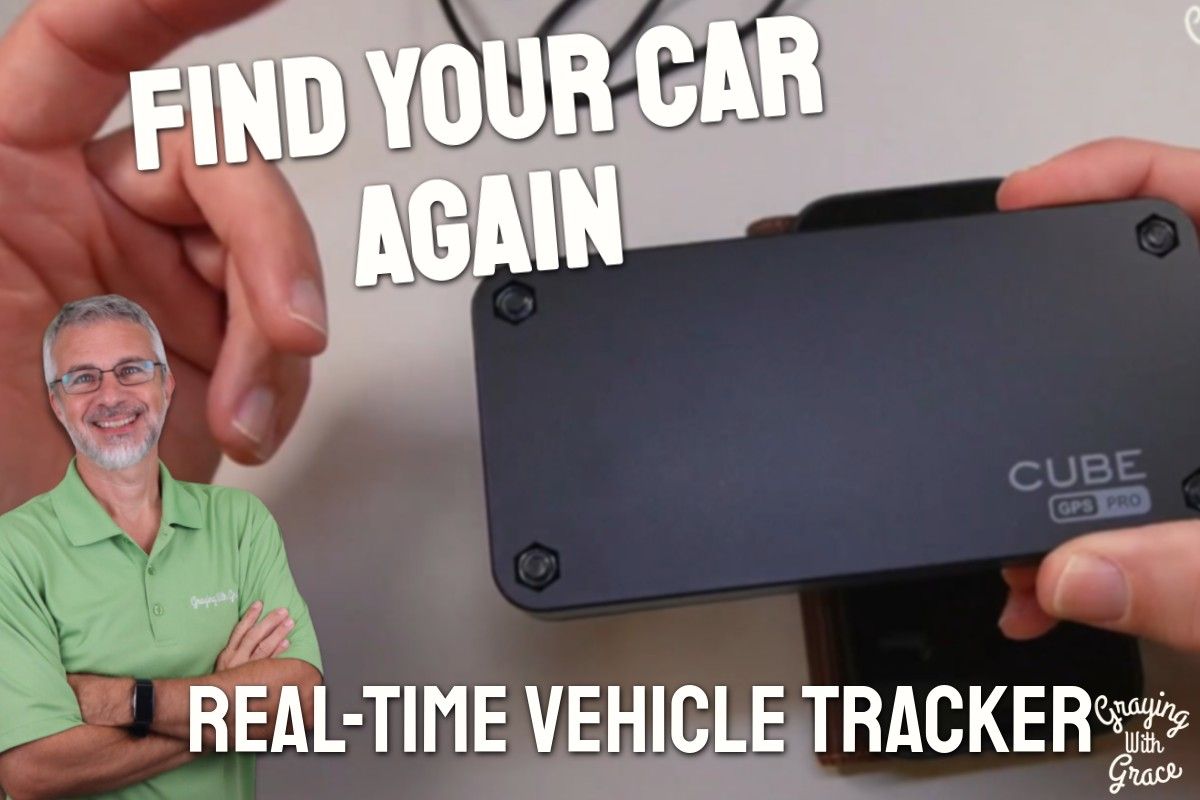
As a Certified Senior Advisor (CSA) and Senior Home Safety Specialist (SHSS) at Graying With Grace, I personally evaluated the Cube Pro GPS Tracker for Vehicles – hands on, app open, magnets stuck to metal – to find out whether it genuinely delivers on its promise. What I found was a compact, surprisingly capable device that solves a very specific set of problems for older adults and their families.
In this review, I will walk you through what this tracker does, how easy it is to set up, what the ongoing costs look like, and who will benefit most from it.


Quick Takeaways
- Problems it solves: Not knowing where your car is parked, worrying whether a family member arrived safely, or wanting to know if a vehicle has left a certain area
- Who benefits most: Older adults who drive independently, adult children monitoring aging parents, and families with shared vehicles
- Is it worth it? Yes – if you value peace of mind and will actually use the app regularly
- Best feature for seniors: The geofence alert system, which notifies you automatically without requiring the driver to do anything at all
- Biggest limitation: The subscription cost adds up over time, and real-time tracking depends on cellular coverage
How This Could Help You
Have you ever borrowed your own car back mentally – scrolling through the morning in your head, trying to remember if you parked near the pharmacy entrance or by the garden center? The Cube Pro GPS Tracker for Vehicles eliminates that guessing game entirely.
Open the app, glance at the map, and there is your car – pinpointed in real time, right on your screen. No wandering. No embarrassment. No calling someone for help.
For adult children, this tracker is quiet reassurance in your pocket. If your mother drives herself to her weekly bridge club, you can check the app and confirm she made it there – without calling and making her feel watched.
The geofence feature is particularly powerful for families managing early-stage memory concerns. Set a boundary around your neighborhood or city, and if the vehicle moves outside that area unexpectedly, your phone gets an alert immediately.
This is not surveillance. It is the kind of low-key, behind-the-scenes support that lets older adults keep their independence while giving families a layer of reassurance they genuinely need.
Ready to discover more innovative strategies for healthy, comfortable aging? Subscribe to our newsletter for expert-tested tips and product recommendations designed specifically for older adults.
Important Details You Should Know
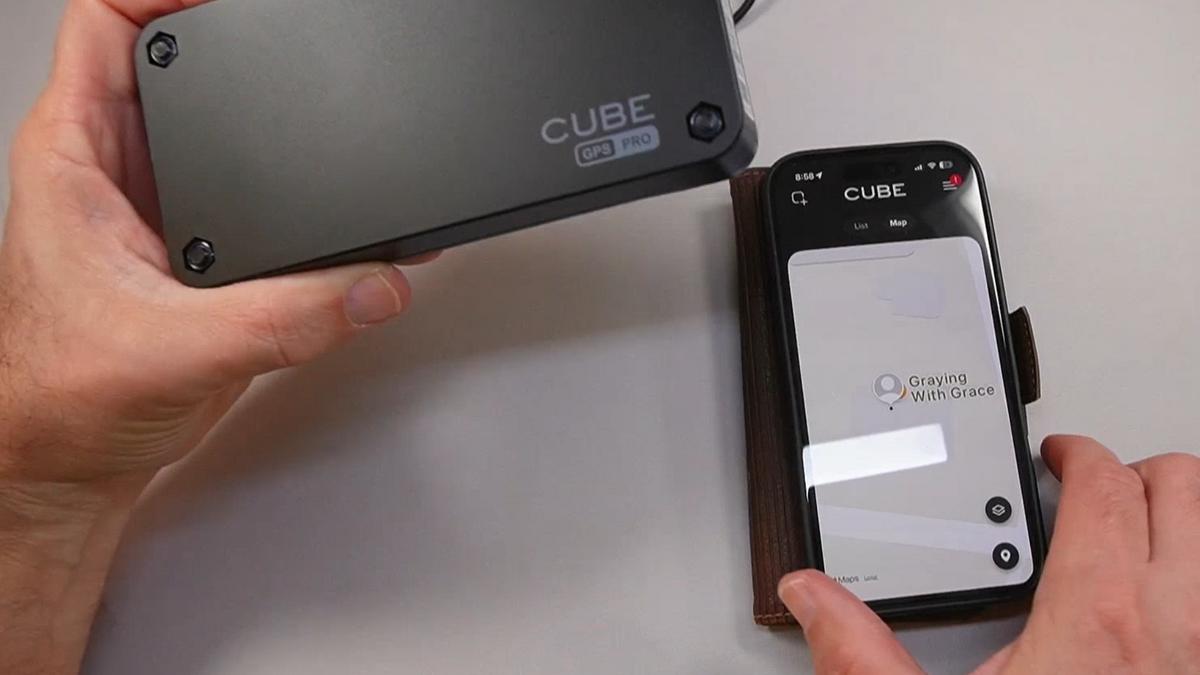
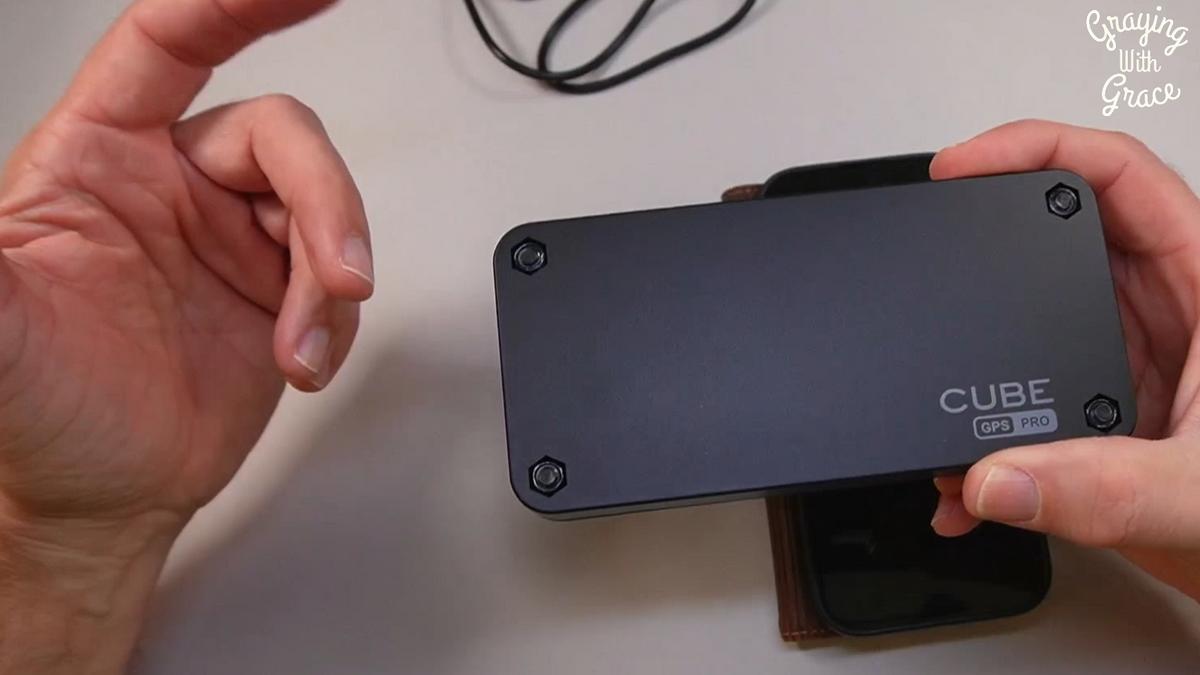
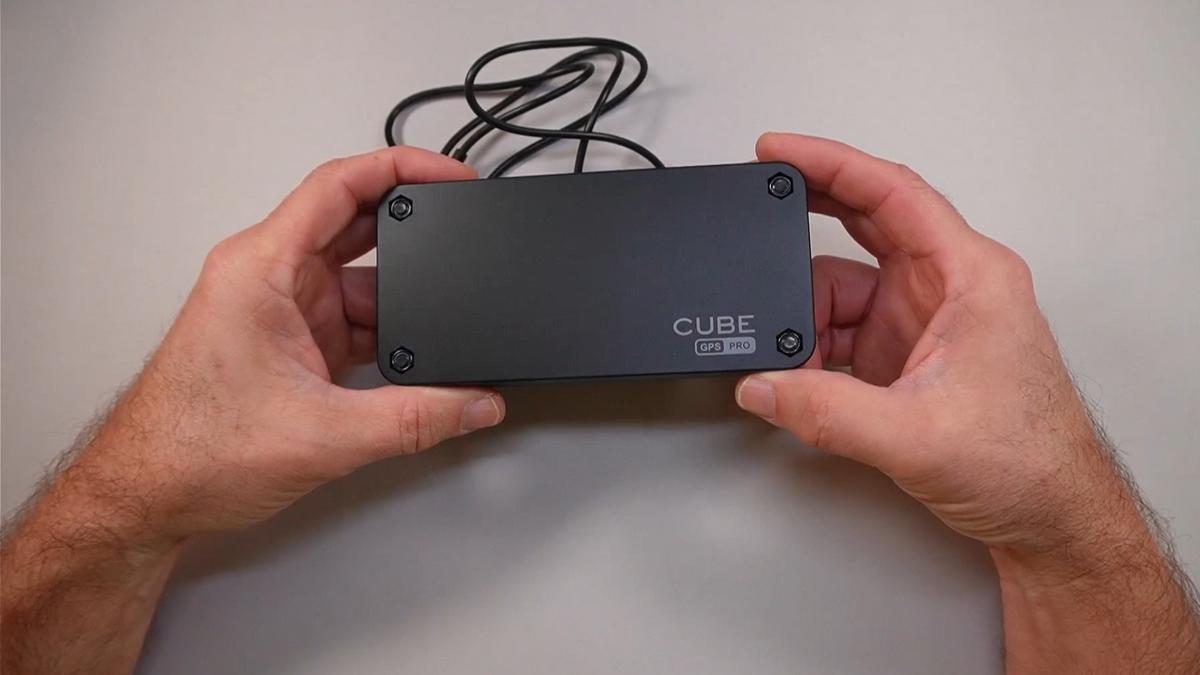
The Cube Pro is roughly the same size as an iPhone – compact enough to tuck completely out of sight. As I demonstrated in the video, it fits easily beneath a seat frame, inside a wheel well, or under a bumper.
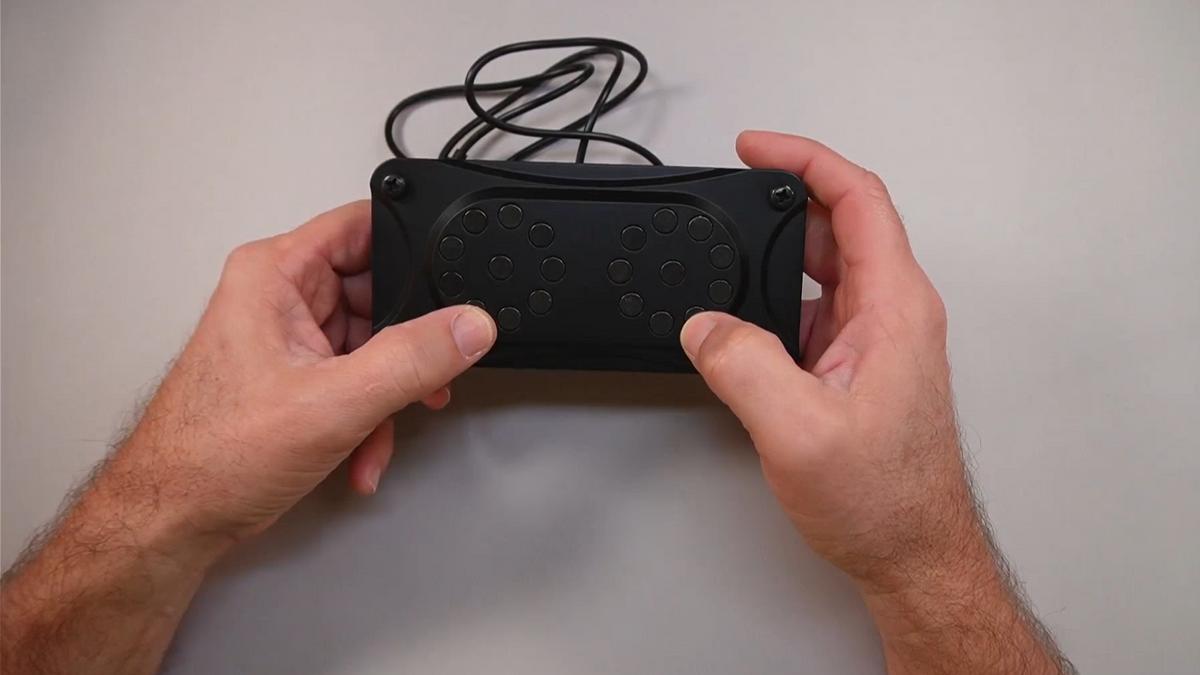
The built-in magnets grip any metal surface firmly without any tools, tape, or permanent installation. You simply place it and forget it is there.
It carries an IP67 waterproof rating, which means it can handle rain, road spray, puddles, and general outdoor exposure without a problem. For something that lives underneath a vehicle, that durability matters enormously.
The build feels solid – not flimsy or cheaply made. This is a device designed to stay put in tough conditions, not something that rattles loose after the first pothole.
Getting Started
The box includes the Cube Pro tracker and a USB charging cable. Charging is simple: plug it in, wait for it to top off, then seal the charging port closed before mounting it.
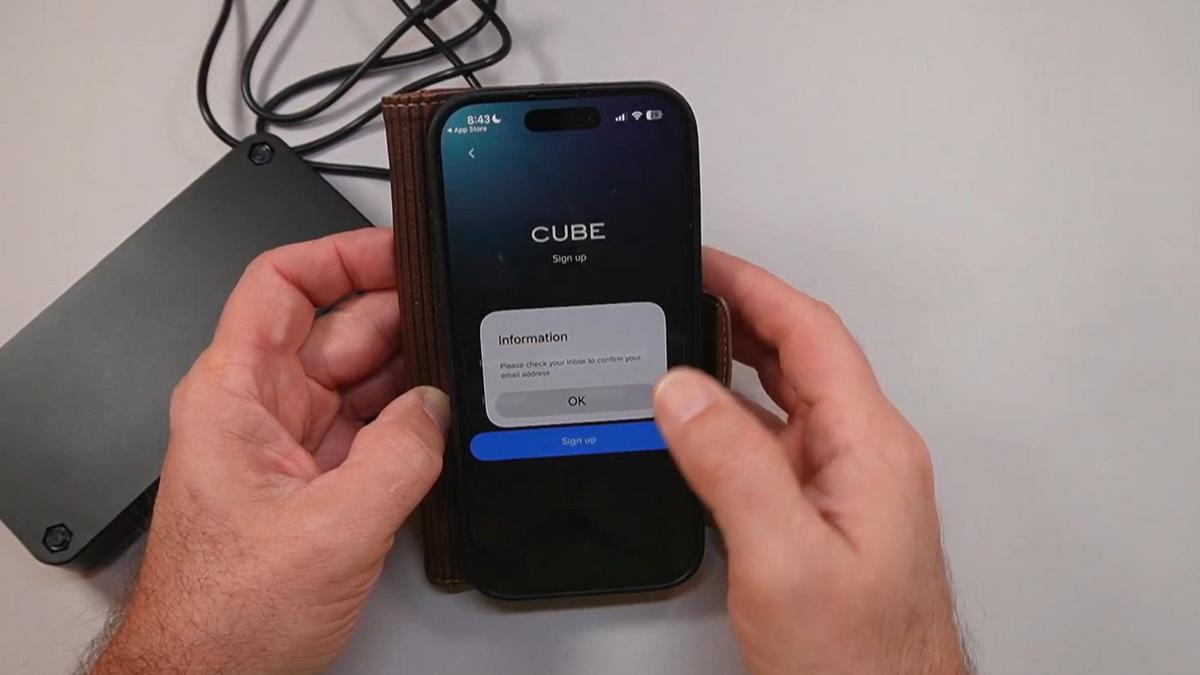
As I demonstrated in the video, setting up the app involves downloading the Cube Tracker app from either the Apple App Store or Google Play, creating a free account with your email address, and scanning the barcode on the device to pair it.
You will need to activate a subscription to enable cellular tracking – there is a small processing fee to get started, and then a monthly or annual plan from there. A one-month free trial is included when you first activate.
Once paired, the app walks you through granting location and notification permissions. When I evaluated this product, I noticed the setup flow is fairly logical and moves step by step – but someone completely new to smartphones may appreciate having a family member sit alongside them for the first run-through.
After setup, turn the tracker on by holding the power button for five seconds until you hear a beep, mount it magnetically on your vehicle, and you are done. The app does the rest.
Features That Matter to You
The live map view is the feature most people will use every single day. Open the Cube Pro GPS Tracker app and you see exactly where the vehicle is right now, with the option to switch between a standard map and a satellite photo view for better visual context.
That satellite view is genuinely helpful. When I evaluated this product, I noticed that switching to the photo-style map made it much easier to orient yourself to real-world landmarks – you can actually see the parking lot layout rather than just a colored dot on a street grid.
Route history is stored for up to five years. That means you can look back and see where the car went yesterday, last week, or last month – how long it stayed somewhere, what route it took, and when it returned home.
The geofence alert system deserves special mention for caregivers. You draw a virtual boundary – a neighborhood, a town, a specific area – and the moment the tracker crosses that line, your phone buzzes with a notification. You do not have to be watching the app for it to work.
Because the app lives on your existing smartphone, you can adjust text size using your phone’s built-in accessibility settings. In the video, you can see that the map-based interface is visual and intuitive – less text-heavy than many apps, which makes it friendlier for older adults who prefer navigation by picture rather than menu.
Multiple family members can monitor the same tracker. Everyone just needs the app installed and the original account login. One device, shared visibility – simple.
Real Life Experience
In the video, you can see that the magnets hold with genuine authority – not a tentative stick, but a confident, satisfying clunk onto the metal surface. That grip matters when you are mounting something underneath a moving vehicle at highway speeds.
Think about what a typical week actually looks like. Monday: doctor’s appointment across town. Wednesday: grocery run. Friday: the grandkids’ school event in an unfamiliar neighborhood. Every one of those trips is logged automatically, with timestamps and route details, without the driver doing a single extra thing.
Battery life is rated up to one year on a single charge, though as I mentioned in the video, that estimate depends on how frequently the tracker pings for updates. Higher update frequency means shorter battery life – it is a balance, and the app lets you adjust that setting.
When I evaluated this product, I noticed that charging is refreshingly simple – just the USB cable that comes in the box, plugged into a standard port. No proprietary chargers, no complicated docking stations. Charge it, seal the port, mount it back on the car.
Maintenance is essentially nonexistent. The IP67 waterproof rating means rain and road grime are not concerns. Wipe it off if it gets muddy, check the battery level in the app periodically, and that is genuinely all there is to it.
Will You Be Able to Use It?
If you can open an app on a smartphone and read a map, you can use this tracker. The primary interaction is visual – a dot on a map – which is about as straightforward as technology gets.
Mounting the device requires bending down to reach under a vehicle or reaching into a wheel well, which may be difficult for older adults with limited mobility or balance concerns. A family member or caregiver can handle the physical placement in just a few seconds – you only have to do it once.
Once it is mounted, the driver does not interact with it at all. There are no buttons to press, no apps to open, no steps to remember behind the wheel. This is entirely passive for the person being tracked, which is one of its greatest strengths.
As I demonstrated in the video, the app can be shared across multiple devices, so an adult child can monitor from their own phone while the older adult checks from theirs. No technical coordination required after the initial setup.
Important Considerations
This tracker is not the right fit for someone who is uncomfortable with the idea of their location being visible to family members. That conversation about privacy and trust needs to happen before the device is ever purchased – not after.
Real-time tracking depends on cellular coverage. In very rural areas or places with poor signal, updates may be delayed or unavailable. If you frequently travel remote highways or mountain passes, factor that in.
The subscription requirement is a genuine ongoing cost. This is not a one-and-done purchase – the cellular network access that makes real-time tracking possible requires a recurring plan. Anyone on a fixed income should weigh that monthly line item honestly.
For families managing a loved one with moderate to advanced dementia who should no longer be driving at all, a GPS tracker is not a substitute for addressing the driving conversation directly. It provides location visibility, but it does not prevent unsafe driving. Always consult with your doctor or occupational therapist before making health-related decisions around driving and cognitive safety.
Finally, this device is designed for vehicles, trailers, RVs, and similar equipment. It is not intended as a personal wearable tracker for someone on foot.
Help When You Need It
Cube offers customer support through the app itself, and their website provides documentation for setup and troubleshooting. The in-app support section is accessible directly from the settings menu.
As a subscription-based product tied to an Amazon purchase, return and warranty specifics are worth reviewing carefully on the product listing before you buy. Amazon’s standard return window applies to the physical device.
Because this is a software-supported product, updates to the app happen automatically – you do not need to do anything special to keep the tracker functioning as Cube improves the platform over time.
Understanding the Cost
The Cube Pro GPS Tracker involves two layers of cost: the upfront device purchase and the ongoing subscription for cellular tracking. Paying annually rather than monthly brings the per-month cost down meaningfully, so if you plan to use this long-term, the annual option is worth choosing from the start.
Compared to the category broadly, this tracker sits in a reasonable range for a device with a built-in SIM, a year of battery life, and five years of route history storage. You are paying for real-time cellular capability, not just Bluetooth range – and that difference is significant.
The peace of mind this provides – knowing where your vehicle is, getting alerts if it moves unexpectedly, having documented route history – is genuinely hard to put a dollar figure on. For families managing the safety of an older adult who still drives, that value is real and recurring.
Making It Work for You
Set up your geofence before you ever need it. Draw the boundary around your usual driving area right after installation, so alerts are already active from day one.
If multiple family members want access, share the account login during the initial setup session so everyone is ready before anything happens. Do not wait for a stressful moment to figure out who has the password.
Tuck the tracker somewhere discreet but accessible – underneath the seat frame or inside the wheel well are both solid options, as I showed in the video. Out of sight keeps it protected and reduces the chance of anyone tampering with it.
Check the battery level in the app every month or two and build a simple charging routine – perhaps every six months – so you are never caught off guard by a dead tracker. Set a recurring phone reminder if that helps.
If the driver has any concerns about privacy, have that conversation openly and frame it around mutual benefit: this is a tool that supports independence, not a leash. The driver keeps driving. The family keeps their peace of mind. Everyone wins.
Our Recommendation
The Cube Pro GPS Tracker for vehicles earns a solid recommendation from me – with one honest caveat: you need to be genuinely committed to using the app for it to be worth the ongoing subscription cost.
If you are an older adult who drives independently and wants the ability to locate your own parked car in a confusing lot, this solves that problem elegantly. If you are an adult child who quietly worries every time your parent drives across town, this gives you a practical, non-intrusive way to stay informed.
It works best for people who are comfortable with smartphones at a basic level, who are open to a subscription model, and who will actually check the app. For that audience, it is a genuinely smart investment in independence and safety.
If the subscription feels like too much of a commitment, or if the person being tracked has significant concerns about privacy, this may not be the right fit. A simple Bluetooth tile-style tracker – with no subscription but limited range – might be a better starting point for lower-stakes situations.
Where to Get It
You can check current pricing and availability for the Cube Pro GPS Tracker for Vehicles on Amazon using the link below. Stock and pricing can shift, so it is always worth checking directly for the most up-to-date information.
Final Thoughts
Knowing where your car is sounds like a small thing – until you are standing in a parking structure at dusk, trying to remember which level you came in on. A tracker that asks nothing of the driver except checking your phone is not a crutch. It is just a smart use of what is available to us right now.
If this review helped you, I would love to hear from you in the comments below. Have you ever used a GPS tracker on your vehicle, or do you have your own system that works? Drop it below – I am always genuinely curious what people actually do in the real world.
For more helpful tips and honest product reviews designed specifically for older adults and their families, visit us at GrayingWithGrace.com – and do not miss our free Graceful Journeys email newsletter.