

If you’ve found yourself complaining more often about how your old computer mouse hurts your hand, I found a mouse that is a great choice for older adults.

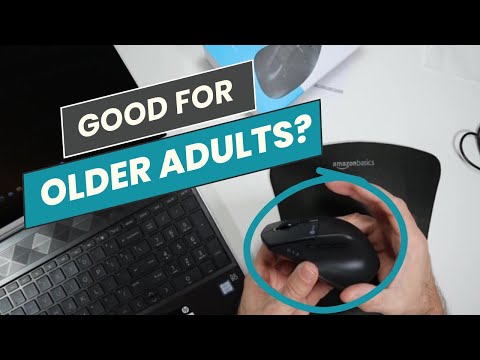
Why I Recommend It for Older Adults
I think the iClever Ergonomic Mouse is a helpful option for many older adults because of these key features:
It Fits Your Hand Just Right
This mouse is specially curved, giving your palm and wrist nice support. I know wrist soreness can be an issue for many aging adults, but the comfy ergonomic design here will prevent that.
It lets your hand relax in a natural position so you can use the mouse without developing any aches!
In my testing, even during marathon work sessions, I didn’t experience the hand soreness I sometimes get with standard flat mice.

No Tiny Buttons to Push
Some mouse buttons require too much squeezing pressure, but this iClever mouse only needs a light touch.
You won’t have to struggle pushing hard plastic all day! And they click very quietly, too, so no bothersome noise.
The silent click buttons stood out during my tests – they make virtually no sound even when clicked rapidly, unlike most mice.
I found the touch to be light enough for users with arthritic hands to be comfortable with also.
You Can Slow Down the Cursor
If you ever get frustrated trying to move the mouse cursor around carefully, a button on this one lets you turn down how fast it moves across the screen.
No more flying cursor you can’t keep up with! Just adjust it to your preferred speed.
I found the adjustable DPI settings very handy. I could speed up tracking for scrolling or slow it down when I needed more precise control in the same session.
It’s Rechargeable – No Batteries!
There’s no need to deal with replacing batteries constantly. The iClever mouse solves that by charging up via USB cable.
One single 3 hour charge lasts nearly 2 months! It’s always ready to use.
In my experience, the long battery life means less recharging and more time using the mouse.

Table: Benefits of the iClever Mouse for Seniors
| Feature | Benefit | Example |
|---|---|---|
| Ergonomic Right-Handed Design | Contoured shape provides better wrist, hand and finger support for comfort during use | Reduces aches and pains when working at home or browsing the internet for extended time |
| Silent Click Buttons | Light pressure required helps avoid hand fatigue or pain | Won’t annoy others around you and is less painful for people with arthritis |
| Adjustable 5 DPI Sensitivity Settings | Slow down cursor to precisely position pointer instead of overshooting links or buttons | Makes accurately clicking easier and less likely to loose mouse cursor on screen |
| Rechargeable 500mAh Battery | Avoid ongoing battery replacement costs | Charge just once every 1-2 months depending on use rather than buying AA batteries monthly |
| Bluetooth and Wireless Dongle Connectivity | Use with desktop computer and mobile devices without unpairing | Use the same mouse on your desktop, laptop, or tablet and easy connect to other computers when traveling |
| Plug-and-Play Setup | No manual software installation needed | Start using out-of-box on most computers without complicated setup process |
| Easy Device Switching | Tap button to quickly change between 3 paired devices | Seamlessly edit documents on laptop and tablet on couch or kitchen without mouse reconnection lag |

Detailed Pros and Cons List
Here is a more detailed pros and cons list for the iClever Ergonomic Mouse:
Pros:
Cons:

Key Specification Seniors Care About
Here is a list of key specifications for the iClever Ergonomic Mouse that are important for seniors to know:
Size and Shape
- Dimensions: 4.7 x 2.95 x 1.57 inches
- Right-handed ergonomic design
- Fits small to medium hand sizes best
Connectivity
- Wireless via 2.4Ghz USB dongle or Bluetooth 3.0/5.0
- Can connect to 3 devices simultaneously
- Easy press button to switch between paired devices
Buttons and Controls
- Silent left and right click buttons rated to 5 million clicks
- Middle button for changing DPI cursor speed (800, 1200, 1600, 2000, 2400 DPI)
- Button on side to toggle between dongle or Bluetooth
Power and Charging
- Built-in rechargeable 500mAh lithium battery
- Up to 60 days use per full 3 hour charge
- Charges via included 4.9ft USB-C cable
Compatibility
- Works with Windows 7-10, Mac OS, Chrome OS
- Compatible with desktops, laptops, smartphones, tablets that support USB dongle or Bluetooth
Usability
- Easy plug-and-play setup, no drivers or software needed
- Smooth cursor movement and scrolling
- Quiet clicks won’t disturb others

In conclusion, the iClever Ergonomic Mouse is a highly recommended product for seniors.
Its user-friendly features, ergonomic design, and silent buttons will enhance your computing experience.
Don’t forget to share this review with others who might find it helpful, and feel free to leave a comment below with your thoughts or questions.
![Woman attic opening family photo albums[1]](https://www.grayingwithgrace.com/wp-content/uploads/2025/12/woman_attic_opening_family_photo_albums1-e1765216154520-450x300.jpg)


