
You open the mailbox and find a property tax notice, an insurance renewal, and a service contract bill, all in one week. Your stomach drops.
This article shows you how to build a bill calendar, so big bills never feel like a surprise again.
These bills come at the same time every year, so you can plan for them. We cover setting up the calendar, saving a little each month, and the seasonal bill patterns.
We also cover phone scripts for calling companies, and a 48-hour audit if several January bills have already landed.

Why “Predictable” Bills Always Feel Like Ambushes
Your brain is managing dozens of recurring expenses, each on a different schedule. Monthly utilities. Quarterly insurance. Annual property taxes. Semi-annual service contracts.
It’s not that you forgot. You’re tracking too many moving pieces without a system.
Here’s the real psychology: When a bill only comes once a year, your brain treats it like a one-time expense even though it happens every single year. January property tax? Feels brand new each time. Summer HVAC tune-up? Complete surprise, despite happening every June for the past decade.
Now add the timing problem. Certain months are financial ambush zones.
January hits you with property taxes, insurance renewals, and peak heating bills, right after you’ve spent money on holidays. Nobody planned that. It just happens because of how billing cycles line up.
The actual costs add up quickly. Late fees because you weren’t prepared. Overdraft charges from bills auto-paying when you didn’t expect them. Depleting your emergency fund for expenses that weren’t really emergencies. And perhaps worst of all, the stress of making that call to your adult children asking for temporary help.
The truth is, basic monthly budgets don’t solve this problem. They help you track regular expenses, but they don’t prepare you for the irregular-but-predictable ones that cluster together and wreck your peace of mind.
The Bill Impact Calendar: Your 2-Hour Solution
Here’s the system that changes everything. Set aside one weekend afternoon, and you’ll never be blindsided by a “surprise” bill again.
Step 1: The 12-Month Bill Scan (30 Minutes)
Pull up your bank and credit card statements from the past year. You’re looking for every single recurring charge, no matter how small.
Monthly bills: Utilities, phone, internet, subscriptions, medications
Quarterly bills: Insurance premiums, HOA fees, seasonal lawn service
Annual bills: Property taxes, memberships, professional licenses, service contracts
The sneaky ones: Streaming services you forgot about, auto-renewing subscriptions, yearly maintenance agreements
Don’t skip this step. You can’t plan for what you don’t acknowledge exists.
Step 2: Choose Your Calendar Format (15 Minutes)
Pick the system that matches how you actually live.
Digital option: Set up a Google Calendar with color-coded categories. Add 30-day advance reminders for every bill. Share access with a trusted family member if you want. While you are sharing access with family, it is also worth setting up a trusted contact and alerts on the bank account so someone can step in if something looks wrong.
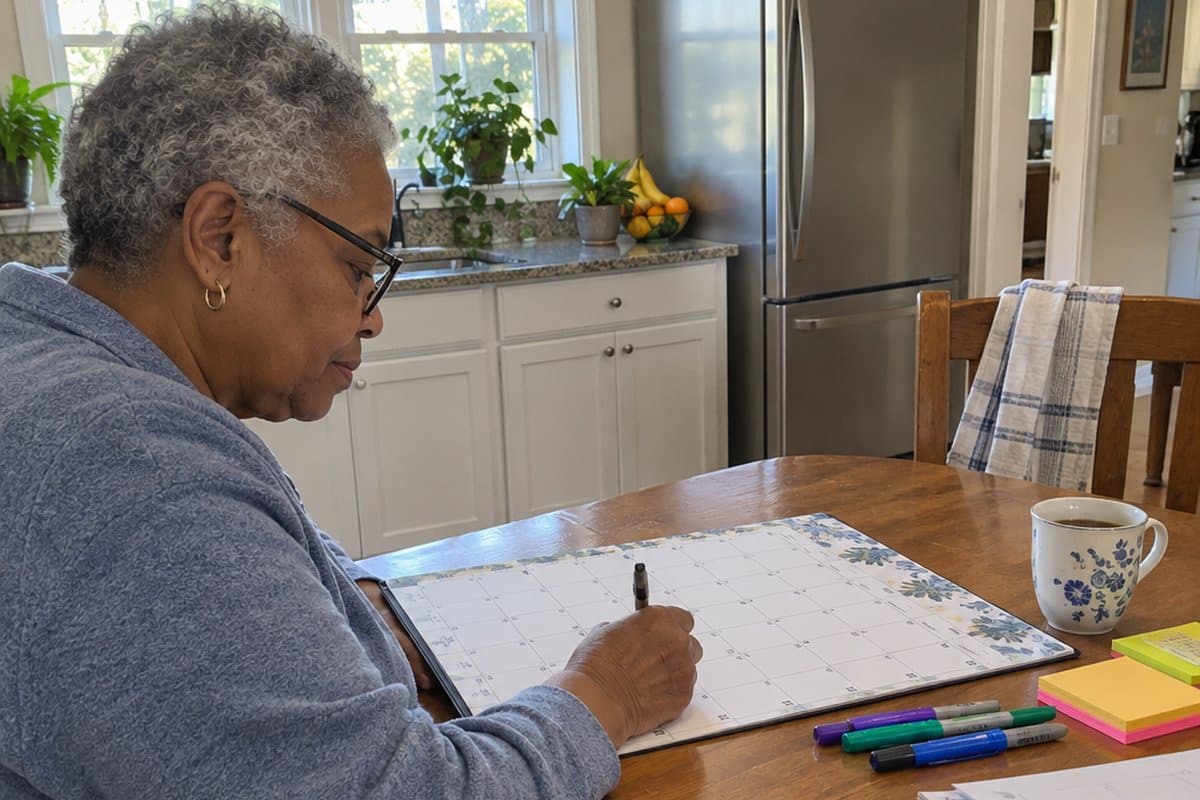
Physical option: Buy a large-print wall calendar. Use sticky notes or colored markers to mark bills. Hang it where you see it daily: kitchen, home office, wherever you drink your morning coffee.
Hybrid option: Use both. Digital sends the reminders. Physical gives you the visual overview.
You’re not learning new technology here. You’re just using what already works for you.
If you want more plain-spoken money tips, our newsletter is free to join.
Step 3: Map Your Bills (45 Minutes)
Now comes the magic part. You’re going to enter each bill 30 days BEFORE it’s due.
This creates your “preparation window”: time to set money aside, time to confirm the amount, time to negotiate if needed.
Color code by type:
- Green: Fixed monthly bills (you know exactly what’s coming)
- Yellow: Variable but expected (utilities that fluctuate but always arrive)
- Red: Annual bills (the ones that feel like ambushes)
Here’s the secret that is easy to miss: Don’t just note the due date. Also mark the best negotiation window, 60 to 90 days before renewals. When you’re calling from a position of preparation rather than panic, you have more negotiating power.
Step 4: Calculate Monthly Savings Amounts (30 Minutes)
For every quarterly or annual bill, divide the total cost by the number of months until it’s due.
Example: Your $2,400 annual property tax comes due in January. Starting in February, you need to set aside $200 per month ($2,400 ÷ 12 months).
Another example: Your $480 quarterly car insurance renews in September. Starting in June, you set aside $160 per month ($480 ÷ 3 months).
Set up automatic transfers to match your calendar. Or if you prefer the envelope method, physically divide cash into labeled envelopes each month.
The money’s already spent. You’re just acknowledging that reality in advance.

The Four Quarters of Senior Bill Patterns
Here’s the cheat sheet. Your personal pattern might vary, but many households face these seasonal clusters.
Quarter 1 (January to March): “The Triple Threat”
Property taxes arrive. Insurance premiums renew. Heating bills hit their peak.
Why it matters: Your budget is already recovering from holiday spending. These bills don’t care. And if you’re facing rising insurance costs, it’s worth knowing there are programs that could reduce your Medicare premiums and healthcare expenses. Your calendar can remind you to research these options during the best window before renewal.
Quarter 2 (April to June): “The Services Spike”
HVAC maintenance before summer heat. Lawn care services restart. Tax preparation fees come due.
Why it matters: Spring spending feels casual (“just” a gardener, “just” a tune-up), but these “small” expenses add up fast.
Quarter 3 (July to September): “The Utility Surge”
Air conditioning costs peak. Summer travel or visiting grandchildren. Back-to-school contributions for grandkids.
Why it matters: Summer feels relaxed, but your utilities and discretionary spending don’t take a vacation.
Quarter 4 (October to December): “The Holiday Collision”
Gift budgets. Annual subscriptions auto-renew. Holiday utility increases from cooking and guests.
Why it matters: The emotional pull of holiday spending meets recurring bills you can’t skip. Something’s got to give, and it’s usually your peace of mind. If you’re feeling pressure to overspend during the holidays, remember that frank conversations with family about budget limits can strengthen relationships rather than damage them.

Freeing Up Cash for the Next 30 Days
Once your calls are made, you may still have bills that cannot be negotiated or put off. Here is a way to free up some cash for them. It is a one-month adjustment, not a permanent sacrifice.
Sort your spending into three groups:
- Essential: Housing, utilities, food, medications and insurance. These stay as they are.
- Negotiable: Cable, streaming services, subscription boxes and dining out. These can be adjusted for a while.
- Postponable: Non-urgent home repairs, elective purchases and new clothing. These can wait 30 days.
Streaming services are a good place to start. Nearly every one lets you pause your subscription for a short time.
Call each service and say: “I’d like to pause my subscription for one to three months due to a temporary budget adjustment.” When the month passes, you can turn everything back on.
Next, look at last month’s bank or credit card statement. Highlight every recurring charge for something you do not use weekly.
Pause the gym membership you meant to use. Skip a month of meal kit deliveries. Magazine subscriptions often have flexible delivery schedules too.
You are not giving up things you love. You are making choices for one difficult month, and the things you actually need stay untouched.
One trade-off: pausing only helps with the services you call about, so it takes a few phone calls and a bit of patience.
Making the System Work Month-to-Month
You’ve built the calendar. Now here’s how to use it without it becoming another chore.
The Monthly Routine (15 Minutes)
Once a month, on a specific date like the 1st or 15th, check your calendar for upcoming bills in the next 30 days.
Confirm your automatic savings transfers happened. If you’re using the envelope method, divide that month’s cash into the appropriate envelopes.
Adjust if any bill amounts changed. Utility company raised rates? Update the savings amount starting now, not when the bill arrives.
The Quarterly Review (30 Minutes)
Every three months, compare actual bills to what you projected.
Did your water bill increase? Adjust future savings amounts. Did you cancel a subscription? Remove it from the calendar and reallocate that money.
Here’s the win you need to celebrate: Bills are being paid without panic. Money is already set aside when bills arrive. You’re not making crisis calls to your children.
That’s success. Acknowledge it.
If keeping track of multiple recurring tasks feels overwhelming, the same reminder strategies that help with bills can also help with medication schedules and daily routines. It’s all about building systems that work for your life.
Technology Tools That Actually Help
For digital-comfortable readers: Try the Prism app for bill tracking. Set up a shared Google Calendar if your adult children help with oversight. If you’re open to exploring technology that can make daily life easier, smart home devices like voice assistants can handle reminders, alarms, and even help you check your account balances hands-free.
For technology-hesitant readers: Your smartphone’s basic reminder function works perfectly. “Alexa, remind me about property tax on December 15th” is all you need.
For caregivers helping parents: You can set up shared calendar access without taking over complete control. Your parent maintains independence while you have visibility for support when needed. If you’re coordinating care with siblings, establishing clear communication systems and shared calendars can eliminate confusion and ensure everyone knows what bills are due when.
The Sinking Fund Method Simplified
Think of your money in three buckets:
Checking account: Monthly bills only: utilities, phone, groceries, regular expenses
Savings Bucket 1: Quarterly bills: insurance, seasonal services, anything that comes every three months
Savings Bucket 2: Annual bills: property tax, memberships, yearly maintenance contracts
If you prefer physical cash management, use labeled envelopes instead of savings buckets. Same principle, different format.
Bonus Strategy: The Bill Negotiation Window
Your calendar now shows you something powerful: when to call for better rates.
Insurance renews in March? Call in December or January when you’re 60 to 90 days out. You’re not calling in a panic two days before it’s due. You’re calling from a position of preparation.
“I’m reviewing my coverage for renewal in March. What options do I have to reduce my premium while maintaining appropriate coverage?”
That single sentence, delivered with advance notice, often saves hundreds of dollars. Your calendar makes that possible.
If you want more plain-spoken money tips, our newsletter is free to join.
Setting Up Next Year So January Is Just Another Month
Once this January is handled, a few small steps can keep the next one from piling up. Each takes only a phone call or a few minutes.
Starting in February, put a set amount each month into a separate “January Bills” envelope or savings account. By December, you will have money waiting for the property tax, insurance and heating bills. If holiday spending added to the pinch, the 1% Rule for holiday budgeting can help you head that off too.
Next, grab your calendar and mark November 15th with a note: “Review insurance, estimate property tax, check heating budget.” That gives you two months to shop insurance rates, confirm what the property tax will be and adjust your budget before the bills arrive.
November is also a good time to look into Medicare Savings Programs, since Medicare Part B premiums adjust every January. These programs may lower what you pay.
You can also spread your due dates out. Call your insurance company and ask: “I’d like to move my policy renewal from January 1st to July 1st. Is that possible?” Many companies will say yes, and your big bills stop clustering in one month.
Annual subscriptions work the same way. Most let you choose your renewal month. They land in January only because that is when you signed up.
Finally, call your utility company this week and enroll in budget billing for next year. It spreads your yearly costs evenly across 12 months, so the winter heating bill no longer jumps.
One trade-off: not every company will agree to move a renewal date. Ask anyway, and if one says no, the other steps still help.

Phone Scripts for Insurance, Property Tax and Utility Help
The hardest part of the Can Negotiate pile is making the first call. So here are the words to use.
For an insurance premium increase, try: “I’m calling about my recent premium increase. I’m a senior on a fixed income, and this increase is significant for my budget. Can you review my policy for any available discounts or payment plan options?”
Then ask whether they offer senior discounts that may not be applied to your policy. For auto insurance, ask about low-mileage discounts. Ask them to review your policy for coverage you might not need, and ask about monthly payments instead of six-month payments.
For property tax, call your county tax assessor’s office: “I’m calling to ask about payment plan options for my property tax bill. What programs does your county offer for seniors?” Ask whether they offer quarterly or monthly plans, whether there are senior exemption programs, and what the deadline is to enroll this year. Also ask whether a payment plan carries any penalty. Many counties let you split the annual bill into four quarterly payments.
For heating costs, call your utility company: “I’m inquiring about winter hardship programs or budget billing for my heating costs. What assistance programs are available to me?” Ask about LIHEAP, a federal program that helps with heating bills. Ask about budget billing, which spreads your yearly costs evenly across 12 months. Ask about senior discounts and payment extensions for high-bill months too.
You are not begging. You are asking about programs that exist for situations like yours, and using your senior status wisely can help your retirement income stretch further.
One trade-off: what each company or county offers will differ, so some of these questions may get a “no.” Asking costs you nothing, though.

A 48-Hour Bill Audit When Several January Bills Land at Once
Say it is a Tuesday in early January and the property tax bill, the insurance renewal and a heating bill that has jumped are all sitting in your mailbox. The calendar helps for next year, but these bills need attention now. Here is how I would handle the next two days.
Gather every January bill, paper or digital, and put them in one place. The kitchen table works fine.
Then sort them into three piles:
- Must Pay Now: Bills with immediate consequences if missed. Typically your mortgage or rent, utilities and essential insurance.
- Can Negotiate: Bills from companies that may offer senior discounts, hardship programs or payment plans. That includes property taxes, many insurance policies and some utility services.
- Can Postpone: Bills for non-essential services that can be paused or canceled for a while without a major effect on your life.
For each bill, write down three things: the total amount due, the due date, and whether you have successfully negotiated with that company before.
While you go through the stack, look for grace periods, senior discount programs, payment plan options and hardship assistance. Companies often have these programs but rarely advertise them, so you usually have to ask.
If holiday spending added to the pile this year, the 1% Rule for holiday budgeting can help you head that off next December.
Once the sorting is done, start your calls with the bill that feels easiest. The first call is the hardest, and the next ones get easier.
One trade-off: the sorting only tells you where to ask. Whether a company has a program, and what it offers, will differ from one to the next.
What Life Looks Like With the System
Let me paint you a picture of what changes.
The Immediate Differences
No more 3 AM anxiety about bills you might have forgotten. You open your mail without that stomach-drop feeling.
When service providers call, you’re having confident conversations. You’re not scrambling or apologizing. You’re discussing options from a position of preparation.
Those awkward calls to your adult children asking for temporary help? They stop. Not because you’re earning more, but because you’re planning better.
The bills themselves don’t change. Your ability to handle them does.
The Long-Term Benefits
Late fees disappear. Overdraft charges vanish. That money stays in your account instead of being wasted on penalties you can avoid.
Your emergency fund actually becomes an emergency fund, not a bill-paying fund. It’s there for true surprises like medical expenses or urgent repairs.
But here’s what matters most: You feel in control. Not perfectly organized, not stress-free about money in general, but specifically in control of the bills that used to ambush you.
That’s worth more than the money saved.
For Caregivers Specifically
If you’re reading this as an adult child helping your parents, here’s what this system gives you:
Peace of mind knowing your parent has a structure that works. The ability to provide support without taking over complete financial control. A shared calendar that allows monitoring without micromanaging.
You’re not managing their bills for them. You’re helping them manage their own bills better.
That preserves dignity while reducing everyone’s stress.
Your First Three Steps
You’ve read this far, which means this resonated. Don’t let it become another “good idea I’ll get to someday.”
Today, Right Now
Step 1: Block 2 hours on your calendar this weekend. Actually write “Bill Calendar Setup” on your schedule.
Step 2: Gather your statements. You need the last 12 months of bank and credit card statements. Digital copies work fine, so you don’t need physical papers.
Step 3: Choose your calendar format. Digital, physical, or both. Pick what you’ll actually use, not what you think you “should” use.
This Weekend
Follow the four steps outlined earlier. Scan your bills. Set up your calendar. Map everything out. Calculate your monthly savings amounts.
Two hours of focused work this weekend eliminates years of bill-related anxiety.
The Reality Check
You’ve spent decades managing complex responsibilities. You’ve handled careers, raised families, maintained households, navigated challenges most people can’t imagine.
This system doesn’t require new skills. It just organizes what you already know how to do.
The hard part isn’t the system itself. It’s deciding to set it up instead of continuing to manage everything in your head.
Two hours. That’s all it takes.
Share this with a family member who’s been worried about your bill management. Show them you have a plan.
Save this article to reference during your setup session. You don’t need to remember everything. You just need to remember where to find the instructions.
And if you found this helpful, our weekly newsletter has more plain-spoken money tips, and it is free to join.
You deserve financial peace of mind. This calendar is how you get it.
Have you tried a bill tracking system before? What worked or didn’t work for you? Share your experience in the comments below. Your insight might help someone else take that first step.


![Keep feat elderly woman walker family living room conversation[1]](https://www.grayingwithgrace.com/wp-content/uploads/2026/05/KEEP-FEAT-elderly_woman_walker_family_living_room_conversation1-e1779544485375-450x300.jpg)

![Keep older woman video call tablet kitchen warm smile[1]](https://www.grayingwithgrace.com/wp-content/uploads/2026/05/KEEP-older_woman_video_call_tablet_kitchen_warm_smile1-e1778624028172-450x300.jpg)
![Group of seniors sharing simple grocery saving tips[1]](https://www.grayingwithgrace.com/wp-content/uploads/2026/01/group_of_seniors_sharing_simple_grocery_saving_tips1-e1769521429158-450x300.jpg)
![Elderly man with cane looking up recurring charge[1]](https://www.grayingwithgrace.com/wp-content/uploads/2026/01/elderly_man_with_cane_looking_up_recurring_charge1-e1769520115610-450x300.jpg)
![Daughter discussing suspicious bank activity with elderly mother[1]](https://www.grayingwithgrace.com/wp-content/uploads/2026/01/daughter_discussing_suspicious_bank_activity_with_elderly_mother1-e1768862439415-450x300.jpg)


