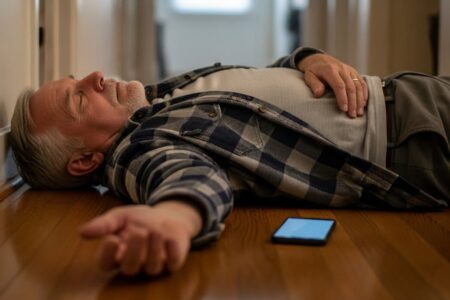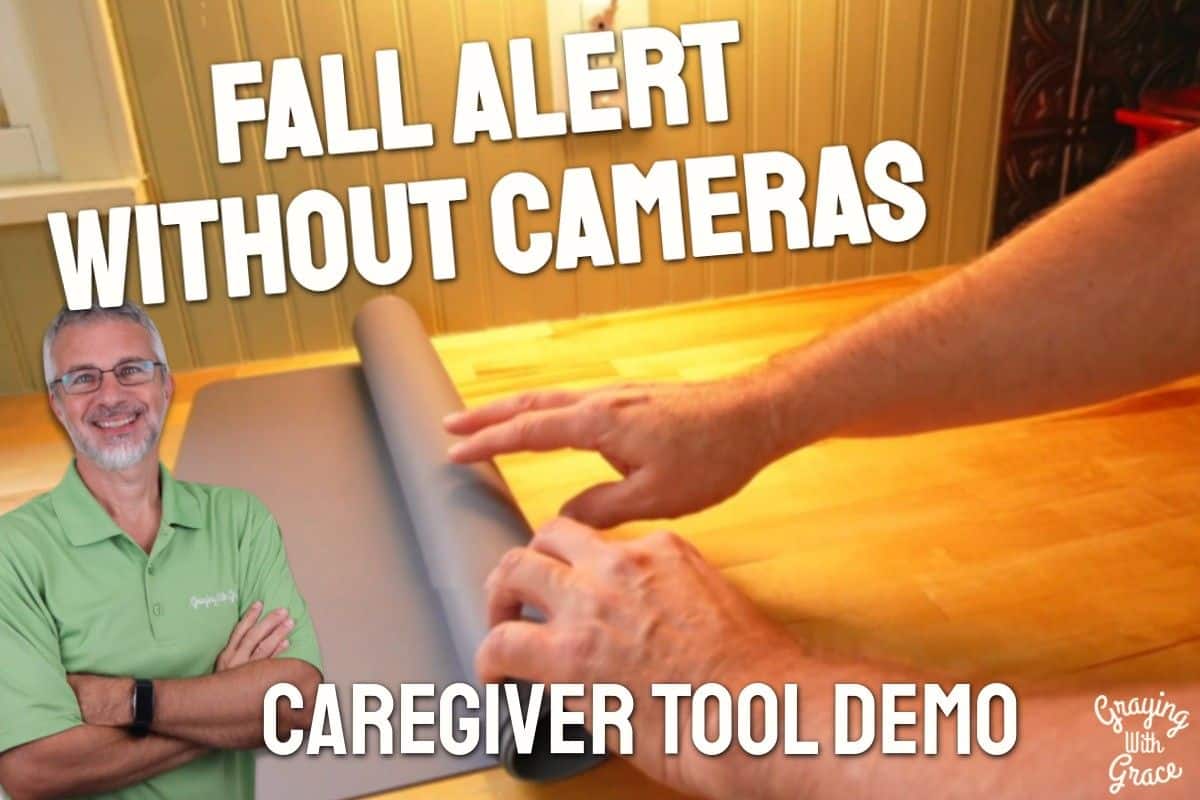
Picture this: your mom lives alone, three states away. She’s sharp, capable, and fiercely independent — but she had a close call last winter, and now the words what if she falls and nobody knows live rent-free in the back of your mind. You want something that can help without making her feel watched, monitored, or like she’s lost her privacy.
That’s exactly the problem the NOMO Smart Care Medical Alert System was built to solve.
I’m Scott Grant, Certified Senior Advisor (CSA) and Senior Home Safety Specialist (SHSS) at Graying With Grace. I personally set up, tested, and demonstrated this system on video so you could see exactly how it works before spending a dime. This review covers everything — setup, fall detection, monitoring options, honest limitations, and who this system genuinely helps.

Quick Takeaways
- Solves: Falls going undetected, delayed emergency response, landline dependency, and camera-based privacy concerns
- Best for: Older adults living alone, long-distance caregivers, and post-surgery recovery situations
- Worth it: Yes — especially during the 60-day free trial, which lets you validate the system before committing
- Best senior feature: Automatic fall detection through a wearable tag — no button pressing required
- Biggest limitation: The system goes offline if home WiFi goes down, with no cellular backup
How This Could Help You
Think about the gap between visits, between phone calls, between the moments when someone is there and the long stretches when they’re not. That gap is where falls become dangerous — not because they happen, but because no one knows they happened.
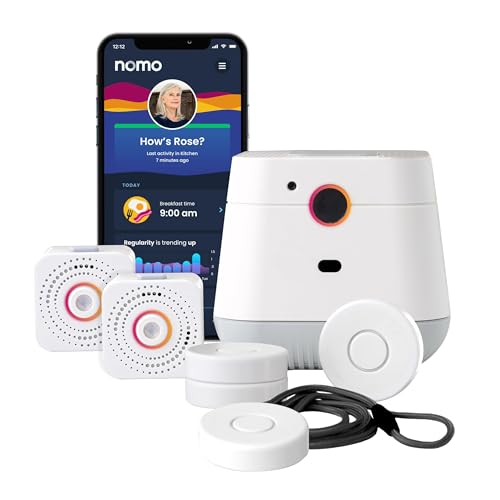
The NOMO Smart Care Medical Alert System monitors movement throughout the home using a central hub, plug-in satellites, and small wearable tags. When something goes wrong — a fall, an unusual lack of movement, or a manually pressed alert button — the system notifies everyone in the Care Circle within seconds.
What makes this different from a basic panic button? Automatic detection. If your loved one falls and can’t reach a button, can’t speak, or doesn’t even realize what happened, the wearable tag still triggers the alert. That’s a meaningful safety net.
For older adults, this kind of system can be the difference between staying in the home they love and moving somewhere they’d rather not be. For caregivers — especially those managing care from a distance — it replaces constant worry with real-time awareness.
Are you currently relying on daily phone calls to know if someone is okay? This system gives you much more than that, without requiring your loved one to do anything differently in their day.
Important Details You Should Know
The NOMO Smart Care system is a home-based solution — it’s designed to work inside the house, not on walks around the neighborhood or errands at the grocery store. If outdoor or on-the-go protection is a priority, this system alone won’t cover that.
The hub plugs into a standard wall outlet and is about the size of a small speaker. The satellites are compact plug-in units, and the tags are small enough to wear as a pendant on a lanyard — lightweight and unobtrusive.
The tags contain sealed CR2430 lithium batteries rated to last up to 10 years under normal use. As I mentioned in the video, because they’re sealed, the tags are also shower-safe — which matters a great deal, since bathrooms are one of the highest-risk fall zones in any home.
The hub and satellites communicate over your home WiFi network. There is no cellular backup, which is an important limitation to understand going in.
Getting Started
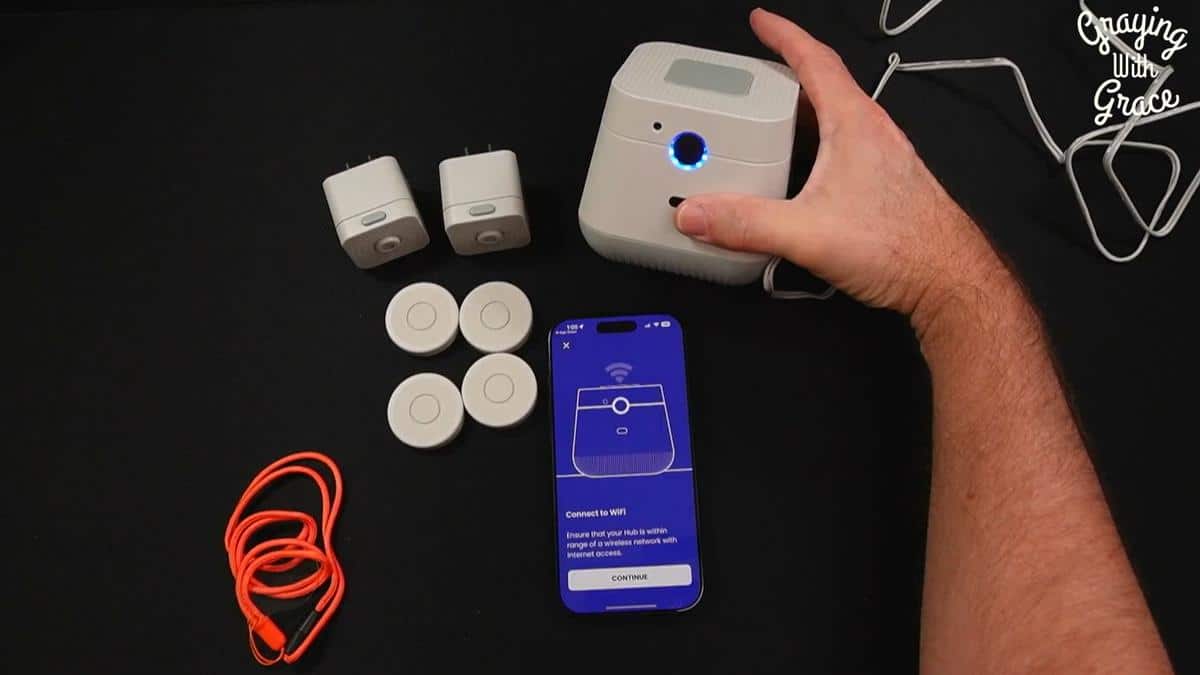
The Essential Care Kit includes the main hub, two satellites, four tags, lanyards, and a clear quick-start guide with pictures at every step. As I demonstrated in the video, the quick-start guide is genuinely easy to follow — even for someone who doesn’t consider themselves tech-savvy.
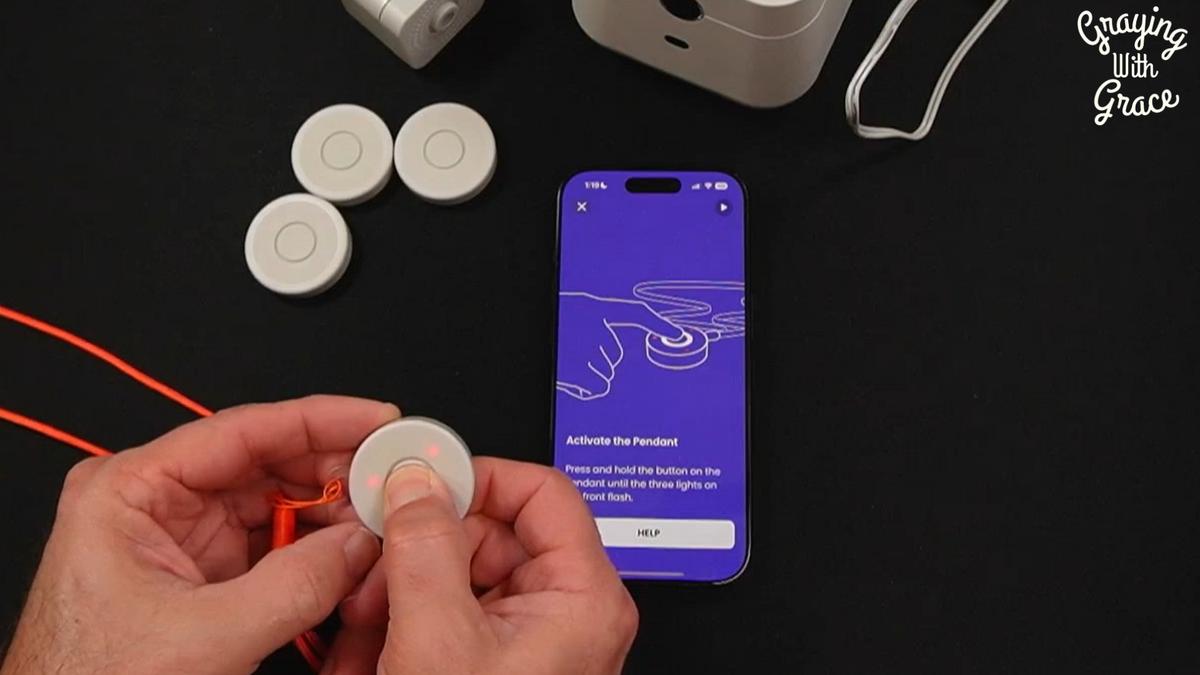
Setup begins with downloading the NOMO SmartCare app (available on both Apple and Android), creating an account, and entering basic information about the person being monitored. Then you plug in the hub, connect it to your WiFi, and add the satellites and tags one at a time through the app.
When I evaluated this product, I noticed the entire process from unboxing to fully operational system took well under 30 minutes. No technician, no wiring, no waiting for an appointment.
The hub itself even prompts you verbally during setup — it speaks aloud to guide you through pairing. That’s a thoughtful touch that reduces frustration for anyone who’s not a tech expert.
You’ll need a smartphone (ideally managed by an adult child or caregiver) and a working home WiFi network. The senior themselves doesn’t need to use the app at all — caregivers can manage everything remotely.
Ready to discover more innovative strategies for healthy, comfortable aging? Subscribe to our newsletter for expert-tested tips and product recommendations designed specifically for older adults.
Features That Matter to You
Let’s talk about what actually shows up in daily life — not the spec sheet, but the real-world moments where this system earns its keep.
The automatic fall detection is the headline feature, and for good reason. As I demonstrated in the video, I dropped the tag from desk height to simulate a fall — and within 10 to 15 seconds, an alert fired, the Care Circle was notified, and I received a phone call. That response time matters enormously in a real emergency.
The wearable tag works as a pendant on the included lanyard. For older adults with arthritis, tremors, or limited grip strength, this is a game-changer. There are no tiny buttons to find and press in a moment of panic — the fall detection is entirely automatic.
The two-way voice communication through the hub is something I found genuinely impressive when I evaluated this product. When an alert fires, caregivers can actually speak into the hub in real time — hearing what’s happening and being heard by the person in the home. That’s far more useful than a text-only alert that leaves you guessing.
The Care Circle notification system means every designated family member or caregiver gets the alert simultaneously. If one person doesn’t respond, another can step in. Nobody is the sole lifeline.
The “Poke” feature — scheduled voice reminders sent from the app to the hub — is a quiet gem. Caregivers can record their own voice reminding a loved one to take medication, drink water, or eat lunch. It’s a gentle check-in that feels personal, not institutional.
The adjustable fall detection sensitivity in the app lets you calibrate the system to match your loved one’s activity level. An active senior who moves quickly and bends often needs a different setting than someone who moves cautiously. That customization matters for reducing false alarms while still catching real ones.
Real Life Experience
In the video, you can see that the setup process is about as painless as these things get. I walked through it from scratch — app download, account creation, hub connection, satellite pairing, tag setup, and Care Circle configuration — and it moved quickly at every step.
The tag itself feels light on the lanyard. It’s not something that would drag on someone’s neck or feel burdensome throughout a full day. The pendant design means it disappears under a shirt if privacy is important to the wearer.
As I demonstrated in the video, when I pressed the alert button on a tag, my phone rang within seconds with an automated voice message identifying the person by name, describing the alert type, and giving me options — including connecting directly to the hub speakerphone. That’s a real emergency call experience, not a vague notification.
When I evaluated this product, I noticed the hub’s indicator lights are a smart design choice. Green means all is well. Yellow means something is deviating from expectations. Red means an active alert. You don’t need the app open to get a quick status read from across the room.
The satellite sensors pick up both motion and sound, extending coverage into rooms the hub can’t directly monitor. Placing one in the bedroom and one in the hallway creates meaningful whole-home awareness — especially during the overnight hours when most caregivers aren’t physically present.
Battery maintenance is essentially zero. The sealed 10-year lithium batteries in the tags mean no charging routines, no dead-battery surprises, and no fumbling with small battery compartments. That’s a genuine quality-of-life win for everyone involved.
Will You Be Able to Use It?
For the older adult wearing the tag, the system demands almost nothing. Wear the pendant. That’s it. No buttons, no app, no passwords. The system works around them.
For caregivers managing the system, a basic comfort with smartphone apps is needed. Setting up the Care Circle, adjusting sensitivity settings, and responding to alerts all happen in the app. If you’re the adult child handling the tech side, this is well within reach — it’s not complicated, but it does require someone to own that role.
For older adults with cognitive decline, the automatic detection is especially valuable — because it doesn’t rely on the person recognizing that something has gone wrong, deciding to seek help, and successfully pressing a button. The system acts independently of those steps.
If your loved one has severe hearing impairment, the two-way voice communication may be less useful — but the app-based visual alerts still reach caregivers immediately regardless.
Important Considerations
This system is not right for everyone, and I’d rather be honest about that upfront than have you discover it after purchase.
If your loved one doesn’t have reliable home WiFi, this system will not function as intended. There is no cellular backup. As I noted clearly in the video, if the WiFi goes down, the tags and hub cannot communicate with the app or the Care Circle. You’ll want a backup plan — and possibly a different system entirely — if internet reliability is a concern.
If the older adult in your life is resistant to wearing anything at all — no jewelry, no watch, nothing on their body — the wearable tag becomes a problem. The satellites provide some ambient motion detection, but the fall-specific detection lives in the tag. Consistent wear is essential for the system to work as advertised.
This is an in-home system only. If your loved one spends time outside the home without a companion — walking the neighborhood, driving to appointments, visiting friends — this system offers no protection during those times. A cellular-based wearable device would be needed to fill that gap.
Always consult with your doctor or occupational therapist before making health-related product decisions, including home monitoring and fall detection systems.
Help When You Need It
NOMO Smart Care offers customer support accessible directly through the hub — as I showed in the video, you can connect to their concierge assistance right from the device itself, which is a convenient option if setup questions come up after the box is unpacked.
The 60-day free monitoring trial gives you a meaningful window to test the system fully before any subscription decision is made. After the trial, professional monitoring continues month-to-month with no long-term contract and no cancellation penalty.
The DIY Care Circle monitoring option remains available at no additional cost, giving families a no-fee fallback if the professional monitoring subscription isn’t the right fit.
Understanding the Cost
Medical alert systems vary widely in cost and value. The NOMO Smart Care Medical Alert System sits in a competitive range for what it delivers — automatic fall detection, whole-home monitoring, two-way voice communication, and a 60-day professional monitoring trial — without requiring a landline or a technician visit.
The ongoing monthly subscription for professional monitoring is optional. Families who prefer to manage alerts themselves through the Care Circle can do so at no recurring cost after the hardware purchase. That flexibility makes this system accessible across a range of budgets.
When weighing the value, consider the alternative costs: a single delayed emergency response after a fall can result in a hospital stay, rehabilitation, or a permanent move to a care facility. The math tends to favor the monitoring system.
Making It Work for You
Place the hub in a central location your loved one passes through regularly — a kitchen counter or living room TV stand works well. The goal is an unobstructed view of frequently traveled space.
Position satellites in the bedroom and bathroom — the two rooms where nighttime falls most commonly happen. In the video, I highlighted that overnight hours represent a critical gap for families with daytime caregivers who aren’t present after hours. Two satellites in the right spots close that gap significantly.
Use the tag placement creatively. In the video, you can see that tags can be placed on a refrigerator door to track mealtime activity, on a medicine cabinet to confirm medication routines, or on a frequently used drawer. This turns the system into a gentle activity monitor, not just an emergency responder.
Calibrate fall detection sensitivity during the first week of use. Start at a moderate setting, observe whether false alarms occur during normal daily movements, and adjust accordingly. The 60-day trial period is the perfect time to fine-tune this.
Make sure every key caregiver downloads the app and tests the alert response. Run a practice alert together so everyone knows exactly what notification they’ll receive and what to do when it arrives.
Our Recommendation
The NOMO Smart Care Medical Alert System earns a genuine recommendation from me — with clear eyes about who it helps most and where its limits are.
If you have an older adult living alone, a long-distance caregiver relationship, reliable home WiFi, and a loved one who values their privacy (and would never tolerate a camera in their home), this system is an excellent fit.
It’s also a smart choice for post-surgery or post-hospitalization recovery. As I pointed out in the video, the 60-day free monitoring trial lines up almost perfectly with a typical recovery window — giving you professional-level coverage during the highest-risk phase with zero long-term commitment.
If your primary concern is protection outside the home, or if WiFi reliability is genuinely uncertain, look at cellular-based medical alert systems instead. This system excels indoors, and it doesn’t pretend to be something it’s not.
For the right situation, the NOMO Smart Care system is one of the more thoughtful home monitoring solutions I’ve evaluated — privacy-first, genuinely easy to set up, and fast when it counts.
Where to Get It
You can check current pricing and availability for the NOMO Smart Care Medical Alert System through the link below. Pricing and promotional deals can change, so the link will always reflect what’s current.
Conclusion
Falls don’t announce themselves. They happen in quiet moments, in empty rooms, at 2 in the morning when nobody is there. The NOMO Smart Care system exists precisely for those moments.
It’s not a replacement for human care — nothing is. But as a bridge between independent living and the support that older adults deserve, it does its job well, and it does it without cameras, without complicated wiring, and without making anyone feel like they’re under surveillance.
If you’ve used a medical alert system before — or if you’re just starting to think about this for someone you love — I’d genuinely like to hear what mattered most to you in making that choice. Drop a comment below and let’s talk about it.