
![Senior man simple tv remote recliner[1]](https://www.grayingwithgrace.com/wp-content/uploads/2025/10/senior_man_simple_tv_remote_recliner1-e1761588172672.jpg)
“I don’t do technology.”
Four words that stop every solution you try to offer. Your mother needs medication reminders, but she won’t use her smartphone. Your father would benefit from video calling, but he refuses to learn.
You suggest a medical alert system, and they dismiss it: “Too complicated. I don’t need that.”
You’re trying to help. They’re shutting you down. The frustration builds on both sides.
Here’s what I’ve learned after working with hundreds of families in exactly this situation: your parent isn’t being stubborn just to be difficult. They have legitimate reasons for resisting technology—reasons that make perfect sense when you understand them.
And more importantly, not all technology actually requires them to learn anything or change their behavior.
The key isn’t convincing them to embrace technology. It’s finding technology that adapts to them instead of requiring them to adapt to it.

Understanding the Resistance: It’s Not About Being Old-Fashioned
Let’s talk about why the phrase “I don’t do technology” feels so absolute.
Your parent isn’t rejecting help. They’re protecting themselves from very real concerns that younger generations often dismiss too quickly.
Fear of Breaking Something
“What if I press the wrong button?”
This isn’t irrational anxiety. Technology often punishes mistakes in ways that feel unpredictable and irreversible.
Unlike familiar objects where you can see what went wrong, technology consequences feel mysterious. Deleted files. Lost data. Settings that somehow changed. Your parent remembers that one time they “did something” to the computer and couldn’t fix it, and they don’t want to repeat that embarrassment.
Cognitive Load Overwhelm
What seems “intuitive” to younger brains genuinely isn’t to older brains.
Learning new systems requires working memory and processing speed—both naturally decline with age. Multiple steps, hidden menus, abstract icons? That’s not just unfamiliar. It’s genuinely exhausting.
Your parent can absolutely learn new things. But the cognitive demand of modern interfaces is real, not imagined.
Vision and Dexterity Challenges
Small buttons requiring precision taps. Low contrast interfaces. Notifications that appear and disappear too quickly.
These aren’t minor inconveniences. They’re genuine barriers that make interaction frustrating rather than helpful.
Privacy and Security Concerns
Headlines about data breaches and scams aren’t just background noise to older adults—they’re personal threats.
Your parent has valid worries about what information is being collected, who has access, and how secure it really is. “Alexa is always listening” creates legitimate discomfort, not paranoia.
Loss of Control and Independence
Here’s the hard truth: technology often arrives with a subtext of “We need to monitor you because you can’t manage on your own.”
That feels infantilizing.
Your parent has managed fine for 75 years. Resistance to technology isn’t just about the device—it’s about preserving the autonomy and dignity they’ve earned.
Overwhelmed by Too Many Features
Modern devices do 100 things when your parent needs exactly two.
They want to make phone calls. Instead, they’re handed a smartphone that’s also a camera, internet browser, GPS, gaming console, and personal assistant. Basic functions get buried under complexity they’ll never use.
Change Fatigue
Your parent is already adapting to an aging body, changing abilities, and the loss of longtime friends.
Technology represents yet another thing they have to learn and adjust to. Sometimes “I don’t do technology” really means “Not one more change I have to deal with right now.”
When you understand these reasons, you realize your parent isn’t being difficult—they’re being rational.
The solution isn’t to push harder for them to learn technology. It’s to find technology that eliminates the barriers causing their resistance.
The Senior-Friendly Technology Test: 3 Questions
Before recommending any technology to a resistant senior, ask yourself these three critical questions.
Question 1: Does it require them to DO anything?
Best: Zero interaction required (passive technology)
Good: One simple action repeated (pressing one button)
Problematic: Multiple steps, menus, or choices
Question 2: Does it require them to LEARN anything?
Best: Works exactly like something they already know
Good: Single new concept to understand
Problematic: New interface, new vocabulary, abstract concepts
Question 3: Does it require them to REMEMBER anything?
Best: No passwords, no charging, no maintenance
Good: One simple routine (plug in at night)
Problematic: Multiple passwords, regular updates, troubleshooting
The more “yes” answers to these questions, the more resistance you’ll encounter.
The best technology for resistant seniors requires ZERO doing, learning, or remembering. It just works.

Best for ‘I Don’t Do Technology’ Seniors: Passive Solutions
These solutions require absolutely nothing from your parent.
No buttons to press. No passwords to remember. No learning curve. They benefit from the technology without having to interact with it at all.
Motion-Sensor Lights


What it is: Lights that turn on automatically when they detect movement.
Why it works for resistant seniors: Zero interaction. Just walk by, and the light turns on. No buttons, no switches, no learning required.
Perfect for preventing falls during nighttime bathroom trips. The light automatically illuminates their path without them having to fumble for switches in the dark.
Setup: You install it once. They never think about it again.
Cost: $15-40 per light
Limitation: Needs occasional battery replacement, which you handle during visits.
Digital Message Displays

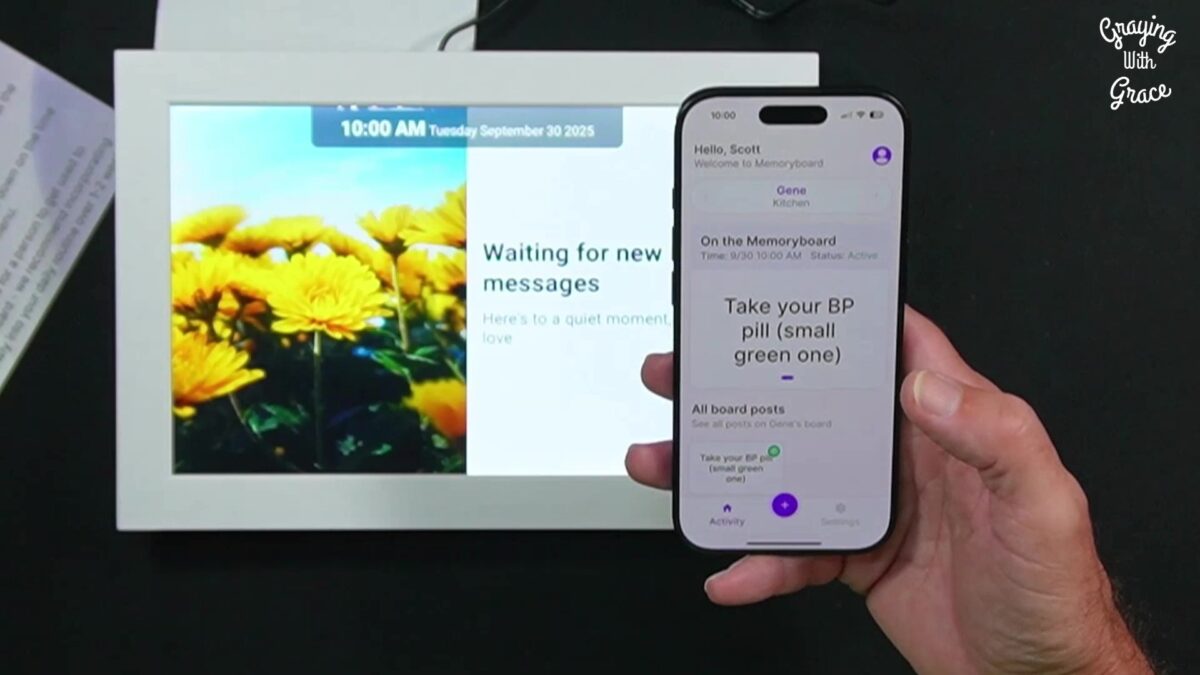
What it is: A screen displaying messages and photos sent remotely from your phone.
Why this works for MAXIMUM tech resistance:
This is the breakthrough solution for seniors who refuse everything else.
Zero operation required. No buttons to press. No passwords. No apps to navigate. No charging.
Messages simply appear automatically. Your parent doesn’t have to do a single thing.
Why this solves the “I don’t do technology” problem:
Most technology designed for seniors still requires THEM to do something: press a button, answer a call, navigate a menu, charge a device.
A digital message display like the Memoryboard requires literally nothing. It sits there. Messages appear. That’s it.
The format is completely familiar—like looking at a picture frame or reading a note on the refrigerator. Skills they already have. Nothing new to learn.
There’s nothing they can break or do wrong. That fear of pressing the wrong button? Gone. There are no buttons.
It doesn’t feel like monitoring. It feels like connection. Family photos and loving messages throughout the day.
And here’s something many people don’t realize: seniors are often more capable with technology than we give them credit for—they just need solutions that match their actual needs rather than forcing them to adapt to complex systems.
Perfect for the senior who says:
- “I don’t want to learn anything new”
- “I’m not good with technology”
- “What if I press the wrong button?”
- “I don’t want something complicated”
How it solves specific problems WITHOUT requiring tech skills:
Medication reminders: Traditional solution requires checking phones and understanding notifications. With a message display, “Take morning meds” appears on screen automatically at 8 AM daily. They just look at it. No interaction needed.
Appointment anxiety: Instead of texts that get buried, “Doctor visit today at 2 PM” stays visible all day. They can glance at it whenever worry strikes. No phone checking required.
Family connection: Video calls require answering calls and positioning devices. With a message display, family photos appear throughout the day with messages like “Love you, Mom!” Zero effort to receive this emotional connection.
The “set it and forget it” advantage:
You set it up once (takes about 5 minutes). After that, your parent never has to DO anything with it, LEARN anything about it, or REMEMBER anything about it.
You manage everything remotely from your phone. All family members in the Care Circle can send messages, and everyone sees what’s been posted—preventing duplicate communications.
Ready to discover more innovative strategies for healthy, comfortable aging? Subscribe to our newsletter for expert-tested tips and product recommendations designed specifically for older adults.
Real example: Your mother refuses to use her smartphone because “it’s too complicated.” You set up a message display on her kitchen table. She treats it like a picture frame that sometimes shows messages. She never presses anything, never charges it, never remembers a password. It just works. She gets daily reminders and family photos without lifting a finger.
I tested the Memoryboard specifically for tech-resistant seniors who refuse to learn new devices, and it consistently has the highest acceptance rate precisely because it requires zero operation.
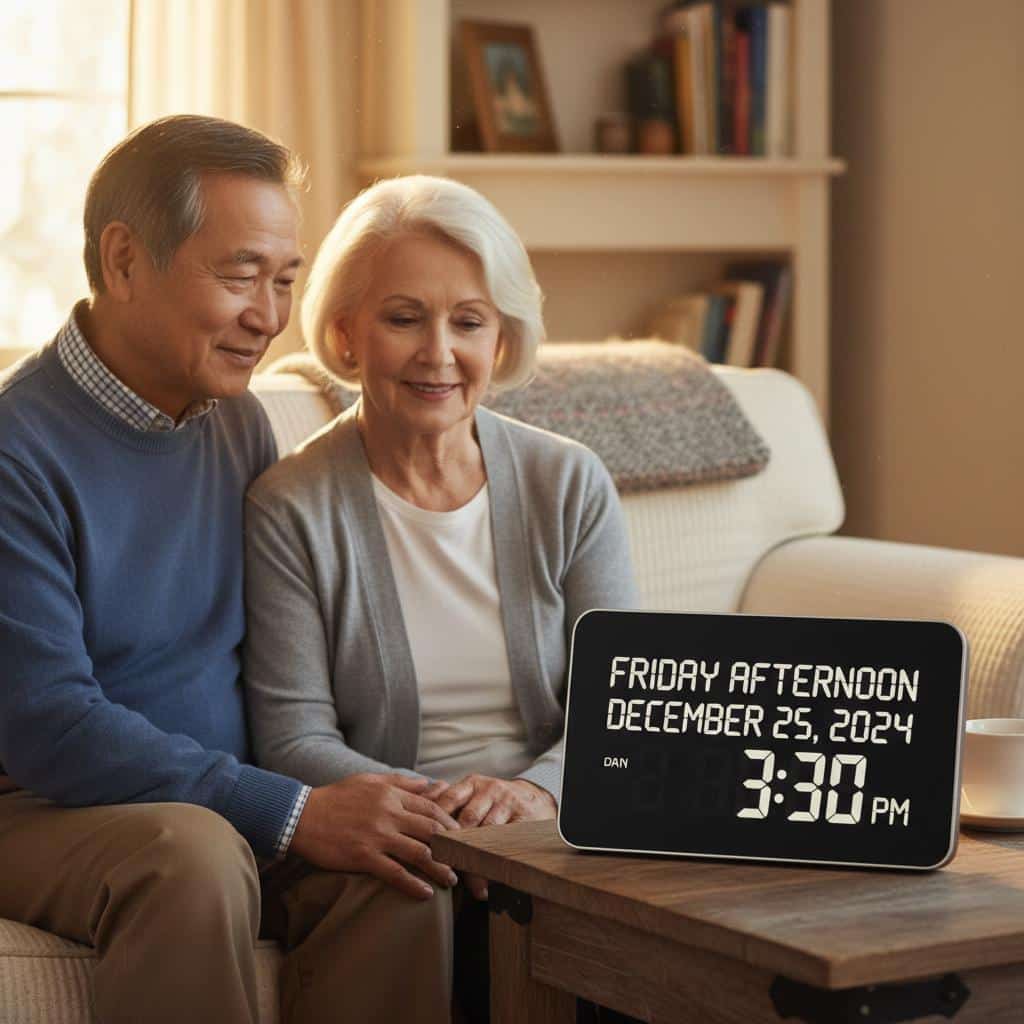
Digital Day Clocks

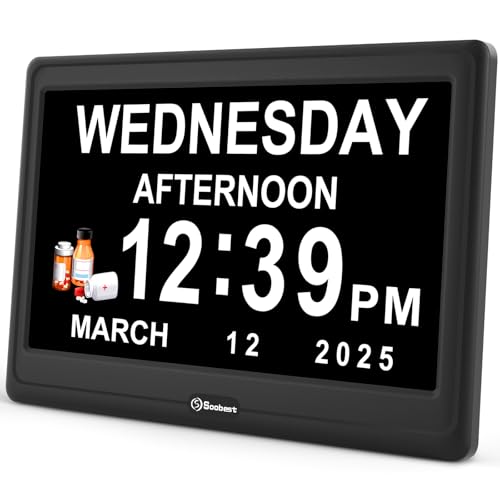


What it is: Large displays showing day, date, time, and sometimes “morning/afternoon/evening.”
Why it works for resistant seniors: Zero interaction. Just glance at it.
Reduces confusion and repetitive questions about what day it is. The format is familiar (it’s a clock) but easier to read than traditional clocks.
Setup: You set the time once. It stays plugged in.
Cost: $30-60
Best for: Seniors with mild memory issues or time disorientation.
Limitation: Only displays time and date—can’t show custom messages or photos like a message display.
Wearable Emergency Buttons


What it is: Necklace or bracelet with a button to call for help.
Why it works for resistant seniors: Minimal interaction. Just press the button in an emergency. No daily operation required.
Most are waterproof, so they can wear them in the shower where falls often happen. No smartphone or technology skills needed.
Setup: You arrange the service. They wear it.
Cost: $25-50/month typically
Best for: Fall risk, living alone, emergency preparedness.
Resistance point: May feel like “giving up independence,” so frame it as a safety backup rather than constant monitoring.

For Slightly More Tech-Tolerance: Single-Button Solutions
If your parent can handle ONE simple, repeated action—pressing a button, plugging something in—these solutions expand what’s possible while still keeping complexity minimal.
One-Button Phones


What it is: Phone with programmable picture buttons that call specific people.
Why it works: Familiar object (phone) with simplified interface. Press your grandchild’s picture, and the phone calls them automatically. No dialing, no contacts list, no menus.
Cost: $50-100
Best for: Seniors who miss phone connection but can’t navigate smartphones.
Limitation: Limited functions—but that’s exactly the point.
Large-Button TV Remotes





What it is: Simplified remote with only essential buttons in large print.
Why it works: Familiar device with reduced overwhelm. Big buttons are easier to see and press. Removes 50 confusing buttons they never use anyway.
Setup: You program it for their specific TV.
Cost: $15-30
Best for: Seniors frustrated by complex remotes with tiny buttons.
Medication Dispensers with Simple Alerts





What it is: Organizer that beeps or lights up when it’s time to take pills.
Why it works: Simple action—open the compartment that’s beeping. Visual and audible cues. Pre-loaded by you or the pharmacy.
Reduces medication errors without requiring them to remember schedules. If you’re concerned about safe medication practices with multiple prescriptions, automated dispensers can significantly reduce risks.
Cost: $25-200 depending on features
Best for: Multiple daily medications, memory concerns.
Limitation: Requires responding to the alert. Some seniors learn to ignore beeping.
Simple Video Calling Devices


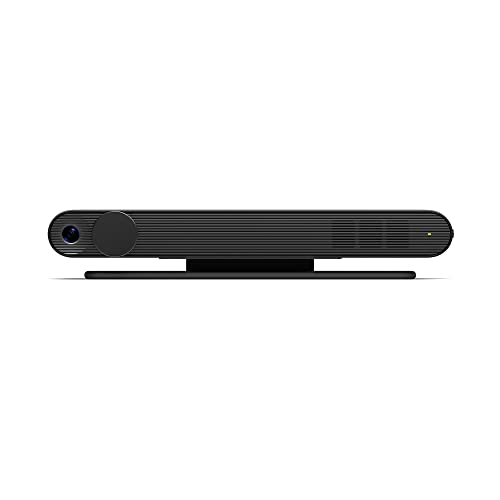
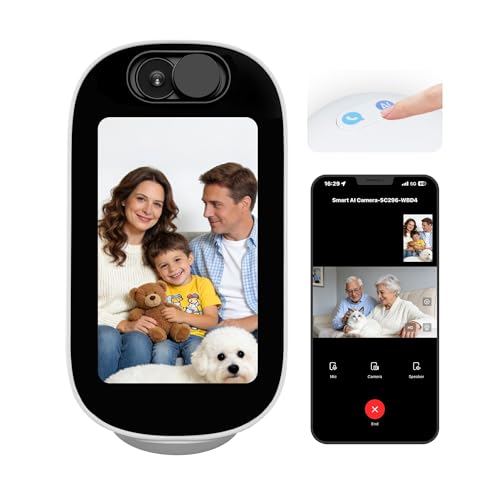

What it is: Dedicated device for video calls that auto-answers or has one-touch calling.
Why it works: Simplified compared to smartphone video calls. Some models auto-answer, so your parent doesn’t have to do anything. Large screen, simple interface.
Cost: $150-300
Best for: Family connection when your senior can tolerate occasional video interaction. If distance is a challenge, exploring communication tools designed for seniors can help bridge the gap while respecting their comfort level.
Resistance point: Still requires them to be “on camera,” which some resist strongly.
The Successful Introduction: Setup Strategies That Work
How you introduce technology matters as much as what technology you introduce.
Don’t Make It About Their Limitations
Frame it as helping YOU, not fixing THEM.
Say: “This message board helps ME remember to send you reminders” rather than “You forget your medications.”
Say: “I want to share more photos with you easily” rather than “You’re lonely and isolated.”
Respect preserves acceptance.
Start with Solutions to THEIR Stated Problems
If they complain about not knowing what day it is → day clock
If they’re anxious about appointments → message display with schedule
If they miss seeing family → photo display with messages
Match the solution to a problem they’ve identified, not one you’ve identified for them. Sometimes having those difficult conversations about accepting help requires understanding their perspective first.
Let Them See It Working (Don’t Explain It)
Don’t give lengthy explanations about how it works or what it can do.
Just set it up and let them observe. “I’m trying something to help with [their stated problem].”
Let results speak for themselves. Demonstration beats explanation every time.
Set Up Completely Before Leaving
Don’t leave them with half-configured technology to “figure out.”
Test everything multiple times before you leave. If they need written instructions, it’s too complicated. Go back to the drawing board.
Give It Time
First reaction may be rejection: “I don’t need that.”
Leave it anyway.
Often after a few days, they start using it without admitting it was a good idea. Don’t make them admit you were right. Just let it work quietly in the background.
Minimize Visible Technology
The more it looks like a “device,” the more resistance you’ll encounter.
Position a message display like a picture frame, not a computer. Hide cords and power sources when possible. Make it blend into their environment as furniture, not technology.
Never Say “Technology”
Use familiar language: “message board,” “picture display,” “reminder clock.”
Avoid: “smart device,” “app,” “WiFi,” “technology.”
Frame it as a household item, not tech.
Ready to discover more innovative strategies for healthy, comfortable aging? Subscribe to our newsletter for expert-tested tips and product recommendations designed specifically for older adults.
Respecting Boundaries: When Technology Isn’t the Answer
Sometimes, despite your best efforts and the most passive technology available, your parent will refuse everything.
They’ll unplug the message display. They’ll ignore the medication dispenser. They’ll reject even the most senior-friendly solutions.
If you’ve tried multiple approaches and the resistance is absolute, consider these alternatives:
- Analog solutions: Paper calendars, phone call reminders, in-person visits
- Human support: Paid caregiver visits, neighbor check-ins, community services
- Accepting limitations: Some safety concerns may require in-person solutions
Respect their autonomy. If technology creates more stress than it solves problems, it’s not the right solution—even if it would theoretically help.
Meeting them where they are matters more than forcing what would “be best for them.”
Finding the Technology They’ll Actually Accept
Your parent’s “I don’t do technology” feels like a dead end—but it doesn’t have to be.
The key is understanding that technology exists on a spectrum from “requires extensive learning” to “requires absolutely nothing.”
For the most resistant seniors, focus on the zero-interaction tier. Tools like motion-sensor lights and message displays that work without any effort from them have the highest acceptance rates. They benefit from the help without feeling like they had to “learn technology.”
Start with one solution that addresses their most frustrating problem—the one they’ve complained about, not the one you’ve identified. Set it up completely. Give it time. If they reject it, try something else.
The right solution exists. It just might take some experimentation.
The goal isn’t to turn your tech-resistant parent into a technology enthusiast. The goal is to find the one or two tools that genuinely improve their life without requiring them to become someone they’re not.
That goal is achievable. Even for the most determined “I don’t do technology” seniors.
Have you found a technology solution your resistant parent actually accepted? What made the difference? Share your experience in the comments below—your insight might help another family find their breakthrough.





![Woman attic opening family photo albums[1]](https://www.grayingwithgrace.com/wp-content/uploads/2025/12/woman_attic_opening_family_photo_albums1-e1765216154520-450x300.jpg)
![Older man son updating medication schedule[1]](https://www.grayingwithgrace.com/wp-content/uploads/2025/07/older_man_son_updating_medication_schedule1-e1753725244338-450x300.jpg)


