How many times have you clicked “Forgot Password” this week? If you’re keeping count, you’re not alone.
Managing dozens of online accounts has become one of the quiet frustrations of modern life — and for older adults, it can feel especially overwhelming. Apps that require their own logins, password resets that demand a capital letter, a number, and a hieroglyph — it’s exhausting.
I’m Scott Grant, Certified Senior Advisor (CSA) and Senior Home Safety Specialist (SHSS) at Graying With Grace. I personally evaluated the Taja Password Keeper Book to find out whether this simple, analog approach actually delivers peace of mind — or just looks pretty on a nightstand.
This review covers everything you need to know: what it does well, where it falls short, who it’s genuinely right for, and a few practical tips to get the most out of it.


Quick Takeaways
- Solves: Password amnesia, scattered sticky notes, app fatigue, and cybersecurity anxiety
- Best for: Older adults who prefer analog solutions, caregivers organizing a parent’s digital life, and anyone tired of password manager complexity
- Worth the investment? Yes — it’s a one-time purchase with no recurring fees that most people will use for years
- Best feature for seniors: Alphabetical tabs that get you to any password in seconds — no technology required
- Biggest limitation: Every password must be written in by hand, and the book needs to be stored securely
How This Could Help You
Picture this: it’s a Sunday afternoon and you’re trying to log into your Medicare account to check a claim. You know the password is somewhere — maybe in your email drafts, maybe on that sticky note you moved last Tuesday. Sound familiar?
The Taja Password Keeper Book puts an end to that particular brand of frustration. Every account lives in one place, organized alphabetically, ready when you need it.
Do you bank online, shop on Amazon, stream shows, manage Medicare or insurance portals? Those are easily a dozen accounts right there. This book holds up to 480 passwords, which covers most people’s entire digital life.
For caregivers, the value is just as real. If your mom or dad has a medical emergency, would you know how to access their bank account, insurance portal, or email? A physical book stored somewhere safe means the answer is yes — no guessing, no locked apps, no panic.
It also quietly supports independence. When older adults can look up their own passwords without calling for help, that’s a small but meaningful win for dignity and confidence.
Ready to discover more innovative strategies for healthy, comfortable aging? Subscribe to our newsletter for expert-tested tips and product recommendations designed specifically for older adults.
Important Details You Should Know
The Taja Password Keeper Book measures 5.5″ x 6.7″ — slightly larger than a greeting card and smaller than a standard notebook. It fits easily in a nightstand drawer, a desk drawer, or even a purse.
The paper is 100gsm, which is noticeably thicker than a typical notebook. When I evaluated this product, I noticed that ink doesn’t bleed through to the back of pages — a small detail that matters a lot when you’re writing down information you need to read clearly for years.
The rose gold cover has no title or label on the front. It looks like a stylish journal — not a password vault. That discreet design is a genuine privacy feature, not just a cosmetic choice.
The book also comes in other colors and patterns if rose gold isn’t your style. As I mentioned in the video, there are several options so you can find one that suits you — while still keeping the anonymous appearance.
The elastic band closure keeps everything neatly secured. A built-in pen holder sits along the spine, and two ribbon bookmarks let you flag your most-used sections. There’s also an inner pocket in the back for storing recovery codes, a backup note, or an emergency contact card.
Getting Started
There’s no setup. Open the book and start writing — that’s genuinely all there is to it.
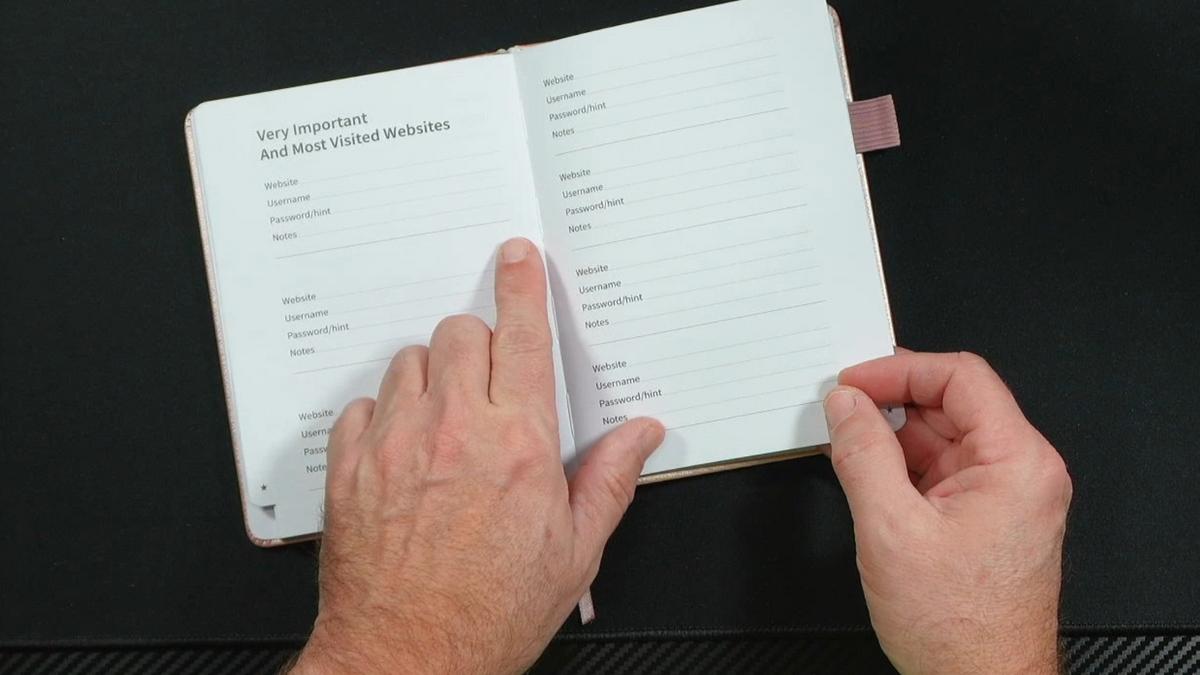
The alphabetical tabs are pre-cut and labeled. You flip to the letter that matches your account name and fill in the fields: website, username, password, and a notes area for anything special like two-factor authentication steps.
As I demonstrated in the video, you can record your actual password or just a hint — whatever feels most comfortable to you. The notes field is especially handy for accounts that require extra steps, like a bank that texts you a code before you can log in.
In the back of the book, there are dedicated sections for your internet service provider, Wi-Fi router password, up to four email accounts, software licenses, and a quick-reference page for your most-visited sites. No help required to get going — but if a family member wants to sit down and fill it in together, that makes for a genuinely useful afternoon.
Features That Matter to You
The alphabetical tab system is the headline feature, and it earns its praise. As I demonstrated in the video, flipping from “G” for Gmail to “B” for your bank takes about three seconds. Compare that to unlocking your phone, finding an app, entering the app’s own password, then searching for the account you need.
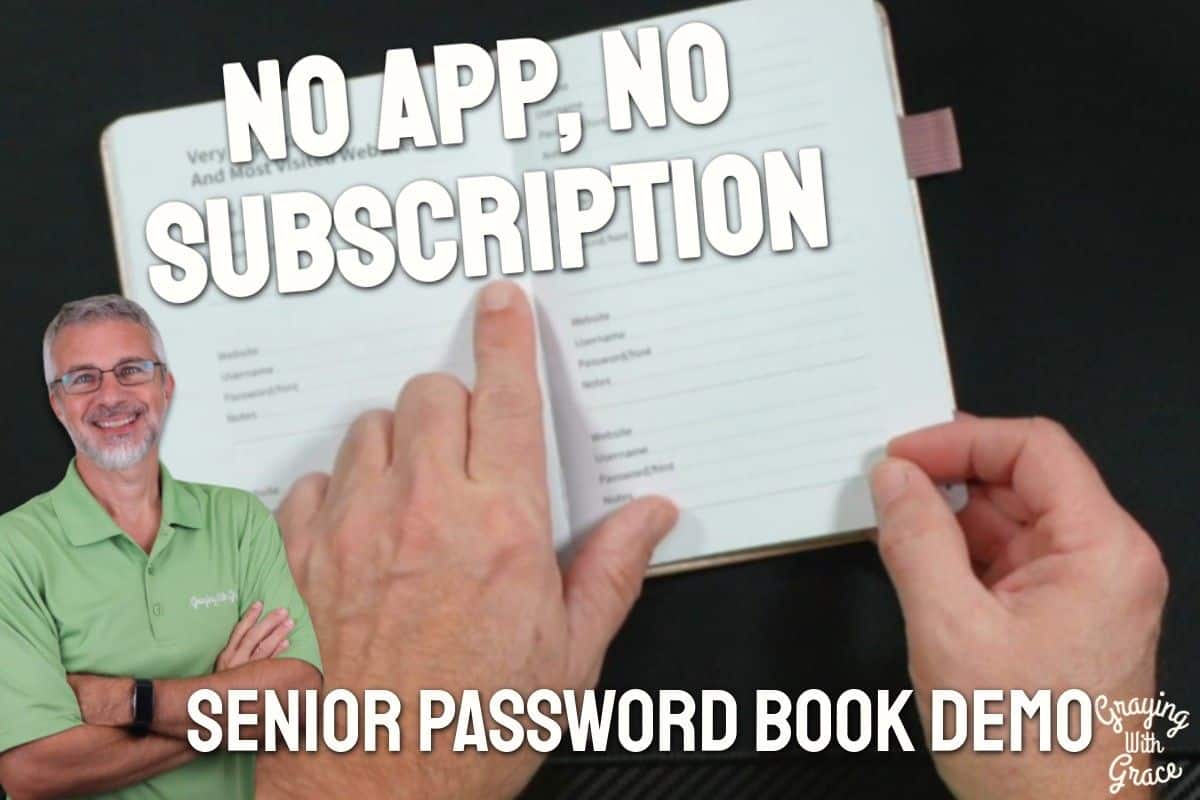
The Taja Password Keeper Book requires zero technology to operate. No Wi-Fi. No login. No app update that moved everything around. For older adults who find password manager apps more trouble than they’re worth, that simplicity is a genuine relief.
The anonymous cover design matters more than you might think. A book labeled “Password Keeper” sitting on a desk is an advertisement. This one blends in with journals, notebooks, and planners — which means your information stays private even when the book is in plain sight.
The premium paper quality is worth calling out specifically. In the video, you can see that even firm pen pressure leaves no bleed-through on the reverse side. Entries stay legible and clean over time, which matters when you’re relying on this book for years.
There’s also a meaningful legacy dimension here. As I pointed out in the video, a physical password book — kept somewhere trusted family members know about — becomes a genuinely important document for estate planning. When the time comes, your family will need access to your accounts. This book makes that possible without any digital unlocking required.
Real Life Experience
When I evaluated this product, I noticed just how natural it feels to use. There’s something genuinely satisfying about flipping to a tab, finding the exact entry you need, and moving on — no loading screens, no two-step verification to access your list of two-step verifications.
The pen holder is a thoughtful touch that earns its place. As I showed in the video, it keeps your writing tool attached so you’re never hunting for a pen when you need to jot down a new password. For anyone who has ever turned a room upside down looking for something to write with, that small convenience is real.
The bookmarks genuinely get used. In the video, you can see that I flagged the quick-reference section in the back — the page where you list your most-visited sites. That’s a page you’ll return to constantly, and having a ribbon bookmark there means you’re always one flick of the wrist away from it.
Day-to-day, there’s very little maintenance involved. You write entries in, update them with a strikethrough and a new line when passwords change, and keep the book in its designated spot. The elastic closure keeps it tidy between uses.
As I mentioned in the video, the bank password reset scenario is a perfect example of why this book earns its place. If your bank requires a new password every 90 days with specific complexity rules, having a dedicated spot in the “B” section — where you can cross out the old one and write the new one right beside it — removes a genuinely frustrating recurring problem.
Will You Be Able to Use It?
If you can hold a pen and read standard-size print, you can use this book independently. The pages are generously sized, and the fields give you plenty of room to write comfortably — even with a larger hand or tremors that affect fine motor control.
For older adults with significant hand tremors or arthritis, writing may still present a challenge. In that case, a caregiver or family member can fill in entries on your behalf — and you can still use the book independently for lookups after that.
If vision is a concern, consider writing entries in larger print and using a bold pen for better contrast. The high-quality paper handles most pen types cleanly, including felt-tip pens that produce a thicker, more visible line.
No internet, no device, and no special skills are required at any point. This is as accessible as a product gets.
Important Considerations
This book is not the right choice for someone who actively uses multiple devices — a phone, a tablet, and a computer — and needs instant password access across all of them. A digital password manager that syncs automatically is more practical in that scenario.
If you or your loved one has moderate to advanced dementia, a physical password book introduces some risk. Someone with memory challenges may not reliably remember where the book is stored, or may not recognize what it contains. In those situations, a trusted caregiver should manage the book directly.
The book must be stored securely. It should not be left on a coffee table when visitors come by. A locked drawer, a home safe, or a similarly private location is the right spot. As I emphasized in the video, letting one trusted family member know where it’s kept is smart planning — not a security risk.
There’s no digital backup. If the book is lost or damaged in a fire or flood, the information inside is gone. Keeping a second copy of critical passwords locked away separately is worth considering.
Help When You Need It
The Taja Password Keeper Book is sold on Amazon, so standard Amazon return policies apply. If the book arrives damaged or defective, the return process is straightforward through your Amazon account.
Because this is a physical book rather than an electronic product, there is no warranty in the traditional sense — but also nothing to break down or malfunction. The build quality I observed suggests it will hold up well under years of regular use.
If you have questions about the product before purchasing, Amazon’s seller messaging system allows you to contact the Taja brand directly through the product listing page.
Understanding the Cost
The Taja Password Keeper Book is a one-time purchase with no subscription fees, no annual renewals, and no in-app purchases. That puts it in a very different category from digital password managers, which often charge recurring fees that add up year after year.
For what you get — premium paper, thoughtful organization, and a design built specifically for older adults — the value is genuinely strong. This is not a dollar-store notebook with a clever name.
It also makes an excellent gift at a price point that feels meaningful without being extravagant. Adult children frequently buy this for aging parents precisely because it solves a real problem without requiring any technological handholding.
Making It Work for You
Choose a permanent home for the book right away — a specific drawer, a specific shelf — and always return it to that spot. Consistency is what makes this system reliable.
Tell one trusted person where you keep it. This isn’t about giving up privacy; it’s about ensuring that if something happens to you, the people who love you can help. As I noted in the video, this book has real legacy value — and your family will thank you for the foresight.
When writing entries, include a notes field for anything that makes an account unusual: two-factor authentication, security questions, a recovery phone number. Those details save enormous frustration later.
Use the bookmark to flag your quick-reference page in the back. Your most-visited sites — bank, email, Medicare, insurance — deserve their own easy-access marker so you’re not even flipping through tabs for the accounts you use every day.
If your handwriting is difficult to read under pressure, take a quiet moment to write entries neatly in advance rather than scribbling in a hurry. The book is meant to be a calm, reliable resource — set it up that way from the start.
Our Recommendation
The Taja Password Keeper Book earns a confident recommendation for older adults who prefer a straightforward, no-tech approach to managing their digital accounts. It’s genuinely well-made, thoughtfully organized, and solves a real problem without creating a new one.
It’s the right choice if you’re tired of the “Forgot Password” cycle, if you want your critical account information organized for yourself or for a trusted family member, or if you’d simply rather not depend on yet another app to manage your digital life.
It’s not the right choice if you need passwords to sync automatically across multiple devices, or if you’re an active tech user who lives inside password manager apps and loves them. That’s a different kind of user with different needs.
For caregivers, this is one of the most practical and thoughtful gifts you can offer an aging parent. It respects their independence, supports their safety, and quietly opens the door to an important conversation about digital legacy planning.
Where to Get It
You can check current pricing and availability for the Taja Password Keeper Book with Alphabetical Tabs on Amazon using the link below. It’s also worth browsing the other available colors and patterns if rose gold isn’t quite your style.
Conclusion
Password frustration is one of those modern problems that sneaks up quietly and then takes over a surprising amount of mental energy. The Taja Password Keeper Book offers a genuinely elegant solution: simple, secure, always accessible, and completely free of technology headaches.
If you’re ready to stop chasing reset emails and start feeling organized and in control of your digital life, this is a smart, affordable place to start.
Have you tried a physical password book before, or are you making the switch from a digital manager? Drop a comment below — I’d love to hear how you’re managing your passwords and whether this kind of solution would work for you.