You’ve checked the news. Replied to the family group chat. Scrolled through photos. And now your phone is just… sitting there.
Most older adults use their iPhones for calls, messages, and maybe a few apps — but there’s a whole world of genuinely engaging games that people over 60 are quietly spending hours on every week.
I don’t mean cartoon-covered, ad-stuffed time-wasters.
I mean real games — the kind that reward patience, creativity, and sharp thinking. The kind that don’t talk down to you. What’s actually on the phones of active, curious older adults might surprise you.
iPhone Games for Seniors: A Family Quick-Reference Guide
Discover the science-backed exercises and daily habits that keep your mind sharp and your mood elevated—no expensive programs or complicated equipment required.

The Puzzle and Strategy Games Worth Your Time
The most beloved iPhone games among older adults tend to reward exactly the skills you’ve spent a lifetime building: patience, visual reasoning, and problem-solving under no particular pressure.
Monument Valley 1 & 2
This one is closer to an art experience than a traditional game. You guide a small character through hand-drawn, architecturally impossible structures — staircases that loop, towers that fold into themselves — by rotating and shifting the world around her.
There are no timers. No enemies. No ads. It moves at whatever pace you want.
I’ve recommended Monument Valley to dozens of people who swore they’d never enjoy a game. Almost every one of them finished it in a weekend and immediately downloaded the sequel.
Alto’s Odyssey
One-touch gameplay, meditative pacing, and landscapes so beautiful I’ve stopped mid-run just to look at them. You glide across desert dunes and ancient ruins, and the whole thing feels less like a competition and more like a moving painting you happen to be inside.
If you’ve never downloaded an iPhone game before, start with one of these two. They exist at the intersection of art and play — and they move entirely at your pace.
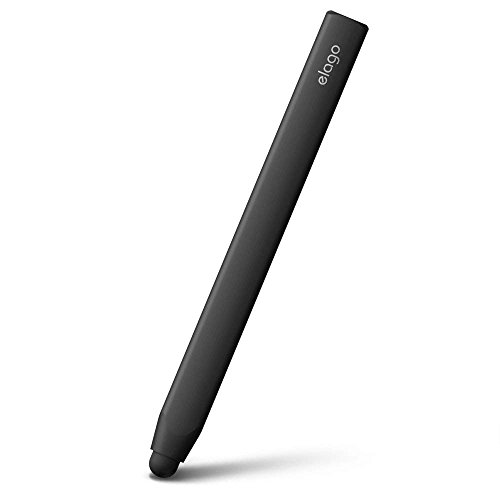
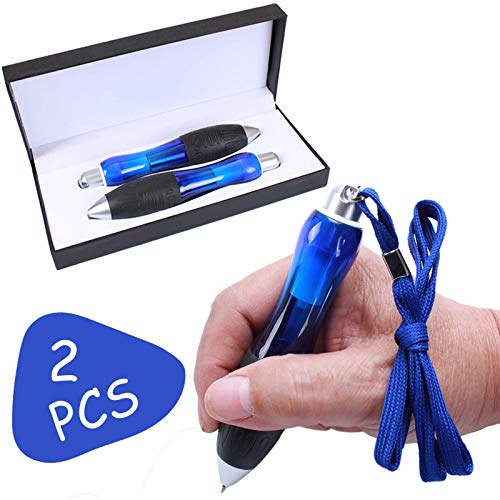
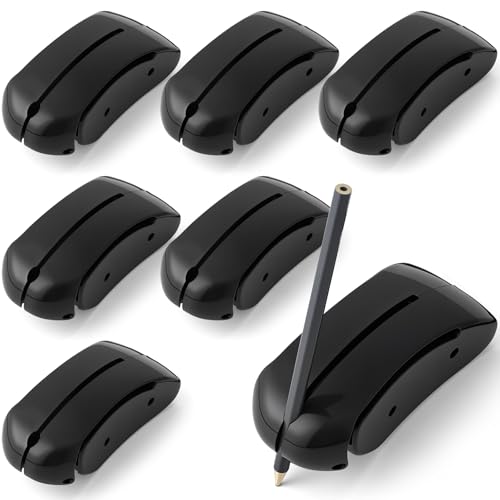
A practical note: If arthritis or hand tremors make precise touchscreen taps uncomfortable, a stylus pen in the $15–$25 range makes a noticeable difference. It’s a small investment that makes puzzle games feel effortless.



For more on how balance training and daily habits keep your hands and coordination sharp, that’s worth a read alongside picking up a new game.

Word and Trivia Games That Actually Challenge You
If crossword puzzles, Scrabble, or Jeopardy have ever been part of your life, there are iPhone equivalents that are more flexible, more social, and genuinely satisfying — without requiring you to be in the same room as your opponent.
Typeshift
Imagine a crossword that’s more forgiving — where you slide letter columns up and down to form words rather than filling in a blank grid. It’s oddly satisfying in a way that’s hard to describe until you try it. Each puzzle has a clear solution, and the moment the last word clicks into place feels genuinely rewarding.
Trivia Crack
This is where things get social. Trivia Crack lets you play against real people — including family members and friends — in a turn-based trivia format across history, science, sports, art, and entertainment. You don’t have to be online at the same time, which means a round can unfold over a day or two.
Grandparents often turn out to be surprisingly fierce competitors in history and literature categories. More than a few grandchildren have been humbled.
These games keep vocabulary sharp, memory recall active, and general knowledge engaged — but more importantly, they’re genuinely fun. That’s reason enough.
Staying mentally active through leisure isn’t just enjoyable — research shows it’s one of the most powerful things you can do for long-term brain health.

Relaxation Games for When You Just Want to Unwind
Not every game needs to be a challenge. Some of the most-played iPhone games among older adults are the ones that feel more like a hobby than a competition.
Stardew Valley
This is a farming and community simulation game with no losing condition. You plant crops, build relationships with townspeople, explore a small mine when you feel like it, and simply live in a gentle, beautifully illustrated world at whatever pace suits you.
The 60+ crowd has quietly made this one of the most-played games on their phones — not because it was marketed to them, but because it rewards exactly the sensibilities that come with experience: patience, attention to detail, and appreciation for slow, meaningful progress.
If you’ve ever enjoyed gardening, or found The Sims satisfying, Stardew Valley will feel immediately familiar.
Unpacking
This one is harder to explain but easy to love. You unpack boxes across different homes and life stages, placing objects thoughtfully into spaces. There’s no score. No timer. Just the deeply satisfying act of creating order and recognizing the story a life tells through its objects.
Older adults consistently describe Unpacking as unexpectedly moving. I think you’ll understand why the moment you play it.
Want more practical ideas for staying engaged, connected, and independent? Subscribe to the Graying With Grace newsletter for trusted weekly guidance from a Certified Senior Advisor — straight to your inbox, no fluff.

Games You Can Play With Grandchildren (and Actually Enjoy)
Some of the best iPhone games for older adults aren’t about playing alone — they’re about creating a bridge between generations.
Trivia Crack (Revisited)
Families play this across generations. It’s not uncommon for a grandchild to challenge a grandparent and discover, with genuine surprise, that the grandparent is an absolute force in history, geography, and classic literature. These moments create real conversation.
My Town Series
For younger grandchildren — think ages 4 to 9 — the My Town series offers simple, story-driven play environments: a school, a bakery, a hospital, a neighborhood. There’s nothing to win or lose. You just explore and invent stories together.
They’re easy to navigate on an iPhone, require no reading ability, and give grandparents and grandchildren something specific to do together during visits or video calls — which matters more than most people realize.
Research is clear that consistent family connection has measurable health benefits for older adults — and shared games are one of the most natural ways to create that connection without making it feel forced.
This week, ask a grandchild: ‘What are you playing on your phone right now?’ Use this article as the starting point for a reciprocal recommendation. The conversation alone is worth it.
iPhone Games for Seniors: A Family Quick-Reference Guide
Discover the science-backed exercises and daily habits that keep your mind sharp and your mood elevated—no expensive programs or complicated equipment required.

How to Find Great Games Without Getting Overwhelmed
The App Store can feel like a cluttered marketplace — full of ads, hidden in-app purchases, and games that seem appealing until you realize you’re being pressured to spend money every twenty minutes.
Here’s how to navigate it cleanly.
Apple Arcade: Worth Every Penny for One Specific Reason
At $6.99 per month, Apple Arcade gives you access to a curated library of premium games with no ads, no hidden purchases, and no manipulative mechanics designed to drain your wallet or your patience.
Every game in the Arcade is complete. You pay once (or monthly), and that’s it. For seniors who want a trustworthy, clean gaming experience without wading through the App Store’s noise, this is genuinely the best option available.
You can try it free for one month and cancel anytime.
App Store Navigation Tips
- Use the ‘Editors’ Choice’ section — Apple curates this list carefully, and it consistently surfaces high-quality games
- Browse ‘Top Charts’ under Games > Paid — free games rely on ads; paid games are usually better designed
- Search specific titles from this article directly — no browsing required
Accessibility Settings to Enable Before You Start
Before downloading anything, spend two minutes in your iPhone Settings:
- Increase text size: Settings → Display & Brightness → Text Size
- Enable Touch Accommodations: Settings → Accessibility → Touch → Touch Accommodations — this helps significantly if you have a tremor or reduced fine motor precision
- Adjust display contrast: Settings → Accessibility → Display & Text Size → Increase Contrast
These adjustments make a genuine difference — and they take less time to set up than it takes to make a cup of coffee.
For those managing arthritis or reduced grip, revisiting that stylus pen recommendation is worth it here too. A $15–$25 stylus paired with Touch Accommodations makes touchscreen games dramatically more comfortable and precise. It’s the pairing I recommend most often.
If you’re exploring other ways to make technology more accessible and enjoyable, small adaptations like this add up quickly.
The Bottom Line
Great iPhone games aren’t just for younger generations. They’re for anyone who values mental engagement, relaxation, creativity, and connection.
The games in this article weren’t chosen because they’re ‘senior-friendly.’ They were chosen because they’re genuinely excellent — and older adults happen to love them.
You’ve spent decades learning new skills, adapting to new tools, and discovering what brings you joy. Adding one great game to your phone is no different. It’s just one more way of staying curious.
And staying curious is worth celebrating.
Start simple: Download Monument Valley or Alto’s Odyssey today — just one. See what you think. Then come back and tell me in the comments what you thought, or share your own favorites. What are you already playing that belongs on this list?
For more ideas on meaningful activities that keep your mind sharp and your days full, there’s plenty more to explore — whether for yourself or for a loved one you’re spending time with.