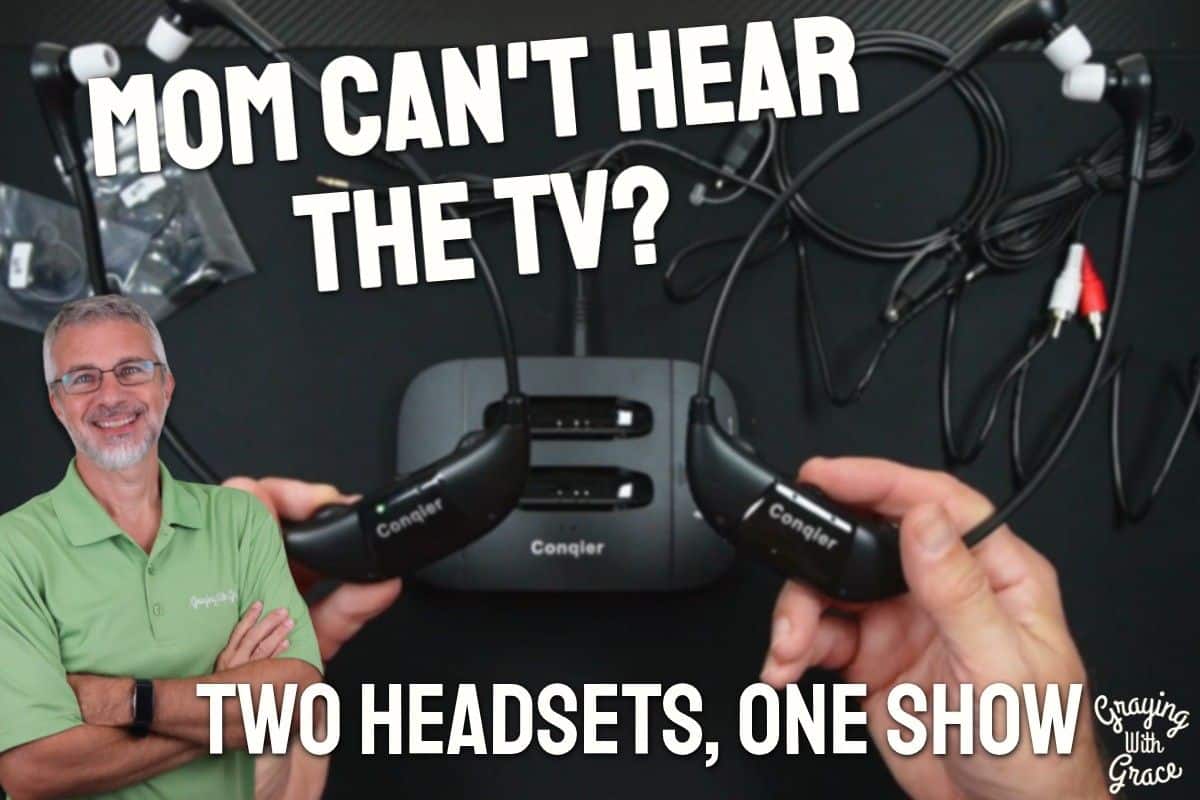
You know that moment when someone walks into your home and raises an eyebrow at the TV volume? Or when your mom keeps saying she just can’t make out what the characters are saying, no matter how loud it gets?
That is one of the most common frustrations I hear from families caring for older adults. The TV becomes a source of tension – too loud for one person, not clear enough for another.
As a Certified Senior Advisor (CSA) and Senior Home Safety Specialist (SHSS), I evaluate products like this specifically to see whether they deliver real, everyday value for older adults and the people who care for them. I personally tested the Conqier Dual TV Wireless Headphones and put them through their paces so you don’t have to guess.
This review covers everything from setup to sound quality, who these headphones are best suited for, and a few honest limitations you should know before deciding.


Quick Takeaways
- Solves: TV volume conflicts between two people with different hearing needs
- Best for: Couples, caregivers and care recipients, or anyone with mild hearing loss who wants clearer dialogue
- Worth it? Yes – especially if you are tired of compromising on volume every single evening
- Best senior feature: Dialogue Enhancement mode that makes speech clearer without cranking the volume
- Biggest limitation: In-the-ear hearing aid wearers will likely need to remove their aids to use these
How This Could Help You
Think about a typical evening in your home. One person wants the TV loud enough to follow the dialogue. The other person is wincing at the volume. Sound familiar?
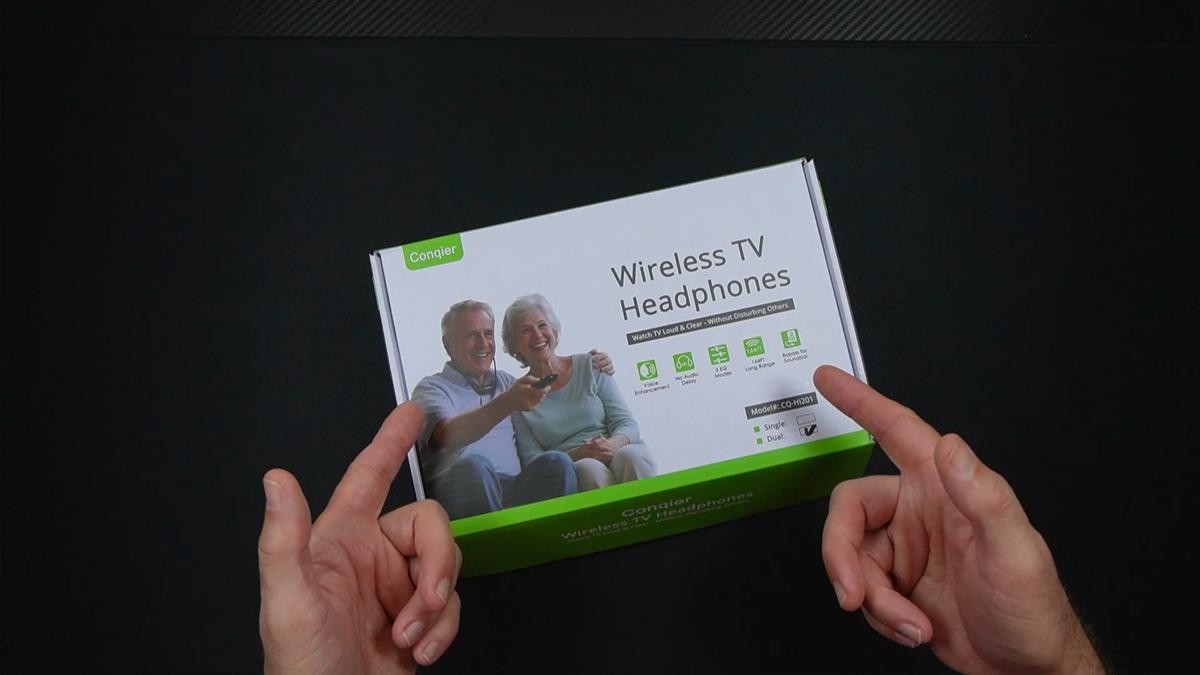
The Conqier Dual TV Wireless Headphones are designed specifically for that scenario. You get one transmitter and two wireless headsets, so two people can watch the same show simultaneously – each person controlling their own volume independently.
If you have been searching for wireless headphones for TV watching that work without needing your TV to have Bluetooth, this is a strong answer to that problem. The transmitter connects to your TV through Optical, AUX, or RCA – no Bluetooth required at all.
Wondering how to connect wireless headphones to a TV without Bluetooth? The transmitter does the work. It picks up the audio signal from your TV and sends it wirelessly to both headsets up to 164 feet away. You can grab a snack from the kitchen and never miss a word.
What really sets this apart for older adults is the Dialogue Enhancement mode. It is not just about getting louder – it actively pulls speech forward against background music and sound effects. If the hardest part of watching TV is catching what people are saying, that one feature alone makes this worth a serious look.
The left-right balance control is another feature that genuinely matters. If one ear hears better than the other – which is common – you can shift the audio balance toward your stronger side. That kind of personalization is rare and genuinely thoughtful.
And the ambient sound button? That is a small feature with a big impact. One press and you can hear someone walk into the room and talk to you. Another press and you are back to your show. No fumbling, no yanking earbuds out, no missing the doorbell.
Ready to discover more innovative strategies for healthy, comfortable aging? Subscribe to our newsletter for expert-tested tips and product recommendations designed specifically for older adults.
Important Details You Should Know
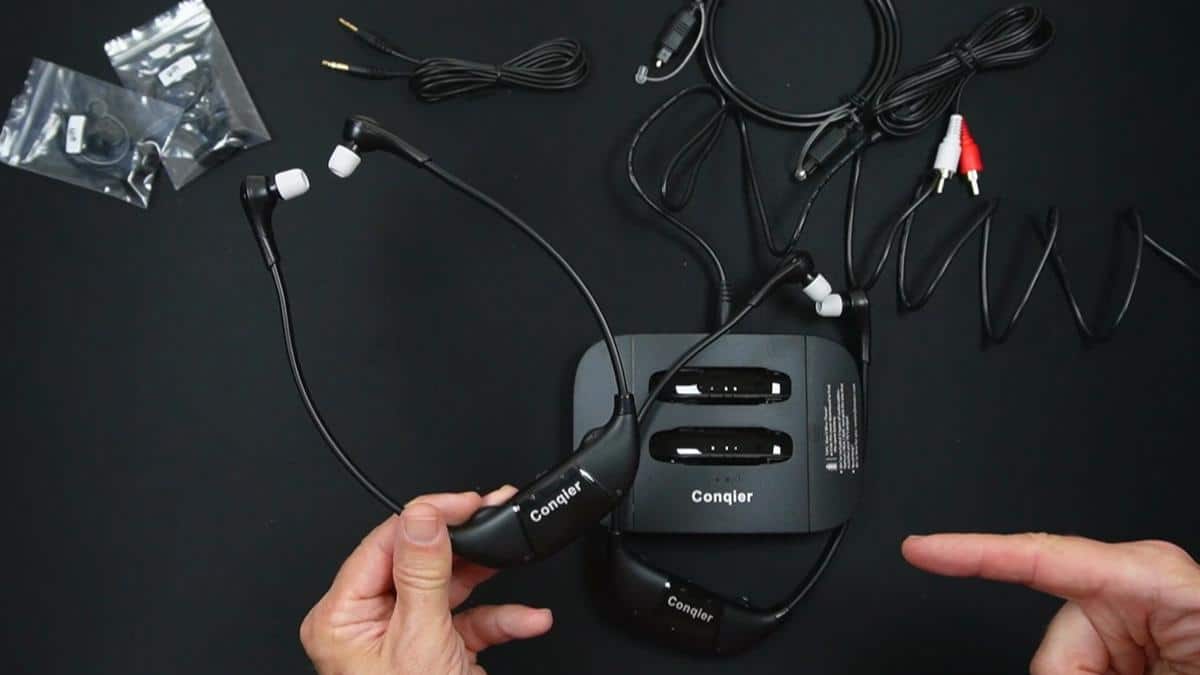
These are in-ear style headsets – not over-the-ear cushioned headphones. They come with multiple ear tip sizes and optional ear hooks, so getting a secure, comfortable fit is achievable for most people.
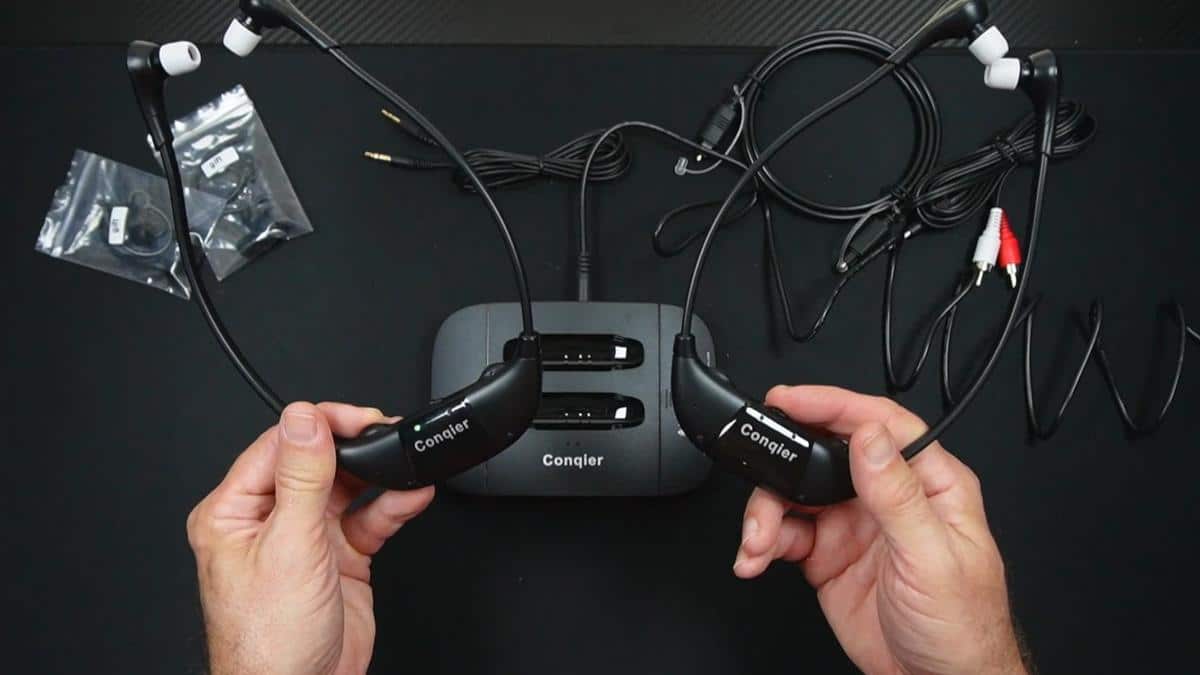
The transmitter base is compact and sits near your TV. It doubles as a charging dock, so both headsets rest in it when not in use. Nothing is scattered around the room or lost in a couch cushion.
Build quality feels solid without being heavy or bulky. These are designed to be worn for extended viewing sessions, not just a quick clip. The cradle connection is firm – as I noticed when evaluating this product, the headsets make a satisfying, solid click when seated in the dock, so you are not left guessing whether they are charging.
Getting Started
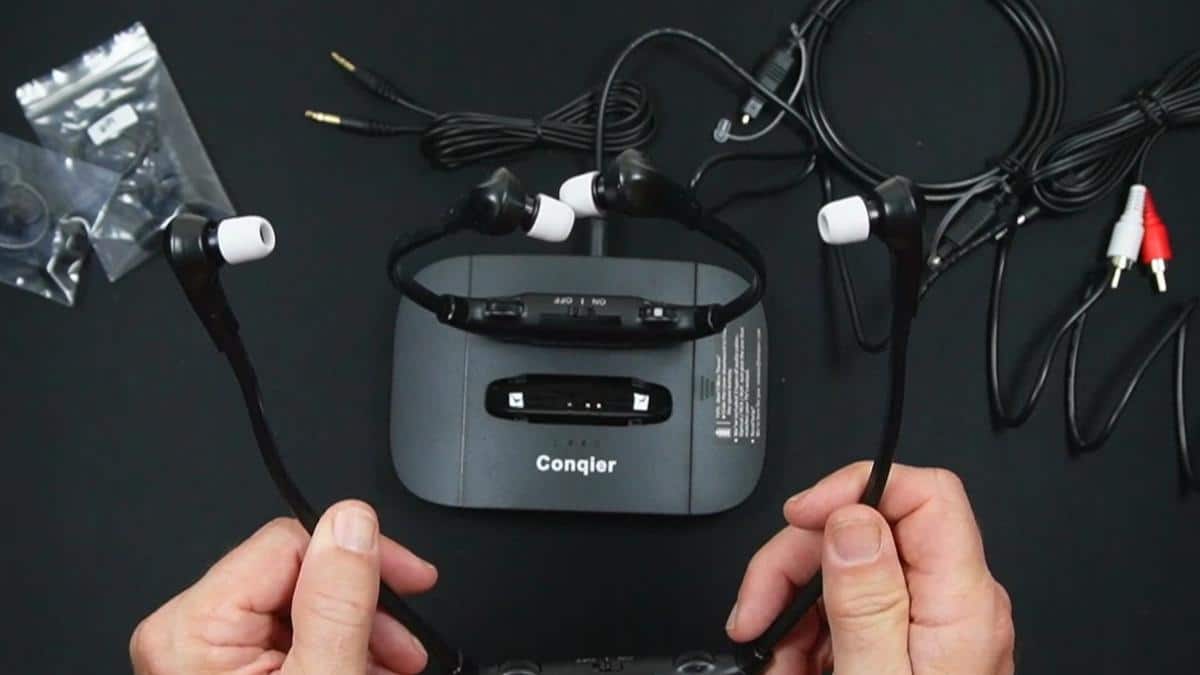
When I opened the box, everything you need is right there. You get the charging base, a power adapter, two headsets, an optical audio cable, an RCA cable, a 3.5mm AUX cable, multiple ear tip sizes, ear hooks, and a user manual.
As I demonstrated in the video, the manual is genuinely helpful – good print size, clear diagrams, and easy setup charts based on your specific TV type. It is not one of those flimsy fold-out sheets covered in tiny text.
Connecting to your TV involves picking one of the three cable types depending on what ports your TV has. In the video, you can see that the optical cable is the recommended method for most TVs made in the last eight to ten years. Older TVs with RCA ports (those red and white plugs) are also fully supported.
One thing worth noting: if your TV only has an HDMI ARC port, you will need a separate converter to use these. That is one extra purchase to be aware of upfront.
Once the transmitter is connected and plugged in, you turn on the headsets, set your preferred volume and balance, and pop them in your ears. That is genuinely the whole process.
Features That Matter to You
The Conqier Dual TV Wireless Headphones include three tone modes on the transmitter: Dialogue Clear, Standard, and Cinema. For most older adults, Dialogue Clear is going to be the go-to setting. It is specifically tuned to amplify and highlight speech against background noise.
Standard mode works well for a mix of content, and Cinema mode is designed for movies where the soundtrack and effects are meant to feel immersive. You switch between them right on the transmitter base without touching the headsets.
The ambient sound amplifier is something I want to emphasize again because it is genuinely practical for safety and connection. If a family member is in the other room or the phone rings, you do not have to wrestle with your headset to hear them. One button, and the world around you comes back in clearly.
The audio bypass function means your soundbar can stay on while the headsets are running. So if one person wants the soundbar and the other wants the headset, both can happen at the same time. That kind of flexibility is unusual and really useful in a shared living situation.
Battery life is rated at about 14 hours on a full charge – enough for a full day of viewing. And there is a spare rechargeable battery included in a small compartment on the side of the transmitter. As I noted in the video, it is easy to miss that compartment, but it is a nice bonus that means you are never stuck waiting for a recharge.
Real Life Experience
Picture this: it is 7 PM, your favorite evening drama is on, and your partner needs a lower volume while you need it a little louder. With these headsets, that is no longer a negotiation. Each person picks their own level and you both settle in happily.
When I evaluated this product, I noticed how easy it is to get the headsets in and out of the charging dock. There is no awkward angle or fiddling – they sit cleanly and charge reliably.
As I demonstrated in the video, switching the tone mode on the transmitter is a simple flip of a switch. There are no app settings, no Bluetooth pairing menus, no smart home integration required. You flip a switch and it works.
The 14-hour battery life is genuinely practical. Most people do not watch TV for 14 hours in a row, so a single nightly charge on the dock should be more than sufficient to get through any day of viewing without running out of power.
In the video, you can see that the ear tips and hooks give you real options for fit. If earbuds tend to slip out of your ears, the included hooks clip on to hold them in place. That small addition makes a meaningful difference for all-evening comfort.
Maintenance is minimal. Wipe the ear tips down regularly, keep the charging contacts clean, and store the headsets in the cradle when not in use. That is about all this setup asks of you.
Will You Be Able to Use It?
These headsets are designed to be simple to operate independently. The controls are clearly positioned on each headset – on/off, volume up and down, ambient sound toggle, and left-right balance. No touch-sensitive surfaces, no confusing button combinations.
Someone with mild dexterity limitations should be able to manage the controls without too much trouble. The buttons have a physical feel to them, so you are not guessing whether you pressed something.
If you have difficulty inserting small earbuds, the ear hooks can help stabilize them. And the multiple ear tip sizes mean you can find the right fit rather than struggling with one-size-fits-all.
For older adults who tend to forget to charge devices, the dock placement near the TV is a helpful natural reminder. End of the show, put the headsets back. Simple routine, consistent charging.
Important Considerations
If you wear in-the-ear hearing aids, this is a real compatibility challenge. As I pointed out in the video, in-the-ear hearing aid wearers will likely need to remove their aids to use these, since both need to occupy the ear canal at the same time.
Behind-the-ear hearing aid wearers have more flexibility. Some people in that situation turn their hearing aid off while using the headsets to avoid interference. It is worth trying, but go in with realistic expectations.
There is an important safety note for pacemaker users. These headsets contain small magnets and should be kept at least 6 inches from a pacemaker. If you or someone you care for has a pacemaker, consult your physician or the pacemaker manufacturer before using these.
If your TV only has an HDMI ARC output and no optical, AUX, or RCA ports, you will need to purchase an additional HDMI ARC converter. It is not a dealbreaker, but it is an added step and an added cost to plan for.
As always, consult with your doctor or occupational therapist before making health-related product decisions, especially where hearing health is involved.
Help When You Need It
Conqier includes a user manual with clear diagrams and connection guides for multiple TV types. For most setup questions, that manual will get you sorted without needing to contact anyone.
If you do run into an issue, customer support is available through Amazon’s messaging system, which makes it easy to reach out and document your concern. The product is sold through Amazon, so their return and buyer protection policies also apply.
Replacement ear tips and batteries are the most likely items you might need over time. Keeping the spare battery from the transmitter compartment on hand is a smart practice from day one.
Understanding the Cost
When you consider that the Conqier Dual TV Wireless Headphones includes two complete headsets and a charging transmitter base, the value proposition is strong. Many competing wireless TV headphone systems charge separately for each headset – getting two out of the box changes the math considerably.
For households where TV volume has been a daily source of conflict or frustration, the value is not just in the hardware – it is in the peace that comes with it. That is genuinely hard to put a number on.
If you are considering this as a gift for a parent or loved one, the two-headset design makes it a thoughtful choice for a caregiver and care recipient who watch together. One purchase serves both people completely.
Making It Work for You
Start with the Dialogue Clear tone mode on the transmitter. For most older adults watching news, dramas, or talk shows, that setting will make the biggest immediate difference in speech clarity.
Take a few minutes to try all three ear tip sizes before settling on one. A proper fit does more for sound quality and comfort than any setting you can adjust on the device itself.
Get in the habit of placing the headsets back in the dock every time you leave the TV area. That small routine keeps them charged and ready, which means there is no frustrating dead battery situation when you sit down for your evening show.
If you share these with a partner, take a moment to mark your headset so you always grab the right one. A small piece of colored tape on one is all it takes.
For caregivers: if you are setting this up for a parent, walk them through the ambient sound button specifically. Knowing they can still hear you call from the hallway without removing anything is reassuring – and it may make them much more willing to use the headsets consistently.
Our Recommendation
The Conqier Dual TV Wireless Headphones earn a strong recommendation from me for older adults dealing with TV volume challenges – especially when two people are watching together with different hearing needs.
The Dialogue Enhancement mode genuinely delivers. It is not marketing language – it actually makes speech clearer rather than just louder, and that distinction matters a great deal for people with mild hearing loss.
If you wear in-the-ear hearing aids or your TV only has HDMI ARC, make sure you address those compatibility points before purchasing. But for the majority of older adults and their households, this is a practical, well-designed solution that works.
If you need over-ear cushioned headphones rather than earbuds, or if you are looking for a single-user solution, there are other options in the wireless TV headphone category worth exploring. But for two-person households with mismatched hearing needs, this is one of the most complete solutions I have come across.
Where to Get It
You can find the Conqier Dual TV Wireless Headphones on Amazon – check the link for current pricing, availability, and what other buyers are saying about their experience. It is an affiliate link at no extra cost to you, and it helps support the work we do here at Graying With Grace.
Conclusion
TV time should be enjoyable, not a nightly negotiation over the remote. The Conqier Dual TV Wireless Headphones offer a genuine, practical solution for households where hearing needs do not match up – and they do it without requiring tech expertise or a Bluetooth-capable TV.
If this sounds like it fits your situation, I encourage you to check it out. And if you have been dealing with the TV volume battle for years, I would genuinely love to hear your story – drop it in the comments below.
For more helpful tips and honest product reviews for older adults and caregivers, visit GrayingWithGrace.com and subscribe to the free Graceful Journeys newsletter at grayingwithgrace.com/newsletter.