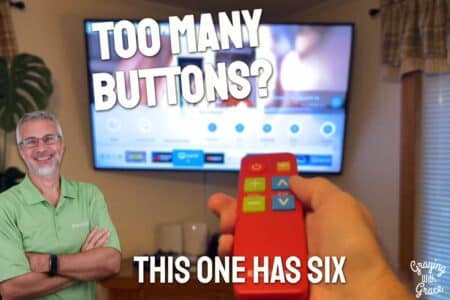
Think about the remote that came with your TV right now. Forty-something buttons, tiny print, and a layout that seems designed by someone who’s never met an older adult or a person with shaky hands.
If someone in your house has stopped being able to work that remote, it’s not just annoying. It’s the difference between watching what you want to watch and waiting around for someone else to come fix it. That’s a real problem I hear about constantly, and it’s exactly the kind of situation search terms like “remote too confusing for seniors” and “elderly can’t operate TV remote” are describing.
A big button remote for Roku TV seniors setups is one practical fix, and I wanted to see if this particular one actually delivers. As a Certified Senior Advisor (CSA®) and Senior Home Safety Specialist (SHSS®), I spend my days evaluating products that claim to make daily life easier for older adults, and I tested this one hands-on to see if it lives up to the claim.
EZClicker sent me this product at no cost so I could test it out and show you how it works.
In this review I’ll walk you through what it does well, where it falls short, who it’s genuinely built for, and everything you need to know before you buy one for yourself or a loved one.


Quick Takeaways
- Problem it solves: Cuts a cluttered 40-button remote down to just the essentials, reducing confusion and wrong-button frustration.
- Who benefits most: Older adults with limited dexterity, low vision, dementia, or anyone who’s given up trying to figure out a complicated remote.
- Worth the investment? Yes, if you have a Roku built-in TV. It’s a small, focused purchase that solves a real daily annoyance.
- Best feature for seniors: Zero programming required. It’s designed to work with Roku TVs the moment batteries go in.
- Biggest limitation: It will not work with a Roku streaming stick, a Roku player, or a cable box. Roku has to be built into the TV itself.
Who This Is For
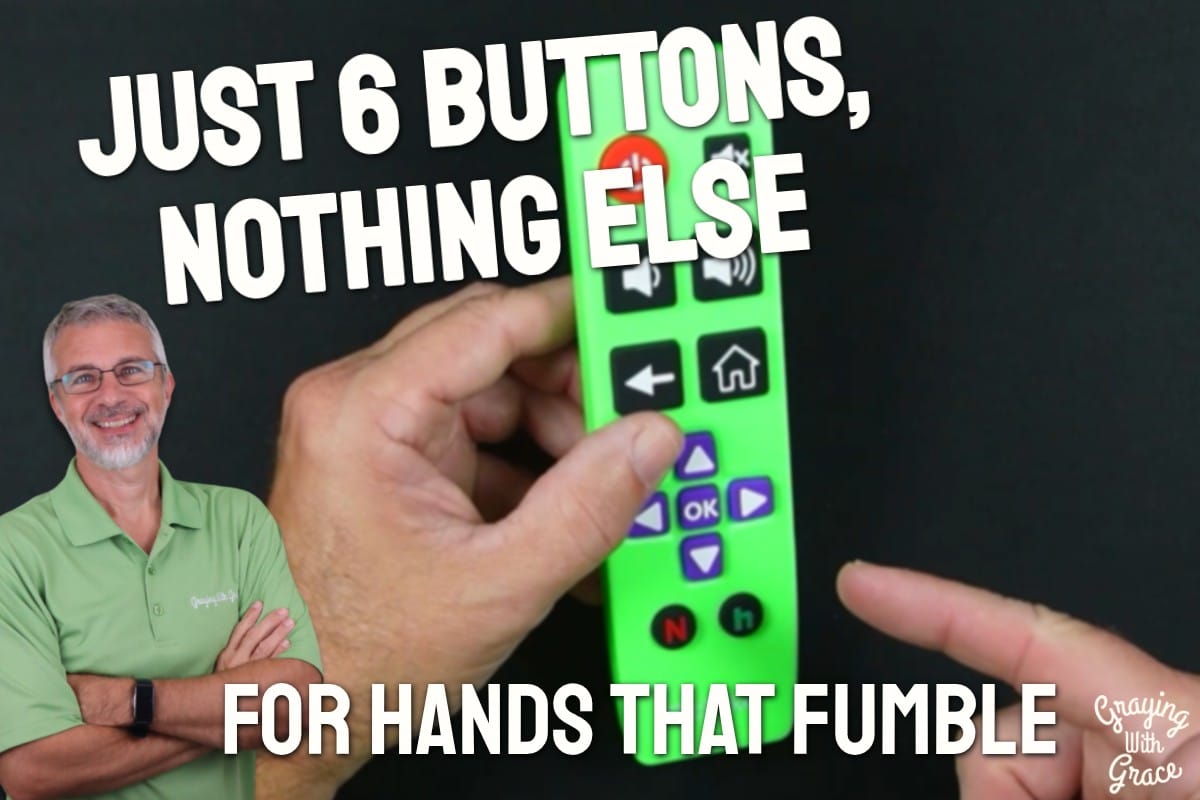
If you’re trying to purchase a large button TV remote for seniors because your mom or dad keeps calling you to “fix the TV” every time they accidentally hit the wrong button, this is worth a look. The EZClicker Big Button TV Remote strips the experience down to power, volume, mute, navigation arrows, and two streaming shortcuts, and nothing else to get lost in.
If you’re searching for an easy remote for an elderly parent who has early stage dementia or memory changes, the simplicity here matters more than any smart feature ever could. Fewer buttons means fewer wrong turns, and that can mean fewer frustrated phone calls for both of you.
If you or someone you love has arthritis, tremors, or low vision, and the current remote’s tiny, flat buttons are basically unreadable, this remote’s raised, spaced-out buttons with real physical travel and a click you can actually feel could make a genuine difference in daily independence. If the remote has become unreadable even though your eye exam was fine, I explain why remotes and other devices get hard to use.
How This Could Help You
Let’s be honest, watching TV should be relaxing, not a puzzle. If pressing the wrong button sends you into a settings menu you can’t escape, that’s not relaxing at all, and it can make someone feel less capable than they really are.
This remote tackles that head on by giving you a small set of large, clearly separated buttons for power, volume, mute, navigation, and home. There’s a dedicated Netflix and Hulu button too, so getting to a favorite show doesn’t require hunting through menus.
One decision support question I hear a lot is “Roku TV remote vs Roku Stick remote, what’s the difference?” This matters a great deal here. The EZClicker Big Button TV Remote only works with Roku built directly into the television itself, not with a separate Roku streaming stick, a standalone Roku player, or a cable box.
Can independence around something as simple as changing the channel matter for someone’s overall confidence and mood? In my experience working with older adults, absolutely yes. Small daily frustrations add up, and removing one of them is a genuine quality of life win.
Important Details You Should Know
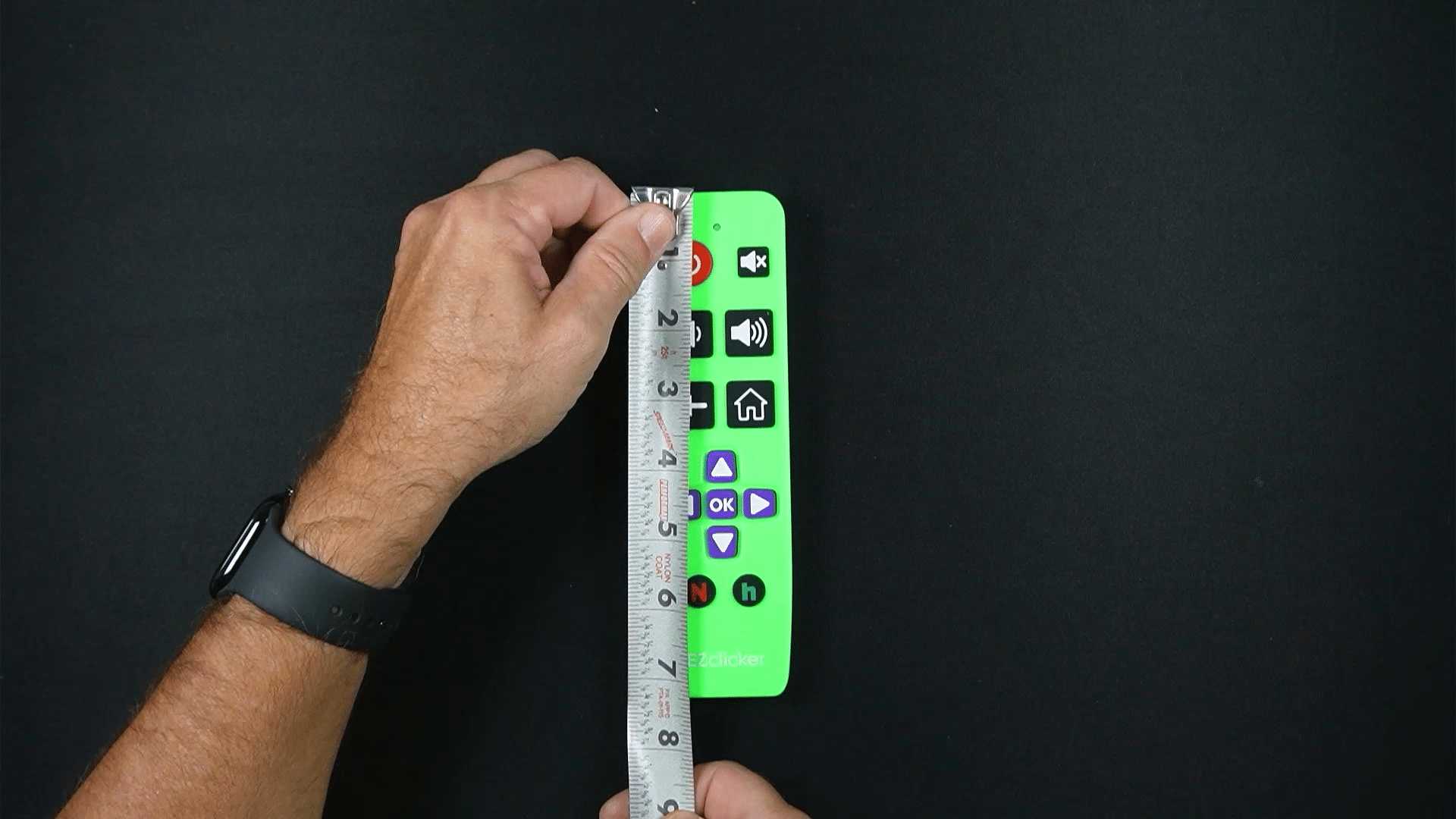
This remote measures about 7.25 inches by 2 inches, so it’s compact enough to sit comfortably on a side table, in a recliner pocket, or in a purse without taking up much room at all.
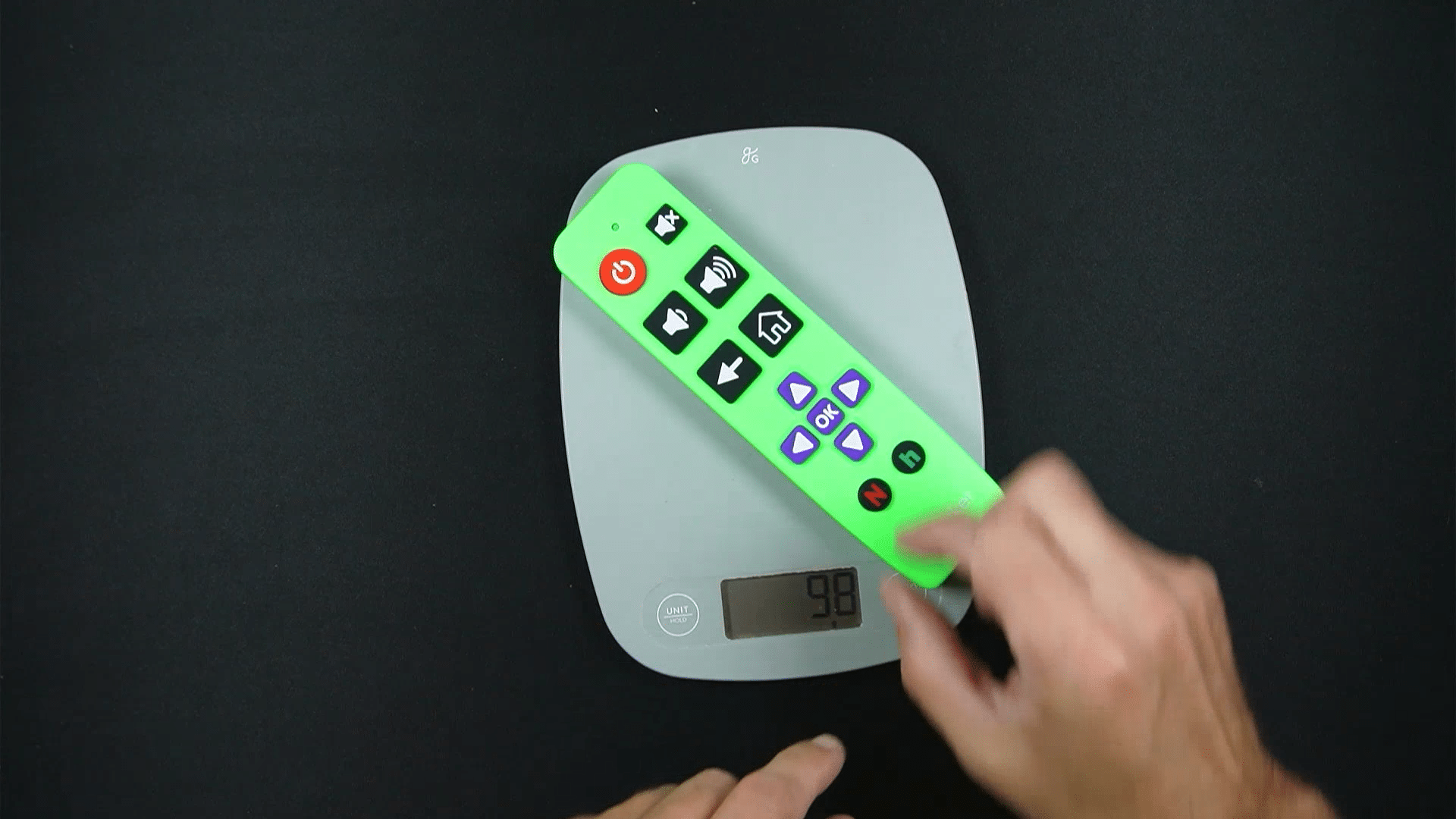
With batteries in, it weighs roughly 3.5 ounces, about 98 grams, which is light enough that it won’t strain a weaker grip but has enough heft to feel solid, not cheap or flimsy.
It comes in several bright color options, and I genuinely like that choice. Bright colors are easier for aging eyes to spot on a cluttered coffee table, and they don’t get lost in the couch cushions the way a black remote always seems to.
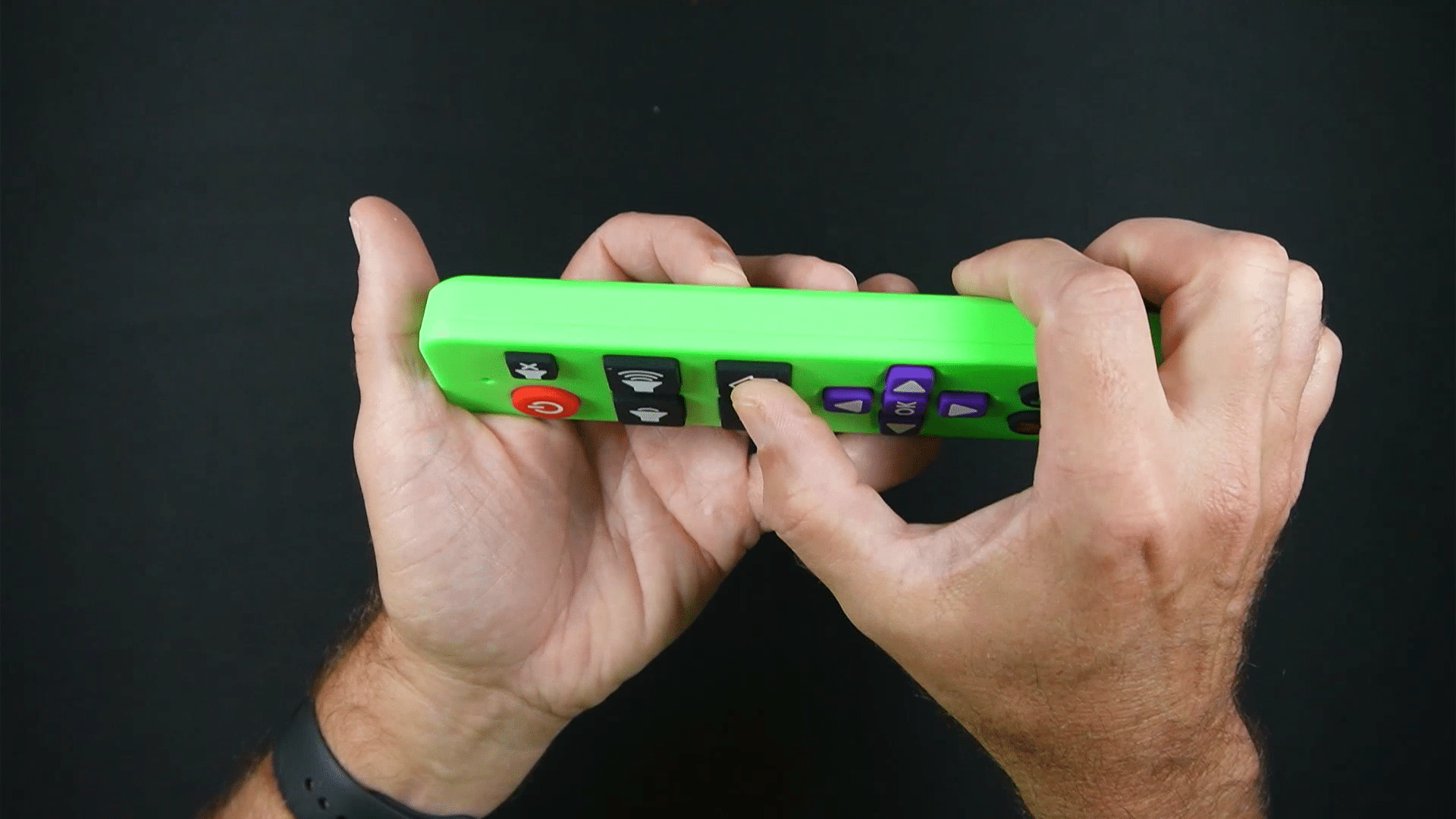
The buttons themselves have real physical travel and a definite click when pressed, along with a curved, ergonomic shape that fits nicely in the hand. It is not backlit, so in a completely dark room you’ll be relying on touch and memory rather than glowing buttons.
Getting Started
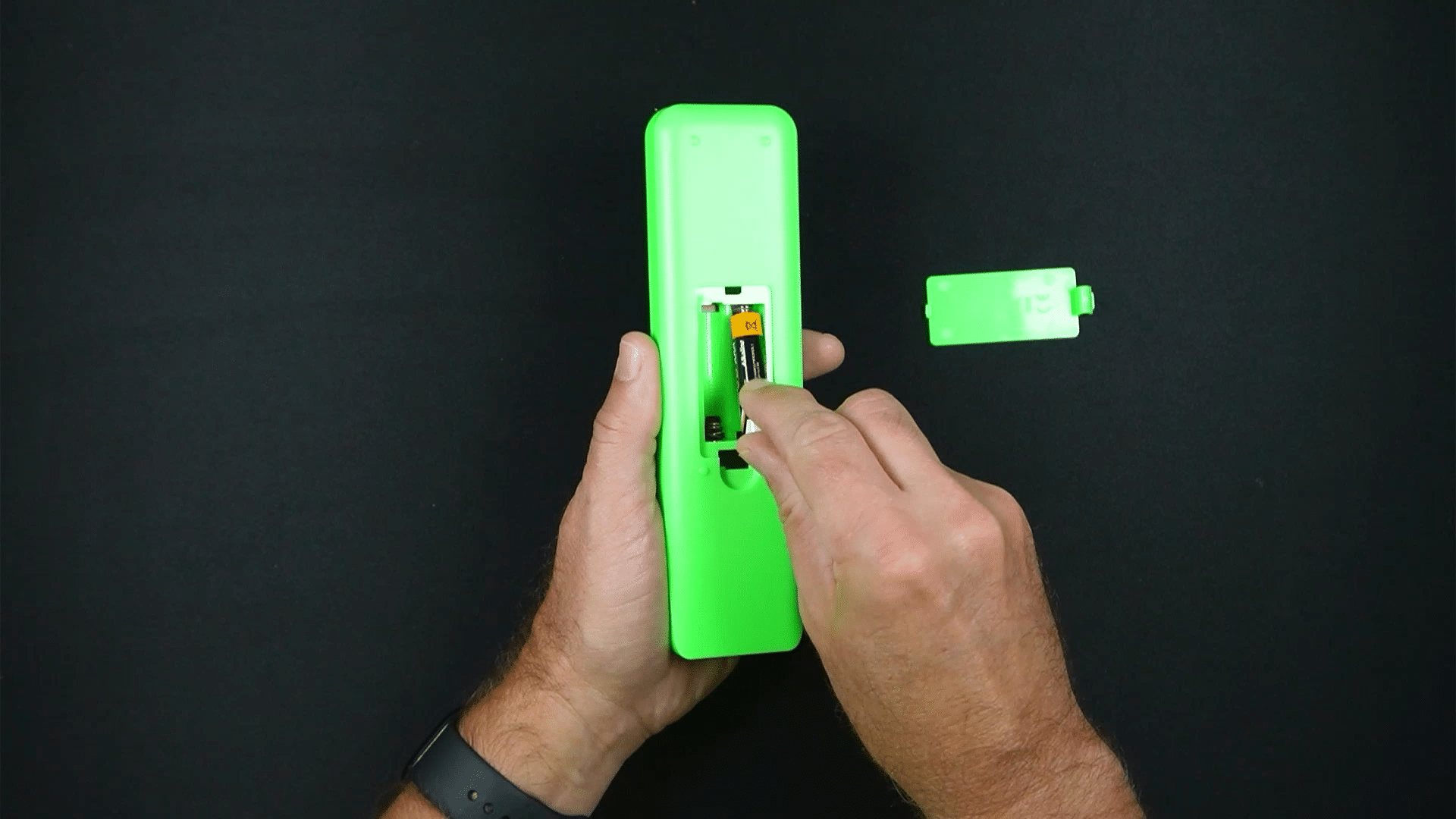
Setup here could not be simpler, and that’s kind of the whole point. You open the battery compartment on the back, snap in two AAA batteries, which are not included, and you’re ready to go.
Because this remote is built specifically for TVs with Roku already inside them, there is no pairing process and no programming sequence to remember. Point it at a compatible TV and the buttons just work.
Compatible brands include TCL, Hisense, Onn, Sharp, Westinghouse, Philips, RCA, Element, Insignia, JVC, Hitachi, and Sanyo, essentially the major names you’d find at any big box retailer. The included instructions list out compatible models if you want to double check before you get started.
Ready to discover more innovative strategies for healthy, comfortable aging? Subscribe to our newsletter for expert-tested tips and product recommendations designed specifically for older adults.
Features That Matter to You
The single biggest safety and confidence feature here is simplicity itself. When there are only a dozen or so buttons instead of forty, there’s a lot less room for a confused or nervous moment to turn into a frustrating one.
Each button on the EZClicker Big Button TV Remote has noticeable travel and a distinct shape, so with a little practice you really can find the right button by feel alone, even without looking down.
There’s also a small flashing red light that confirms a button press registered, giving a bit of reassuring feedback that the command actually went through, which matters a lot for someone who isn’t sure the remote is even working.
For families managing memory changes, having two remotes in the house, the original and this simplified one, can work well. One person keeps using their familiar setup while another switches to the easier option, without anyone being forced into a single “correct” way of doing things.
Real Life Experience
When I evaluated this product, I noticed right away how nice it feels in the hand, curved edges, a good weight, nothing sharp or awkward poking into your palm.
As I demonstrated in the video, once you get familiar with the button layout, you really can locate the buttons you need in a dimly lit room just by feel, since the shapes and spacing are so distinct from one another.
In the video, you can see that all the buttons work on a Roku TV straight out of the box, with genuinely zero programming required, which is a rare and welcome thing in a category full of remotes that promise “easy setup” and then hand you a 12-step pairing process.
I also pointed out on camera that this is specifically built for TVs with Roku built in, not a Roku stick and not a cable box, and I called that out because it’s the single most common reason these kinds of remotes end up getting returned.
Battery life should be solid since there’s no backlight or Bluetooth constantly draining power, just simple infrared or RF signaling to the TV, so you’re not looking at frequent battery swaps.
Will You Be Able to Use It?
If you can press a raised button and feel a click, you can use this remote. That’s a low bar, and it’s intentional.
For someone with moderate dementia, the fewer choices approach here can genuinely support more independence, though I’d still recommend a caregiver walk through the basic buttons together the first few times.
For someone with significant vision loss, the lack of backlighting is worth considering, though the bright button colors and distinct shapes go a long way toward compensating for that in normal lighting.
Always consult with your doctor or occupational therapist before making health-related product decisions, especially if dexterity or cognitive changes are part of the picture.
Important Considerations
This is not a universal remote, and that bears repeating because it’s the number one point of confusion. If your TV uses a Roku streaming stick plugged into an HDMI port, or you’re going through a cable or satellite box, this remote simply will not control it.
If you rely heavily on total darkness while watching TV at night, the lack of backlighting could be a genuine limitation for you, since you’ll be working by touch memory rather than sight.
This also isn’t a voice-controlled remote, there’s no microphone and no smart assistant built in, which is actually a plus for simplicity but worth knowing if you were expecting voice commands.
Before buying, it’s worth checking your TV’s manual or settings menu to confirm Roku is actually built into the television itself, not added on through an external device.
Help When You Need It
As with most Amazon purchases, standard return and refund policies apply if the remote doesn’t end up being compatible with your specific TV setup.
The product listing includes a compatibility guide covering major Roku TV brands, which is the best first stop if you’re troubleshooting before or after purchase.
Because there’s no pairing or programming involved, there’s very little that can technically “go wrong” during setup, which cuts down significantly on the need for tech support in the first place.
Understanding the Cost
I won’t quote specific pricing here, but I will say this sits comfortably in the affordable, low-risk category of caregiving purchases. It’s the kind of thing you can try without agonizing over the decision.
Long term, there’s essentially no added cost beyond the occasional pair of AAA batteries, since there’s no subscription, no app, and no software to update.
If budget is a concern, this is a far more economical fix than replacing an entire television just because the remote that came with it is too complicated. Compared to the cost of a new smart TV, the EZClicker Big Button TV Remote is a genuinely budget-friendly solution to a real daily frustration.
Making It Work for You
Label the batteries with the date you installed them, so you know roughly when to expect to swap them out again down the road.
If dementia or memory changes are part of your household, consider setting the remote in the exact same spot every single time, right next to the recliner, on top of a side table, wherever makes sense, so finding it becomes a habit rather than a search.
If low light viewing is common in your home, try adding a small nightlight near the seating area rather than relying on a backlit remote, since that solves the visibility issue for the whole room, not just the remote.
And if more than one person in the house needs a simplified remote, there’s no reason you can’t have two on hand, one for each person’s preferred spot.
Our Recommendation
If you have a Roku built-in TV and someone in your home is struggling with the standard remote, I think this is genuinely worth trying. It solves one specific, common problem, and it solves it well.
It’s best suited for older adults with limited dexterity, low vision, or early to moderate dementia, and for the caregivers who are tired of fielding the same “how do I change the channel” calls.
Skip this one if your setup involves a Roku stick, Roku player, or cable box, since it simply won’t communicate with those devices no matter how well designed it is otherwise.
If that’s your situation, look for a universal big button remote instead, one specifically built for streaming sticks or cable boxes rather than built-in Roku TVs.
Where to Get It
Check the current listing for the EZClicker Big Button TV Remote to confirm color availability and current pricing before you order. It’s a quick, low-commitment purchase that’s easy to try out for yourself.
Conclusion
At the end of the day, this remote does one job and does it well: it makes watching TV simple again for people who’ve been struggling with buttons that are too small, too many, or too confusing.
If that sounds like your household, go ahead and check whether your TV has Roku built in, and if it does, this little remote might just save everyone a lot of frustration.
I’d love to hear from you, have you tried a simplified remote like this one, or is there another everyday gadget causing headaches in your home? Drop a comment below, I read every one.