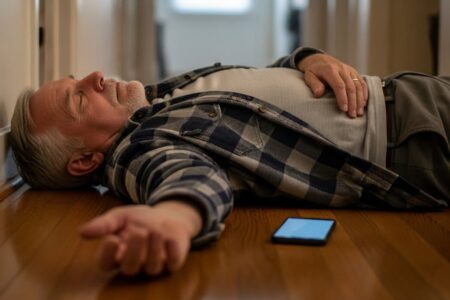
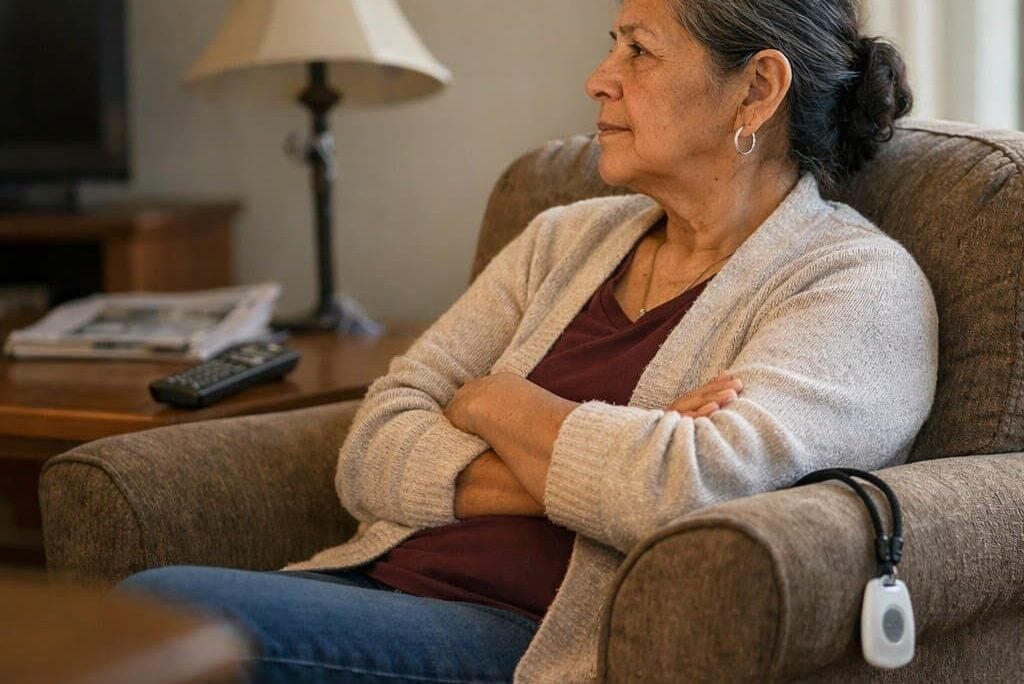
There’s a pendant sitting on the nightstand right now in more homes than anyone wants to count. It was ordered after a close call. It was charged and set up. It was placed around a parent’s neck exactly once. And then, quietly, it migrated to the nightstand — where it cannot call anyone.
That gap — between the device a family chose and the device a person wears — is the entire problem this article is here to solve.
Most families approach medical alert system selection as a feature comparison. Fall detection range. Battery life. Response time. GPS coverage. Those specifications all matter, but they matter second. The most capable system in the category cannot call for help from a drawer.
The same rule applies to wristbands, and this piece explains why the clasp matters on a dementia medical ID bracelet.
This article helps you choose the device your parent will actually have on their body when something goes wrong. That starts with form factor and daily tolerance — not a spec sheet.
Medical Alert System Shopping Guide: Find One They’ll Wear
Download this printable shopping guide to confidently choose a medical alert system they’ll wear every day—with a fill-in checklist that works for any device, from store shelves to online listings.
What to Look For
Before you compare individual products, understand the variables that determine whether any device actually works in practice.
Monitoring type — cellular vs. landline
Most current devices use cellular LTE networks. Landline-dependent systems are an older model that limits portability and depends on home phone infrastructure many families no longer have. Before buying, confirm which carrier network the device uses — AT&T, T-Mobile, or Verizon — and whether that carrier has strong signal in the person’s bedroom, bathroom, and backyard. A device that drops signal in the bathroom is not a bathroom safety device.
Response time and monitoring center
Look for monitoring centers with average response times under 45 seconds. Some companies publish this figure; others don’t. U.S.-based monitoring centers are generally preferred for language clarity in a crisis moment — when someone has fallen and is in pain, a clear conversation matters.
Water resistance rating
Falls happen in bathrooms. Any device worn in or near a shower must carry at minimum an IP67 rating — submersible to one meter for 30 minutes. IP55 is splash-resistant but not submersion-rated. IPX4 is the floor for shower use and represents real risk if the person bathes in a tub. Check the specific rating for each product, because pendants and watches differ here.
Monthly fee structure
Most medical alert systems charge $20–$60 per month for monitoring. Some charge separately for fall detection, GPS, or mobile service. A device marketed as “no monthly fee” without monitoring is a local alarm only — it cannot contact a monitoring center or notify a family member automatically. That distinction must be clear before you buy.
Fall detection accuracy and limits
Automatic fall detection uses accelerometers and algorithms. Published false-positive and false-negative rates are rarely disclosed by manufacturers. What is documented: fall detection reliably captures high-impact, vertical falls with a clear downward trajectory. It is less reliable for slow slides, sitting collapses, falls onto soft surfaces, and situations where the person catches themselves with outstretched arms. This is a category limitation, not a product flaw. Treat the button as the primary mechanism and fall detection as a meaningful backup layer.
Battery life
Pendant battery life ranges from 5 days to 30-plus days. Smartwatch battery life with GPS active is typically 24–48 hours, which introduces a daily charging discipline that some users will not sustain. Mobile GPS devices range from 24 hours to 5-plus days depending on GPS polling frequency. The realistic daily charging burden is worth thinking through before you commit.
Weight and form factor
Pendant weight ranges from under 20 grams to over 50 grams. Heavier pendants are more likely to feel cumbersome and be set aside. Devices with clip or wristband alternatives give the wearer more control over how they carry it — and that control increases the odds it gets worn.
Wearable Medical Alert Pendants
A pendant worn around the neck or wrist provides always-on emergency protection at home without requiring a new daily habit — one button press or an automatic fall detection trigger connects the wearer to help. For someone who spends most of their time at home and needs reliable, simple coverage, this form factor removes nearly every barrier between a fall and a response.



Pendants are the most reliable form factor for home-based safety because they require no active engagement. No charging rhythm that can be skipped. No notification management. No app to navigate. The person presses a button, or fall detection activates, and the device calls for help. That simplicity is the category’s core advantage.
Where pendants are the right choice: A pendant works best for someone who spends most of their time at home, is willing to wear a dedicated device around the neck or wrist, and either doesn’t object to the aesthetic or has been helped to reframe it. I’ve found that framing a pendant as a tool for staying home alone — rather than a sign of decline — shifts the conversation meaningfully for a lot of older adults who value their independence.
Pendants are also the right choice when fall detection is the primary concern. The pendant’s position close to the body’s center of mass makes fall-detection algorithms more reliable than a device worn on the wrist.
Where pendants are the wrong choice: If a parent has already refused to wear one, a different form factor is the answer — not a different brand of pendant. Someone who finds neck-worn devices physically uncomfortable due to arthritis, skin sensitivity, or prior injury is also better served by another type.
Standard home-base pendants have a range of 600–1,300 feet from the base station, depending on manufacturer and environment. Walls, floors, and interference reduce effective range. That range ceiling means the device cannot alert anyone if the person falls in a neighbor’s driveway or a parking lot. If the person regularly leaves home, this type alone is not enough.
Trade-off to know: Pendants have longer battery life and simpler daily operation than smartwatches. They are less discreet and less socially acceptable to some users. They are range-limited compared to mobile GPS devices.
911 Help Now Medical Alert Pendant
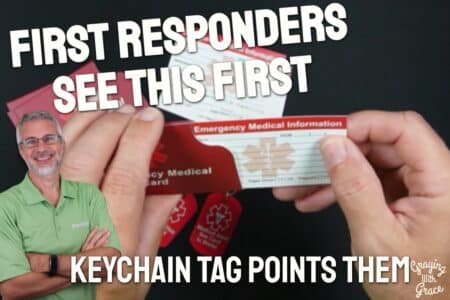
This pendant calls 911 directly rather than routing through a private monitoring center — which means no monthly subscription fee and no intermediary between the person and emergency services. That structure makes it a meaningful option for families where ongoing subscription costs are a barrier, or where the parent is resistant to the idea of a monitoring service having their personal information. If a pendant feels like too much, a simple low-cost medical alert ID card set can speak for a parent who cannot talk in an emergency.
The direct-to-911 design is worth understanding clearly before choosing it. Emergency dispatch will ask for a location. If the person can speak and describe where they are, that works well. If they cannot speak or are disoriented after a fall, the dispatcher must rely on the call’s location data. This is different from a monitored system where an agent already has the address on file and can send help without a verbal exchange.
The honest limitation here is that direct-911 calling places more responsibility on the wearer to communicate during an emergency — the very moment when communication may be hardest.
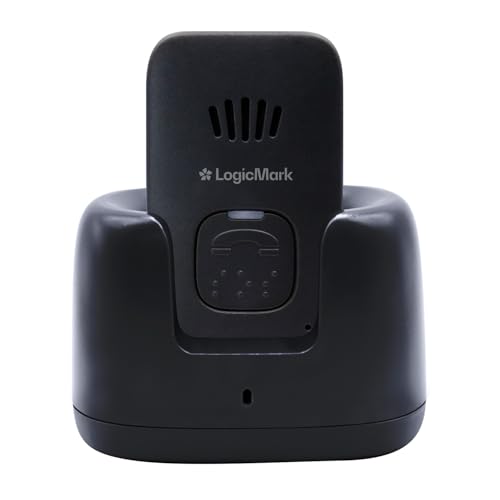
LogicMark Guardian Alert 911 Plus
This pendant also uses a direct-to-911 calling model with no monthly fee, and it adds two-way voice communication directly through the pendant itself. That two-way feature matters practically — the person doesn’t need to find a phone or speak toward a separate base station. They can speak and hear through the device they’re wearing.
AtsCares No Monthly Fee Waterproof Necklace and Wrist Alert
This system is marketed as a no-monthly-fee option that comes with both a necklace and wrist pendant, giving the wearer a choice of how to carry it. That form factor flexibility is worth noting — someone who finds neck-worn pendants uncomfortable has an immediately available alternative without purchasing additional accessories.
The waterproof design is relevant for bathroom safety specifically. Confirm the IP rating against the standard needed for the person’s bathing habits — tub use and shower use place different demands on water resistance. A splash-resistant rating that covers shower spray may not be adequate for someone who bathes in a filled tub.
The honest limitation common to no-fee local-alert systems applies here: without a monitoring center subscription, the device functions as a direct-call alert rather than a monitored connection. The person must be able to communicate during the call for help to arrive at the right location.
Assistive Technology Services Medical Alert System with Automatic Fall Detection
This system includes automatic fall detection, which places it in a different category of protection than button-only pendants. The device monitors for falls continuously and can trigger an alert without the person pressing anything — which matters most for falls that involve immediate incapacitation, disorientation, or unconsciousness.
The wrist-wear option is worth examining against the compliance profile of the intended wearer. Wrist-worn fall detection is less accurate than pendant-worn detection, because the wrist is farther from the body’s center of mass. If fall detection is the primary reason for choosing this system, a chest or neck position will generally outperform the wrist in algorithm accuracy.
The honest limitation is the battery and charging requirement that comes with any device that runs fall-detection algorithms continuously. Confirm the charging interval and whether the household routine supports it reliably.
Medical Guardian MGMini
The MGMini is a compact device from Medical Guardian, a company with an established monitoring infrastructure and published response times. The small form factor is a deliberate design choice for a category where device size drives compliance — a lighter, smaller pendant is more likely to be worn consistently than a bulkier one.
This device requires a monthly subscription for monitoring service, which means the alert connects to a staffed center with the person’s information on file. That structure means an agent can dispatch help to the correct address even if the caller cannot speak clearly. For someone living alone who has health conditions that could affect their ability to communicate during a fall, that infrastructure difference is meaningful.
The honest limitation is the ongoing monthly cost. Families who are comparing this against no-fee options should weigh the monitoring center infrastructure against the budget impact across 12 months.
321 Alert Medical Alert System — Fall Detection, GPS, 4G LTE Life Necklace
This pendant combines fall detection, GPS tracking, and 4G LTE cellular connectivity in a necklace form factor — which is a meaningful capability combination for someone who spends time both at home and outside the home. The GPS component removes the range ceiling that limits standard home-base pendant systems, making it a hybrid between a home pendant and a mobile GPS device.
The 4G LTE connectivity means the device communicates over a cellular network rather than a home base station, which introduces a dependency on carrier signal quality in the areas where the person spends time. Verify coverage at home, at regular destinations, and along common routes before committing to this system.
The honest limitation is battery life — devices that run GPS and cellular simultaneously consume more power than home-only pendants. Understand the realistic charge interval before purchase, and whether the person’s routine supports that discipline reliably.
Fall-Detection Smartwatches
A safety smartwatch succeeds where pendants fail for one reason: someone who already wears a watch every day will wear this one too, bringing fall detection and SOS calling along without any new behavior required. For an older adult who refuses a pendant but has worn a watch for decades, this form factor closes the compliance gap that leaves other devices sitting in a drawer. The same idea works for medical information, and I showed it in my look at a medical ID bracelet styled like a watch accessory that people will actually wear every day.

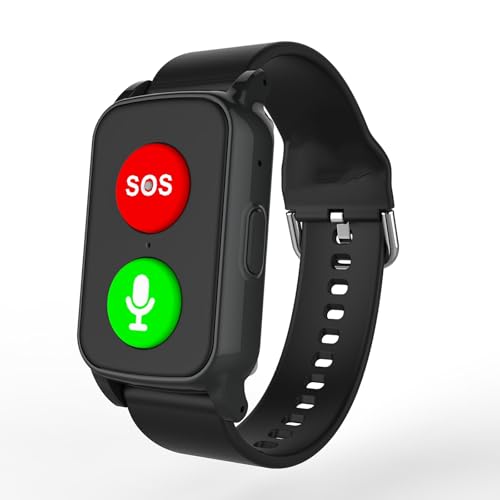
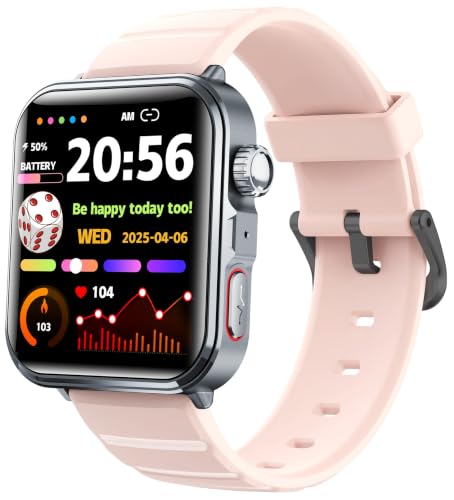
A smartwatch succeeds where a pendant fails for one specific reason: the person already wears a watch. If putting on a watch in the morning is already part of their routine, the safety device comes along without requiring a new behavior. That compliance advantage is real and significant — and for the right person, it changes everything.
Where smartwatches are the right choice: A smartwatch works best for someone who refuses a pendant but has always worn a watch and will continue to do so. It also suits someone with an active social life where a pendant would feel stigmatizing. A smartwatch at a restaurant or a grandchild’s recital does not announce vulnerability the way a medical pendant can. Someone who is already comfortable with basic smartphone technology will adapt more readily to a safety smartwatch, since most require a paired phone or a separate data plan.
Where smartwatches are the wrong choice: If the person has never worn a watch — or stopped wearing one years ago — introducing a new daily-wear habit is not easier than introducing a pendant. The compliance advantage disappears when the behavior isn’t already established. Someone who will not sustain a daily or every-other-day charging routine is also not a good fit. A dead smartwatch is not a safety device.
Someone with significant cognitive impairment may struggle with the interface or remove the device without recognizing its purpose. For that profile, a simpler pendant is generally more reliable.
The fall detection accuracy point stated plainly: Wrist-worn fall detection is less accurate than pendant-worn fall detection. The wrist is farther from the body’s center of mass, which affects the accelerometer’s ability to distinguish a fall from vigorous arm movement. This does not make wrist-worn fall detection useless — it is a meaningful safety layer. But the button remains the primary alert mechanism. Choose a smartwatch that makes the SOS button large, accessible, and easy to press with one hand, including the non-dominant hand.
Battery life specifics: Most medical alert smartwatches with active GPS and cellular run 24–48 hours per charge. Devices marketed with longer battery life typically achieve it by limiting GPS or cellular to on-demand rather than continuous monitoring. That distinction affects what protection the device actually provides between uses.
Trade-off to know: Smartwatches require more daily management than pendants. They are more socially acceptable and less visible as medical devices. Fall detection accuracy is lower on the wrist than at the chest. Mobile coverage is comparable to GPS devices for watches with built-in cellular.
Fajocru Fall Detection Smart Watch for Seniors
Product offers are temporarily unavailable.
This watch positions itself as a dedicated safety device rather than a lifestyle smartwatch with safety features added on — a distinction worth paying attention to. Dedicated safety watches tend to prioritize SOS button accessibility and fall detection sensitivity over app ecosystems and notification management. For an older adult who wants a device that does one thing reliably, that design philosophy matters.
GPS tracking is included, which extends the protection beyond home range. Confirm whether the GPS operates continuously or activates on-demand, as that choice directly affects both battery life and how quickly location can be confirmed after an alert.
The honest limitation is that any smartwatch introduces a daily charging discipline. If the person is not already charging a device overnight, this habit needs to be established intentionally — ideally by linking it to an existing bedtime routine.
Seculife Medical Alert Smartband — Alerts Go Direct to Family
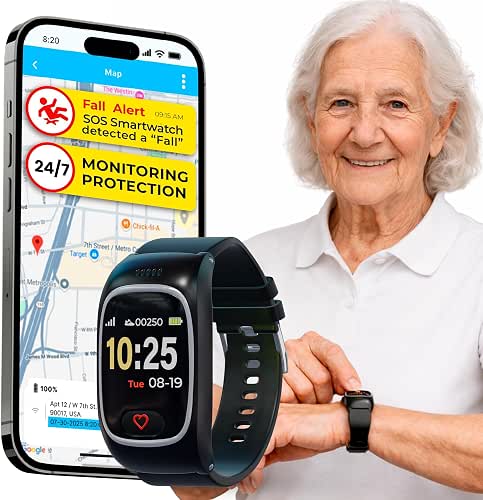
This device routes alerts directly to designated family members rather than through a monitoring center — which eliminates the monthly monitoring fee and places the response responsibility on the people named in the contact list. For a family that is geographically close and responsive, that model works well. For a family spread across time zones or with unpredictable availability, it introduces a gap.
The smartband form factor — closer to a fitness band than a traditional watch — is worth noting for compliance purposes. Someone who is accustomed to a watch may find the narrower band profile different from what they expect. Someone who finds watches bulky may prefer the slimmer profile.
The honest limitation is the direct-to-family alert model. If the primary contact does not answer — because they’re in a meeting, asleep, or temporarily unreachable — the alert chain depends on backup contacts responding. A monitoring center staffed 24/7 does not have that gap.
Seculife Cellular Medical Alert Smartwatch with Fall Detection and GPS

This watch includes built-in cellular connectivity, which means it does not depend on pairing with a smartphone to place an emergency call. That independence is meaningful for someone who does not carry a phone consistently or who uses a phone they find difficult to operate in an emergency.
Two-way voice communication through the watch itself — rather than requiring the person to find and operate a phone — is a feature worth confirming before purchase. Being able to speak and hear through the watch after pressing SOS removes one step from the emergency response process at the moment when every step matters.
The honest limitation is battery life under continuous cellular and GPS operation. At 24–48 hours of realistic runtime, daily charging is not optional. This device suits someone who will put it on the charger every evening as reliably as they put it on their wrist every morning.
SkyAngelSPORT Fall Detection Watch — No Monthly Fee, Calls 911
This watch calls 911 directly, bypassing a monitoring center and eliminating the monthly subscription fee. The waterproof design extends its usability into bathroom environments, which is where a meaningful portion of falls occur. That combination — no ongoing cost, bathroom-rated waterproofing, and direct emergency calling — makes this a straightforward option for families where subscription costs are a genuine barrier.
The direct-to-911 model places the same communication requirement on the wearer that applies to all devices in that category: the person needs to be able to speak and provide location information, or the dispatcher must work from the call’s location data alone. For someone living at a fixed address who is generally able to communicate after a fall, that model functions adequately.
The honest limitation is that wrist-worn fall detection, combined with direct-to-911 calling rather than a monitored connection, means the system’s reliability depends significantly on both the person’s ability to communicate and the watch’s ability to detect the specific type of fall they experience.
Yihou Fall Detection Smart Watch with GPS and Heart Rate Monitoring
This watch adds heart rate monitoring to the fall detection and GPS feature set — a combination that provides a broader health picture beyond emergency response. For a family that wants passive health data alongside safety coverage, the heart rate monitoring creates ongoing visibility into the person’s baseline and any significant changes.
GPS tracking with SOS calling provides coverage beyond the home, which matters if the person walks the neighborhood, attends community activities, or runs errands independently. Confirm the cellular carrier used and coverage quality in the areas where the person spends time.
The honest limitation is that adding health monitoring features to a safety device introduces interface complexity. The more a device does, the more the person needs to understand about it — and a confused wearer is more likely to remove the device or press the wrong thing. Evaluate whether the additional features serve this specific person or add friction without benefit.
Yihou Smart Watch with Fall Detection for Men and Women
This watch is designed for a general senior audience rather than a clinical one — a design philosophy that affects how the device looks on the wrist and how the wearer relates to it socially. A device that doesn’t look overtly medical is worn in more situations, which is the compliance outcome that matters.
SOS alert functionality and fall detection are the core safety features. Evaluate the SOS button size and activation method specifically — some watches require a press-and-hold to prevent false activations, while others activate on a single press. False activations are manageable and not a crisis, but frequent ones can cause a wearer to become reluctant to wear the device in social situations.
The honest limitation is that a device designed to look like a standard watch may not prioritize the button accessibility that a dedicated safety watch does. Check that the SOS button can be found and pressed reliably with one hand, by someone whose hand strength and dexterity may vary day to day.
Mobile GPS Alert Devices
Mobile GPS alert devices follow the person wherever they go, using cellular networks to maintain a monitored connection far beyond the range of any home base station. For someone still active outside the home — walking the neighborhood, running errands, attending community events — this is the only form factor that provides real protection when a fall happens away from home.
Mobile GPS devices solve the range problem that home-base pendants cannot. When a person regularly leaves the house — drives, walks the neighborhood, shops, attends church, visits family — a device tethered to a home base station has a ceiling on what it can protect. Mobile GPS devices use cellular networks to maintain connection regardless of location.
Where mobile GPS devices are the right choice: This type works best for someone still active outside the home who would be unreachable via a home base station if a fall occurred in a parking lot, a park, or a community center. It also suits someone whose family wants the option to check location — not just respond to emergencies. And it works for someone who already accepts carrying a small device and can incorporate a mobile alert into that existing habit.
Where mobile GPS devices are the wrong choice: Someone who rarely leaves home and will not reliably carry the device gets no outdoor protection from a device left on the kitchen counter. Battery life on GPS-active devices typically ranges from 24 hours to 5 days depending on GPS polling frequency — someone who won’t charge consistently is not a good fit. Rural areas with weak cellular coverage are also a real limitation; the device depends entirely on carrier signal, and dead zones eliminate protection.
GPS accuracy specifics: Consumer GPS devices achieve location accuracy of approximately 10–30 feet under open sky. Indoor accuracy degrades — inside a building, GPS may place a person within a room or floor but not a specific location. Some devices supplement GPS with Wi-Fi positioning and cell tower triangulation to improve indoor accuracy. Check whether each device uses multi-source positioning.
Monthly cost note: Mobile GPS monitoring typically runs $30–$60 per month, reflecting the cellular data cost. That is higher than home-only systems, and the ongoing cost is worth factoring into a long-term decision.
Trade-off to know: Mobile GPS devices offer the widest coverage area of the three types covered here. They require the person to carry the device intentionally, which introduces a compliance variable that pendants and watches don’t have in the same way.
Bay Alarm Medical SOS Mobile GPS

Bay Alarm Medical is an established company in the medical alert space with documented response times and U.S.-based monitoring. The SOS Mobile GPS device extends their monitoring infrastructure to an on-the-go form factor — meaning the same monitoring center that handles home alerts handles mobile ones. That continuity matters for families who want a consistent point of contact.
Optional fall detection is available as an add-on, which means families can start without it and add it if the person’s fall risk increases or their confidence in wearing the device grows. That flexibility is worth noting for families who are still calibrating what level of protection the person will accept.
The honest limitation is that optional fall detection — rather than built-in — means families must actively choose and pay for it. It is easy to defer that decision and not revisit it. If fall detection is a priority, confirm it is active before the device is in use.
SecuLife Medical Alert Pendant — Alerts Go Direct to Family

This pendant-style mobile device routes alerts to designated family contacts rather than a monitoring center, eliminating the monthly monitoring fee while maintaining GPS location sharing. The pendant form factor gives it a familiar carry option for someone who is already comfortable with a neck-worn device but needs coverage beyond the home.
Direct-to-family alerting works well when the contact list includes people who are reliably available and geographically close enough to respond. The system’s effectiveness is directly tied to how quickly family members can act on an alert. For a family with consistent availability and proximity, this structure is practical. For a family spread across distances or with variable schedules, a monitored system provides more consistent coverage.
The honest limitation is the same one that applies to all direct-to-family models: no monitoring center means no guaranteed 24/7 response. The family becomes the monitoring infrastructure.
ADT On-The-Go Emergency Medical Alert

ADT brings name recognition and established monitoring infrastructure to the mobile alert space. For families where trust in the monitoring company matters — particularly older adults who are familiar with ADT as a security brand — that recognition can reduce resistance to wearing the device. Brand familiarity is a real compliance factor.
The all-in-one design combines the alert button and GPS in a single portable device. Confirm the carry options — belt clip, bag attachment, pocket size — against how the person actually moves through the world. A device that doesn’t fit naturally into their daily carry habit will get left behind.
The honest limitation is that ADT’s medical alert services carry a subscription cost, and pricing structures can vary. Confirm the full monthly cost, including GPS monitoring and fall detection if applicable, before comparing against other options on monthly fee alone.
Connected Caregiver Safety+ 4G Medical Alert System

This system is designed with caregiver visibility in mind — the platform provides GPS location, fall detection alerts, and activity monitoring in a format accessible to family members remotely. For a caregiver who is managing a parent’s safety from a distance, the ongoing visibility into location and activity can reduce the anxiety between check-ins.
4G LTE connectivity provides reliable cellular coverage in areas served by major networks. The mobile form factor means the protection follows the person rather than depending on proximity to a home base station. Confirm the specific carrier used and whether that carrier has strong signal in the person’s home and regular destinations.
The honest limitation is that more features — location sharing, activity monitoring, fall detection — require more active management on the caregiver’s end. Families who want a simpler setup may find the platform’s capabilities exceed what they need, while families dealing with significant distance and limited in-person contact will find the visibility genuinely useful.
Assistive Technology Services Call and Talk to 911 Watch — Mobile Cellular, No Monthly Fees
This device combines mobile cellular calling directly to 911 with a watch form factor and no ongoing subscription fee. The watch design gives it a compliance advantage over devices that look overtly clinical — someone who has always worn a watch may accept this more readily than a pendant or a dedicated medical device.
Direct-to-911 calling means no monitoring center intermediary, which eliminates monthly costs but places the communication responsibility on the wearer. For someone who is mobile, cognitively intact, and comfortable speaking in an emergency, that model is functional. For someone whose fall risk is associated with a condition that could affect consciousness or speech, a monitored system provides a meaningful backup.
The honest limitation is that without a monitoring center, the device’s effectiveness during a serious emergency depends almost entirely on the person’s ability to communicate location and need after the alert is triggered.
Medical Alert Necklace Mobile System with Wearable GPS
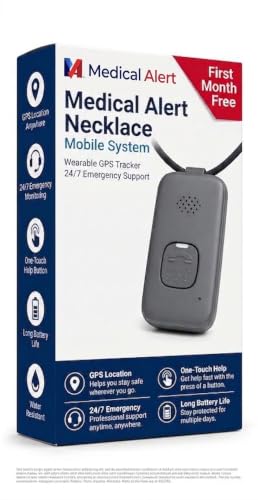
This necklace-style mobile system combines GPS tracking with 24/7 emergency monitoring in a pendant form factor. For someone who is already accustomed to wearing a pendant at home and is ready to extend that protection to time spent outside the home, this device offers a natural transition — the carry habit is already established, and the coverage simply expands.
GPS location is available to the monitoring center when an alert is triggered, which means the agent can dispatch help to the correct location even if the caller cannot speak. That capability is particularly relevant for falls that occur in unfamiliar or outdoor settings where the person might not know a precise address.
The honest limitation is that, like all mobile GPS devices, this one depends on the person carrying it intentionally whenever they leave home. A device that stays home does not provide outdoor protection, regardless of its GPS capability.
Medical Guardian MGMini — Mobile Alert Device
The MGMini appears in both the pendant and mobile GPS sections because it functions in both roles — compact enough to wear as a pendant, connected via cellular rather than a home base station, and backed by Medical Guardian’s monitoring infrastructure. That dual positioning makes it relevant for families deciding between a home-only and a mobile system, as this device covers both scenarios without requiring two separate purchases.
The small form factor is a deliberate design choice for this device category. A lighter, less obtrusive device is worn more consistently than a heavier one. For someone whose resistance to medical alert devices is partly about how the device looks and feels, the MGMini’s compact design addresses that objection more directly than bulkier options.
The honest limitation is the ongoing subscription requirement. Monthly monitoring costs are the norm for devices with professional monitoring infrastructure, and Medical Guardian’s pricing reflects that. Families choosing between monitored and unmonitored options should weigh the cost difference against the backup coverage a staffed monitoring center provides when family contacts are unavailable.
Frequently Asked Questions
Can fall detection replace the button entirely?
No. Fall detection is a supplement, not a substitute. It is most reliable for high-impact, vertical falls and less reliable for slow slides, collapses onto soft surfaces, or falls where the person catches themselves. A button press remains the most reliable alert. Choose a device with both and treat the button as the primary safety mechanism.
What happens if my parent presses the button by accident?
False activations happen and are not a crisis. Monitoring centers are trained to handle them — the person simply tells the operator it was an accident and no emergency response is needed. Some devices allow a cancel window of 10–30 seconds after button press. Repeated false activations are worth discussing with the monitoring center, but they are far preferable to a device the person stops wearing to avoid embarrassment.
My parent says they’ll use their phone if they fall. Is that enough?
Only if the phone is always within reach and the person is always conscious and able to operate it after a fall. Falls that involve a head injury, loss of consciousness, or significant pain may prevent phone use entirely. A dedicated device with a large, single-purpose button is more accessible under those conditions than a phone requiring unlock, app navigation, or voice command.
Do these systems work if the power goes out?
It depends on the type. Home base stations typically include a battery backup of 24–32 hours. Cellular-dependent devices — mobile GPS units and smartwatches with built-in cellular — continue working during a power outage as long as the device itself is charged and the cellular network is operational. Landline-dependent systems may not work during power outages depending on the phone infrastructure.
Is there a medical alert system with no monthly fee?
Yes, but with a significant limitation — devices marketed without monthly fees typically function as direct-call or local alarms only. They cannot automatically contact a monitoring center or notify a family member unless the person makes that call themselves. That is a meaningful safety reduction. For no-fee devices to provide real protection, the person must be cognitively and physically capable of communicating after a fall — which is the scenario these devices are supposed to protect against.
How do I get my parent to actually wear it?
Frame it as a tool for independence, not a concession to frailty. A device they wear means they can stay home alone. Not wearing it means someone else has to be present. That reframe works for many older adults who value autonomy above almost everything else. Form factor matters enormously — involve them in choosing the style. A pendant that looks like jewelry is worn more consistently than one that looks clinical. A watch that fits their existing aesthetic gets put on every morning without prompting.
Hacks and Advice
Test it before an emergency. Once the device is set up, make a test call to the monitoring center within the first week. Confirm the person knows how to activate it, knows what to say, and is comfortable with the response process. A device that has never been tested has an unknown failure point. Most monitoring companies accommodate scheduled test calls — ask for one.
Establish a daily wear ritual. The device should go on the body at the same time every morning as part of an existing routine — with morning medication, with getting dressed, with breakfast. Linking it to a habit the person already has reduces the chance of it being left behind. Keep the charger on the nightstand or bathroom counter, visible and accessible, rather than tucked away.
Check range in the actual home. After setting up a home-base pendant system, walk the entire home and yard with the device and test the signal. Pay particular attention to the farthest bedroom, the backyard, the garage, and the area just outside the front door. If the device loses signal in spaces the person regularly uses, that is a coverage gap that matters. Learning what prevents falls in those spaces is just as important as having a device that covers them.
Involve the person in the choice. Resistance to medical alert devices drops significantly when the person feels like they made the choice rather than had it imposed on them. Bring two or three options. Ask which one they’d be most willing to try. A device they chose is worn more often than a device that was chosen for them. That is not a small thing — it is the entire outcome variable.
Review coverage annually. Needs change. Someone who was primarily home-based two years ago may now be more active outside — or less active and more isolated. Revisit the device type choice once a year, or after any significant health change, hospitalization, or change in living situation. The right device today may not be the right device in 18 months.
Think through the whole home environment. A medical alert device only works if it is on the body in the moment of the fall. Walk through the home and ask whether the device would be within reach from the floor in every room where the person spends time alone. Rooms where the answer is no are the gaps to close — whether through device selection, bathroom safety improvements, or both.
Medical Alert System Shopping Guide: Find One They’ll Wear
Download this printable shopping guide to confidently choose a medical alert system they’ll wear every day—with a fill-in checklist that works for any device, from store shelves to online listings.
The Decision That Actually Matters
The best medical alert system is the one that is on the body. That answer is determined first by what the person will tolerate wearing every day, and second by the specifications of individual products within that category.
A family that starts with form factor and daily tolerance makes a better decision than one that starts with a features comparison. A pendant that never gets worn cannot compete with a watch that goes on every morning.
Choosing a device that fits the person is not settling. It is the only decision that produces a real safety outcome. Every other variable — fall detection sensitivity, GPS accuracy, monitoring response time — is secondary to daily compliance.
Before ordering any device, do one practical exercise: walk through the home and note every room where the person spends time alone. Stand in each room and ask whether a medical alert device would be within reach from the floor. Think about what changes might make each room safer in combination with the device. If there are rooms where the answer is no, that is the gap to address alongside device selection.
The device type comes first. The product comes second. And both decisions are only worth making if the person will actually have it on their body tomorrow morning.
Have you been through this decision with a parent? What convinced them to actually wear it — or what’s still getting in the way? Share your experience in the comments. Your situation might be exactly what another family needs to read.