Is a Simple Monitor Really Enough to Keep Your Loved One Safe?
Picture this: your mom is sleeping in her room down the hall, and you find yourself lying awake wondering if she’s okay. You don’t want to disturb her by walking in every hour, but the worry just won’t quit.
That’s the exact situation this kind of monitor was built for. And it’s more common than most people admit.
As a Certified Senior Advisor (CSA) and Senior Home Safety Specialist (SHSS) at Graying With Grace, I personally evaluated the Zaguoroo Elderly Monitor with Camera and Audio — hands on, in a real environment. I tested the call buttons, the night vision, the VOX mode, the reminders, and more.
What I found was a surprisingly capable, no-fuss monitoring system that solves real problems for real families. Let me walk you through everything you need to know.


Quick Takeaways
- Solves: Caregiver anxiety, emergency response delays, missed medications, nighttime fall risk, and room temperature dangers
- Best for: Adult children caring for a parent at home, seniors who want to summon help independently, and caregivers managing multiple relatives
- Worth the investment? Yes — especially with no monthly subscription fees eating into your budget
- Best senior feature: The one-touch SOS call button with distinct alert types (help, toilet, water, move)
- Biggest limitation: Indoor range may not cover very large homes or buildings with thick concrete or metal walls
How This Could Help You
Have you ever rushed downstairs three times in one evening just to check if a loved one needed something? That kind of back-and-forth is exhausting — and completely avoidable.
The Zaguoroo Elderly Monitor with Camera and Audio lets you keep a watchful eye and an open ear without hovering. You can carry the portable receiver to the kitchen, the backyard, or upstairs — and still see and hear what’s happening in your loved one’s room.
Two-way audio means you can speak directly to them from wherever you are. No yelling across the house. No unnecessary trips up the stairs.
For older adults themselves, the freedom this creates is quietly powerful. Knowing help is one button press away — without depending on a smartphone or memorizing a phone number — makes a real difference to confidence and daily peace of mind.
The medication and meal reminders are a game changer for families managing memory loss or cognitive decline. Instead of relying on everyone to remember, the system reminds them automatically.
And the temperature sensor? That one tends to surprise people. It quietly monitors the room and alerts you if things get too hot or too cold — which matters more than most people realize for older adults who are sensitive to temperature extremes.
Ready to discover more innovative strategies for healthy, comfortable aging? Subscribe to our newsletter for expert-tested tips and product recommendations designed specifically for older adults.
Important Details You Should Know
The camera unit is compact and easy to position. It comes with a built-in stand and adjustable mounting bracket, so you can set it on a nightstand or screw it right to the wall.
As I demonstrated in the video, you can rotate the camera to get just the right angle — whether that’s a wide-room view or a focused shot on the bed or chair.
The portable receiver screen measures 2.8 inches. That’s not huge, but the display is clear enough to see detail, especially with the 4x zoom function built in.
The whole system is lightweight and easy to carry. No bulky equipment, no complicated wiring, no wall-mounted panel that requires an installer.
Build quality feels solid and practical — not flashy, but dependable. This isn’t a toy monitor. It’s a purposefully designed piece of care equipment.
Getting Started
When I evaluated this product, I noticed the unboxing experience is refreshingly simple. You get the camera unit, the portable receiver screen, the call button with lanyard and battery, two charging cables, and power blocks.
Charge the receiver fully for about four hours before first use. The camera unit plugs into a standard outlet — use the longer USB cord for the camera, as I showed in the video.
You’ll need a small flathead screwdriver to install the battery in the call button. That’s the only tool required for the entire setup.
Once both units are powered on, they pair automatically. No app downloads. No WiFi passwords. No account creation. As I showed in the video, the screen displays a live camera feed within moments of powering on.
One important tip: if you ever need to re-sync the camera and receiver, there’s a pairing button on the camera unit. You can also add additional cameras later if you need to monitor more than one room.
Features That Matter to You
Let’s talk about the call button — because this is the heart of the system for most families.
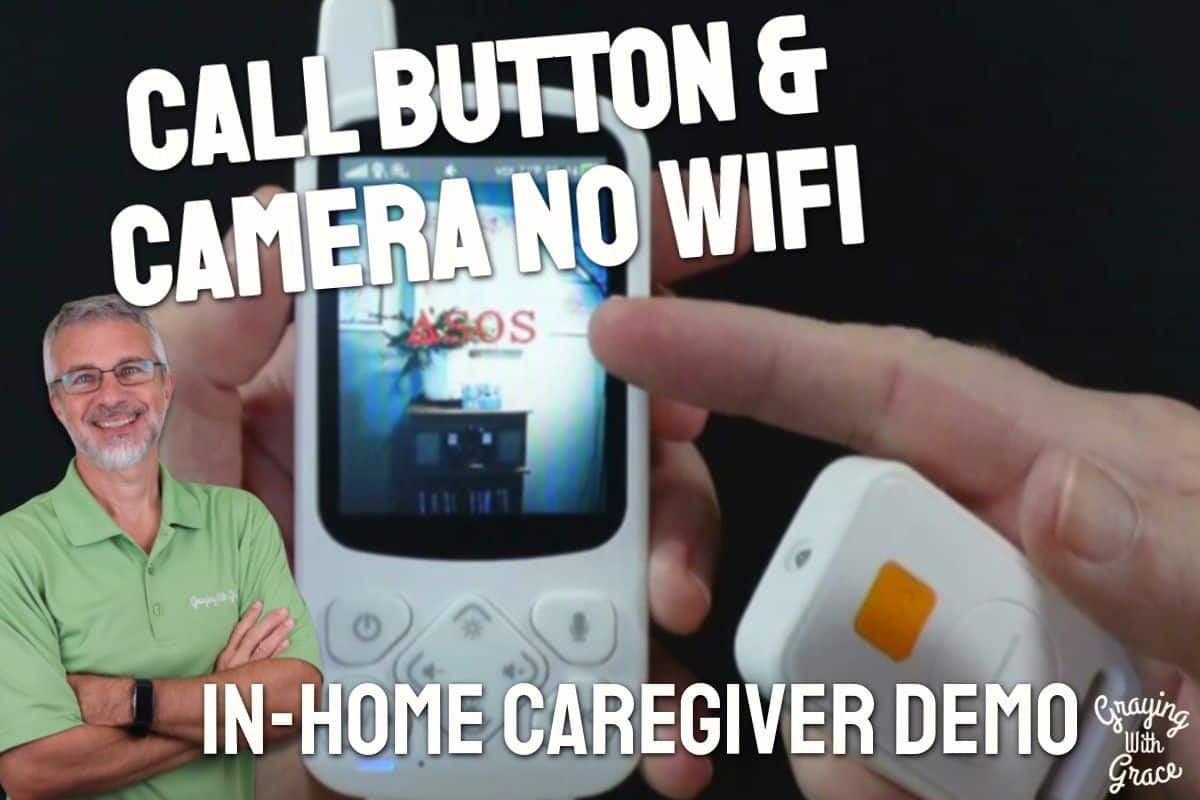
The Zaguoroo Elderly Monitor includes a call button unit with five distinct alert types: SOS on the back, plus general help, move, toilet, and drink/food on the front. Each one triggers a different audible alert on the receiver so you know exactly what’s needed before you even walk into the room.
In the video, you can see that each button press produces a clear, distinct verbal announcement on the receiver — “emergency call,” “help,” “move,” “go to the toilet,” “drink water.” It’s not just a generic beep. That specificity saves time and reduces confusion.
The VOX (voice activation) mode is a smart battery-saving feature. The receiver screen sleeps during quiet periods and automatically wakes when it detects sound above your chosen sensitivity level. You can set it to high, medium, or low sensitivity depending on your situation.
Infrared night vision lets you see clearly in a completely dark room. This is critical for nighttime monitoring, when falls and confusion are most common for older adults.
The temperature sensor continuously displays room temperature at the top of the receiver screen and sends an alert if it goes outside your set range. Simple, automatic, and potentially life-saving.
Sleep melodies are a thoughtful bonus. The camera unit can play calming sounds — babbling brook, ocean waves, crickets, forest ambience — to help your loved one settle in for the night.
Real Life Experience
When I set up the system in my office, I placed the camera at one end of the room and worked from the receiver at the other end. The connection was immediate and stable.
As I demonstrated in the video, when I unplugged the camera briefly during setup, the receiver gave an audible warning right away. That camera-disconnect alert is a detail I didn’t expect — and it’s a genuinely useful safety feature. If someone were to accidentally unplug the camera, you’d know immediately.
The two-way talk is smooth and natural. You hold down the VOX button on the receiver to speak, then release it and you can hear the other person respond without them pressing anything. In the video, you can see how easy this is — no walkie-talkie-style fumbling, no delay.
I tested each call button alert during my evaluation, and every one of them triggered clearly and quickly. The receiver lit up with a flashing indicator and announced the alert verbally. Response time was essentially instant.
The kickstand on the back of the receiver is a small but practical feature. As I showed in the video, you can prop it on a kitchen counter or desk so it’s at a comfortable viewing angle without having to hold it constantly.
For overnight use, the VOX mode does a good job conserving battery. The 2000mAh battery is rated for about 10 hours of continuous use — more if VOX is active and the screen sleeps during quiet periods. Charge it overnight beside your bed, and it’s ready to go by morning.
Day to day, there’s very little maintenance involved. Keep the camera lens clean and free of dust. Keep the call button away from water. That’s about it.
Will You Be Able to Use It?
For the caregiver, the receiver is straightforward. Physical buttons handle power, volume, brightness, and menu navigation — no touchscreen required. If you can operate a TV remote, you can operate this.
For the older adult using the call button, one press is all it takes. You don’t need to navigate a menu or unlock a screen. The SOS button on the back is large and easy to find by feel.
That said, the person using the call button does need basic hand function. If arthritis or limited grip strength is a concern, test whether they can press and hold the button firmly enough to register the alert. As I noted in my video, the person needs to hold the button until they hear a beep from the camera — that confirms the signal was sent.
The lanyard included is on the shorter side — better suited for a wrist than a neck lanyard. A longer, more comfortable lanyard (available inexpensively) might be worth adding to make wearing it more practical.
The receiver screen is 2.8 inches, which is readable for most people. If vision is significantly impaired, the audio alerts and two-way talk features will carry much of the weight.
Important Considerations
This system is designed for in-home, same-property use. As I made clear in the video, you cannot leave the camera at home and take the receiver to work. Both units need to be within roughly 1000 feet of each other — and in a real home with walls, expect more like 50 to 150 feet of reliable range.
If you live in a large multi-story home with concrete floors or metal walls, test the range carefully during the return window before you commit.
For someone with advanced dementia who may not remember what the call button is for, this system works best as part of a broader care plan. The VOX mode helps — they can simply call out and the receiver will wake up — but there’s no guarantee they’ll use either feature reliably.
This is not a replacement for professional monitoring services or 24-hour in-home care when that level of support is truly needed. It’s a powerful supplement to caregiving, not a substitute for human judgment and presence.
Also worth noting: this is not a recorded or cloud-connected system. Video is live only. If documentation of incidents is important for medical or legal reasons, this system won’t provide that.
Always consult with your doctor or occupational therapist before making health-related product decisions, especially when managing fall risk, dementia, or other complex conditions.
Help When You Need It
The system is FCC-certified, which confirms it meets safety and electromagnetic compliance standards.
Warranty terms vary — confirm the current coverage period on the product listing before purchasing. For most consumer electronics in this category, expect one to two years.
Because there’s no cloud service or app involved, there’s no ongoing support subscription or platform that could be discontinued. That’s a real long-term reliability advantage.
If the call button is lost or damaged, the VOX audio system serves as a backup while you source a replacement. Additional cameras can also be purchased separately and synced to the same receiver if your monitoring needs grow.
Understanding the Cost
The Zaguoroo Elderly Monitor with Camera and Audio is a one-time purchase with no recurring monthly fees. That alone sets it apart from most professional monitoring services, which can add up to several hundred dollars a year.
Compared to WiFi-based smart home cameras that require subscriptions, apps, and ongoing data plans, this system pays for itself quickly — and keeps paying for itself every month you don’t receive a service bill.
If your needs are more complex — say, remote monitoring from a different city, or video recording for medical documentation — you may need to look at a higher-tier WiFi-connected system. But for same-home, in-person caregiving, the value here is genuinely strong.
Making It Work for You
Mount or position the camera where it has a clear line of sight to the area where your loved one spends the most time — typically the bed, a favorite chair, or the main seating area.
Test the call button alert system together before leaving your loved one to use it solo. As I showed in the video, walk them through pressing each button and listening for the camera beep that confirms the signal was sent. That confirmation sound matters — it tells them help is on the way.
Keep the call button within arm’s reach at all times. Nightstand, bedside table, or clipped to a recliner are all good spots. Consider a longer lanyard so it can be worn comfortably during the day.
Use the VOX sensitivity settings thoughtfully. Test it with a family member on each side — try claps, coughs, and normal speech — to find the level that wakes the screen when needed without triggering on every rustling sound.
If you’re monitoring overnight, charge the receiver during the day and switch to VOX mode at night. That combination gives you solid coverage without constantly draining the battery.
Be cautious about where you run the power cord for the camera unit. Extension cords create trip hazards — use the cord length you have and plan camera placement accordingly so you don’t create a new safety risk while solving another one.
Our Recommendation
The Zaguoroo Elderly Monitor with Camera and Audio earns a genuine thumbs-up from me as a practical, well-designed tool for same-home caregiving.
It’s the right choice if you’re an adult child or family caregiver living under the same roof as an older adult who needs monitoring but values privacy and independence. It’s especially well-suited for families in rural areas or anyone who wants to avoid monthly fees and WiFi dependency.
It works beautifully for seniors with mobility limitations, early-to-moderate memory loss, or fall risk — as long as they retain enough hand function to press a button or call out for help.
If you need remote monitoring from a different location, or you require video recording capability, look at a WiFi-based camera system instead. And if your loved one has advanced dementia or is completely non-ambulatory, pair this system with additional care support — don’t rely on it as your only safety net.
For the right family, in the right situation, this monitor delivers real peace of mind at a price that doesn’t keep billing you every month.
Where to Get It
You can check current pricing and availability for the Zaguoroo Elderly Monitor with Camera and Audio on Amazon. Stock and pricing can change, so it’s worth checking today to see what’s currently offered.
Final Thoughts
Caring for someone you love is one of the most meaningful things you’ll ever do — and one of the most exhausting. A reliable monitor won’t replace your presence, but it can give you back a little breathing room and a lot of peace of mind.
This system is simple, honest, and genuinely useful. If it sounds like a fit for your situation, I’d encourage you to give it a try — test it in your home during the return window and see for yourself.
Have questions about whether this monitor is right for your situation? Drop them in the comments below — I’m happy to help you think it through.