
Every family has someone who says, “I really need to write down Grandma’s stories before it’s too late.”
Most of us never do it.
The blank page is intimidating, nobody has an extra six months to sit down and interview a parent properly, and the stories end up living only in memory which means eventually they don’t live anywhere at all.
Memorygram is built to solve exactly that problem. It’s a service that turns your answers to a set of life-story questions (by phone, by voice recording, or by typing) into a hardcover memoir book, complete with photos.
I spent time going through the whole process myself, from setting up an account to answering questions to previewing a finished page, specifically to see how well it would actually work for an older adult, or for an adult child setting it up on a parent’s behalf.
This review is sponsored by Memorygram, who also gave me a free account so I could go through the process myself. Early on, I brought up several concerns about text readability of the app to the management of Memorygram and they immediately implemented my suggestions. The images here are shown after their updates.
Here’s what I found.
Who This Is For
Two different people read this review, and they’re asking different questions.
If you’re the one telling your story: you want to know if this is going to be a chore, whether it’ll sound like you when it’s done, and whether you have to be “good with computers” to pull it off.
If you’re the adult child or caregiver: you’re probably the one who’s going to set this up, pay for it, and nudge your parent to actually finish it. You want to know the real cost, whether you can do the setup work for them, and what happens if life gets in the way.
I’ll answer both.
How Memorygram Actually Works
After you sign up, you pick your questions. Memorygram gives you a recommended set to start you out. I used the “general essential” list, which had 24 questions like “What’s your earliest clear memory?”
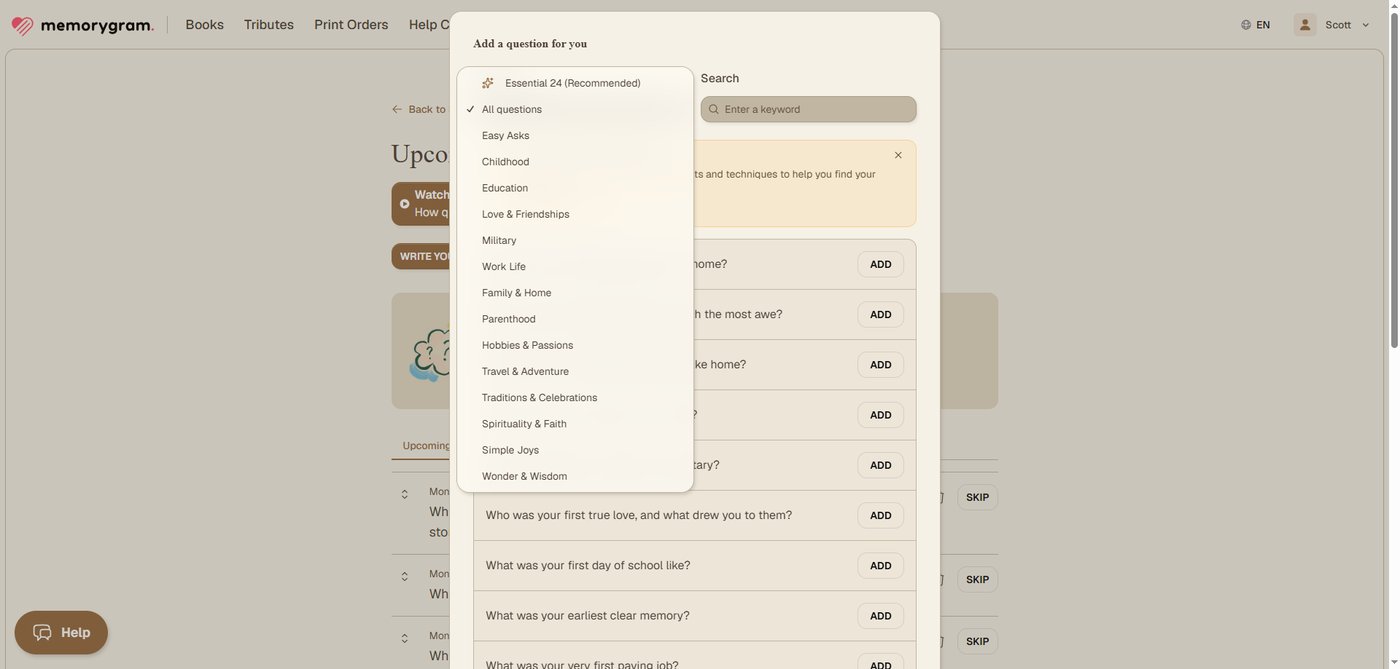
You can also browse questions by category, write your own, or use a “personalize” option that tailors suggestions to your situation. You can edit, replace, or delete any question before you start, and add more later.
Next, you choose how often questions arrive: once a day, once a week, or twice a week — whatever pace won’t feel like homework. The storyteller can answer four ways: typing, voice-to-text, a text message, or a phone call.
Or, and this is the feature I think matters most, you can have Memorygram call you on the phone. It’s an automated, AI-based interviewer (not a person) but it asks the question out loud, then offers gentle follow-up prompts so the answer doesn’t stop at one sentence.
Most stories run 5 to 15 minutes, and the storyteller can talk for up to 30. If they miss a call, that story is simply skipped and the next call comes as scheduled, and whoever manages the account can reschedule a question or send it again on demand. There’s no rush.
That phone option is the whole ballgame for a lot of families. If Mom or Dad isn’t going to sit down at a laptop and type out their life story, but they will pick up the phone and talk when it rings, this gets the story recorded without them ever touching a keyboard. It works on any phone with a US phone number, even a landline, with no internet, apps, or smartphone needed.
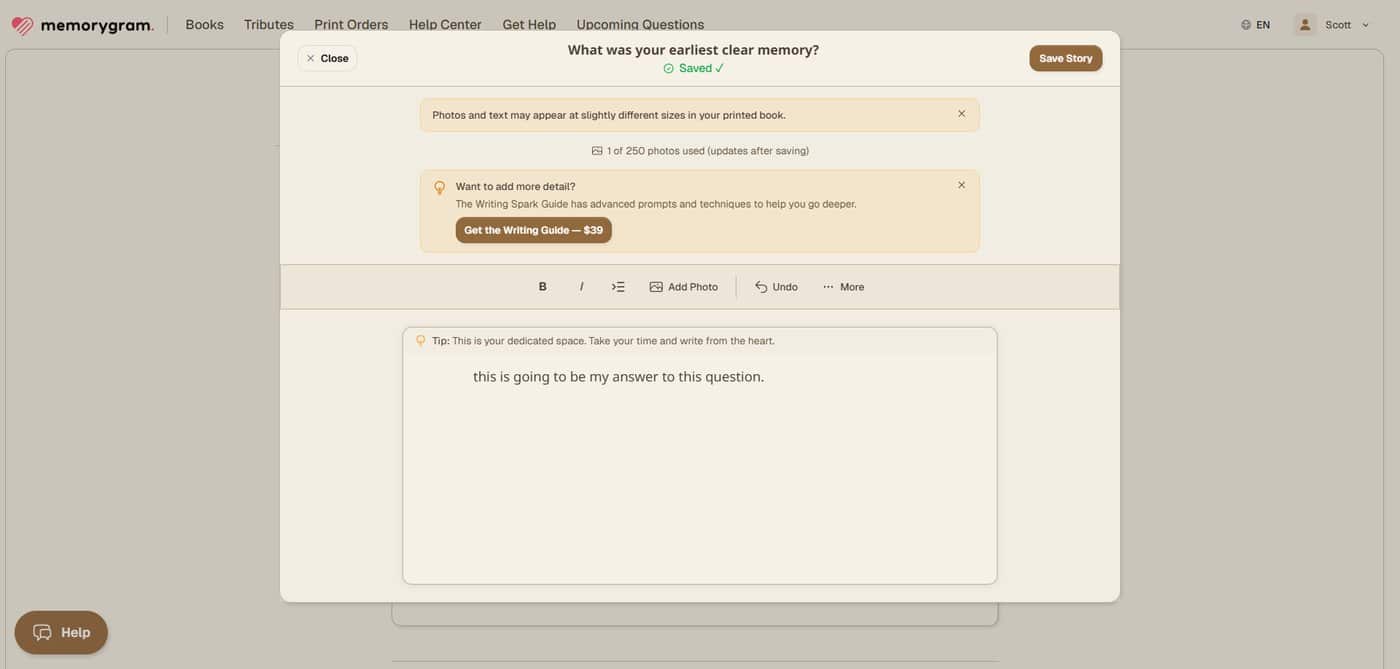
Once you have an answer whether spoken or typed, you land on a simple editing screen where you can revise it, attach a photo tied to that specific story, and record or re-record audio directly in your browser. Every answer gets saved with version history, so nothing is locked in permanently.
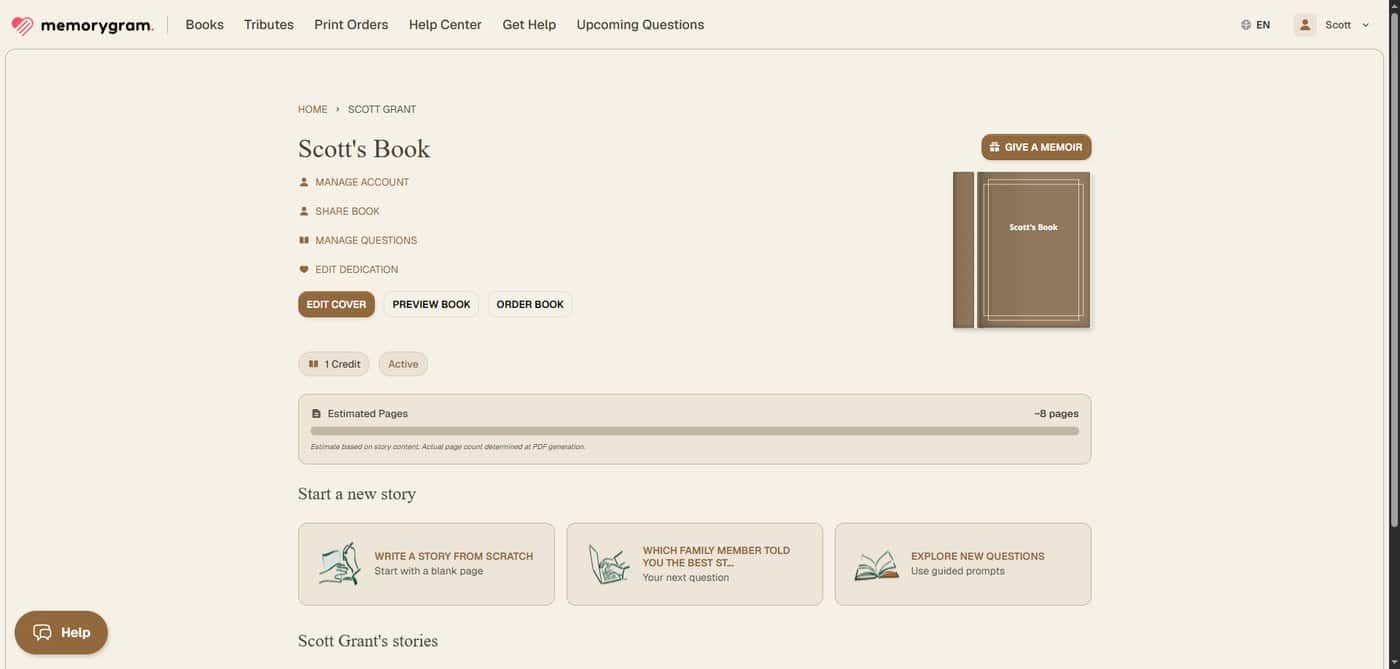
From your dashboard, you can manage your account, add or reschedule questions, invite collaborators, preview the book as it will actually print, and eventually order it.
Ready to discover more innovative strategies for healthy, comfortable aging? Subscribe to our newsletter for expert-tested tips and product recommendations designed specifically for older adults.
What I Liked
The phone-call option genuinely removes the tech barrier. This is, without question, the best thing about Memorygram for an older adult who isn’t comfortable online. The story can be captured entirely through a phone call, start to finish.
You own your stories and your recordings. Memorygram says plainly that the stories belong to the storyteller. You can download your original audio files at any time, and you can pull a PDF of the whole book whenever you want, independent of ordering a printed copy.
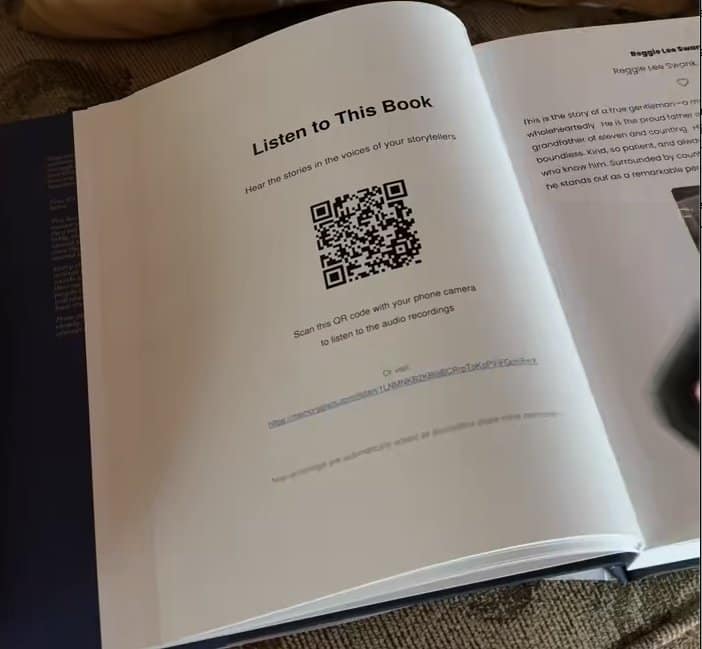
The printed book plays back your actual voice. Memorygram recently redesigned this: instead of a separate QR code on every story, the book now carries a single QR code near the front.
Scan it once with a phone, and it opens a player where you pick which chapter or story to listen to. Memorygram made the change after noticing people were flipping through pages hunting for the right code, and one scan for the whole audiobook is a real improvement.
That means the people reading this book aren’t just reading your words on a page; years from now, they can hear you say them. That’s a genuinely moving feature, and it’s the kind of thing that makes this worth the trouble.
No minimum number of questions. If Mom answers ten questions and stops, that’s a real book. You just need enough content to hit the 24-page minimum for a hardcover print, which a handful of stories and photos will clear easily.
The setup is built for someone else to manage it. An adult child can create the account, choose the questions, set the schedule, and invite the parent as the one who just answers the phone or clicks the email link.
Customer support line is staffed by real human beings. If you do have any questions, problems, or difficulties being able to talk to a real knowledgable human can make all the difference in a real world use scenario.
That division of labor (tech-savvy child handles logistics, parent just tells stories) is clearly the scenario Memorygram is designed around, and the setup screens are built for it.
Where I Ran Into Friction
Something made for older adults specifically should be judged by whether it works for them. Not just whether it works.
The first time I tried the Memorygram app, there were several rough edges.
I had several concerns about text size, font selection, button visibility, and readability when I first tried out Memorygram. I raised my concerns with the management team and was genuinely impressed when they immediately implemented my suggestions.
Their quick action immediately improved the ability of vision impaired older adults to use the service more easily and I want to acknowledge that. Few companies really seem to listen but that has not been my experience with Memorygram.
Screen Background Color. The background color could be changed to more of a white or off-white to further enhance the text readability. I understand that’s probably a brand choice/decision and may take longer to evaluate. But, black print in a bold font and a white background is always the easiest to read.
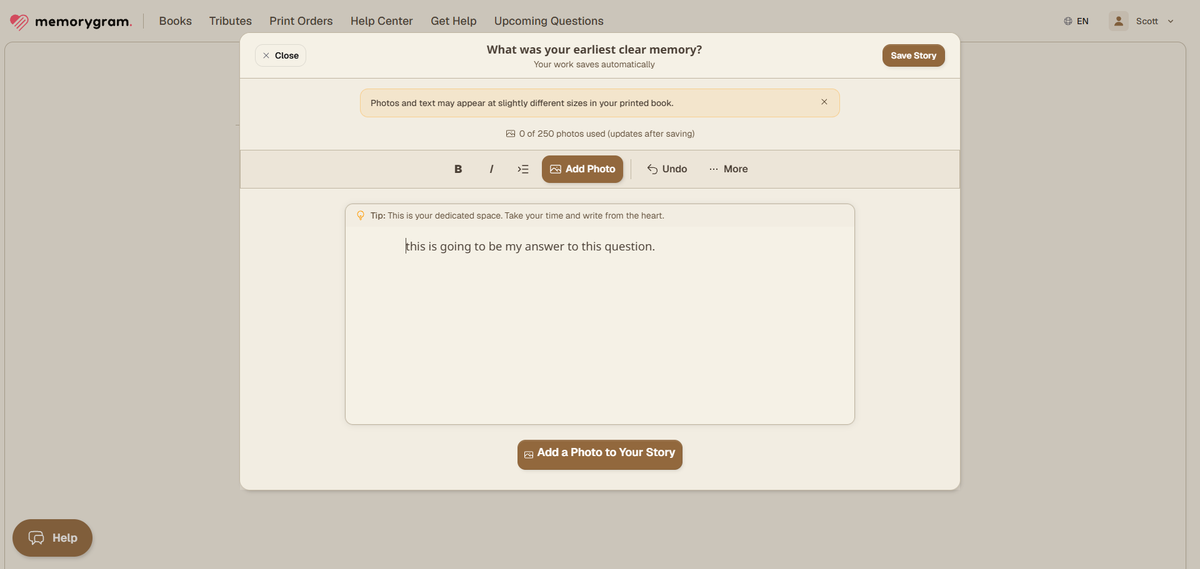
There’s no cap on how many photos you attach to a story, and Memorygram’s own advice is to use the highest resolution you have. Of course, the enhancement they can do on an old, faded black-and-white photo is limited by what the original actually contains.
What This Actually Costs
Here’s the part every caregiver wants spelled out plainly. Based on what I saw at the time I reviewed the service:
- The book itself: roughly $99–$125 in standard print, for an 8.5″ × 11″ hardcover coffee-table size, printed in full color inside and out.
- Premium print upgrade: available at checkout for an added cost, with a glossier finish. A lot of customers choose it, though plenty are happy with the standard option too.
- No discount codes: Memorygram runs frequent sales instead, and the lower price applies automatically, so there’s no reader code to hunt for. Just check the price at checkout.
- A second storyteller on the same book: +$50. This is for a true co-author situation say, both parents contributing their own stories to one family book not for someone just helping edit.
- Extra copies: $77 each if ordered with your original, or $89 each if you order more later, plus shipping calculated at print time.
- Collaborators are free. Inviting family members to add photos or help edit doesn’t cost anything. The paid tier is specifically for a second person running their own question schedule and writing their own stories.
- Writing Spark Guide: an optional $39 guide with advanced prompts, offered right inside the story editor. You don’t need it to finish a book.
- Concierge service: a paid add-on where an actual person from Memorygram’s team works directly with the storyteller on setup, editing, and layout. It’s quoted individually based on what’s needed, so you’ll need to reach out for a number.
Important note on the “no subscription” claim: Memorygram markets this as a one-time fee with no recurring charges, and that’s accurate. Nothing auto-bills. But what the purchase includes is a year of questions. You have a full year to answer questions, add photos, and build your book at no extra cost.
After that year, your account goes read-only. You can still view everything and order printed copies. If you need additional time for some reason, you can add on an additional year for $79. Nothing is ever deleted, so there’s no risk of losing what’s already there.
Refund policy: 30-day money-back guarantee, but only if nothing has been printed yet. Once a physical book has gone to print, it can’t be returned or refunded, though Memorygram says it will replace a book with a defect. So review the digital preview carefully before you place that order.
The FAQ
For the person telling the story
Do I have to be good with computers to do this?
No. The entire process can be completed by phone, without ever logging into a website, if that’s what works best for you.
Is the person calling me actually a person?
No — it’s an automated, AI-based interviewer. It asks the question, gives you plenty of time to answer, and you can reschedule if the timing isn’t right. (But, their customer service lines are staffed by human beings if you need assistance).
Do I have to write anything?
No. You can answer by voice over the phone, by recording yourself in the browser (which converts your speech to text automatically), by text message, or by typing,whichever feels natural.
Will it still sound like me?
Memorygram transcribes what you say, strips the filler words and false starts, and rewrites it into professionally written, grammatically correct prose. The substance of your story carries through, but the voice on the page may be more polished than how you actually spoke.
If keeping your own phrasing matters to you, you can go back and edit the written version yourself after it’s generated.
And because the original audio is saved and linked by the book’s QR code, your family will still get to hear the real, unedited you not just the rewritten text.
What if I can’t think of anything to say?
The phone interviewer offers a prompt to help you get started, and if you’re genuinely stuck, that question can simply be rescheduled for later.
I suggest looking at next week’s question in advance and thinking about it during the upcoming week. Make short bullet point notes when you think of info you’d like to include in your answer.
How long is this going to take me?
At one question a week, plan on six to eight months. If you push it and answer more often, you can realistically finish in two to three months. There’s no penalty for taking the slow route, you have a full year of access either way.
Do I need a password?
You can sign in with an existing Google account, or use an emailed sign-in link. So, no passwords to remember! If none of that appeals to you, use the phone-call option instead and you’ll never need to log in at all.
Can I fix something later if I get it wrong?
Yes. Every answer can be edited any time by clicking Edit next to that question by you, or by anyone you’ve invited as a collaborator.
Who owns my stories?
You do, completely. Memorygram stores them, but the stories belong to you. You can download your own audio recordings at any time.
For the adult child or caregiver
Can I set this up for my parent and have them just answer the phone?
Yes! This is exactly the scenario Memorygram is built for. You create the account, choose the questions, and set the phone schedule; your parent just answers when it rings.
Can I pick the questions for them?
Yes. You can go through Memorygram’s question library and choose or write questions in advance, then adjust or replace them at any point.
What if they stop after ten questions?
There’s no minimum number of questions required to complete a book. The only floor is a 24-page minimum to print a hardcover which a small handful of stories and photos will clear.
What happens if they pass away before the book is finished?
Everything already entered is saved permanently and never deleted. The best safeguard is to add a family member as a collaborator with editor access from the start. That way, someone else can continue adding stories, or simply order the book exactly as it stands, whenever the time feels right.
Can siblings contribute?
Yes. Memorygram supports multiple contributors who can add photos and help edit. Turning a sibling into a full second storyteller with their own question schedule and their own answers is the paid $50 add-on.
Does this work for someone with early memory loss?
Long-term memory often stays strong well after short-term memory starts to fade, which is exactly why a project like this is worth starting sooner rather than later.
If you have a parent showing early signs of memory changes, that’s a reason to begin now, while those long-held stories are still accessible.
How do I get this printed in time for a holiday?
Memorygram recommends submitting at least two and a half weeks before a holiday. That window exists specifically to absorb the shipping slowdowns and print backlog that build up around major holidays.
Outside of holiday season, turnaround is much faster: typically printed and shipped within about a week, plus transit time.
Is it really a one-time cost?
The purchase includes one year of questions with no extra charge for stories added within that year. If you need more time, continuing to add new stories after year one costs $79 for an additional year. Nothing you’ve already written is ever lost and nothing bills automatically.
What about refunds?
You have 30 days to request a refund, but only before anything is printed. Once the book is in production, that option closes.
Ready to discover more innovative strategies for healthy, comfortable aging? Subscribe to our newsletter for expert-tested tips and product recommendations designed specifically for older adults.
A Few Things Worth Knowing Before You Buy
The phone feature is U.S.-only, and requires a U.S. phone number.
There’s a full Spanish version of the Legacy Book, with the platform, questions and book all in Spanish and the dashboard can be viewed in English or Spanish using the language picker in the top right corner. Storytellers can record their stories in any language and the QR will play their original audio. Stories can also be written in any language, and the book prints in that language.
Memorygram also offers Tribute Books for graduations, retirements, weddings, and memorials, and a separate product called FamilyDial with its own login. If you’re only after the classic life-story memoir, the $99–$125 pricing above is what applies. Other products are priced and structured separately.
On print quality: most families spend several months answering questions before a book goes to print, so I don’t have a finished copy of my own.
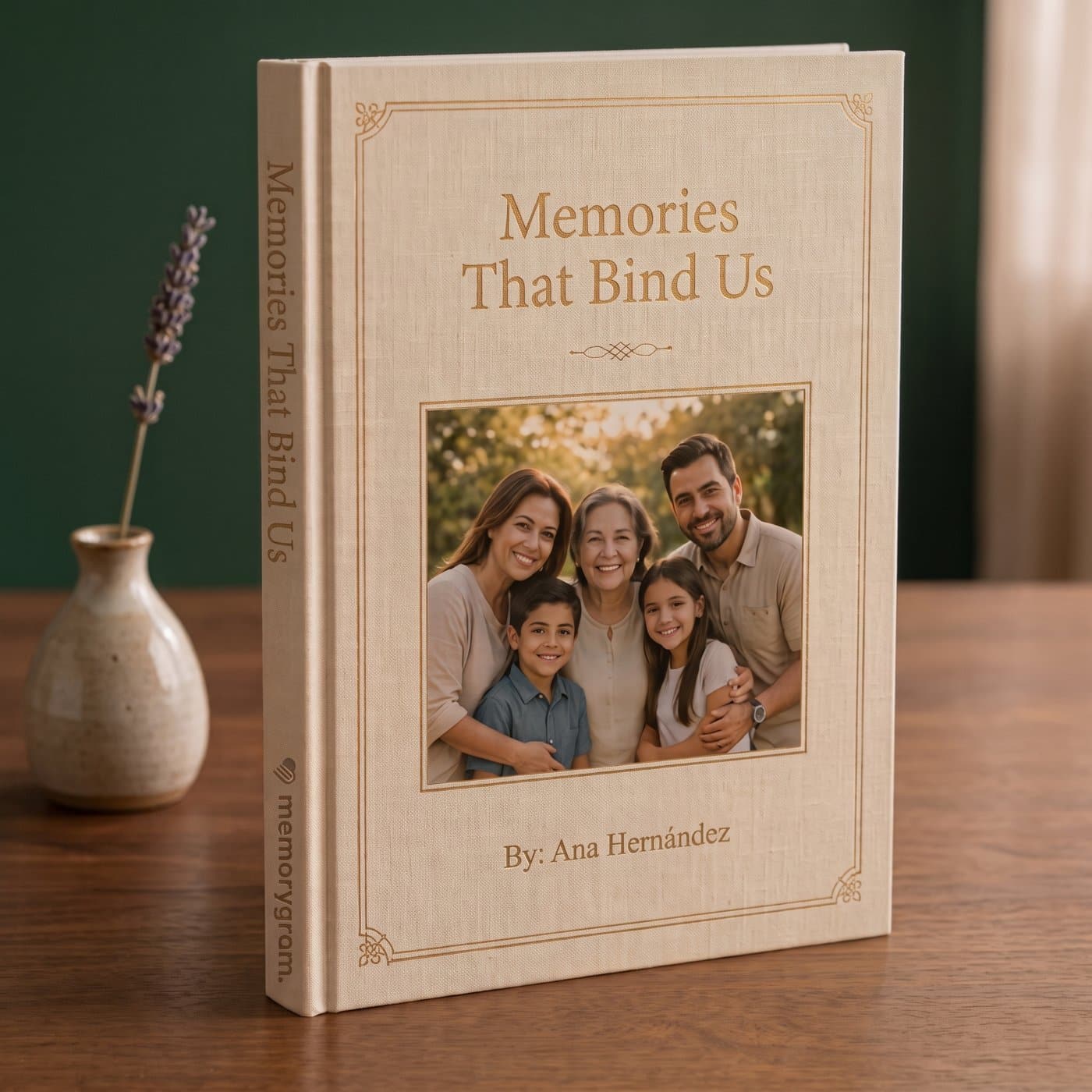
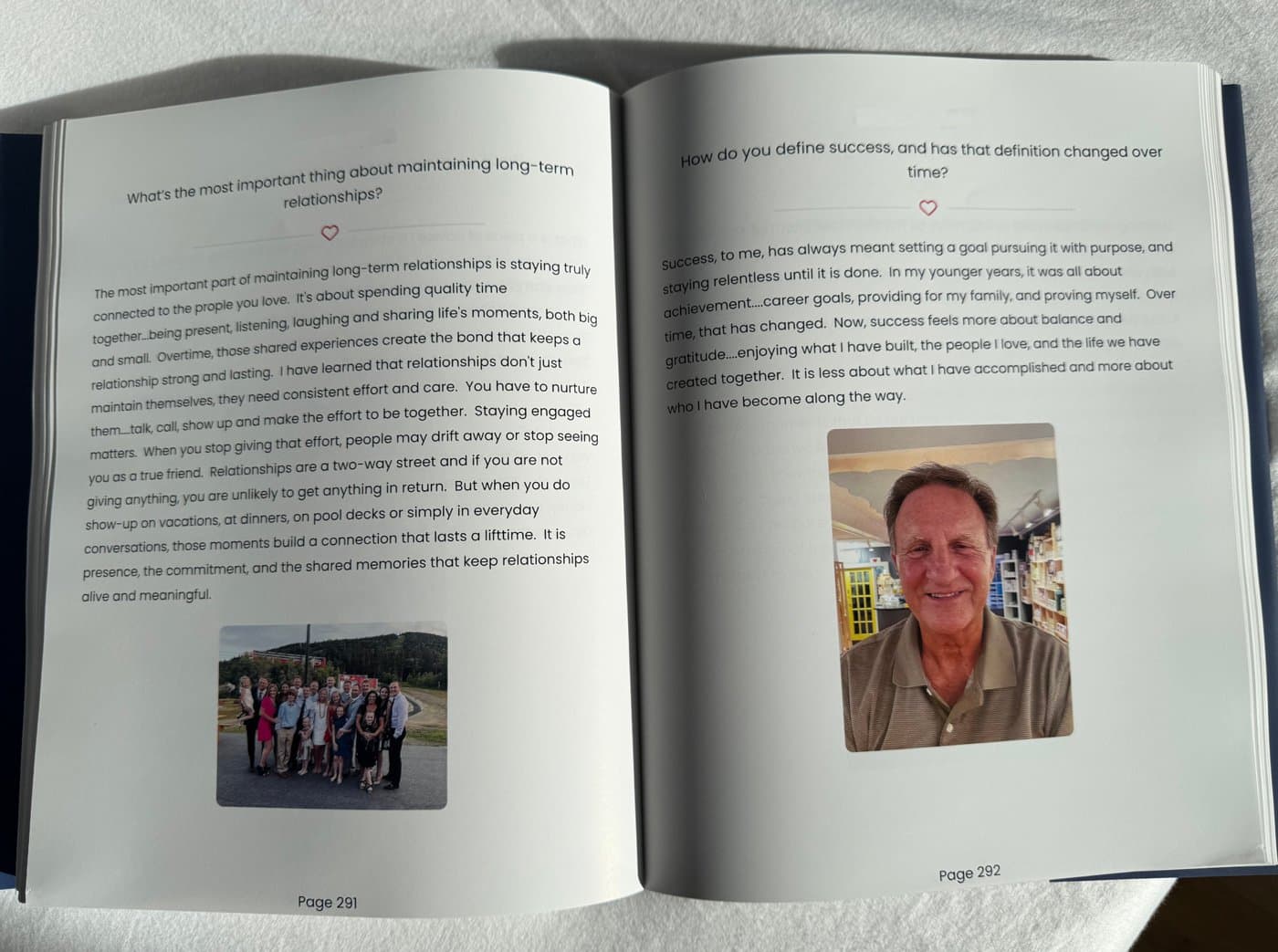
The interior page photos in this article were shared by Memorygram from a completed book rather than shot from a copy I ordered and held myself. The book cover in the product boxes is a sample design supplied by Memorygram, and the screenshots are from my own account.
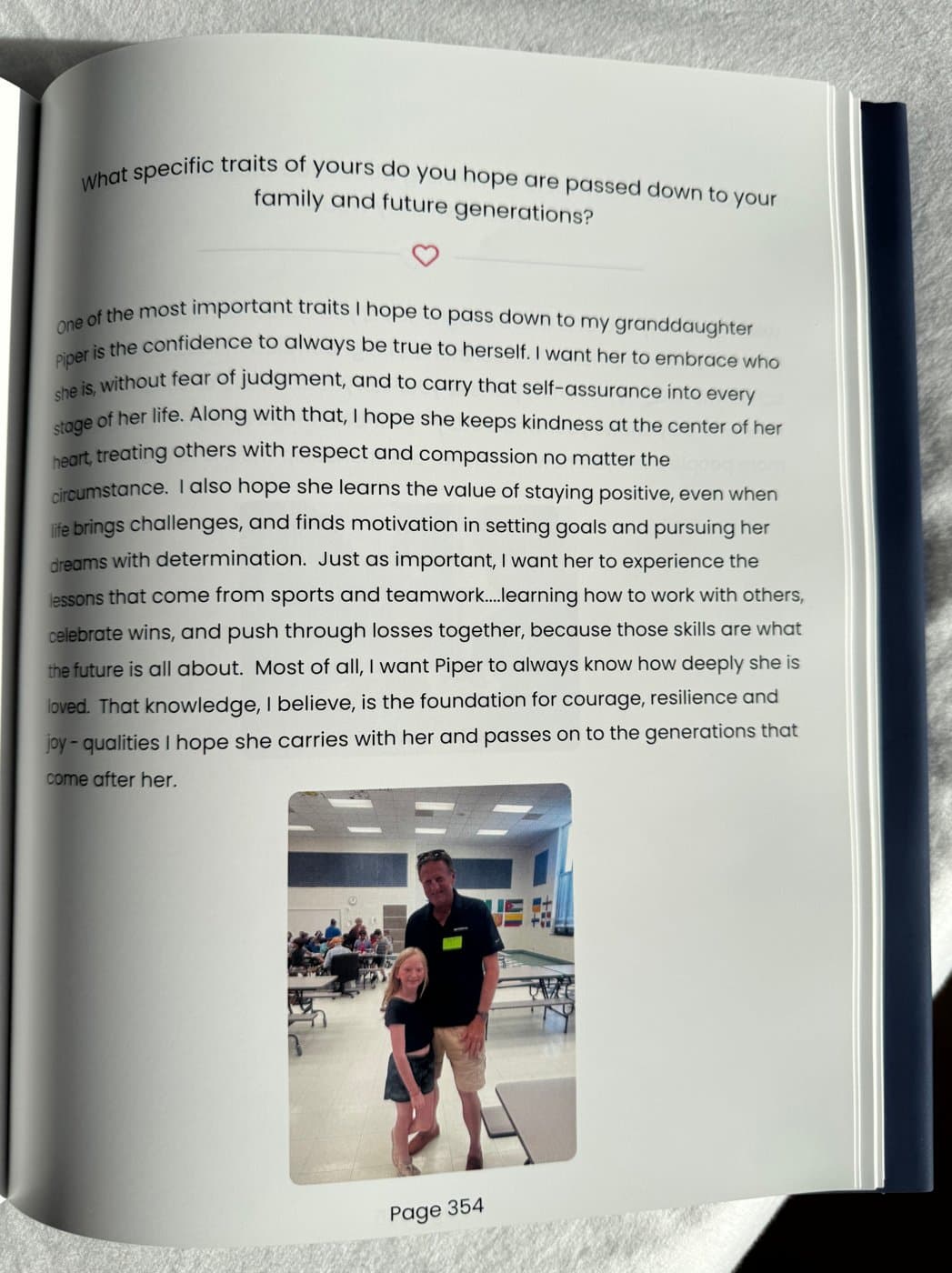
The digital preview tool does let you see your own layout before you commit to printing, which is the best way to judge for yourself.
The Bottom Line
Memorygram solves a real problem for families who want to preserve a parent’s or grandparent’s stories but don’t have a realistic path to actually doing it.
The phone-interview option is the standout feature. It means the person telling the story never has to touch a computer, and the finished book lets your family hear their actual voice, not just read a transcript of it.
If you’ve been meaning to sit down and capture your own story, or your parent’s, for years and just never found a good way to get started, this is about as low-friction an on-ramp as you’re going to find.
My advice: start with the recommended question set, choose the phone-call option if the storyteller isn’t going to want to type, invite at least one family member as a collaborator from day one, and don’t wait for a “someday” that isn’t guaranteed. The stories only exist as long as someone’s still around to tell them.