You know that sinking feeling. You’re heading out the door and your wallet is just… gone. You check your coat pocket, then the counter, then the couch, then your coat pocket again. Sound familiar?
Here’s something that might surprise you: most people lose their wallet at home, not at a restaurant or gas station. It’s under a cushion, in yesterday’s jacket, or sitting exactly where you left it three days ago but you simply can’t remember where that was.
As a Certified Senior Advisor (CSA) and Senior Home Safety Specialist (SHSS), I personally evaluated the Arivexa Wallet Tracker Card to see whether this slim little gadget could genuinely solve that problem for older adults who are already living in the Apple world. What I found was surprisingly practical.
This review covers everything you need to know: how it works, how easy it is to set up, what it does well, and where it falls short.


Quick Takeaways
- Solves: The daily frustration of hunting for a misplaced wallet at home
- Best for: iPhone users who regularly lose track of their wallet, purse, or billfold
- Worth it if: You already use Apple devices and want zero new apps or monthly fees
- Best senior feature: Plays a loud, audible alert so you can follow the sound right to your wallet
- Biggest limitation: This only works with iPhones — Android users need to look elsewhere
How This Could Help You
Think about how much time and anxiety goes into searching for a lost wallet. For many older adults, that daily scramble is more than just annoying — it chips away at confidence and independence.
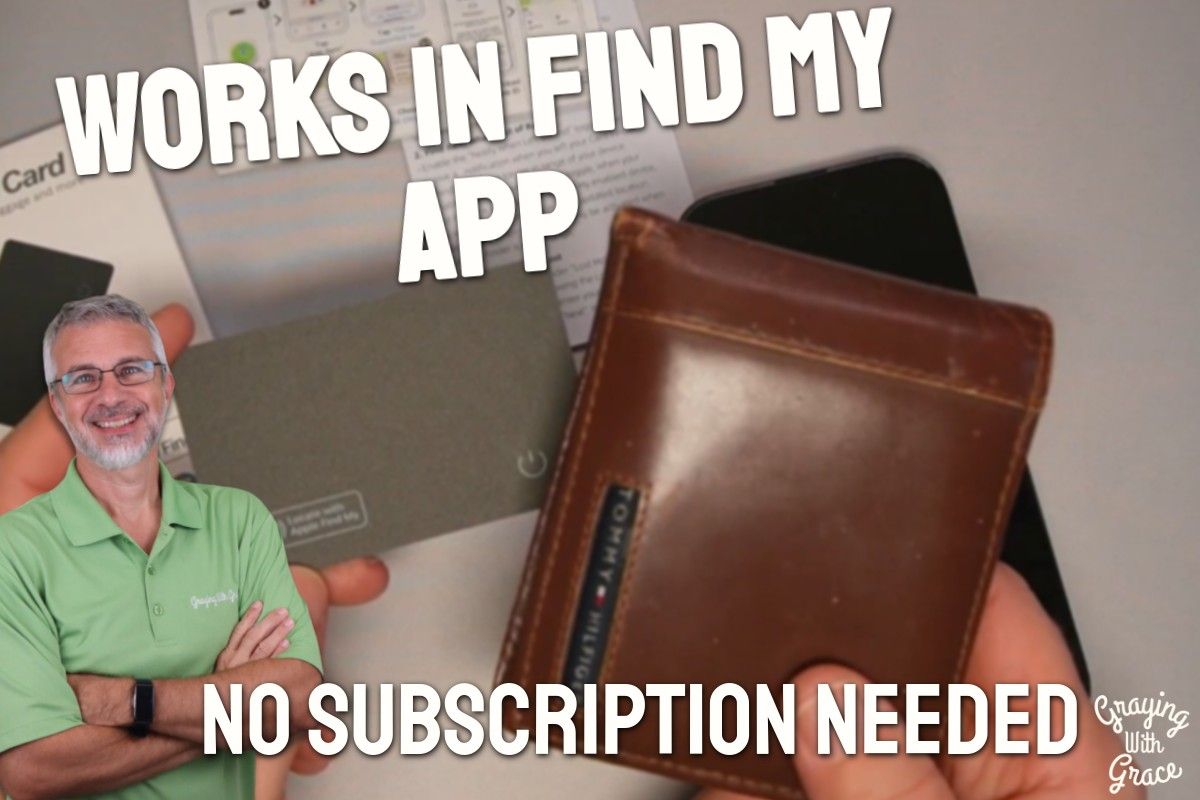
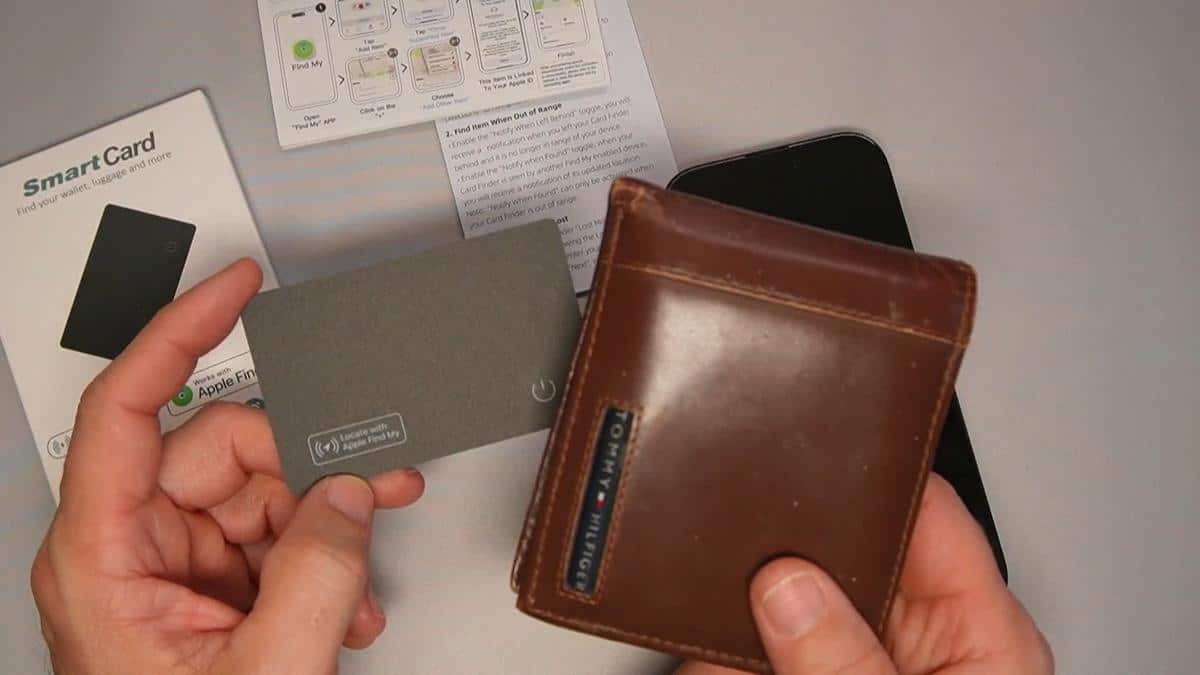
The Arivexa Wallet Tracker Card tucks right into a standard card slot in your wallet. From that moment on, your wallet is trackable right inside the Find My app on your iPhone — the same green target-shaped app you might already use to find a misplaced iPhone.
Heading out and wondering if your wallet is still in your other bag? Open the app and see its location on a map. Already walked out the door and left it behind? The app can send you a notification so you know to turn around before you get too far.
This kind of quiet reassurance matters enormously. It reduces the panic, the searching, and the second-guessing that can make mornings feel stressful.
Ready to discover more innovative strategies for healthy, comfortable aging? Subscribe to our newsletter for expert-tested tips and product recommendations designed specifically for older adults.
Important Details You Should Know
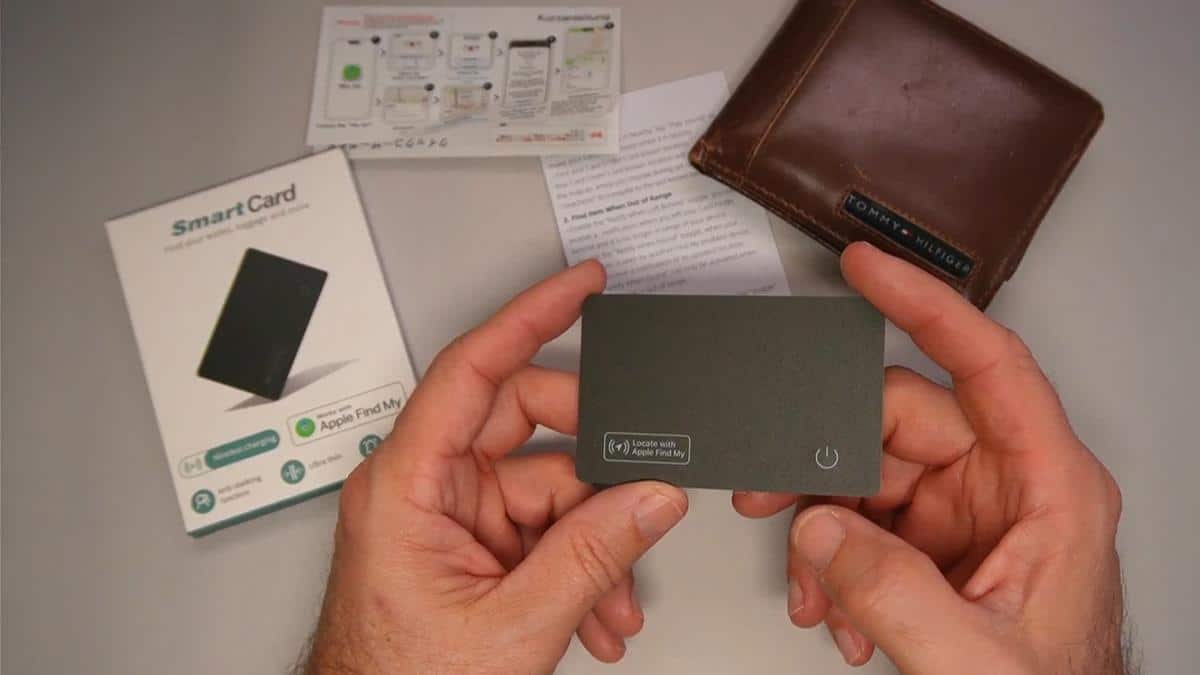
This card measures just 0.07 inches thick. That is only a hair thicker than a standard credit card, so it slides cleanly into any card slot without making your wallet feel bulky or stiff.
It is rated IP68 waterproof, which means it can handle being dropped in a puddle, left in a damp pocket, or even submerged without damage. That is reassuring for everyday carry.
The card is Apple MFi certified, meaning it has been officially approved by Apple to work with their Find My network. You are not dealing with a knockoff product that might stop working after an iOS update.
It fits not just wallets but also billfolds, passport holders, and purses — anywhere you can slip a card-sized object. The form factor is genuinely versatile.
Getting Started
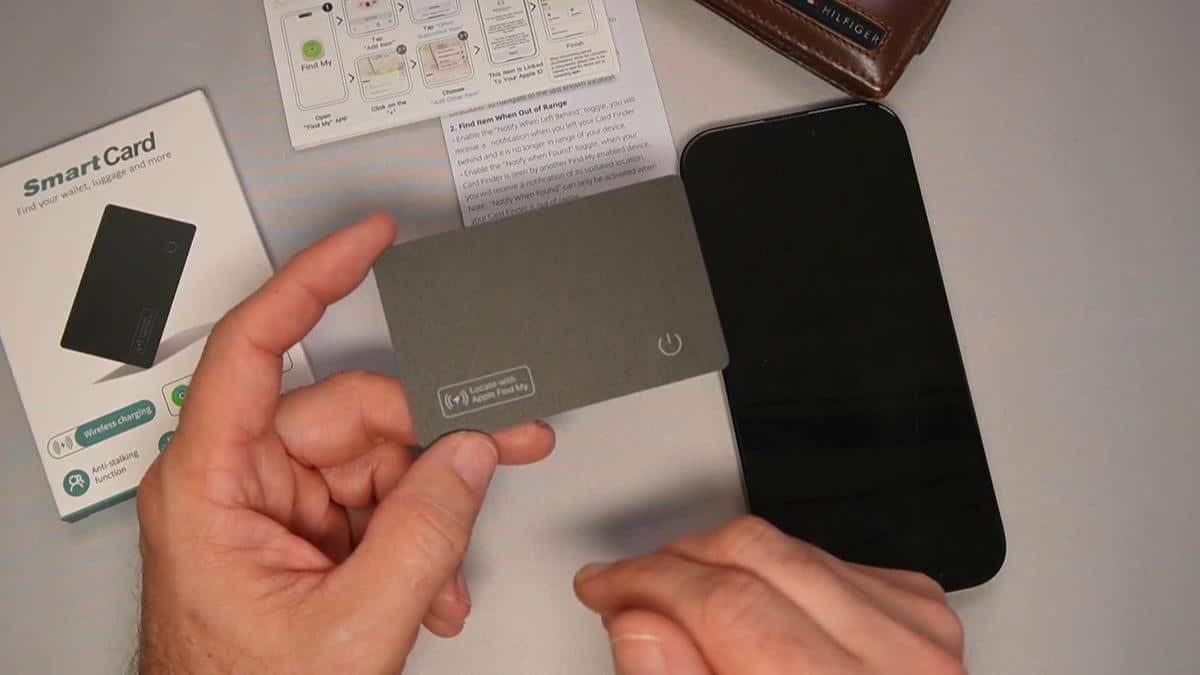
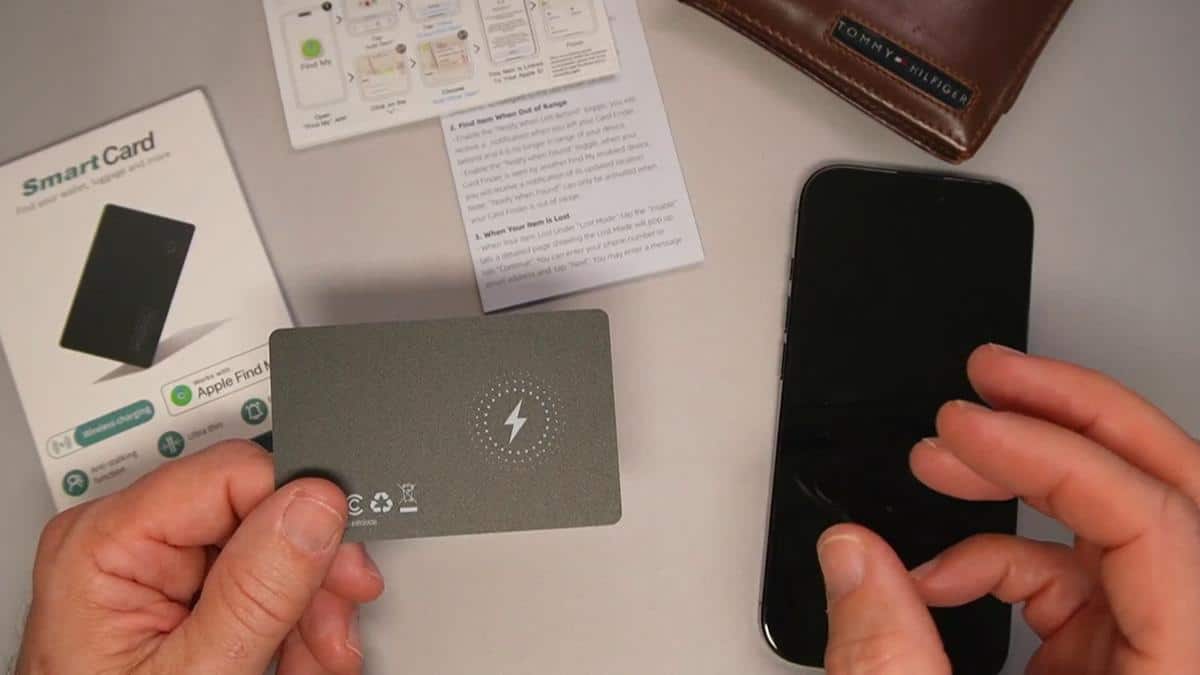
The box includes the tracker card and a helpful printed quick-start guide. It does not include a wireless charger, so if you do not already own one, you will want to pick one up at the same time.
As I demonstrated in the video, setup takes only a few minutes. You power on the card, open the Find My app on your iPhone, tap the plus sign, select “Other Item,” and your phone finds the card almost instantly.
From there you give it a name like “Wallet Card,” choose an emoji if you like, link it to your Apple account, and you are done. In the video, you can see that the whole process from opening the app to being fully connected took less than two minutes.
No new account to create. No subscription to set up. No passwords to remember. If you have ever used Find My to locate your iPhone, this works exactly the same way.
Features That Matter to You
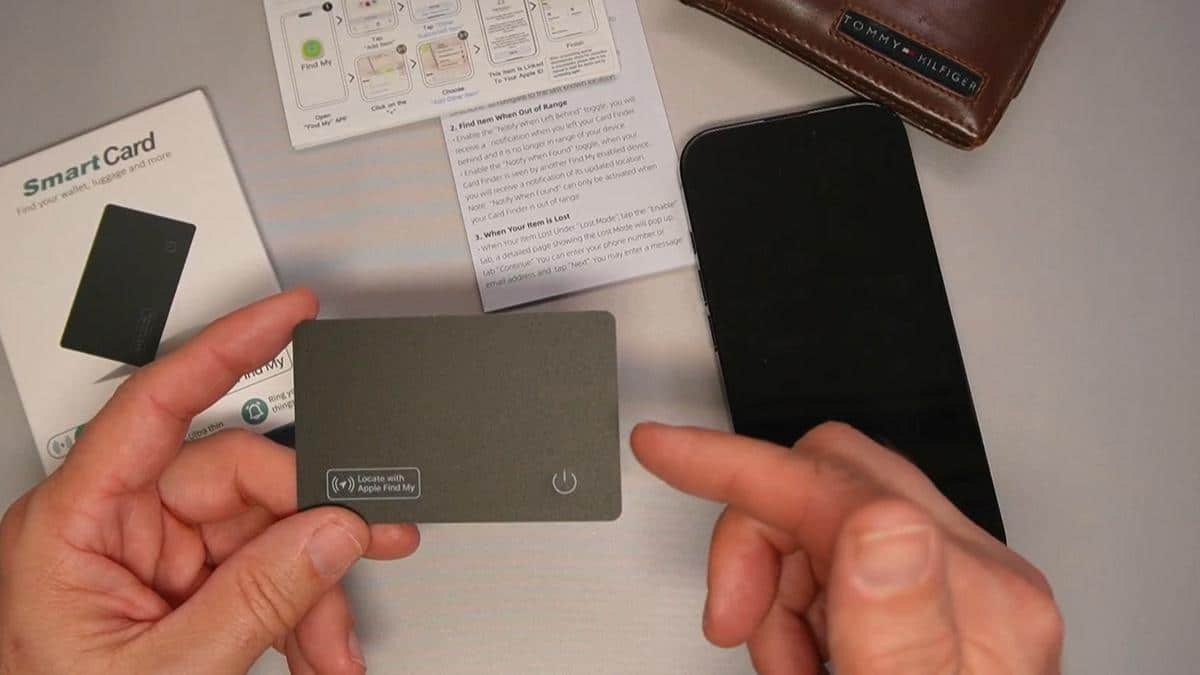
The audible alert is the feature most people will use every single day. When I evaluated this product, I noticed that the sound is loud and high-pitched enough to hear easily from another room. You tap “Play Sound” in the app and just follow the noise straight to your wallet.
Beyond the sound alert, the Arivexa Wallet Tracker Card shows your wallet’s location on a live map inside Find My. If you left it somewhere outside the house, you can tap “Directions” and get turn-by-turn navigation right to it.
The “Notify When Left Behind” feature is a game-changer for forgetful moments. Set a distance threshold and your iPhone will buzz and alert you if your wallet wanders too far away — like when you leave it at a friend’s house or accidentally set it on a store counter.
You can also share the tracker’s location with a trusted family member or caregiver. That means a daughter, son, or care partner can help you locate it remotely if you need assistance.
The Find My network itself is massive. As I demonstrated in the video, when any iPhone passes near your tracker, it anonymously and securely logs the card’s location. You do not need Wi-Fi or a cellular connection on the tracker itself — it piggybacks on Apple’s entire network of hundreds of millions of iPhones.
Real Life Experience
Day to day, this tracker asks almost nothing of you. You slide it into your wallet once, set it up in minutes, and then essentially forget it is there until you need it.
When I evaluated this product, I noticed just how naturally it fits into a bifold wallet without changing the feel or shape at all. You would never know it was there just by picking the wallet up.
The battery life is rated at up to five months on a single charge. That means you are not constantly babysitting it — you charge it roughly twice a year, and the app gives you a heads-up notification when the battery is running low so you are never caught off guard.
Charging is wonderfully simple. In the video, you can see that you just lay the card flat against a standard Qi wireless charging pad — the same round pad you might already use to charge your iPhone overnight. It charges fully in about two hours.
As I demonstrated in the video, stopping the alert is just as easy as starting it. One tap on the small button on the card and the sound stops immediately. No fumbling, no confusion.
Will You Be Able to Use It?
If you can open an app on your iPhone, you can use this tracker. The Find My app has large, clear buttons and a straightforward map display that is easy to read at a glance.
There is very little physical interaction required after the initial setup. You are mostly tapping your phone screen, not pressing tiny buttons on the card itself.
For those who prefer extra help getting started, the included quick-start guide walks through every step clearly. A family member or caregiver could also help with the initial setup and be done in under five minutes.
If your hands shake or you have limited dexterity, the good news is that placing the card into your wallet is a one-time task. After that, the smartphone does all the work.
Important Considerations
This product works exclusively with iPhones. If you use an Android phone, a Samsung, or any non-Apple device, this tracker will not work for you at all. That is a hard stop, not a workaround.
If you have significant memory challenges or dementia, this tracker may require caregiver assistance to use effectively. Navigating the Find My app requires some familiarity with a smartphone, and the benefits are greatest when the user can independently open the app and respond to notifications.
The wireless charger is not included. This is easy to overlook when ordering, so plan ahead and add one to your cart at the same time if you do not already own one.
Bluetooth range does have limits. If your wallet is very far from your phone and not on the broader Find My network, location accuracy may vary. In most home situations, however, this is rarely a practical problem.
As always, consult with your doctor or occupational therapist before making health-related product decisions, particularly if you are managing cognitive changes that may affect technology use.
Help When You Need It
Arivexa includes a printed quick-start guide with the device, which is a genuinely helpful touch for older adults who prefer step-by-step instructions in hand rather than on a screen.
For additional support, customer service is available through the Amazon product listing. Because this device is Apple MFi certified and works entirely within the Find My app, Apple’s own extensive support resources also apply for app-related questions.
The product is covered under standard Amazon return policies, which gives you the flexibility to try it and return it if it does not meet your needs.
Understanding the Cost
One of the most refreshing things about the Arivexa Wallet Tracker Card is what it does not cost you after purchase: nothing. No monthly subscription, no annual fee, no account charges. You buy it once and it works.
Compared to other tracking ecosystems that charge ongoing fees for full functionality, this is genuinely good value for anyone already invested in Apple devices.
Keep in mind that if you do not own a Qi wireless charger, you will need to budget for one. That said, those chargers are widely available and inexpensive, and you can use the same one for your iPhone.
Making It Work for You
Set up the “Notify When Left Behind” alert right away. That single feature can save you more grief than any other — it catches the “I forgot my wallet at the coffee shop” moment before it becomes a problem.
Consider sharing the tracker’s location with a trusted family member through the Find My app. This is especially helpful if a caregiver sometimes helps you manage your schedule and could alert you if your wallet is somewhere unexpected.
Place your Qi wireless charging pad somewhere visible and routine — on your nightstand or kitchen counter. That way, charging the card every few months becomes as automatic as charging your phone.
Give your tracker card a distinctive emoji when setting it up. It sounds small, but that visual cue makes it instantly recognizable on the map, especially if you have multiple items tracked in Find My.
Our Recommendation
If you use an iPhone and you regularly misplace your wallet at home, this is about as close to a no-brainer as it gets. It is thin, it is simple, it requires no new apps, and it costs nothing to operate after purchase.
The audible alert alone — loud enough to hear from the next room — is worth the investment for many older adults who spend precious morning minutes retracing their steps.
If you are an Android user, stop here and look for a tracker designed for Google’s ecosystem instead. This one simply will not work for you.
If cognitive changes make smartphone navigation challenging without help, this tracker works best with a caregiver or family member involved in the setup and day-to-day use. The technology itself is straightforward, but it does require some comfort with an iPhone.
For everyone else in the Apple world who is tired of hunting for their wallet — this is a genuinely practical, low-maintenance solution that earns its place in your pocket.
Where to Get It
You can check current pricing and availability for the Arivexa Wallet Tracker Card on Amazon using the link provided. If you do not already own a Qi wireless charger, this is a good time to add one to your order so you are fully set up from day one.
Conclusion
The Arivexa Wallet Tracker Card does exactly what it promises: it turns a wallet into something you can find in seconds using technology you already own. No new apps, no subscriptions, no fuss.
For older adults already living in the Apple ecosystem, this is one of those rare gadgets that quietly earns its keep every single day — and then disappears into the background until the moment you actually need it.
Have you tried a wallet tracker before? Did it actually save you from hunting through the whole house? Drop your experience in the comments below — I would love to hear how it worked out for you.