
Your mom calls for the third time this week because the TV “isn’t working again.” You talk her through it, and ten minutes later she’s watching her show. If that sounds familiar, these simple tech swaps for older adults are for you. They are small, practical changes that cut daily frustration without a full weekend of setup.
Below you’ll find why some seniors say “I don’t do technology,” three questions to ask before you buy any device, passive tools that need nothing from them, how to introduce new technology without a fight, when technology isn’t the answer, which assistive devices help with what, and how to choose, test and buy without wasting money.
The 7-Swap Tech Setup Checklist: A Room-by-Room Guide to Making Daily Tech Easier for Older Adults
Download this room-by-room checklist and discover seven affordable tech swaps that help older adults do more independently, eliminating daily frustration without requiring them to learn anything new.
Why Simple Tech Makes a Real Difference (Not What You Think)
Modern devices are built to do everything. Stream, record, search, share, connect, notify, and remind, all from one screen or one remote. That’s impressive, but it’s also the problem.
When a device tries to do everything, it becomes harder to do any one thing well. That’s especially true for someone who just wants to turn up the volume without accidentally switching to HDMI 3.
Simplification isn’t about lowering expectations. It’s about removing the obstacles between a person and what they actually want to do. When someone can manage their own TV, phone, or tablet without asking for help, they feel capable and confident, and that matters more than any single feature.
These seven swaps are worth trying one at a time. Start with the one that would make the biggest difference this week.
Why Some Seniors Say "I Don't Do Technology"
“I don’t do technology” can stop every idea you offer. Your parent usually has real reasons behind it, and they make sense once you hear them.
Start with the fear of breaking something. Technology can punish a mistake in ways that feel unpredictable, like deleted files or settings that changed on their own. Many people remember the one time they “did something” to the computer and couldn’t fix it, and they don’t want that embarrassment again.
Then there is the mental load. Multiple steps, hidden menus, and abstract icons are exhausting, even for someone who can learn new things just fine. The demand of modern screens is real.
Small buttons that need precise taps, low contrast screens, and notifications that vanish too quickly add to it. Those are genuine barriers, not minor annoyances.
Privacy worries count too. Headlines about data breaches and scams feel personal, and “the speaker is always listening” is a reasonable discomfort, not paranoia.
Loss of control may be the deepest reason. Technology often arrives with a hint of “we need to monitor you because you can’t manage alone,” and that feels insulting. Add a phone that is also a camera, browser, and GPS when your parent wants to make calls, and the basics get buried.
Here is the good news. Seniors are often more capable with technology than we give them credit for. They need tools that match what they actually need.
Before you suggest anything, ask three questions. Does it make them do something, learn something, or remember something? The fewer yes answers, the better. Things like motion-sensor lights and a large button remote ask very little of them.
A few habits help. Start with a problem they have named, not one you have picked for them. Say it helps you, not that it fixes them. Set it up completely before you leave, and give it a few days. If distance is the challenge, communication tools designed for seniors can help bridge the gap while respecting their comfort level.
Some parents will refuse everything anyway. Then paper calendars, phone call reminders, and in-person visits are fair answers, and the conversation about accepting help goes better when you understand their side first.

Swap #1: A Large Button TV Remote That Actually Makes Sense



Why Standard Remotes Fail
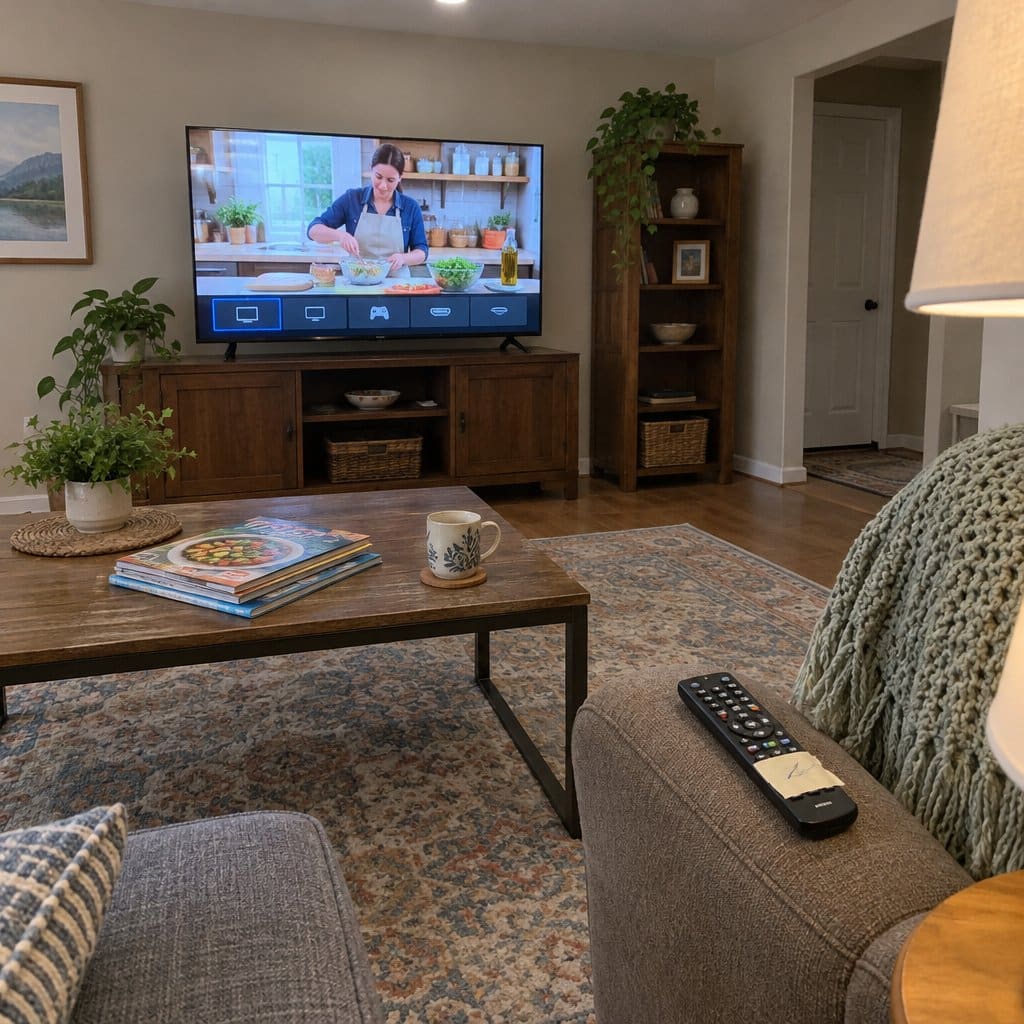
A TV remote can have dozens of buttons, and most people use only a handful. The rest exist to change inputs accidentally, mute the wrong thing, or baffle anyone who didn’t read the manual.
For anyone dealing with low vision or reduced dexterity, a standard remote isn’t just annoying, it’s a daily barrier. Tiny labels, low contrast printing, and too many nearly identical buttons make every TV session a small puzzle.
What to Look For
A good large button TV remote keeps it simple by design. Look for:
- 10 to 12 buttons maximum: power, volume, channel, mute, and maybe a few streaming shortcuts
- High-contrast printing: large, readable labels that don’t require glasses to interpret
- Easy grip design: comfortable in one hand without being easy to drop
- Universal compatibility: most quality simplified remotes work across major TV brands without complicated programming
The Real Payoff
Think about the difference between a parent who calls you every time they hit the wrong input button and one who can turn on the TV, find their show, and adjust the volume without any help. That second scenario is independence, and a well-designed remote is what makes it possible. If you’re shopping for a parent, this list of small gifts that remove daily frustrations starts with a big button TV remote.
For a closer look at one that works with Roku TVs, see my review of the big button remote for Roku TV from EZClicker.
This isn’t a “senior remote.” It’s a better-designed remote. Plenty of people who aren’t seniors would choose fewer buttons if given the option.
A large button TV remote solves what’s often the most frequent frustration in the home, and it’s usually the best place to start.


Swaps #2 and #3: Phone and Tablet Upgrades That Reduce Daily Frustration


Swap #2: A Big Button Phone
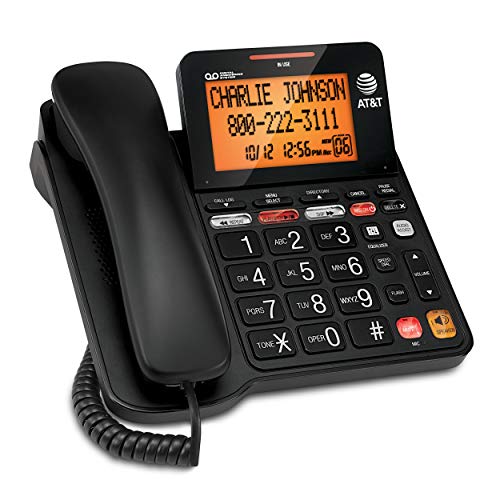
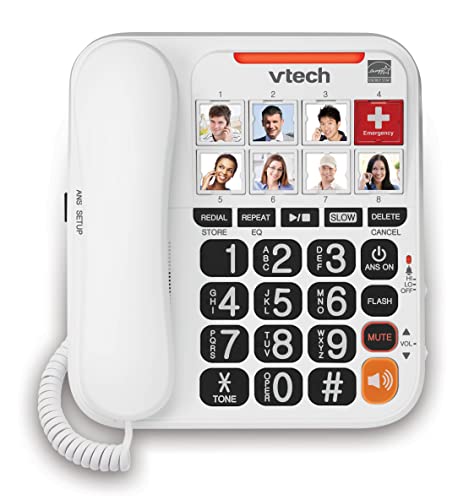
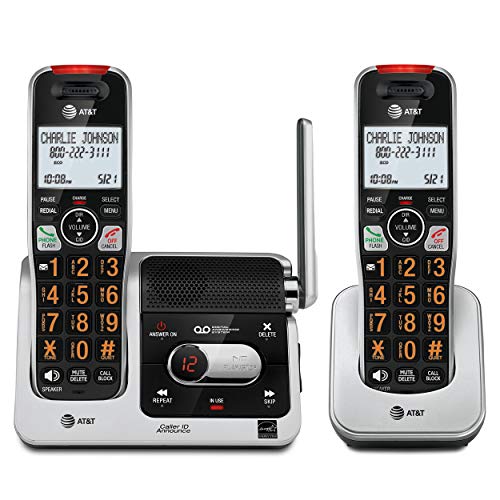
Small touchscreens and tiny keypads create real barriers for anyone with reduced dexterity or low vision. A big button phone, with large tactile keys, loud and clear audio, and a simple menu structure, removes those barriers without removing functionality.
The independence angle here is straightforward: being able to call family, reach a doctor’s office, or dial for help without struggling through a screen that’s hard to see and harder to tap accurately. For anyone who wants to stay connected on their own terms, the right phone design makes all the difference.
Look for big button phones with programmable speed dial, ideally with photo labels, so the most important calls are always one press away.
If you prefer a corded option, I also demoed a simple landline phone with loud audio and an ergonomic handset that adds a bright visual ring indicator.



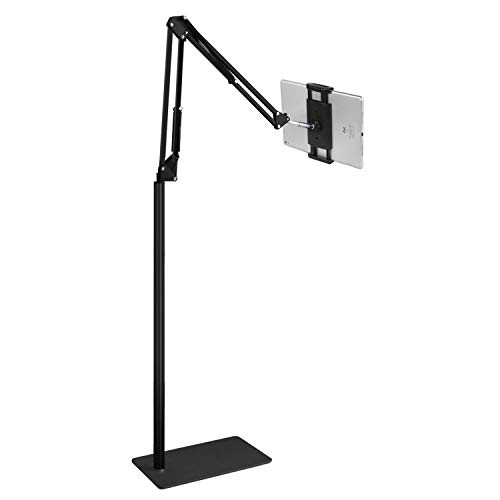
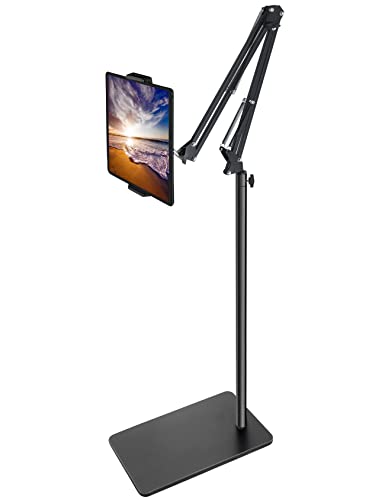
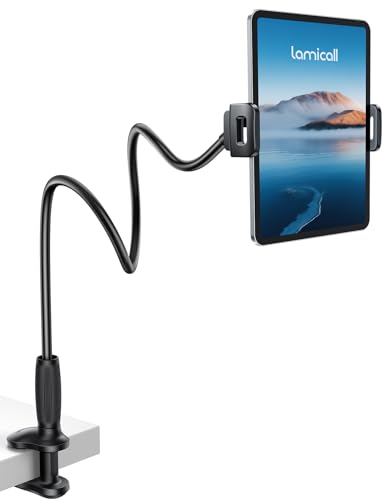
Swap #3: A Hands-Free Tablet Stand
A tablet is one of the most versatile tools a person can have: video calls with grandchildren, following a recipe, watching a favorite show. But holding a device for a long time tires the arms, and propping it up with a pillow isn’t a real solution.
A good hands-free stand turns the tablet into an accessible hub. It holds the screen at eye level, keeps it stable, and removes the physical effort of simply viewing it. If you’re helping a parent get more out of their device, pairing the right tablet with the right stand is one of the smartest setups you can arrange in a single visit.
Prioritize adjustable height and a wide stable base over compact folding designs. Stability matters more than portability here.


![RIWUCT Tablet Pillow Stand for Bed, [Adjustable & Stable] Kindle](https://m.media-amazon.com/images/I/41j5Nm4bZtL._SL500_.jpg)


Swaps #4 and #5: The Quiet Helpers That Reduce Small Frustrations Daily




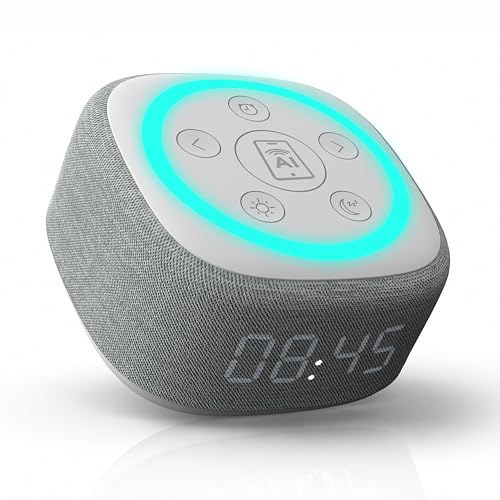
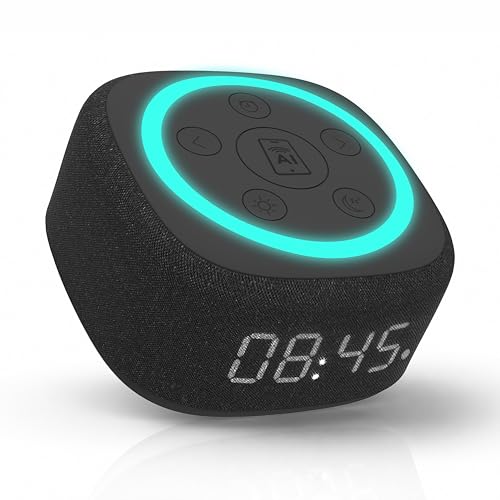
Swap #4: A Voice Assistant Smart Speaker
A voice assistant removes the need to navigate menus, find the remote, or type anything at all. You just talk to it, and it responds.
The practical uses stack up quickly: setting medication reminders, checking the weather before a walk, playing a favorite radio station, calling family hands-free, or even controlling smart home lights. The “it just listens” simplicity is genuinely different from anything else on this list.
Setup takes about ten minutes and is easy to handle during a regular visit. Once it’s running, the ongoing involvement required from a caregiver is close to zero.
A voice assistant smart speaker that responds reliably to clear voice commands is one of the most useful tech additions for anyone who wants more convenience with less complexity.




Swap #5: A Large Button Calculator
This one sounds simple because it is. But small calculator buttons are a genuine daily frustration for anyone managing household finances, tracking medications, or working through a recipe.
A large button calculator with a high-contrast display removes that friction. It’s not a dramatic solution, but daily independence is built from dozens of small comfortable moments, not just big ones.
Look for a high-contrast display as much as large buttons. Both features together make a much bigger difference than either alone.





Subscribe to our newsletter for more tips: Join here
Passive Tools That Need Nothing From Them
Some of the best helpers are the ones your parent never has to touch. No buttons to press, no passwords, nothing to learn. Here are four kinds.
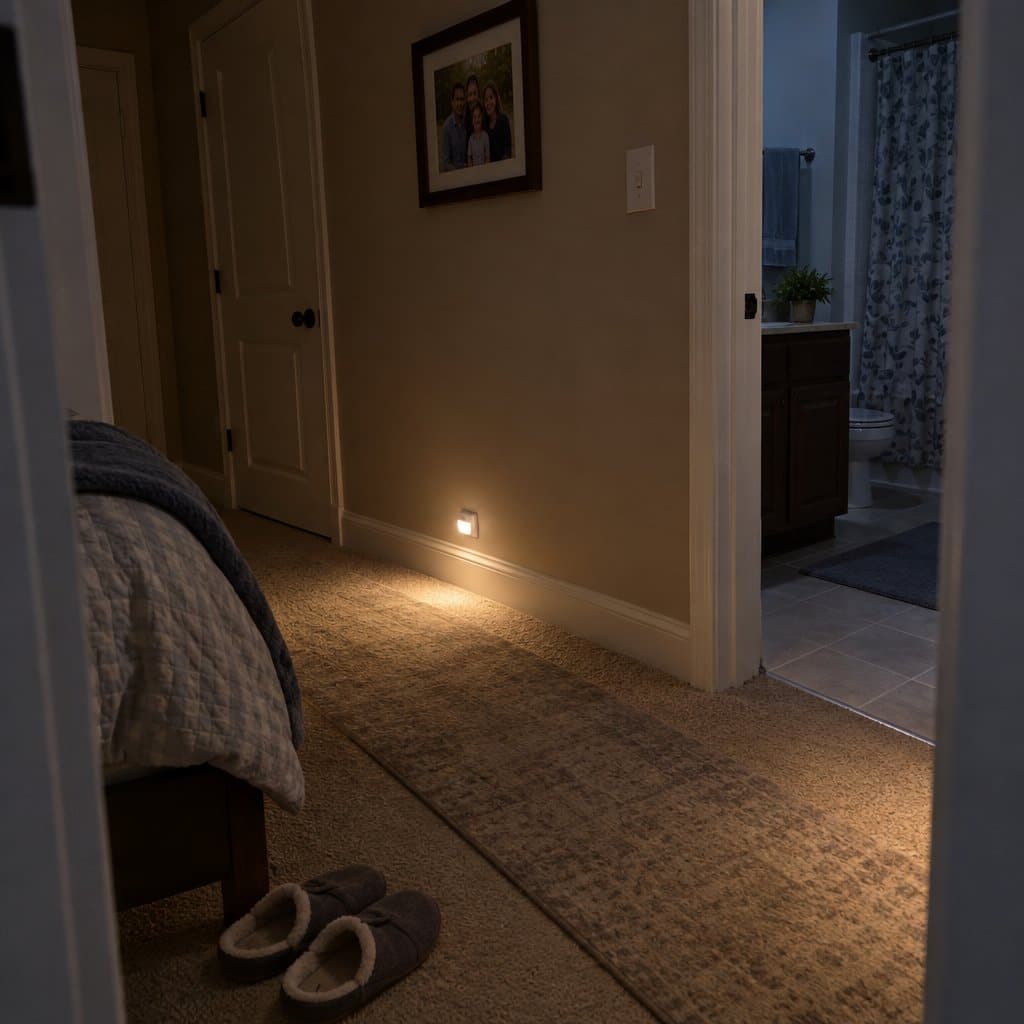
Motion-sensor lights turn on by themselves when they sense movement. Your parent just walks by, which makes them a good fit for nighttime bathroom trips, since nobody has to fumble for a switch in the dark. You install them once. The batteries need changing now and then, and you can handle that during a visit.
A digital message display is a screen that shows photos and messages you send from your phone. It sits there like a picture frame or a note on the refrigerator. A line like “Take morning meds” or “Doctor visit today at 2” can appear and stay put, and there are no buttons to press wrong. Setup takes about five minutes, and you manage it from your phone.
A digital day clock shows the day, date, and time in large print, sometimes with morning, afternoon, or evening. It can cut down on repeated questions about what day it is. It suits someone with mild memory issues or time confusion. You set it once and leave it plugged in.
A wearable emergency button is a necklace or bracelet with a button to call for help. Your parent presses it only in an emergency. Most are waterproof, so they can be worn in the shower, where falls often happen. It can feel like giving up independence, so present it as a safety backup, not constant monitoring. It also helps to talk with your parent about how they feel about changes like this before you buy.
The trade-off is that each of these does one job. A day clock can’t show photos or messages, and a message display can’t call anyone for help, so you may end up pairing two of them.
Three Questions to Ask Before You Buy Any Device
Before you bring any gadget into a parent’s home, ask three questions about it. They sort the easy wins from the ones that end up in a drawer.
Question one: does it make them do anything? The best answer is nothing at all. Pressing one button is fine. Several steps, menus, or choices are a problem.
Question two: does it make them learn anything? The best device works like something they already know. A single new idea is acceptable. A new screen, new vocabulary, or abstract ideas are a problem.
Question three: does it make them remember anything? The best answer is no passwords, no charging, and no upkeep. One simple routine, like plugging it in at night, is fine. Several passwords, regular updates, and troubleshooting are a problem.
Every yes makes pushback more likely. The device that asks nothing of them, no doing, no learning, no remembering, is the one most likely to be accepted.
Keep in mind that your parent may be more capable than you expect. Plenty of tech hacks work well for grandparents once the device fits what they actually need.
The trade-off is that the easiest devices often do very little. A passive tool may not cover everything you hoped for, and that is usually fine for the one job it was picked to do.
Swaps #6 and #7: Vision Support That Makes Everything Else Easier





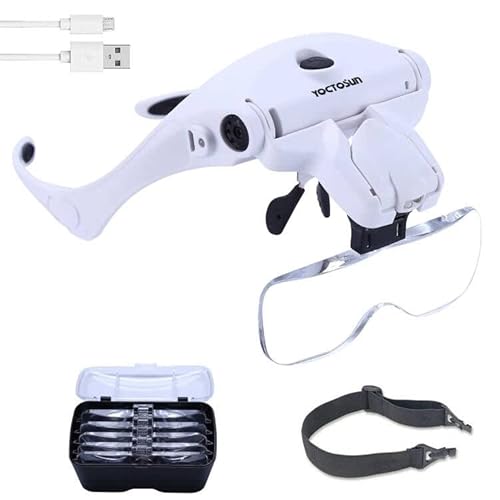
Swap #6: Magnifying Reading Glasses
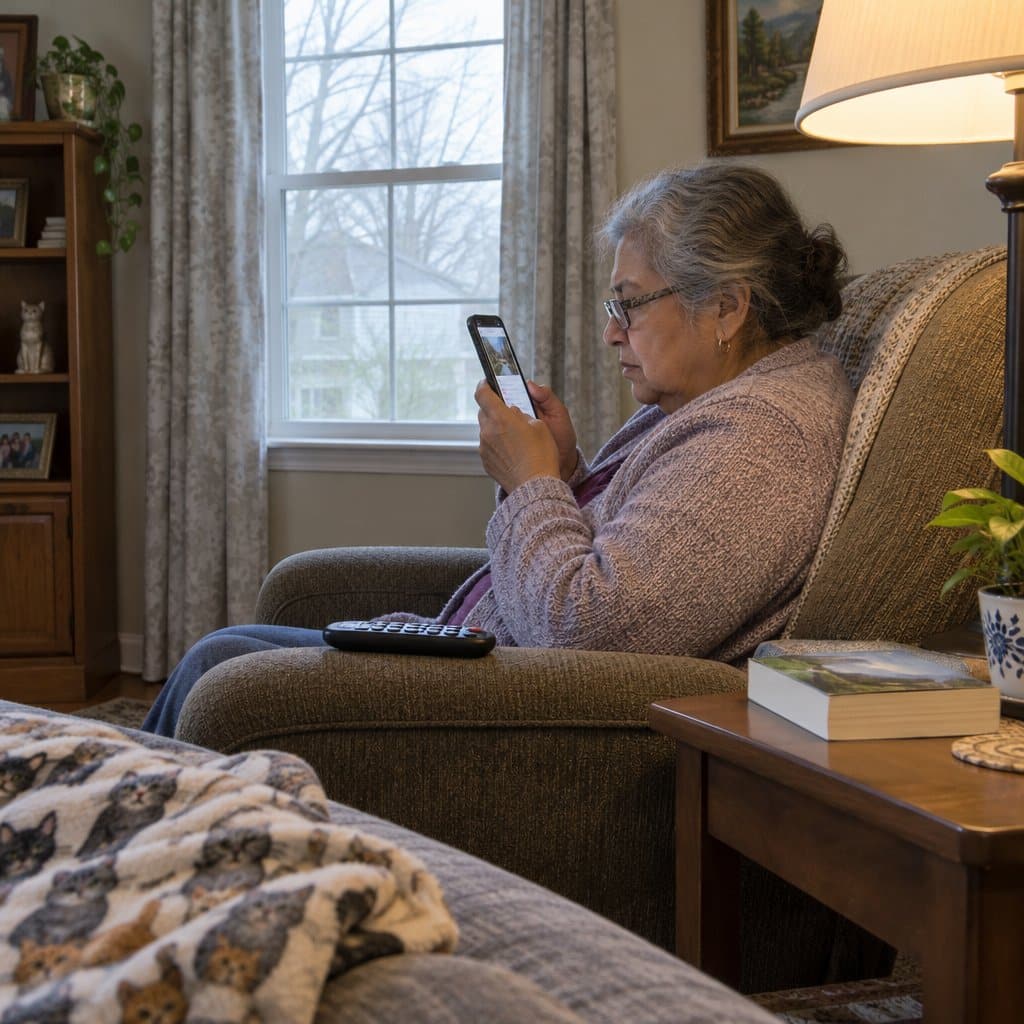
Many technology frustrations aren’t really about the technology. They’re about not being able to see it clearly.
Low vision makes it hard to read small labels, device screens, and remote button text. A quality pair of magnifying reading glasses, kept somewhere easy to find and not buried in a drawer, makes nearly every tech interaction easier. When someone can read the screen clearly, technology stops feeling confusing and starts feeling manageable.
These aren’t a substitute for a proper eye exam, but they fill the daily gap between prescription glasses and the many small-print tasks that come up through the day. Pair them with better lighting in reading and viewing areas. Both changes together make more difference than either one alone.



Swap #7: A Short Setup Visit (The Human Swap)
Sometimes the most powerful swap isn’t a product at all. It’s fifteen minutes with someone who knows what they’re doing.
On your next visit, consider spending a short block of time doing a quiet technology audit: increase font sizes on the phone and tablet, remove unused apps that clutter the home screen, label the remote buttons with a marker if needed, set up speed dial contacts, and make sure the Wi-Fi is connected and stable.
A setup visit, done calmly and without making it a big production, can remove weeks of accumulated frustration. For caregivers, it’s the highest-leverage move on this entire list. You’re not buying anything new; you’re making what’s already there work the way it should.
If you want to extend that investment further, a few simple remote monitoring tools can give you ongoing peace of mind without requiring your parent to learn anything new.
The 7-Swap Tech Setup Checklist: A Room-by-Room Guide to Making Daily Tech Easier for Older Adults
Download this room-by-room checklist and discover seven affordable tech swaps that help older adults do more independently, eliminating daily frustration without requiring them to learn anything new.
How to Choose, Test and Buy Without Wasting Money
Picking the wrong device is discouraging, and it wastes money. A few steps keep that from happening.
Start with the problem, not the product. “Mom keeps missing her medications” points you to a pill dispenser. “Dad can’t hear me on the phone” points you to an amplified handset. Shopping for a gadget first and working backward just creates confusion.
Staying in touch matters too. What happens to seniors when family stops visiting is hard to read, and it is one more reason to pick a communication tool that gets used.
Before you buy, ask yourself a few things:
- Is setup simple enough that your parent can run it alone?
- If something goes wrong, is support easy to reach?
- Can it be adjusted as needs change?
- Does the return policy allow real-world testing?
Try before you buy when you can. A local senior center, your Area Agency on Aging, or an assistive device lending library may let you borrow something first. Many communities offer this, and borrowing first is smart, not indecisive.
For some items, Medicare and Medicaid may cover part or all of the cost. Durable medical equipment, such as walkers, wheelchairs and certain safety devices, often falls under that coverage.
For bigger decisions, like power wheelchairs, home modification plans, or communication devices for significant cognitive or physical challenges, talk to an Assistive Technology Professional. They assess the specific need and match it to a solution. The Assistive Technology Industry Association keeps a directory at atia.org.
The trade-off is that testing first takes a little longer than ordering today. That delay is usually the reason the device gets used instead of returned.
Assistive Devices by Category: What Helps With What
“Assistive technology” sounds clinical, but it just means any tool that helps someone do something more easily or safely. Think of eyeglasses. Nobody questions them, and these tools fill a gap the same way. The trick is matching the tool to the specific problem. Here are four categories.
Mobility and safety comes first for most families. Canes and walkers help with balance, and rollators (wheeled walkers with a seat) suit longer distances or tiredness. Grab bars, non-slip mats, grip socks, bed rails, assist handles and motion-activated nightlights round it out. Balance trouble needs different tools than recovery from surgery, so start with the room or activity that feels least certain. The bathroom is one of the most common fall spots, and nighttime movement is another.
For someone living alone or with a history of falls, a medical alert system adds a safety layer. Look for at least 24 hours of battery life, simple one-button use, and GPS if they leave home regularly.
Memory and medication tools cover missed doses, forgotten appointments and daily tasks. An automatic pill dispenser gives an audible alert at the right time, and locking pill dispensers add lockable compartments. Medication reminder apps, digital calendars and talking or day clocks help too. A reminder prompts, while a dispenser automates, which takes the daily nudging off everyone’s plate. A digital calendar display shows reminders with nothing for your parent to press.
Communication tools start with one question: is the barrier physical, like hearing or vision, or is it comfort with the technology? Hearing amplifiers, amplified handsets, large-button phones, simplified tablets, voice assistants and wireless TV headphones each fit a different answer. Staying connected matters for health, and once these tools are in place, it is worth talking about phone scams. Simply asking your parent what makes staying in touch harder usually points to the right tool.
Daily living devices handle the small tasks done dozens of times a day. Electric can openers, jar openers and ergonomic utensils help with grip. Ratchet belts, sock aids and easier closures help with dressing. Seat lift cushions and transfer belts help with standing. Handheld shower heads, shower benches and long-handled sponges help with bathing. Magnifiers, large-print items and talking devices help with reading. Small fixes like these are often how living independently at home gets started, and even a lamp across the room can be handled without an electrician.
Before buying, ask whether setup is simple enough to do alone, whether support is easy to reach, and whether it can adjust over time. Also ask about the return policy. A senior center or lending library may let you borrow first. The trade-off is that the right device is the one your parent will actually use, which may not be the fanciest one.
When Technology Isn't the Answer
Sometimes you do everything right and your parent still says no. They unplug the message display. They ignore the pill dispenser. They turn down even the simplest ideas.
When that happens, there are other ways to cover the same needs. Paper calendars, phone call reminders, and in-person visits can do the job a screen would have done.
Human help is another route. That can mean paid caregiver visits, a neighbor who checks in, or community services.
Some safety worries may simply need someone there in person. That is a fair answer, not a failure. Even a fall at home, which is a good reason to think about what to do after a fall in the shower, can be planned for with people instead of gadgets.
If a device creates more stress than it solves, it is the wrong tool, even if it would help on paper. Your parent’s right to decide for themselves counts for more than a gadget they never wanted.
Meeting them where they are matters more than pushing what you think would be best for them. Your goal is not to turn them into a technology fan. It is to find one or two things that make life better without asking them to become someone they are not.
The trade-off is that people and paper take more of your time or someone else’s than a quiet device would. You may need to share the visits among family and neighbors.
How to Introduce New Technology Without a Fight
How you bring a new device into the house matters as much as which device you pick. A few habits make acceptance far more likely.
Frame it as helping you, not fixing them. Say “This message board helps me remember to send you reminders,” not “You forget your medications.” Say “I want to share more photos with you easily,” not “You’re lonely.” Respect keeps the door open.
Start with a problem they have named. If they complain about not knowing what day it is, try a day clock. If they miss seeing family, try a photo display with messages. A problem you picked for them is a harder sell.
Set everything up completely before you leave. Test it more than once. If your parent would need written instructions, it is too complicated, so go back and pick something simpler.
Skip the long explanation. Just set it up and let them watch it work. Something like “I’m trying something to help with the mornings” is plenty.
Give it time. The first reaction may be “I don’t need that.” Leave it anyway, because after a few days they often start using it without saying so. Don’t make them admit you were right.
Make it blend in. A message display should sit like a picture frame, and cords should be hidden when you can. Use everyday words like “message board,” “picture display,” or “reminder clock,” and avoid “smart device,” “app,” or “WiFi.” Treat it as a household item, not tech.
Some devices need a little more care in how you present them. A call button for help can feel like giving up independence, so call it a safety backup.
The trade-off is that a quiet approach takes patience. If they reject the first thing, try something else.
Start With One Swap, That’s Enough
None of these changes require a major time investment, a significant budget, or any technical expertise beyond what you already have. They’re small pivots that add up to real daily ease.
For caregivers: your goal isn’t to replace what your parent can do. It’s to remove the friction points that make independence harder than it needs to be. Small changes in the right places make a real difference, and you don’t have to implement all seven at once to see results.
For older adults reading this directly: wanting technology to work better isn’t asking too much. You deserve tools that are well-designed, not tools that require workarounds every time you want to watch your favorite show or call your grandchildren.
Pick the one swap on this list that would make the biggest difference this week. Just one. Then come back and share in the comments which frustration you tackled first, or ask a question about any of these recommendations. I’d love to hear what’s working.
And if fall prevention or home safety is also on your mind while you’re making these changes, this fall prevention checklist is a practical next step worth keeping nearby.