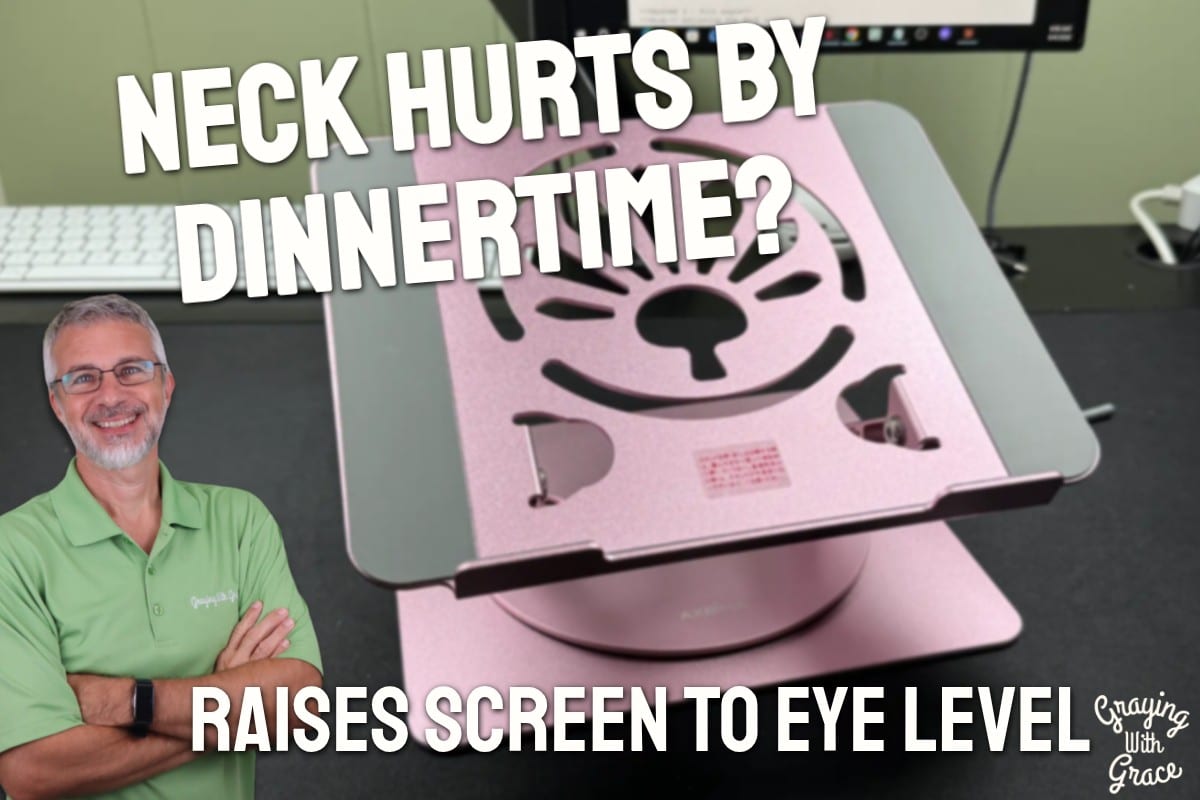
Do you find yourself rubbing the back of your neck by the time dinner rolls around? If you spend several hours a day looking down at a laptop screen, that ache isn’t a coincidence.
Here’s the problem: your laptop screen sits about a foot below where your eyes actually need to be. Over the course of a day, that adds up to real strain on your neck, shoulders, and upper back, which is exactly the kind of laptop screen too low causing neck pain issue I hear about constantly from readers looking for an adjustable laptop stand for neck pain relief.
If long hours at a screen leave your eyes feeling tired and dry too, I also looked at a heated eye mask for dry eye relief that uses gentle warmth.
I’m Scott Grant, Certified Senior Advisor (CSA®) and Senior Home Safety Specialist (SHSS®) here at Graying With Grace, and I got my hands on this stand to test it out myself rather than just read the listing.
Axbima sent me this product at no cost so I could test it out and show you how it works.
In this review, I’ll walk you through what I found when I set it up, adjusted it, and even parked my own oversized 17-inch laptop on it to see if it would hold steady.


Quick Takeaways
- Problem it solves: Laptop screens sitting too low, forcing your neck into a downward tilt for hours at a time.
- Who benefits most: Older adults who work, browse, or video chat on a laptop daily and want a more ergonomic desk ergonomics for older adults setup.
- Worth the investment: Yes, especially if you already have a separate keyboard and mouse or split time between two work locations.
- Best feature for seniors: The height and angle adjustability that lets you find your exact eye level without guesswork.
- Biggest limitation: Laptops with keyboards that extend well past the platform edges need a bit more caution.
Who This Is For
If you’re someone who searched for how to buy adjustable laptop riser because your neck aches by mid-afternoon, the Axbima Adjustable Laptop Stand raises your screen right up to where your eyes naturally rest. No more hunching forward or craning your neck downward for hours on end.
If you split your time between a home office and a coffee shop, or you travel to see grandkids and still need to keep up with email, this stand folds flat and slips into a bag. That means the same ergonomic setup follows you wherever you go, without lugging around something bulky.
If you’re in the process of trying to purchase an ergonomic laptop stand because you already own a separate keyboard and mouse, this is an especially natural fit. You can position the screen up high while your hands stay at a comfortable, lower typing position. If you still need a mouse to go with it, I made a video showing you a quiet ergonomic wireless mouse that eases hand strain.
How This Could Help You
Ever notice how your shoulders creep up toward your ears after a long stretch at the computer? That’s often your body compensating for a screen that’s too low.
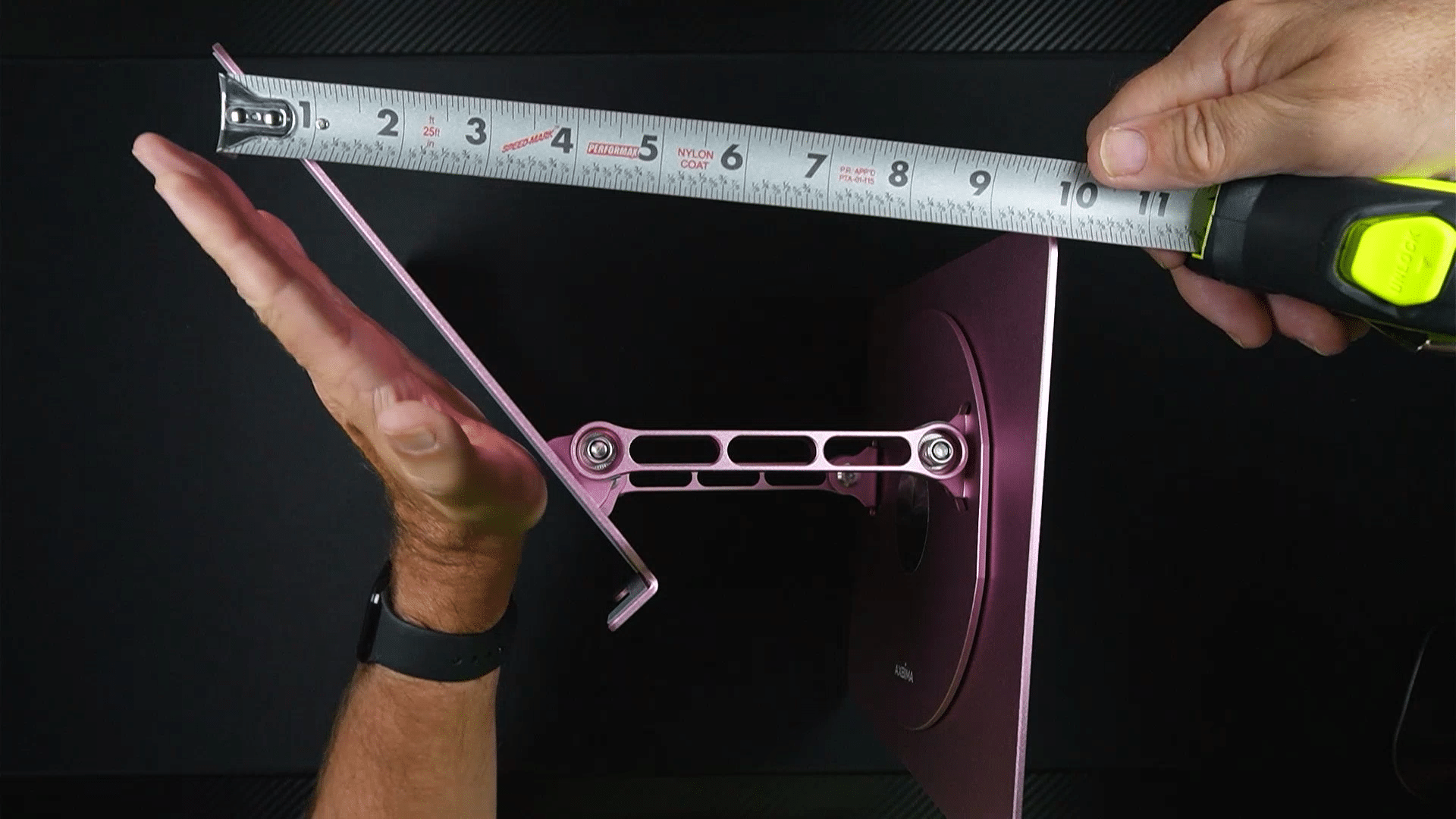
The Axbima Adjustable Laptop Stand tackles that directly by giving you up to a 6-inch height boost from the base, and depending on the angle, you can gain another 10 to 12 inches at the top of the screen itself.
That’s a real answer to the best laptop stands for neck relief comparison question so many people are quietly researching. It’s also worth asking: ergonomic riser vs external monitor, which is better? For many older adults, a monitor means more cost, more desk space, and more cables. A laptop riser solves the height problem with something that folds flat and travels with you.
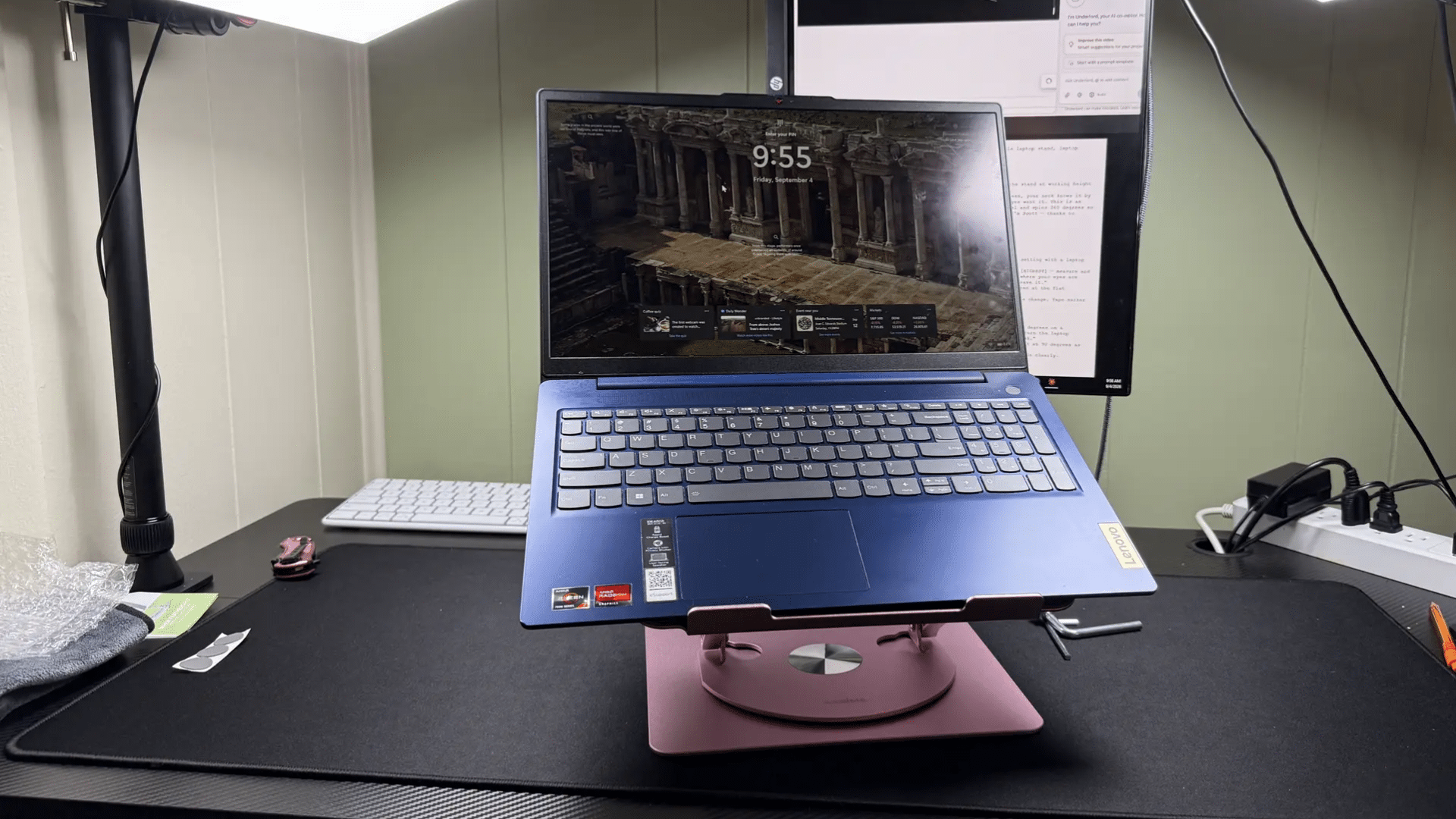
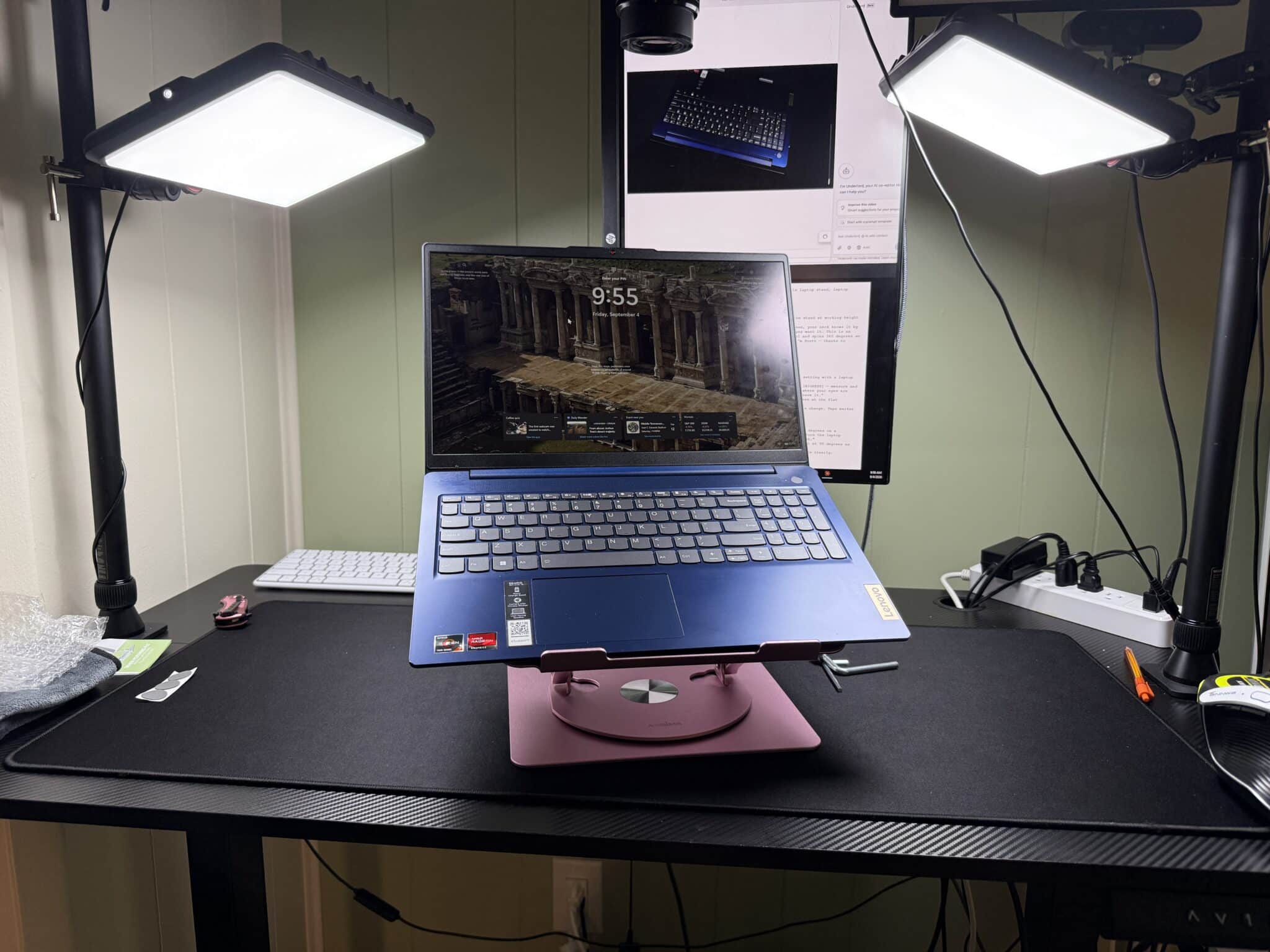
Daily tasks like video calls with grandchildren, reading the news, or managing finances online all get easier when you’re not straining forward to see the screen. And when it comes to laptop stand stability and height reviews, I can tell you firsthand that even with a 17-inch machine, this held rock solid with zero wobble.
Important Details You Should Know
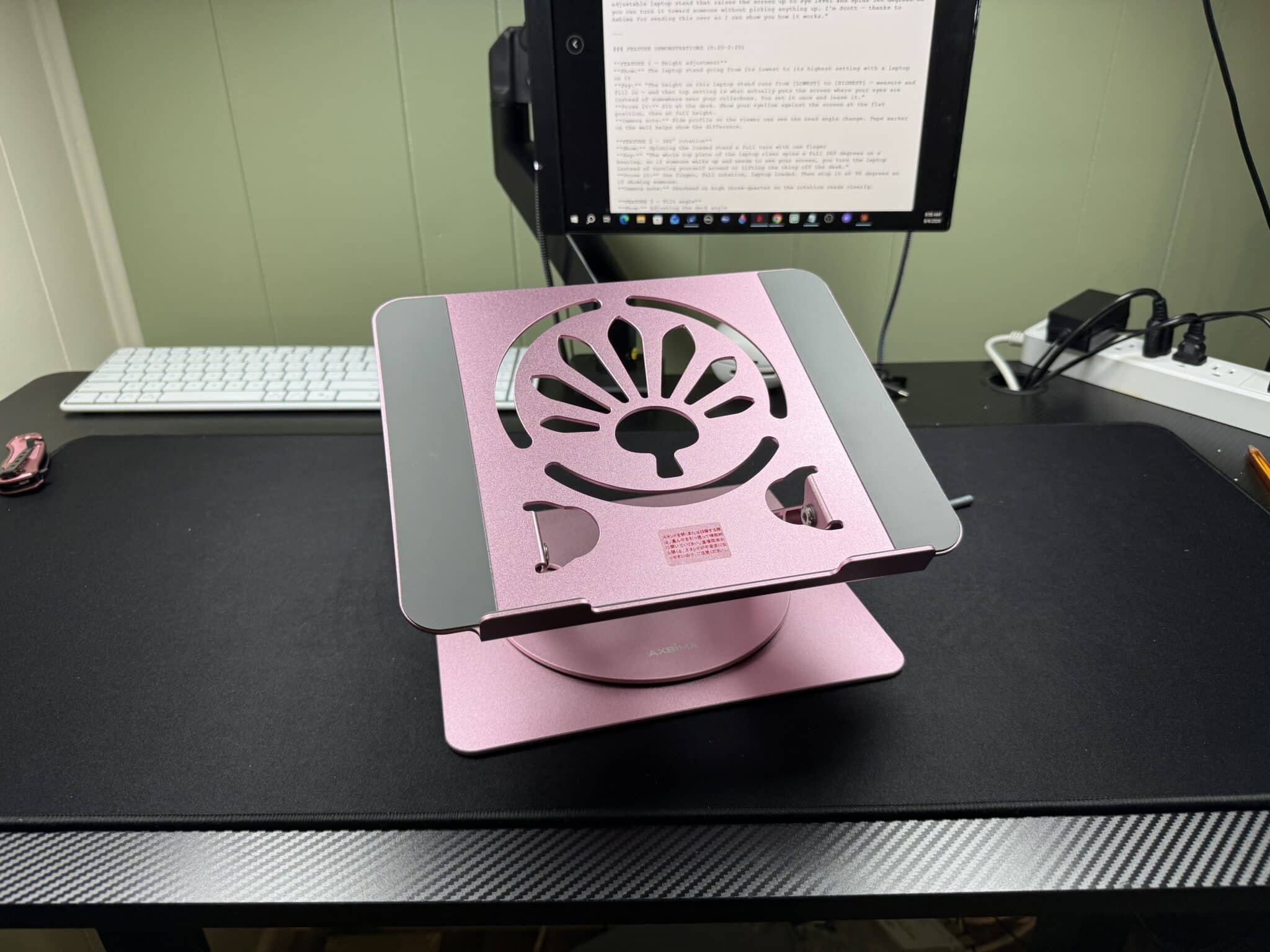
This stand is built from a solid aluminum frame rather than plastic, which matters more than you’d think. That metal construction not only handles more weight without bouncing, it also helps dissipate heat so laptop overheating during work becomes less of an issue.
It’s rated for laptops between 11 and 16 inches, though as I demonstrated in the video, my own 17-inch laptop sat on it just fine. The stand supports up to 18 pounds, and even a heavy 16-inch laptop typically only weighs around 5 pounds, so you have plenty of margin.
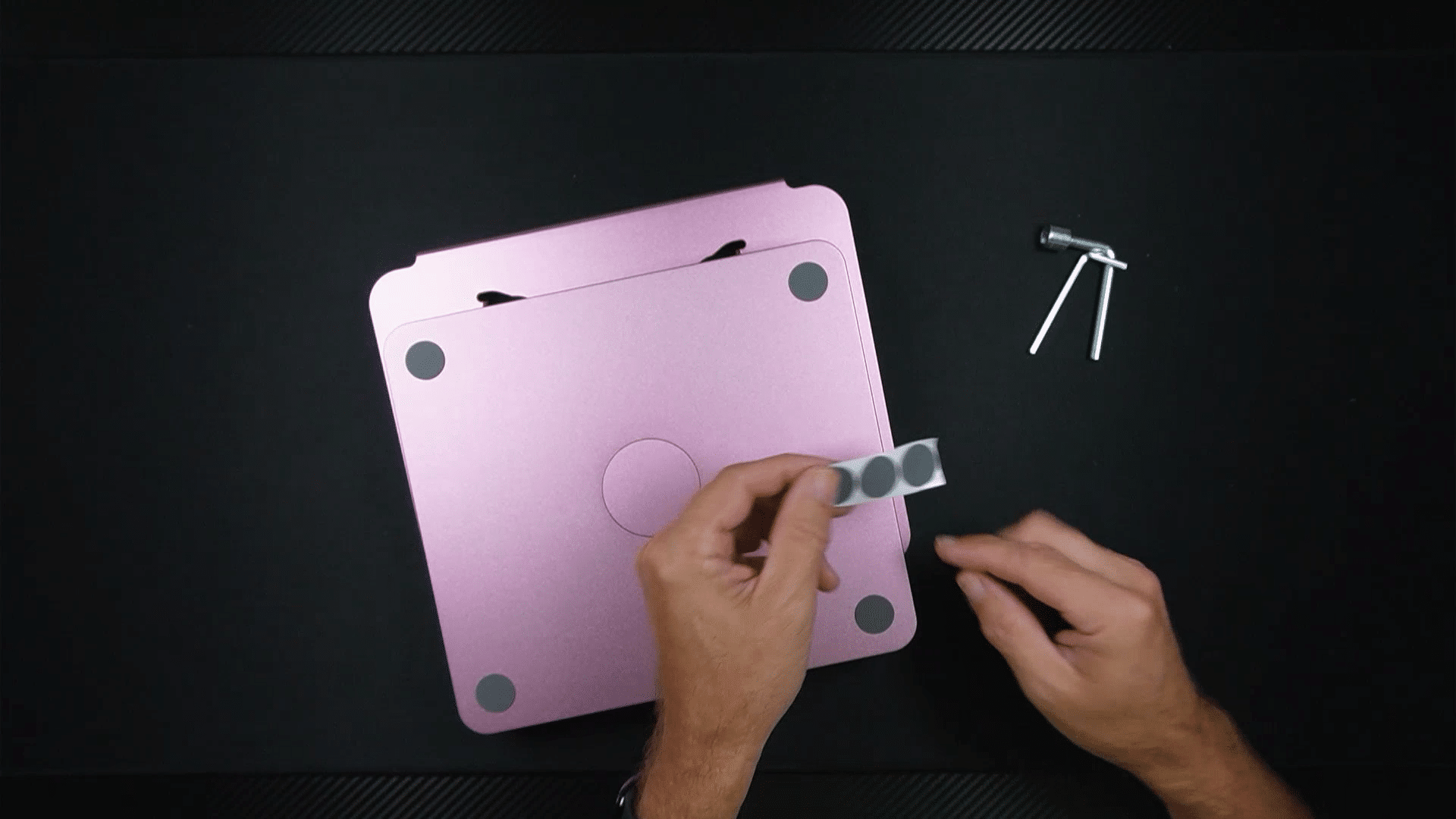
Four rubber feet keep it from sliding on your desk, and rubber strips along the laptop shelf keep your device from shifting. It folds flat in seconds, so if you need to tuck it away or take it with you, that’s simple.
Getting Started
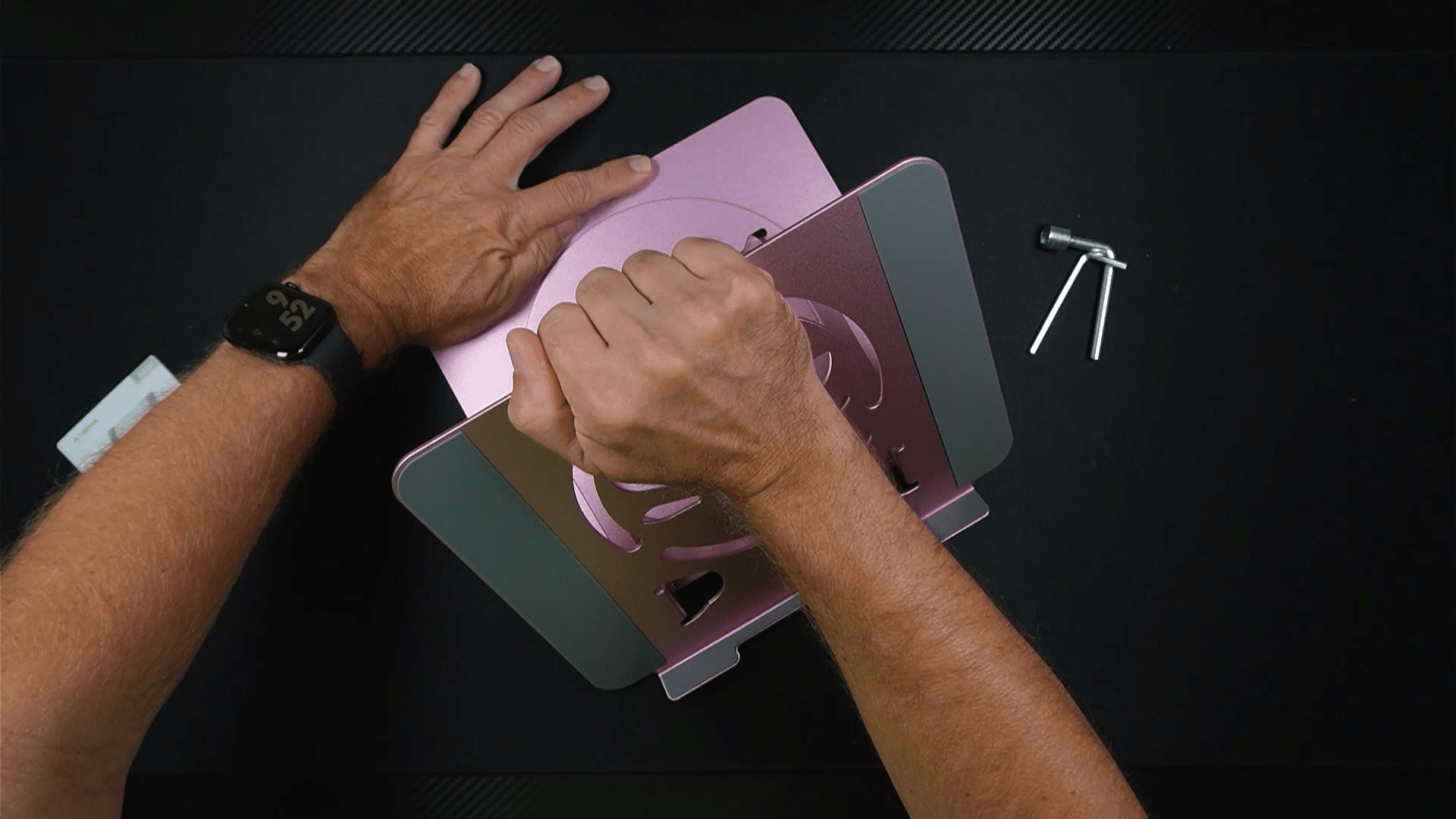
When you open the box, you’ll find the stand itself, a small instruction sheet, a couple of tools, and replacement rubber foot pads.
As I showed in the video, there’s no assembly required at all. You simply hold the base down, apply gentle pressure, and fold it upward to start raising the height.
From there, you can twist for leverage, adjust the front for the exact height you want, and set the tilt angle to whatever suits your posture and screen visibility. The included tools let you adjust the tension on the bolt, so if it ever feels too loose or too tight to move smoothly, you can fine-tune that yourself with no special skills needed.
Ready to discover more innovative strategies for healthy, comfortable aging? Subscribe to our newsletter for expert-tested tips and product recommendations designed specifically for older adults.
Features That Matter to You
Safety and comfort go hand in hand here. The Axbima Adjustable Laptop Stand lets you dial in the exact height and angle that keeps your neck neutral instead of bent forward for hours.
The 360-degree rotation is genuinely satisfying to use. As I mentioned in the video, you can hear a little click as it rotates and locks into place, so once you’ve got it positioned to share your screen with a family member or during a video call, it stays put.
Ease of use is a real strength here too. There’s no assembly, no tools required for initial setup, and the adjustments are intuitive enough that you can get it into position on the very first try.
Real Life Experience
When I evaluated this product, I noticed right away how smoothly the height adjustment worked, even with one hand while I held my laptop steady with the other.
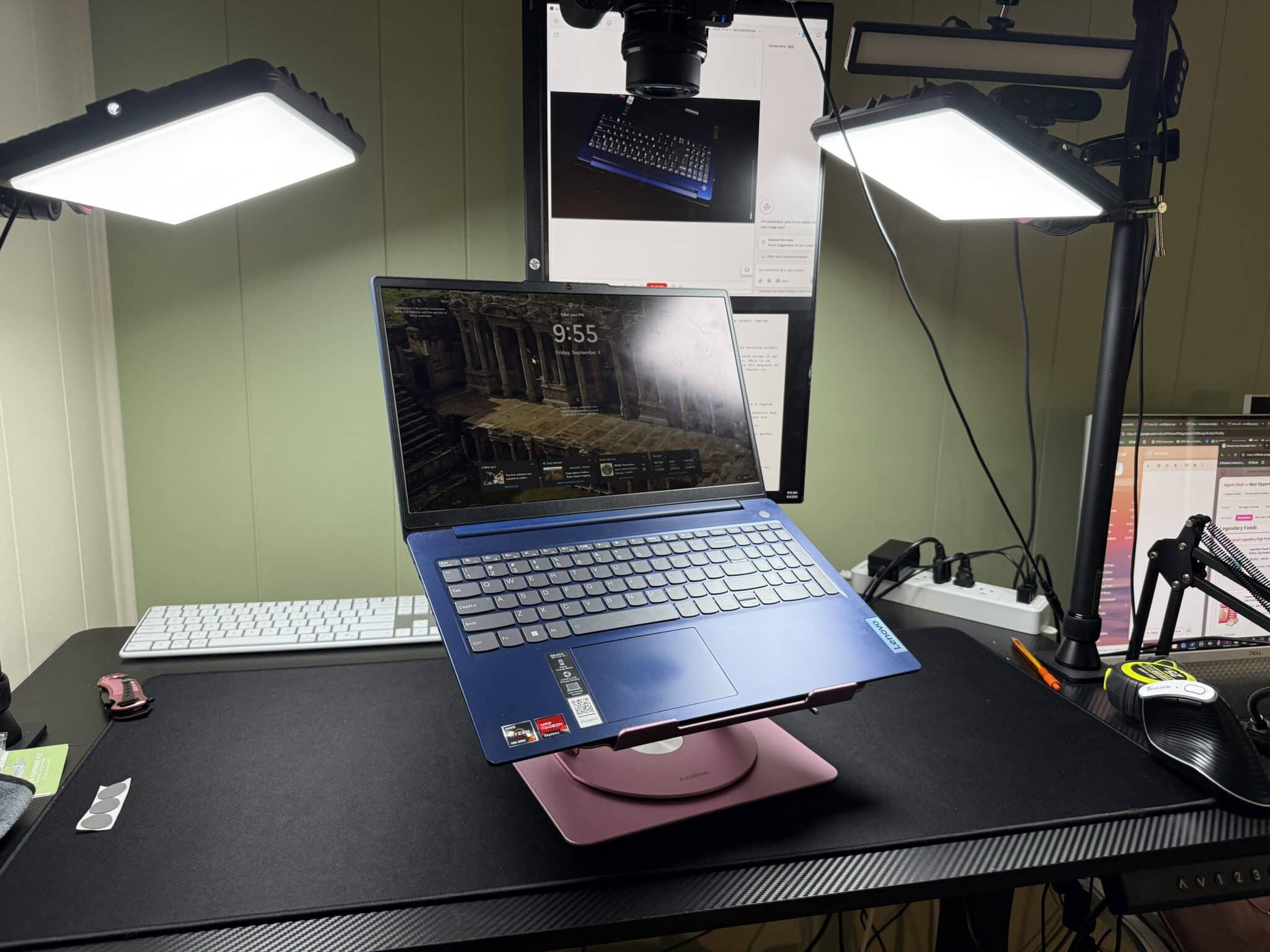
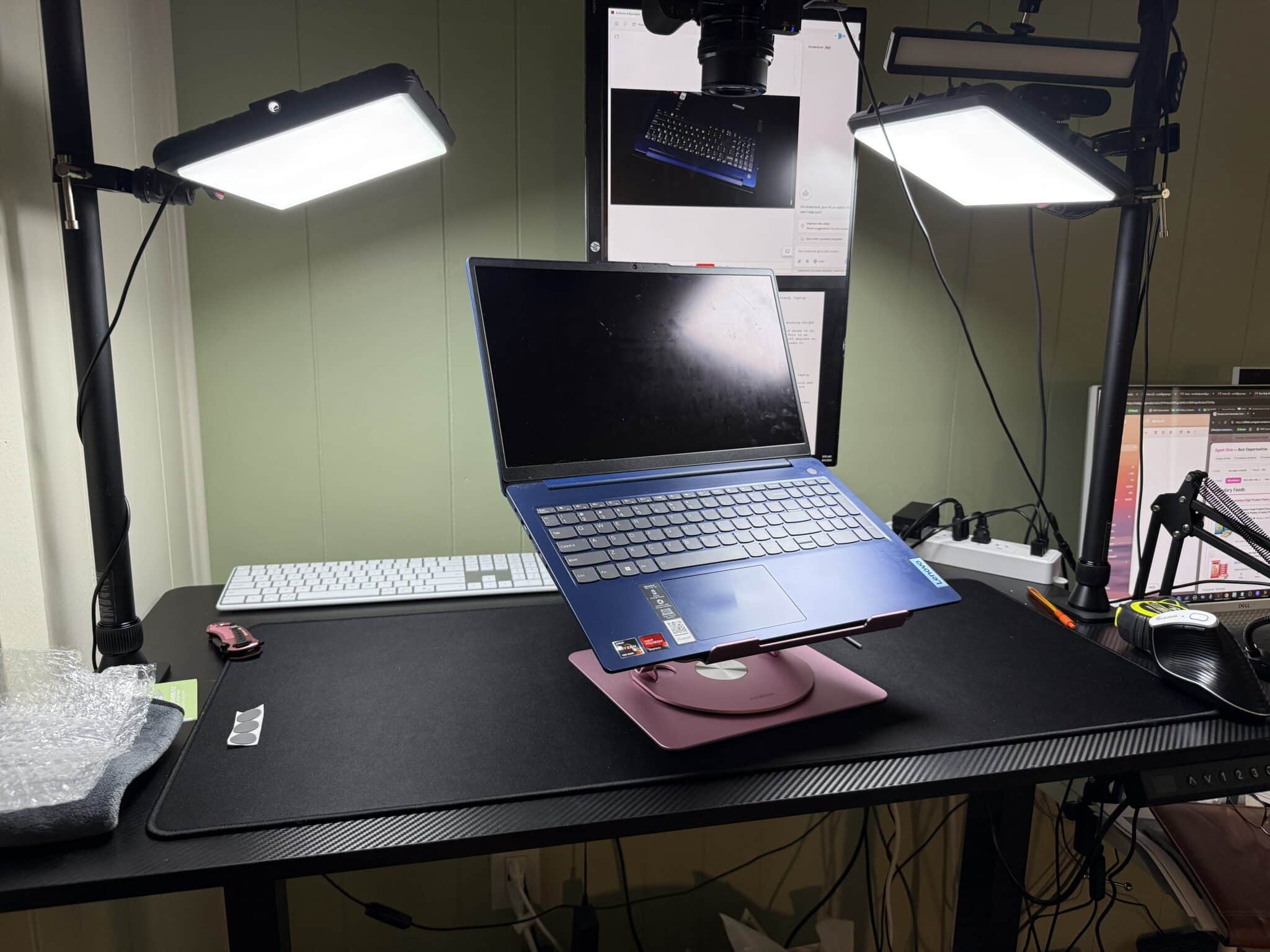
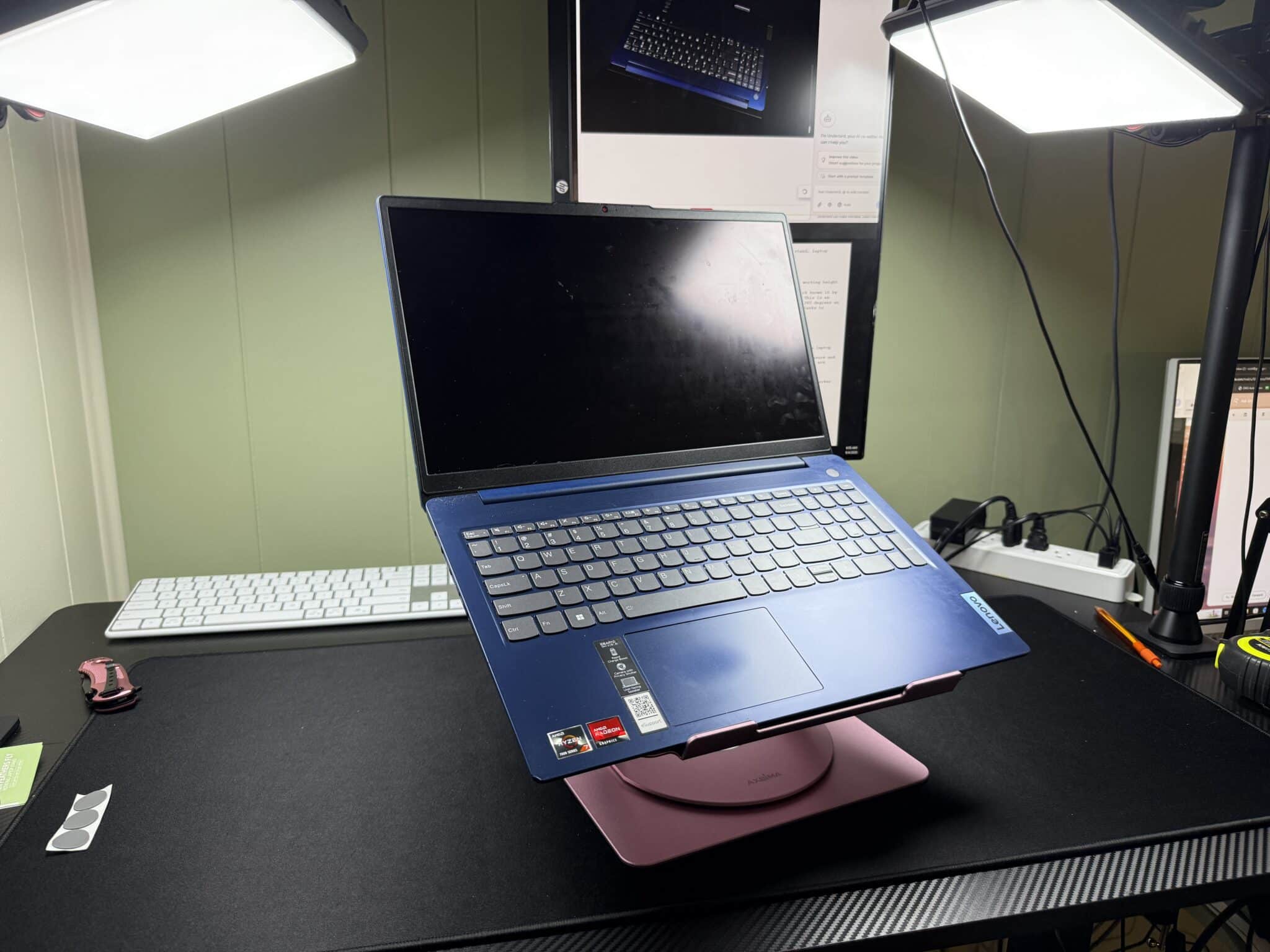
As I demonstrated in the video, I set my own 17-inch laptop on the platform, well beyond the stated 11 to 16 inch range, and it held completely stable with zero wobble or shifting.
In the video, you can see that the rotation feature includes a click-lock function, which means once you rotate it to share your screen during a call, it won’t drift back on its own.
I also want to point out something I noticed about long-term care: this stand ships with replacement rubber foot pads, which tells you the manufacturer expects years of use, not just a few months.
And as I mentioned while testing it, because the frame is aluminum rather than plastic, there was no bounce or flex in the screen even at full height while typing, which is a common complaint with cheaper stands.
Will You Be Able to Use It?
If you have decent hand strength and can manage a light folding motion, you’ll be able to set this up independently.
The adjustments require a firm but gentle push, similar to opening a laptop lid, so most older adults will find this manageable without help.
If you have significant hand or wrist limitations, you may want a family member to help with the very first setup, though after that, most people leave it in position and rarely readjust it daily.
Important Considerations
This stand is not designed for laptops with keyboards that extend well past the edges of the platform. As I noted from testing, if you type hard on those outer keys, you risk knocking the balance off slightly.
It’s also worth remembering that this is a laptop stand, not a full ergonomic workstation on its own. You’ll get the most benefit if you pair it with a separate keyboard and mouse so your hands stay at a natural, lower typing height while the screen sits up at eye level. For the mouse part of that pairing, the Share Sunshine vertical mouse is one I tried that is gentle on sore wrists.
Because the frame is metal, you’ll want to keep an eye on the rubber feet, especially if your desk is a nice wood finish. The included replacement pads are a smart touch here.
Always consult with your doctor or occupational therapist before making health-related product decisions, particularly if you have an existing neck or spine condition.
Help When You Need It
The stand includes an instruction sheet in the box that walks you through the same adjustments I demonstrated in the video, so you’ll have that as a reference at home.
Standard Amazon return policies apply, giving you a window to test it out at your own desk before deciding it’s a keeper.
Replacement rubber foot pads are included from the start, which means you won’t need to hunt down a separate part if the originals wear down over time.
Understanding the Cost
I won’t quote specific pricing here, but in terms of value, this sits comfortably in the category of an affordable ergonomic upgrade rather than a major purchase like an external monitor or standing desk.
Given the aluminum construction, the rotation feature, and the fact that it folds flat for travel, the Axbima Adjustable Laptop Stand compares favorably to plastic stands that often flex or wobble under a heavier machine.
If you’re weighing this against buying a second monitor, remember the stand solves the height problem without adding another device, more cables, or more desk clutter.
Making It Work for You
For the best results, pair this stand with a separate keyboard and mouse so you’re not typing directly on the raised laptop keys, which keeps your wrists in a more natural position.
Take a few minutes on day one to find your ideal height and angle, then leave it there. Most people set it once and rarely touch the adjustment again.
If you travel often, get in the habit of folding it flat and tucking it into your bag before you head out the door, so your ergonomic setup travels with you instead of staying behind.
Our Recommendation
If you spend real time on a laptop each day and you’re feeling it in your neck and shoulders by evening, this stand is worth adding to your desk setup.
It’s especially valuable if you already own a separate keyboard and mouse, or if you split your time between a home office and somewhere else and want a consistent, ergonomic setup in both places.
Where I’d pump the brakes is if your laptop’s keyboard extends significantly past its edges and you type aggressively, since that’s the one scenario where balance could become a minor concern.
If you decide a stand alone doesn’t solve enough of the problem, an external monitor paired with this stand as a laptop riser is a solid combination worth considering down the road.
Where to Get It
Check the link for the Axbima Adjustable Laptop Stand to see current availability and any current offers. Availability and options can shift, so it’s worth a quick look before you decide.
Conclusion
At the end of the day, a sore neck isn’t something you have to just live with when it comes from hours at a laptop. This stand gave me a simple, sturdy way to bring my screen up to eye level, and it held steady even with a laptop larger than its official rating.
If neck and shoulder strain has been creeping into your evenings, give this one a look and see if it makes the same difference for you that it did for me.
I’d love to hear how it works out for you, so drop a comment or reach out with any questions. I’m always happy to help you find what actually works for real life.