
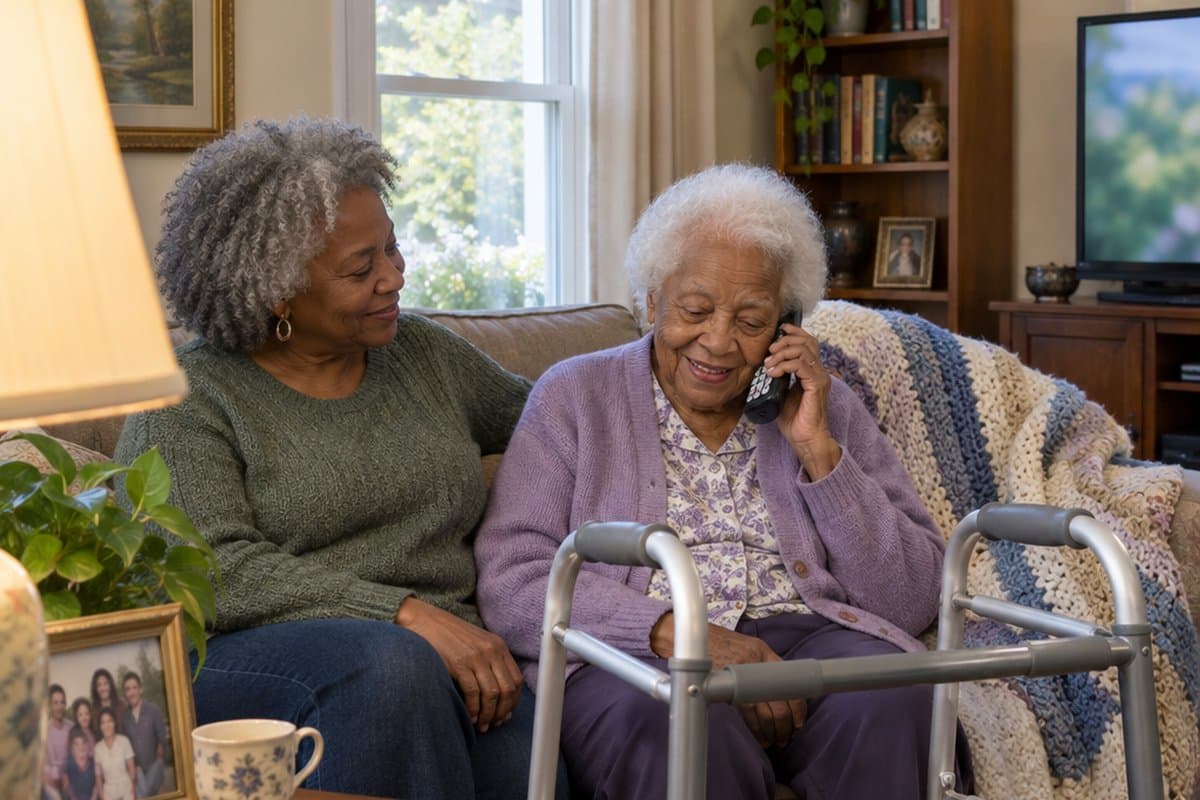
As a caregiver, you know how frustrating it can be to find a cell phone your loved one with dementia can actually use.
Between tiny screens, complex menus, and buttons requiring precise finger control, most smartphones are impossible to use independently.
These phones are designed to be simple and have features like:
- Large, well-spaced buttons for easier dialing
- Bright, clear screens with large text
- Photos of loved ones for one-touch calling
- Loud, amplified speakers
- SOS emergency button
No complicated settings or confusing menus. Just simple, reliable phones that make calling family and emergency services easy for your loved one.
As someone who has been helping older adults choose technological products to make their lives easier, I know how critical it is to find technology that reduces stress for you and your family.
Here are the phones I’d point you to first, and you’ll find the details on each one, including the downsides, further down the page.


Top Cell Phones for Dementia
Here are a few cell phones I recommend for seniors with dementia:
Pros:
- Simplicity – A senior with dementia will benefit from the only screen offering them the information they need. Pairing the picture with the contact’s name can really make it easy to know who you are calling.
- GPS Tracking – Having the ability to track the phone through a remote online portal can provide peace of mind to caregivers and loved ones.
- Block Unwanted Calls – Having the ability to block calls from predatory sources and anyone not on the contact list can eliminate the threat of your loved one falling victim to common scams targeting seniors.
- Volume Always On Maximum – Seniors often have trouble hearing and having a volume rocker can be confusing. The volume rocker is disabled and the volume button is always on the maximum level for convenience and accessibility. Calls can be automatically routed to the powerful speaker to make them even easier to hear.
- Large Display – Small displays can be very difficult to read for seniors. This phone has a larger screen and bright 6.3-inch display, making it easier to see and use. The display is also always on.
Cons:
- Large Phone – The phone is fairly large and hefty at 6.38 oz- a bit heavier than an iPhone 10. That being said, this can be seen as a compromise to make it more accessible for seniors.
The RAZ Memory Cell Phone leads this category by a mile and is, hands down, the best cell phone for dementia. It has the most useful safety features and it even has a camera too!
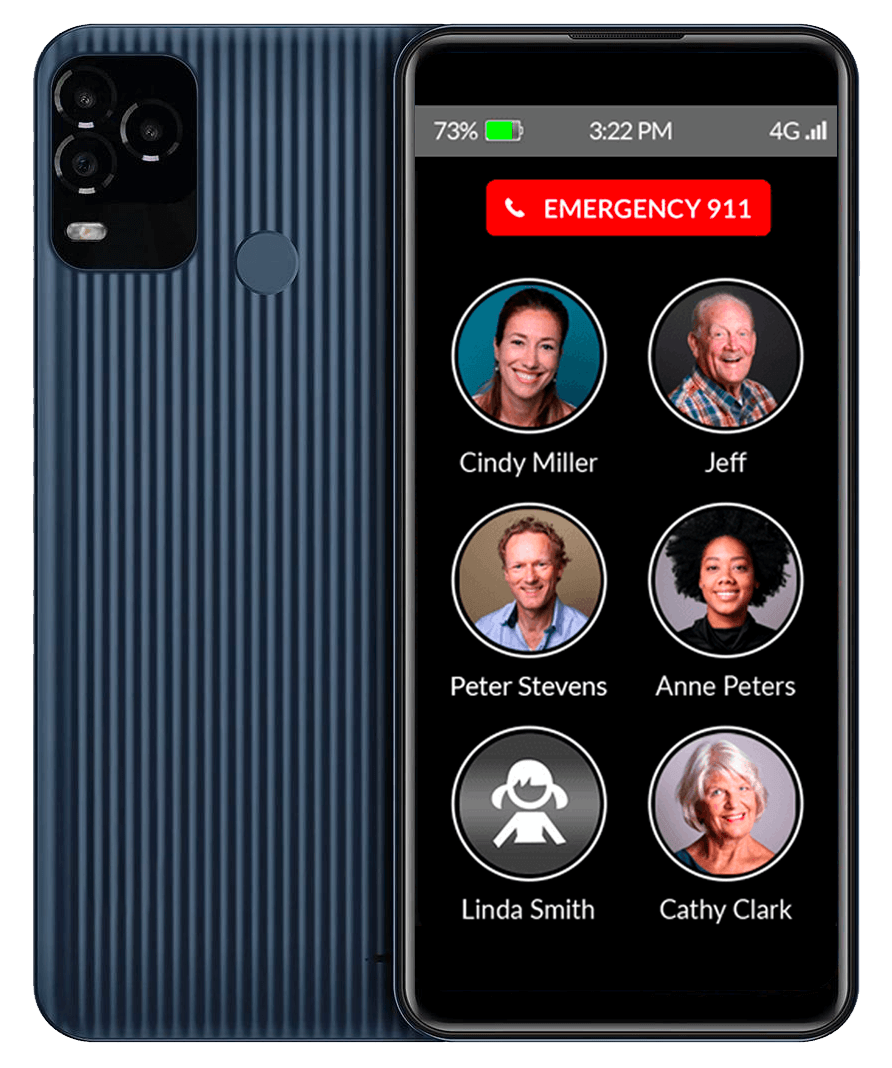
It is an extremely easy-to-use smartphone for seniors and has useful features like photo dialing (touch the picture of the person to call them), an emergency button, and displays the time, remaining batter, and signal strength.
Plus caregivers can manage and control the phone settings remotely through an app on your phone or through a simple web portal. So, you can know at a glance the status of the phone and even the location of the user.
The RAZ Memory Cell Phone was designed specifically for individuals with Alzheimer’s and dementia in mind. Because of this, it can serve as a lifeline for those with memory loss.
How It Benefits Seniors with Dementia or Alzheimer’s
Not only does it feature a primary screen touch-based interface, but it now features names and pictures of up to 30 contacts. In addition, it features an easy-to-see red button to call “911” in an emergency situation. There is one screen and one screen only!
The phone also offers the time in the upper-right corner and the battery level in the upper left. It even prompts the user to charge the phone when it is time.
As you can see, the touch screen is kept as simple as possible to avoid confusing menus or settings configurations. It provides zero distractions to the user.
Nothing is intimidating about using it. Some have said it is even comforting to be able to turn the screen on and see the names and faces of loved ones.
How It Benefits Caregivers and Loved Ones
As a caregiver or remote family member, you can monitor your loved one from anywhere in the US or Canada via an app or website through a very simple portal.
You can do everything from creating and editing contacts, tracking the phone’s location history, checking the battery charge, and even restricting incoming calls, including from known predatory sources.
As a caregiver and loved one, having this type of access can give you the peace of mind you need to know that your patient or loved one is safe and that you have the ability to track them if they end up lost.
New Caregiver Portal Now There is an App!

Raz Mobility is constantly innovating its service and recently added a new app that you can install on your phone that allows you to perform all the remote monitoring functions without having to log on to a portal.
Now, these options and controls can be used remotely no matter how far away you may live.
Monitor Battery Status, Phone Signal, and Strength
For example, the caregiver can check the phone’s signal strength and battery power. This is helpful if you can’t reach the senior or want to ensure they keep their phone charged. You can receive text messages when the battery gets low too.
Control Use of Power Button
Caregivers and family members can also use the app to disable the power button to keep the user from being able to turn it off.
This will help in cases where the senior has difficulty turning the phone back on or accidentally goes into the phone’s Safe mode. The volume button can even be controlled remotely.
Control Incoming & Outgoing Calls
Finally, there is also a “limit incoming calls” option so that only calls from preapproved callers make it through. This eliminates telemarketing and scam calls.
The caregiver can add as many numbers to the white list as wanted. For example, if the caregiver wants the senior to receive calls from his doctor, but does not want the doctor to be a contact, this can now be done.
Reduce Out of Control 911 Calls
You have the ability to redirect 911 emergency calls to the RAZ emergency service team, who can verify there is a true emergency before sending emergency help.
It’s not uncommon for confusion to lead to false and repeated, calls to 911. You can control this with the RAZ Memory Cell Phone, although it is an extra charge.
May Work With Your Existing Cell Plan
This phone is compatible with Verizon, AT&T, and other cell providers. The best option is to connect it to the Affinity Cellular Network, and you could get three months free.
Lively Jitterbug Smart Phone

Pros:
- Award-winning customer service allows you to contact professionals if you don’t understand anything on the phone.
- It doesn’t come with cancellation or contract fees.
- The easy UI and bigger touch-screen make it a pleasing phone experience for anyone with dementia.
- The organized menu makes it easier for seniors to find all the functions in one place. Whether they want to make calls or send a message, they will find all the options in the menu.
- They can take photos of everything around them to remember them later.
- The phone has a 13 MP that takes crisp images.
Cons:
- Because it is a smartphone and has more features, it could be too confusing for some users.
This easy-to-use smartphone for seniors has simple, list-based menus with a large, easy-to-see screen. It even offers voice typing and mobile internet access.
Many seniors who love touch-screen phones will find this model useful. They don’t have to use the traditional keypad anymore. This 5.5-inch cell phone will fit in their hands easily. Plus, it is extremely lightweight.
While not as simple as the RAZ Memory Cell Phone, the simple menu is well-organized, so higher-functioning seniors with dementia will have no difficulty understanding the functions.
The phone’s display is big enough to show letters and numbers significantly bigger. There may be a bit of a learning curve to using this one. But, they can make and receive calls without help after a few uses.
Lively Jitterbug Flip Phone
Pros:
- There are no contracts or cancellation fees if you do not wish to continue using the phone.
- The speaker is significantly loud. Your loved one can hear the phone even if they forget where they kept it last.
- You can use the Lively network on this phone. It is the best wireless network provider in the US.
- There are no complicated functions in the menu that can confuse the user.
- You can link the phone with its app so that you know about the health and safety of your loved one.
Cons:
- The screen is not big enough like the other models.
- Poor battery life is a common complaint so you’ll need frequent charges.
This phone is ideal for seniors with dementia who don’t want too many complicated functions and can access numbers and dial a phone.
Even though it is a more basic flip phone, it has simple Yes and No options so the user can follow the on-screen instructions easily. The phone has a powered speaker that lets your loved one hear your voice from a distance.
Plus, the bigger fonts and numbers make dialing your loved one easier. All they have to do is press the menu button and follow the instructions on the screen. They need to press the Yes or No button accordingly.
Many older people prefer a model like this because it is less intimidating (initially, at least) than a smartphone.
Alcatel GO FLIP V Phone

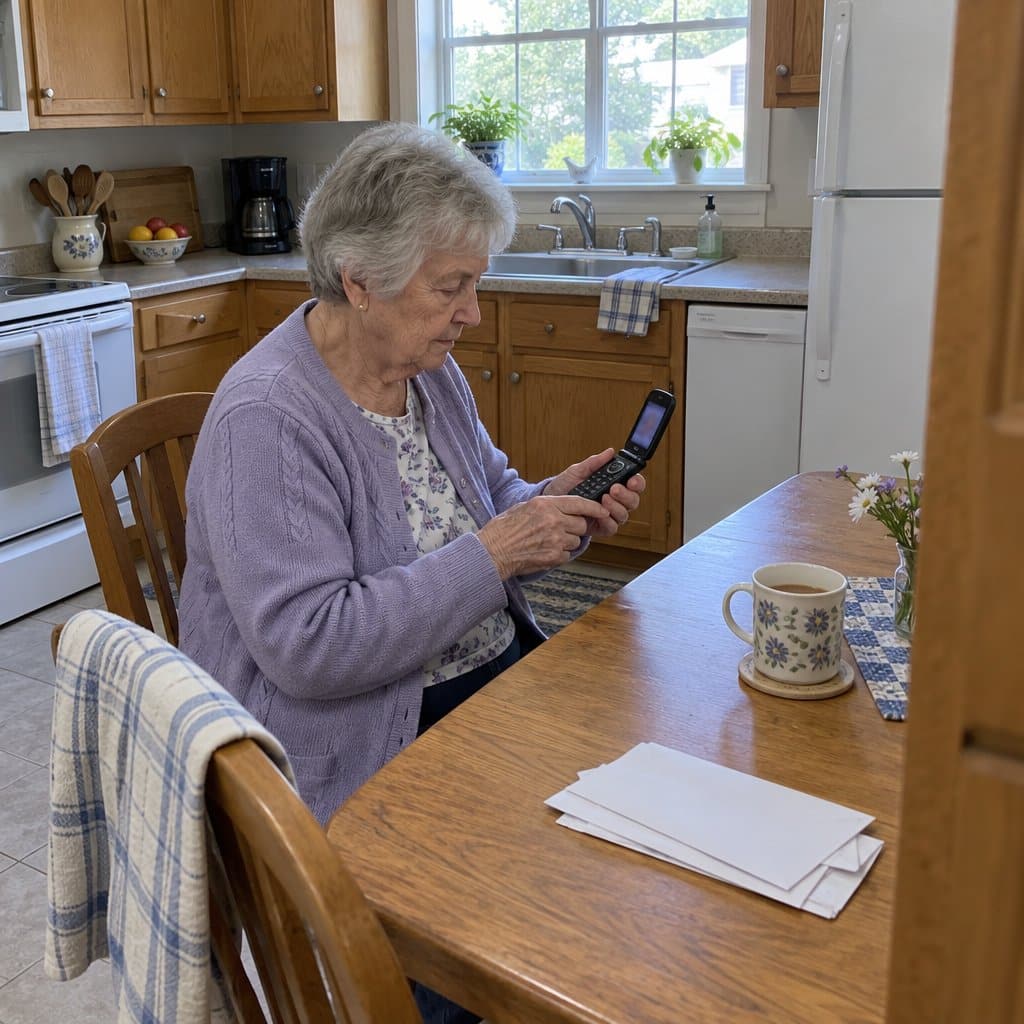
The Alcate GO FLIP V 4051S is a plain flip phone for someone who just needs to make and take calls. It’s a renewed phone, meaning it has been used before and refurbished. It was originally a Verizon phone and is now GSM unlocked, so it can work with Verizon and with GSM carriers.
The keys are large and backlit, so the numbers are easier to see and press, even in a dim room. The menus are meant to be easy to move through, which matters when a long list of options is the thing that causes the frustration.
Inside, the screen is 2.8 inches. That’s enough room to read a name or number without squinting.
It also supports Voice over LTE (VoLTE) and HD Voice. In plain terms, calls go over the 4G network and tend to sound clearer. That helps when your loved one has trouble following a conversation.
The design is compact and durable, so it should handle being carried around. And a flip phone has a built-in way to end a call: you close it.
A few things to keep in mind. A renewed phone is previously owned, so it’s worth looking at what the seller says about its condition. You’ll also need a service plan from a carrier it works with.
It’s still a phone with menus and keys. If your loved one is in the later stages of dementia, even this may be more than they can manage, and someone else will probably need to set up the contacts first.
Easyfone T200 4G Phone
If you want a basic phone that does calls and texts and not much else, take a look at the Easyfone T200.
It leaves out the internet and the camera on purpose. For someone with dementia, that means fewer things to tap by accident and fewer screens to get lost in. It suits a person who has used a mobile phone before and just needs a plainer version.
There is a special SOS button. Keys #2 through #9 can also be set as speed dials, so you could set one key to call a son and another to call a daughter. The sound is described as clear and loud, which helps if hearing has faded.
It also has a few extras, like an FM radio, alarms, a flashlight, Bluetooth, a calendar and some mini-games. Those can be a pleasant touch for one person and a distraction for another, so think about which one you are shopping for.
Charging is through a Type-C port, and the battery is rated for up to 120 hours of standby. Someone still has to remember to plug it in, though, so a nightly routine helps.
The one big catch is the network. The phone comes with a SpeedTalk prepaid SIM that runs on T-Mobile, and it also works with T-Mobile prepaid plans and Tello Mobile. Other carriers may not work with it, so check T-Mobile coverage where your loved one lives before you order. If you want to keep an existing plan on another carrier, this is probably not the phone for you.
What Makes a Cell Phone More Appropriate for Someone with Dementia?
Here are some specific features and options you should look for when you need an easier to use smartphone for people with memory issues.
Simple Functions That Are Easy to Understand
It is somewhat obvious, but you want to choose a phone that is easy to understand and use. You want a phone with minimal options that don’t require accessing multiple menus. Quick, one-touch functions buttons are best.
Big Buttons That Are Easy to Read
Look for big buttons with bold, well-contrasted print. Not just the number buttons – all the buttons should be clearly labeled and easy to read.
For smartphones, the on-screen buttons should also be large with clear print and complementary colors. These features add to the overall ease of use of these devices.
Long Battery Life Between Charges
Let’s face it. They will forget to charge the phone at one time or another. So, get one with a long standby time. That way, it will be functional when they need it.
The Raz Memory Phone even lets you monitor the phone’s charging status remotely. So, you can prompt the user when it’s time to charge the phone.
One-Touch SOS Emergency Button
I really recommend phones with one-touch speed dialing for storing phone numbers for quick calls during emergencies. Even better if it’s red or clearly labeled SOS!
Bright, Clear Large Screen That is Easy to See
The digital screen should be brightly backlit with big, bold print so that it can be read easily – during the day and the night.
Summary and Final Recommendations
There are so many ways that seniors can use smartphones. And, as you can see, several good cell phone options exist for seniors with dementia. Just look for one that is easy to use with large buttons that can be easily read.
Think about emergency situations too. You want your loved one to have quick access to help if there has been a quick access to medical attention after a fall or a medical problem.
Do you know of other cell phones that are good for seniors with dementia? Let me know about them in the comments below.





Do you still have the phone that was kind of made to look like s shell. It also came in her favorite color, which is pearl white. Thank you
Hi Sylvia – I don’t directly sell phones or products here – I just research and make recommendations. But, I know exactly the phone you are talking about!
My husband constantly misplaces or losses his cell phone. I have replaced it 5 times. Do you have a recommendation for a phone. He lives in a VA nursing home.
Thank You.
Mary H
my 3g went oblivion. my wife gave a samsung android which is absolutely useless to me. the electronic world is not my world nor is this touch tone thing. what is out there that is not going to cost me an arm and a leg and just as easy as my 3g. she tells me i got the best thing. yeah…right!!!.
Does anyone know of a flip phone that has at least 30 speed dials?
It is impossible to get this information using
Google
Thanks in advance