![Elderly woman son voice assistant reminders[1]](https://www.grayingwithgrace.com/wp-content/uploads/2025/10/elderly_woman_son_voice_assistant_reminders1.jpg)
You call your mother for the third time today. “Mom, did you take your blood pressure medication?”
She sighs—that familiar tone that says she’s tired of being treated like a child. You feel it too: the guilt, the frustration, the exhaustion of being the family nag.
You’re not hovering because you enjoy it. You’re doing it because you care, because you worry, because one missed dose could mean an ER visit. But there has to be a better way, right?
After working with hundreds of caregiving families over two decades as a Certified Senior Advisor, I’ve learned that the reminder problem isn’t about whether your parent needs help—it’s about finding methods that feel supportive rather than infantilizing.
Let me share ten approaches that maintain connection without the constant friction.
1. Medication Organizers with Built-In Alarms
What it is: Weekly pill boxes equipped with timer alarms that beep when it’s time to take medication.
Who it works best for: Seniors with consistent daily routines who are still independent and can respond to audio cues.
How to implement it:
- Set up a seven-day organizer with AM/PM compartments
- Program the alarm for medication times
- Refill together during weekly visits or video calls
Why it works: The reminder comes from a neutral device, not from you. Your parent maintains autonomy while you gain peace of mind.
Pros: Affordable (under $30), no technology learning curve, provides visual confirmation of whether medication was taken
Cons: Requires someone to refill it weekly, your parent must hear and respond to the alarm, doesn’t work for cognitive decline
If you need more sophisticated medication management with automated dispensing and lockable features, explore automatic pill dispensers designed specifically for seniors.

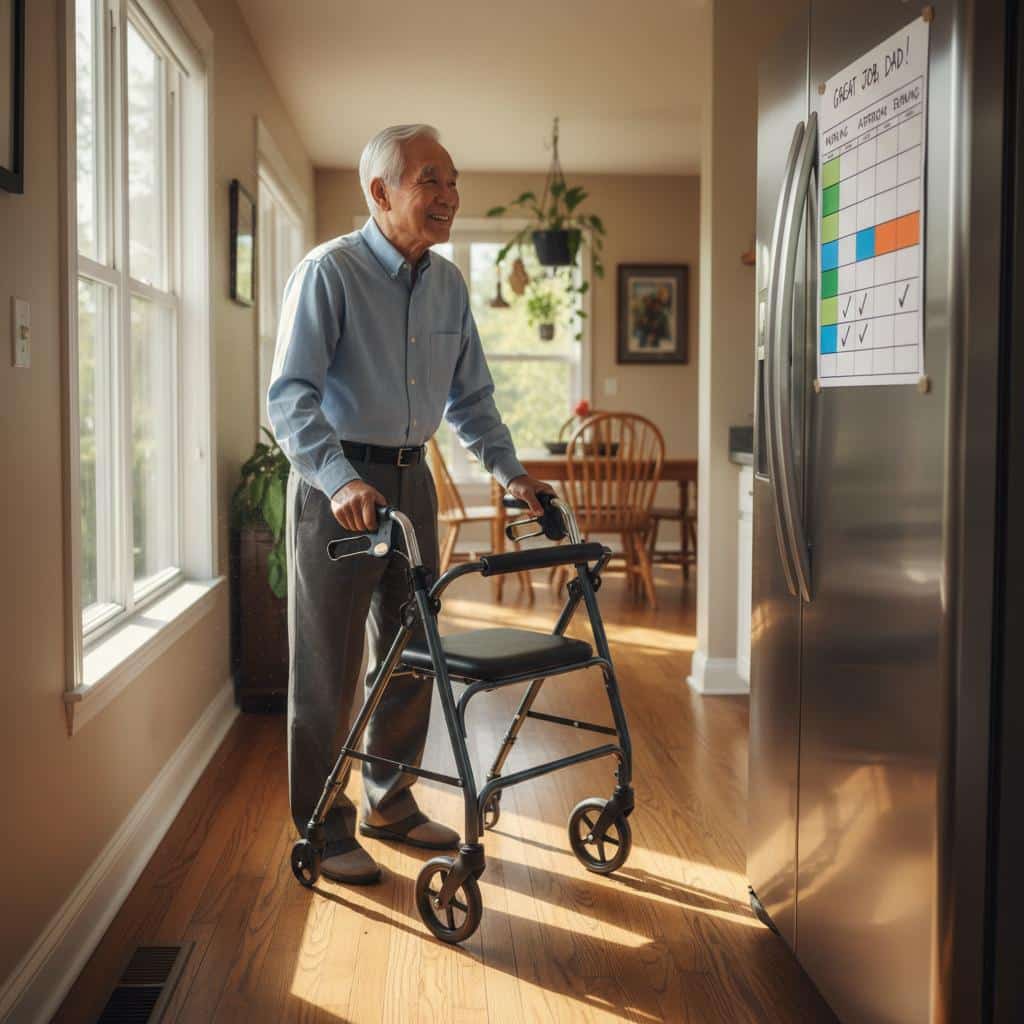
2. Large-Print Calendars in High-Traffic Areas
What it is: Wall calendars with oversized numbers placed where your parent spends most of their time—kitchen, bedroom doorway, or next to their favorite chair.
Who it works best for: Visually-oriented seniors who check the same spots regularly and appreciate seeing their schedule at a glance.
How to implement it:
- Choose a calendar with 2-3 inch numbers
- Write appointments and reminders in bright, bold markers
- Add photos or stickers for special events to draw attention
Why it works: The information lives in their environment, not in your phone calls. It’s always there when they need it.
Pros: No learning curve, always visible, costs under $15, you can include encouraging notes alongside reminders
Cons: Can’t be updated remotely unless you’re there, requires your parent to actually check it, becomes background noise if overused
For digital alternatives that can be updated remotely with photos and messages, consider electronic calendars designed for seniors with dementia.

3. Dry-Erase Boards for Daily Tasks
What it is: A whiteboard where you write today’s specific reminders—either in person or by showing your parent what to write during a video call.
Who it works best for: Seniors who appreciate a “fresh start” each day and like crossing items off a visible list.
How to implement it:
- Mount a board in their main living area
- Each morning (or the night before), list 3-5 key tasks
- Include checkboxes they can mark off for satisfaction
Why it works: Daily tasks feel manageable rather than overwhelming. The act of erasing and starting fresh each day reduces anxiety.
Pros: Customizable for daily needs, easy to update, gives your parent a sense of accomplishment, costs under $15
Cons: Requires someone to update it regularly, can get messy or confusing with too much information, not ideal for forgetful seniors
Ready to discover more innovative strategies for healthy, comfortable aging? Subscribe to our newsletter for expert-tested tips and product recommendations designed specifically for older adults.
4. Digital Message Displays
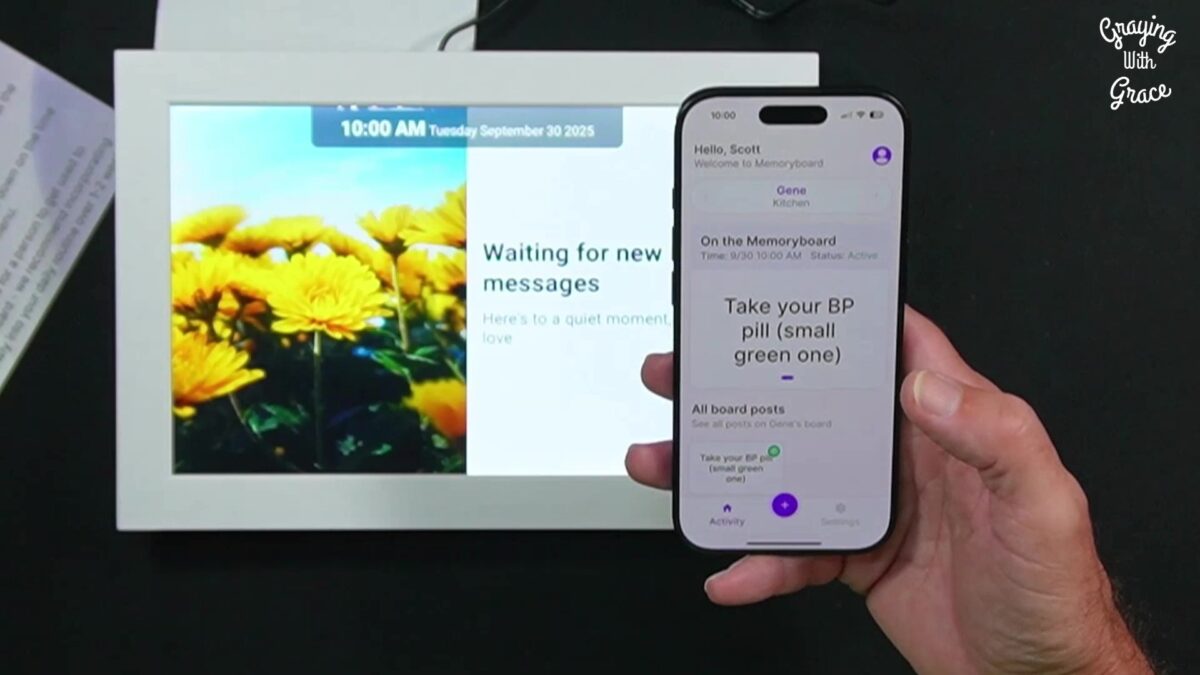
What it is: A dedicated screen that displays messages, photos, and reminders sent remotely from family members’ phones—no learning curve required for your parent.
Who it works best for: Tech-resistant seniors who need reminders but can’t or won’t use smartphones or tablets. Perfect for families with multiple caregivers who need to coordinate.
How to implement it:
- Set up the display in a central location
- Family members send messages through an app
- Messages rotate automatically with photos and text
- No buttons for your parent to press—it just works
Why it works: Your parent doesn’t need to do anything except look at the screen. Multiple family members can send reminders without coordination hassles, and you can include warm messages alongside practical reminders.
Highlight: The Memoryboard is one such solution I’ve tested extensively. It allows unlimited family members to send messages, combines photos with text reminders, and requires no subscription fees. Messages appear automatically, making it perfect for seniors who resist technology.
Pros: Remote updates from anywhere, unlimited family access, automatic message rotation, combines emotional connection (photos) with practical reminders, no learning curve for your parent
Cons: Requires reliable Wi-Fi and power source, upfront cost (typically $100-200), screen placement matters for visibility
For families juggling long-distance caregiving or coordinating between multiple siblings, I wrote a detailed review of how the Memoryboard works for dementia caregivers and why it reduces family stress.

5. Voice Assistants (with Important Caveats)
What it is: Amazon Alexa or Google Home devices that can provide voice reminders and answer questions.
Who it works best for: Tech-comfortable seniors who remember to interact with the device and don’t feel frustrated by voice recognition issues.
How to implement it:
- Set up basic routines for medication times
- Program reminders for appointments
- Teach simple commands: “Alexa, when is my doctor’s appointment?”
Why it works: When it works well, it’s hands-free and feels conversational rather than nagging.
Pros: Hands-free operation, can answer questions, multiple functions beyond reminders (weather, news, music)
Cons: Steep learning curve for many seniors, voice recognition frustrates users who speak softly or have accents, privacy concerns, many seniors forget the device exists or can’t remember commands
If your parent struggles with standard technology, simplified phones designed for seniors with dementia might offer better success with fewer frustrations.

6. Automated Text Message Services
What it is: Scheduled text messages sent automatically at set times through apps like Google Messages, iPhone Shortcuts, or dedicated reminder services.
Who it works best for: Smartphone-savvy seniors who regularly check their text messages and appreciate written communication.
How to implement it:
- Set up recurring messages through scheduling apps
- Personalize each message with warmth
- Include photos or emojis to stand out in their inbox
Why it works: Messages arrive consistently without requiring you to remember, and your parent can reference them later if needed.
Pros: Personalized and can include photos or helpful links, free or low-cost, you control the timing and content
Cons: Requires your parent to actively check their phone, messages get buried under other texts, no visual persistence—once it’s scrolled past, it’s forgotten
7. Coordinated Family Phone Schedules
What it is: Siblings and family members rotate daily check-in calls, distributing the reminder burden while maintaining personal connection.
Who it works best for: Seniors who value voice connection and social interaction, and families who can commit to a schedule.
How to implement it:
- Create a shared calendar for who calls when
- Each person takes 2-3 days per week
- Include gentle reminders naturally in conversation
Why it works: Your parent gets regular contact without feeling monitored, and you’re not carrying the entire load alone.
Pros: Builds in meaningful social contact, distributes caregiver burden, multiple perspectives notice changes in your parent’s condition
Cons: Still feels intrusive if the only focus is reminders, time-intensive for busy families, requires coordination and commitment from multiple people
For families managing care from different cities, staying connected across distances requires creative solutions beyond just phone calls.
8. Visual Cue Systems (Color-Coded Containers)
What it is: Using colors, shapes, or labels to organize medication bottles, meal containers, and daily tasks—tapping into visual memory rather than verbal reminders.
Who it works best for: Seniors who respond well to visual organization and patterns, especially those with mild cognitive changes.
How to implement it:
- Use colored stickers or tape on medication bottles (red = morning, blue = evening)
- Color-code daily task bins or containers
- Create a simple chart showing what each color means
Why it works: Visual cues trigger memory without verbal nagging. Your parent can independently follow the system.
Finding the Right Fit for Your Family
Not every method works for every family, and that’s completely normal.
Consider your parent’s cognitive level, comfort with technology, and living situation. Someone with early dementia needs different support than someone who’s physically limited but cognitively sharp.
You might combine multiple approaches—a medication organizer for daily pills plus a digital display for appointment reminders. Or perhaps a weekly phone call schedule plus a large-print calendar provides just enough structure.
The best solution reduces YOUR stress while preserving THEIR dignity. That’s the sweet spot you’re looking for.
For families juggling long-distance caregiving or coordinating multiple siblings, solutions like the Memoryboard that allow remote, collaborative messaging often provide the most relief. See my full hands-on review for detailed pros and cons.
Ready to discover more innovative strategies for healthy, comfortable aging? Subscribe to our newsletter for expert-tested tips and product recommendations designed specifically for older adults.
You’re Not Nagging—You’re Caring
The guilt you feel when making that third reminder call comes from love.
You’re not being unreasonable—you’re being responsible. But sustainable caregiving means finding systems that work for everyone involved.
Try one or two of these methods this week. Pay attention to what reduces both your stress and your parent’s frustration. The right solution exists; it just might take some experimentation to find it.
You deserve caregiving tools that feel supportive rather than exhausting. Your parent deserves to maintain dignity while staying safe. These two goals aren’t in conflict—they just require the right approach.
What reminder methods have worked in your family? Share your experience in the comments below—your insight might be exactly what another caregiver needs to hear today.